The 10 Best Flight Sticks
From entry HOTAS bundles to force-feedback rigs, the right flight stick transforms your sim. Expert consensus and verified buyer data narrow down the top picks across every price tier.
 By Joann Wagner
Updated July 23, 2026
By Joann Wagner
Updated July 23, 2026
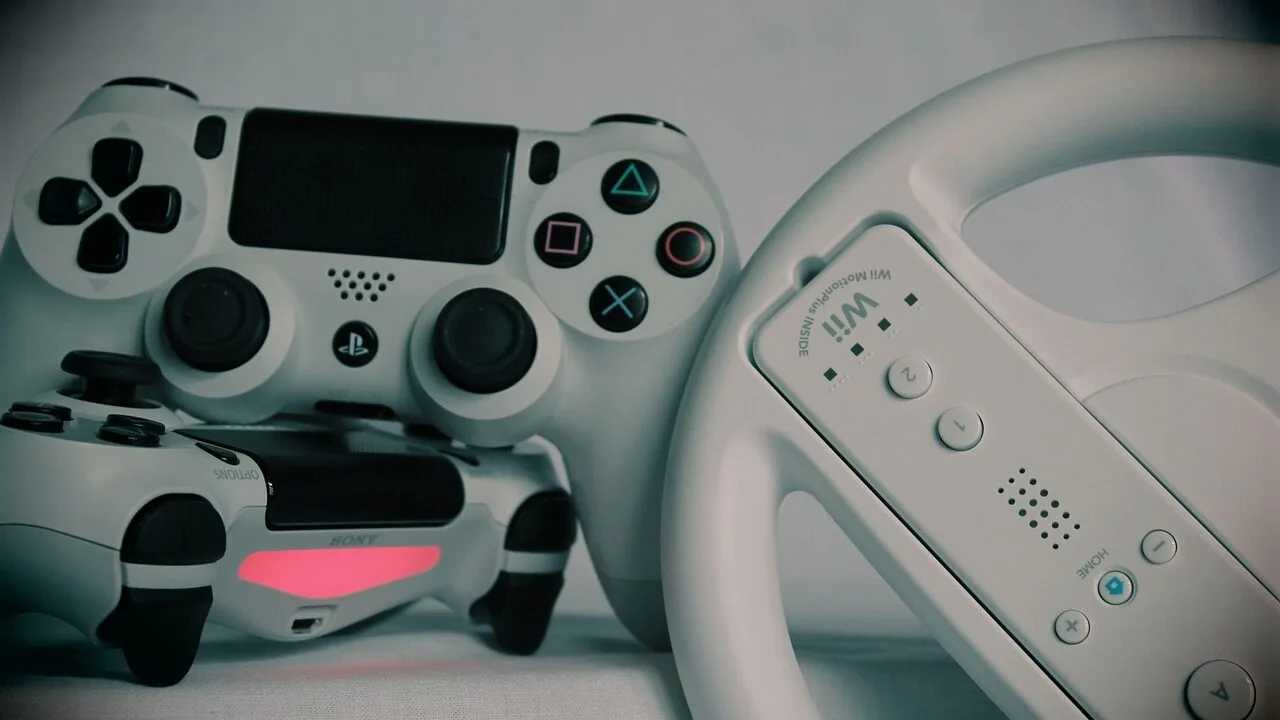
Flight sticks transform PC and console flight sims from button-mashing experiences into genuinely immersive cockpit sessions.
Whether you’re dogfighting in a space combat sim, lining up a carrier approach in a military jet, or cruising the skies in Microsoft Flight Simulator, the right joystick gives you precise, analogue control that a gamepad simply cannot replicate.
The market ranges from entry-level plug-and-play sticks under the budget bracket all the way to force-feedback systems that rival professional training rigs, so picking the right one for your setup and sim of choice takes some research.
This guide covers the top flight sticks available in 2026, drawn from a thorough review of manufacturer specifications, expert review consensus across the flight-sim community, and verified buyer feedback from thousands of confirmed purchasers.
Brands represented here include Thrustmaster, Logitech G, Honeycomb Aeronautical, MOZA, and PXN, spanning a wide range of price tiers and use cases.
Our top picks are ranked below to help you find the right stick without wading through pages of conflicting opinions.
| Award | Product | PF Score About PF ScoreThe PF Score is our own rating from 0 to 10, based on performance, design and build, ease of use, and value. It reflects independent research and is never influenced by manufacturers, retailers, or affiliate commissions. Learn more › | Price | |
|---|---|---|---|---|
| Best Overall |
 MOZA AB6 6Nm Force Feedback Flight Control System
|
9.1/10 | Buy | |
| Editor's Pick |
 Honeycomb Foxtrot Aviation Stick - 16bit Hall Effect
|
8.7/10 | Buy | |
| Best Value |
 Logitech G Saitek X52 Pro Flight Control System
|
8.6/10 | Buy | |
| Top Rated |
 Thrustmaster T-Flight Hotas One Flight Stick
|
8.4/10 | Buy | |
 Thrustmaster Sol-R1 Hall-Effect Space Combat Joystick
|
8.3/10 | Buy | ||
 Thrustmaster T-Flight Hotas X Flight Stick
|
8.2/10 | Buy | ||
 PXN-2119Pro Flight Stick with Dual Vibration
|
6.5/10 | Buy | ||
 PXN 2113 PC Flight Joystick with Vibration
|
6.3/10 | Buy | ||
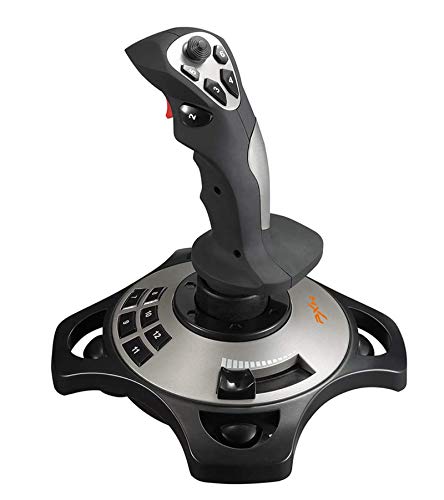 PXN 2113 Flight Joystick with Vibration
|
6.2/10 | Buy | ||
 Reashy HOTAS Mount for Logitech X56/X52, Thrustmaster
|
5.8/10 | Buy |
MOZA AB6 6Nm Force Feedback Flight Control System
A premium flight simulator bundle combining dual servo motor force feedback with a carbon fiber flight stick for serious enthusiasts. Offers 29 programmable controls and flexible mounting options, though the lack of verified buyer feedback makes real-world durability claims unverified.
Pros
- High torque feedback (6Nm) simulates realistic flight conditions like taxiing, turbulence, and landing
- Durable carbon fiber construction with precision Hall-effect sensor technology
- Multiple mounting solutions adapt to different cockpit and desk setups
- Extensive programmability with 29 control assignments
Cons
- No verified buyer reviews available to confirm long-term reliability or real-world performance claims
- Premium pricing point may limit accessibility for casual flight sim players
- Compact design philosophy may feel cramped for users preferring larger control surfaces
Honeycomb Foxtrot Aviation Stick - 16bit Hall Effect
Premium flight stick built for serious Microsoft Flight Simulator pilots, featuring 16-bit Hall Effect sensors for precision control and a durable aluminum gimbal. The ambidextrous design and extensive programmable controls suit both left and right-handed users flying long sessions or aerobatic maneuvers.
Pros
- High-precision 16-bit sensors deliver pinpoint accuracy for landings and aerobatics
- Extensive control options including dual hat switches and rotary panel for complex setups
- Ambidextrous grip accommodates both left and right-handed pilots comfortably
- Premium build quality using aluminum and glass-fiber reinforced materials
- Smooth detent-free movement with adjustable resistance for natural flight feel
Cons
- No verified buyer reviews available yet to assess real-world reliability or long-term durability
- Premium positioning likely reflects a higher price point relative to entry-level alternatives
- Requires compatible Honeycomb hardware ecosystem for full feature integration
Logitech G Saitek X52 Pro Flight Control System
A premium flight stick designed for serious simulation enthusiasts, featuring precision centering, programmable controls, and an LCD display for multi-function management. Best suited for combat flight sims and complex cockpit setups where tactile feedback and customization matter.
Pros
- Advanced centering technology provides accurate, responsive flight control without mechanical drift
- Fully programmable per-game profiles let you optimize controls for different flight simulators
- Adjustable throttle resistance and detent positions cater to varied flying styles and aircraft types
- 5-position handle adjustment accommodates different hand sizes and grip preferences
- LCD display enables quick access to multi-function controls during gameplay
Cons
- Requires Windows 7 or later with 2 USB 2.0 ports, limiting compatibility with older systems
- No reviews available to assess real-world durability or long-term reliability
- Substantial size and weight at 5.1 pounds may require dedicated space on desktop setups
Thrustmaster T-Flight Hotas One Flight Stick
A modular HOTAS system for Xbox Series X|S and PC that combines a precision joystick with detachable throttle in one package. Designed for flight sim enthusiasts who want plug-and-play compatibility without complex setup, though feedback on actual performance depth remains limited.
Pros
- Modular design lets you use joystick and throttle together or separately depending on your space and preference
- Direct compatibility with Xbox Series X|S and PC eliminates driver hassles
- Adjustable resistance and multiple programmable buttons accommodate different aircraft types and pilot skill levels
- Expandable ecosystem with optional rudder pedal compatibility for full cockpit control
Cons
- No verified customer reviews available to confirm real-world performance or durability claims
- Expandable features like rudder pedals sold separately increase total cost significantly
- Limited information on build quality or long-term reliability from actual users
Thrustmaster Sol-R1 Hall-Effect Space Combat Joystick
A premium flight sim stick built for space combat games, featuring 44 programmable actions, Hall-Effect sensors for drift-free precision, and an ambidextrous design. Best suited for serious sim enthusiasts willing to invest in a specialized control setup.
Pros
- Hall-Effect sensors deliver 16-bit precision across all axes without drift
- Extensive button layout minimizes need to reach for keyboard during gameplay
- Truly ambidextrous with swappable components for either hand
- Modular design integrates with other Thrustmaster flight sim gear
Cons
- No verified user reviews available to assess real-world durability or learning curve
- Requires dedicated desk space and may be overkill for casual flight sim players
- Premium positioning likely limits appeal to budget-conscious buyers
Thrustmaster T-Flight Hotas X Flight Stick
Entry-level HOTAS system with detachable throttle and fully programmable controls designed for PC flight sim enthusiasts. Combines plug-and-play simplicity with customization depth, though limited to basic precision compared to professional-grade setups.
Pros
- Ergonomic design with hand rest allows extended play sessions without fatigue
- Detachable throttle offers true flexibility for desk space or full cockpit mounting
- Fully programmable with memory retention, so custom settings persist after disconnect
- Includes brake trigger and multi-directional hat for both civil and combat sims
- Weighted base provides stability without requiring separate mounting hardware
Cons
- No user reviews available to assess real-world durability or long-term reliability
- Mid-range precision joystick may feel limiting for competitive or highly demanding flight sim titles
- Lacks force feedback, reducing immersion compared to higher-end HOTAS systems
PXN-2119Pro Flight Stick with Dual Vibration
A wired flight simulator joystick designed for PC flight sims like Microsoft Flight Simulator and War Thunder, featuring dual vibration motors, 16 programmable buttons, and a separate throttle unit. Best suited for simulation enthusiasts who want precision control and tactile feedback without breaking the bank.
Pros
- Dual vibration and separate throttle system deliver immersive feedback for flight simulation
- Extensive programmability with 16 function keys and 4-axis precision for custom control mapping
- Heavy-duty suction cup base stays firmly locked to desk during extended sessions
- Wide compatibility with major flight simulator titles across Windows platforms
Cons
- Windows PC only; explicitly does not support Mac, PS3, PS5, or older systems like XP and Vista
- Requires driver download and installation from PXN website, with some games needing additional in-game configuration
- No verified customer reviews available to assess real-world reliability and long-term durability
PXN 2113 PC Flight Joystick with Vibration
Windows-only flight stick built for simulation games like Microsoft Flight Simulator and War Thunder, featuring 12 programmable buttons, 4-axis control, and vibration feedback. Ergonomic grip with suction cup base keeps it steady during intense gameplay.
Pros
- 12 programmable buttons and 4-axis control enable precise customization for different flight sims
- Vibration feedback adds tactile realism when enabled at 50%+ strength in driver settings
- Solid, comfortable grip with smooth operation and ergonomic single-hand control
- Suction cup base provides firm grip on smooth surfaces without additional mounting
- Compatible with dozens of popular PC flight and combat simulation titles
Cons
- Windows 7/8/10/11 only, with no Mac, Xbox, PS4/PS5, or Switch support despite USB connection
- Vibration barely noticeable below 20% strength, requiring manual driver adjustment to feel properly
- Force Feedback and several popular games (Minecraft, Asphalt 8, Ace Combat 7) explicitly not supported
PXN 2113 Flight Joystick with Vibration
A wired flight stick designed for PC flight simulators with vibration feedback and 12 programmable buttons. Compatible with popular titles like Microsoft Flight Simulator 2020 and War Thunder, though limited to Windows systems and requires driver installation for full functionality.
Pros
- Vibration motor adds immersion during flight gameplay
- Extensive button configuration through downloadable software
- Works with major PC flight simulators without hardware barriers
- Straightforward plug-and-play setup for Windows systems
Cons
- Windows-only support, no Mac or console compatibility
- Requires driver download if plug-and-play fails, adding setup friction
- No verified user reviews available to assess real-world reliability
- Vibration may require manual strength adjustment in driver settings
Reashy HOTAS Mount for Logitech X56/X52, Thrustmaster
A lightweight aluminum desk mount designed for popular flight stick controllers like Logitech X56, X52, and Thrustmaster HOTAS series. Pre-assembled with adjustable height and clamp positioning, it handles desktop thicknesses from 0.2 to 5.7 inches and folds for storage.
Pros
- Pre-assembled and quick to set up, requiring only unfolding and bracket installation
- Adjustable height and bracket distance accommodate various desk configurations and joystick positions
- Compatible with most major HOTAS controllers including Logitech, Thrustmaster, and VKB Gladiator NXT
- Lightweight aluminum construction paired with anti-slip pads provides stability without excessive weight
- High-pitch rotary clamp design allows easy installation, removal, and storage
Cons
- No verified customer reviews available to confirm real-world durability and build quality claims
- Limited documentation on which joystick models may require adapters beyond listed compatibility
- Desk clamping limited to maximum 5.7 inch thickness, which may not fit all desk types
Flight Sticks Buying Guide
Choosing a flight stick is more nuanced than buying most gaming controllers.
The variables that matter most depend heavily on which simulators you fly, whether you want a standalone stick or a full HOTAS (Hands On Throttle And Stick) setup, and how serious you plan to get over time.
The sections below break down each key criterion so you can match the right hardware to your actual flying habits.
Sensor Technology: Potentiometers vs. Hall Effect
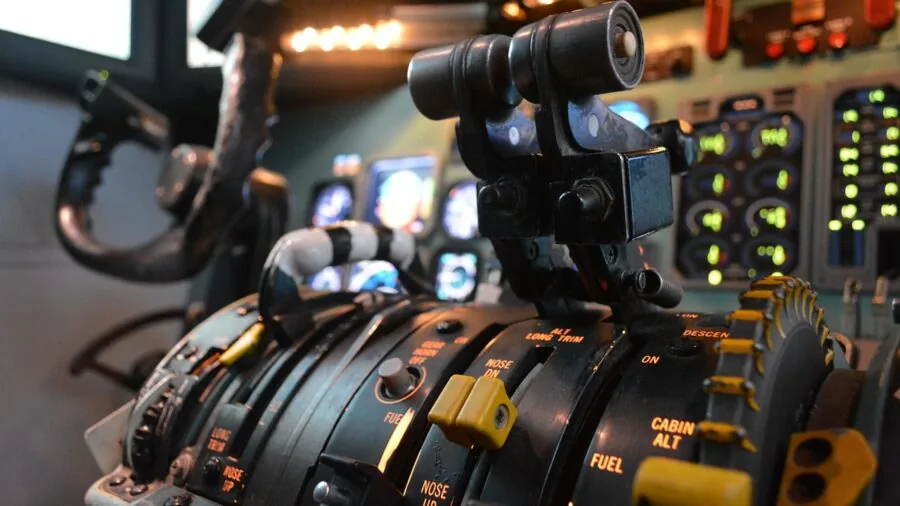
The single most important hardware distinction in a flight stick is what sensor sits at the base of each axis.
Budget sticks typically use potentiometers, which are resistive sensors that wear out over time and develop centre-point drift after heavy use.
Hall effect sensors use magnetic fields instead of physical contact, which means they stay accurate far longer and tend to offer smoother, more linear response curves.
For casual flyers who sim a few hours a week, potentiometers are perfectly adequate for the first year or two of ownership.
Serious sim pilots who log hundreds of hours annually should budget for a Hall effect model from the outset.
Honeycomb Aeronautical and MOZA have both standardised on Hall effect technology in their current lineups, and Thrustmaster’s newer Sol-R1 follows the same path.
When a manufacturer lists “16-bit Hall effect sensors” in the spec sheet, that refers to the resolution of the signal each axis can produce, which translates to finer, more granular input recognition in-sim.
If longevity is a priority and your budget allows it, prioritise Hall effect across all primary axes. The extra spend up front is almost always cheaper than replacing a worn potentiometer-based stick in eighteen months.
HOTAS vs. Standalone Joystick

HOTAS stands for Hands On Throttle And Stick. A HOTAS bundle pairs a joystick with a dedicated throttle unit, mirroring the ergonomic layout of real military and commercial cockpits.
With a HOTAS, your left hand manages engine thrust, flaps, and secondary functions on the throttle while your right hand flies the aircraft on the stick. This setup dramatically reduces the need to hunt for keyboard shortcuts mid-flight.
Standalone joysticks are cheaper and perfectly fine for general aviation sims, space combat games, or anyone just starting out. They take up less desk space and require less initial investment.
However, if you find yourself reaching for the keyboard every few minutes to adjust thrust or trigger systems, a HOTAS upgrade quickly pays for itself in immersion and situational awareness.
A dedicated gaming desk with enough surface area is worth thinking about before committing to a full HOTAS rig, since throttle units can be wide.
The Thrustmaster T-Flight Hotas X and T-Flight Hotas One are well-regarded entry HOTAS bundles that clip throttle and stick together into a single unit for smaller desks.
The Logitech G Saitek X52 Pro and the MOZA AB6 bundle sit at opposite ends of the HOTAS spectrum in terms of feature depth and price.
Compatibility: PC, Xbox, and Beyond
Not every flight stick works on every platform. Most sticks are PC-only via USB, which covers the vast majority of sim use cases.
A smaller number of HOTAS systems carry official Xbox certification, making them compatible with Microsoft Flight Simulator on console as well. The Thrustmaster T-Flight Hotas One is the clearest example here, explicitly designed for both Xbox and PC.
PXN’s budget sticks are Windows-only and explicitly do not support macOS, PlayStation, or Nintendo Switch.
Honeycomb’s Foxtrot stick is a notable exception in the premium space, advertising compatibility with both PC and Mac, and listing optimisation for Microsoft Flight Simulator 2024 and 2020.
Always check the platform fine print before purchasing, particularly if you fly on a Mac or plan to use the stick across multiple devices.
Driver support and plug-and-play recognition also vary. Thrustmaster and Logitech G products are generally well-supported in DCS World, X-Plane, MSFS, and Elite Dangerous without custom driver work.
Lesser-known brands may need manual axis mapping in-sim, which is a manageable but non-trivial setup step for newer pilots.
Button Layout, Hats, and Programmability

Complex flight sims have dozens of bindable functions. A stick with a limited button count forces you back to the keyboard frequently, which breaks immersion and can be a real handicap in combat scenarios where response time matters.
Look for a hat switch for view panning, at minimum. A multi-directional POV hat on the throttle (if you have one) ideally handles target cycling or comms menus, leaving the stick hat free for padlocking or head-tracking trim.
The Logitech G Saitek X52 Pro is praised for its dense button layout across both throttle and stick, giving pilots enough bindings to cover most DCS or MSFS functions without resorting to modifiers.
The MOZA AB6 goes further with force feedback integration and a modular design, which contributes to its position at the top of the ranking.
At the budget end, PXN sticks offer a basic layout that suits casual or introductory flying but will feel limiting in complex study-level sims.
Some sticks include programmable software with on-board memory for profiles, which is useful if you switch between multiple simulators. Verify whether the included software is actively maintained by the manufacturer, as abandoned software can create compatibility headaches on newer operating systems.
Force Feedback and Tactile Response
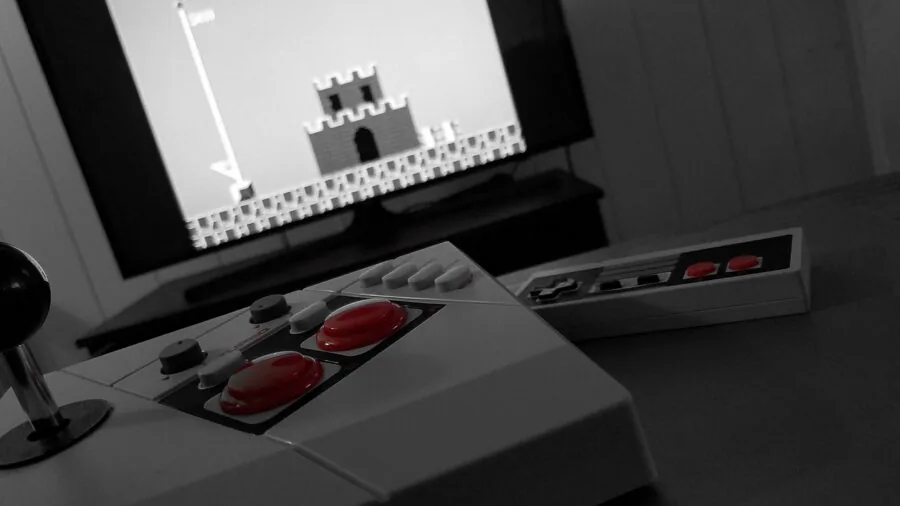
Force feedback flight sticks apply physical resistance and vibration through the gimbal mechanism to simulate aerodynamic forces, buffet, weapon fire, and terrain proximity warnings. Until recently, force feedback sticks were either prohibitively expensive or technically obsolete.
The current generation, led by MOZA’s AB6 bundle, brings direct-drive force feedback into a more realistic price bracket for dedicated sim enthusiasts.
Vibration-only sticks, like those in PXN’s lineup, offer a simpler approximation of tactile feedback. The motors shake the stick during events like stalls or weapon fire, but they do not apply directional resistance to the axis movement itself.
The distinction matters: true force feedback lets you feel when an aircraft is approaching a stall through increasing stick forces, not just a buzz. For training-oriented sim pilots, this is a meaningful difference.
If force feedback is on your wishlist but the top-tier bundle is outside your current budget, it is worth waiting and saving rather than settling for vibration-only as a substitute. The experiences are qualitatively different enough that they occupy different market segments.
Build Quality, Desk Mounting, and Ergonomics

A flight stick endures thousands of aggressive inputs during combat manoeuvres and long-haul cruises alike. Chassis construction matters. Metal internal frames, rubberised grips, and weighted bases all contribute to the feeling that a stick is planted during aggressive deflection inputs.
Plastic-dominant builds can flex or skitter across desk surfaces, which introduces unwanted input noise.
Desk mounting clamps and dedicated joystick mounts, such as the Reashy Hotas Mount included in this roundup, allow you to fix the stick and throttle securely to the edge of a desk.
This eliminates base movement entirely and allows you to mount units at ergonomically optimal heights, which reduces fatigue during long sessions.
If you invest in a premium stick, a proper mount is worth the extra spend and pairs naturally with a solid gaming chair that holds you at the right height and distance from the desk.
Ambidextrous grip design is a growing differentiator. Honeycomb’s Foxtrot stick ships with interchangeable grips to accommodate both left- and right-handed pilots, broadening its appeal significantly compared to right-hand-only designs that dominate the rest of the market.
Check whether replacement or alternative grip parts are available for a given model if you anticipate swapping configurations.
Why You Should Trust Us
ProductFind is an independent review platform. We do not manufacture, sell, or distribute any of the products we cover, and we have no commercial relationship with flight stick brands that influences our rankings.
Every product in this roundup was evaluated using our structured research process: we assess published manufacturer specifications, analyse expert review consensus from flight-sim communities and specialist publications, and review verified buyer feedback from confirmed purchasers across major retail platforms.
We do not conduct our own product trials; our evaluations are grounded in research, published data, expert review consensus, and verified buyer feedback.
Each product receives a PF Score on a 0 to 10 scale reflecting overall quality, value, and fit-for-purpose across the criteria most relevant to its category.
Scores are assigned consistently so that a PF Score of 8.6 for a mid-range HOTAS means the same thing as an 8.6 for a standalone stick: strong performance with minor trade-offs relative to the best in class.
ProductFind may earn a commission if you purchase through links on this page. That affiliate relationship has no bearing on which products are included, how they are ranked, or what PF Score they receive.
Recommendations reflect our editorial assessment of quality and value, not commission rates.
Final Thoughts
The flight stick market in 2026 covers an impressively wide range of needs, from first-time sim pilots looking for an affordable entry point to serious enthusiasts chasing force-feedback realism. After reviewing the full field, here are our standout picks by use case:
- Best Overall: MOZA AB6 Flight Simulator Bundle earns the top spot with its direct-drive force feedback base, a feature set that was previously the preserve of professional simulation hardware, now made accessible for dedicated home-sim enthusiasts.
- Best Premium Standalone Stick: Honeycomb Foxtrot Aviation Stick stands out for its 16-bit Hall effect sensors, ambidextrous design, and broad compatibility including Mac support, making it the most versatile high-end option in the roundup.
- Best HOTAS System for the Money: Logitech G Saitek X52 Pro delivers a dense, well-organised button layout and dependable axis quality at a mid-range price point that suits DCS World and MSFS pilots who want more than an entry system without going full premium.
- Best Entry HOTAS for Xbox and PC: Thrustmaster T-Flight Hotas One is the go-to recommendation for console sim pilots who want official Xbox certification alongside solid PC compatibility, at a genuinely accessible price.
- Best Budget Pick: Thrustmaster T-Flight Hotas X remains a trusted starting point for PC sim newcomers, offering a combined stick-and-throttle design from a reputable brand without requiring a large initial outlay.
Whatever your entry point, the right flight stick will make your simulator feel fundamentally different.
If you are building out a full sim station, pairing a quality stick with supportive ergonomic seating and a desk large enough for a HOTAS spread will pay dividends in comfort over long sessions.
Frequently Asked Questions
Do I need a HOTAS or is a standalone joystick enough?
For introductory sims and casual flying, a standalone stick is completely sufficient.
If you fly complex study-level aircraft in titles like DCS World or X-Plane and find yourself constantly reaching for the keyboard to manage thrust and systems, a HOTAS will meaningfully improve your experience.
Most pilots start standalone and upgrade once they know they are committed to the hobby.
What is the difference between Hall effect sensors and potentiometers in flight sticks?
Potentiometers use physical contact to measure axis position and degrade over time, eventually causing centre-point drift. Hall effect sensors use magnetic fields with no moving contact points, which makes them more accurate and far more durable under heavy use.
If longevity and precision matter to you, Hall effect is worth the additional cost. Most premium sticks now use Hall effect as standard, and it is increasingly common even in the mid-range tier.
Can I use a PC flight stick on Xbox or PlayStation?
Most flight sticks are designed for PC only. A small number carry official Xbox certification, with the Thrustmaster T-Flight Hotas One being the best-known example. PlayStation does not officially support flight sticks for flight sims at this time.
Always check the compatibility list on the product page before purchasing for console use, as unofficial workarounds tend to be unreliable and may stop working after firmware updates.
Is a joystick mount worth buying alongside my flight stick?
For casual setups, the suction cups or weighted base of a standard stick are usually adequate on a flat desk.
For serious sim pilots with a HOTAS, a dedicated mount clamps the stick and throttle firmly to the desk edge, eliminating base movement and allowing you to position both units at the most ergonomic height and angle.
It is a small additional expense relative to a premium stick purchase and makes a noticeable difference during long or high-intensity sessions.
Which flight stick is best for Microsoft Flight Simulator?
For general aviation and airliners in MSFS, a stick with smooth, linear axis response and enough buttons to cover autopilot functions and view control is the main priority.
The Honeycomb Foxtrot is explicitly optimised for MSFS 2024 and 2020 and suits pilots focused on civilian fixed-wing flying. For combat sims within the Microsoft ecosystem on Xbox, the Thrustmaster T-Flight Hotas One is the certified choice.
The Logitech G Saitek X52 Pro is a strong all-rounder that works well across multiple simulator titles.
How do I set up a flight stick on PC without it drifting off centre?
Centre drift is usually caused by either a worn potentiometer or an incorrectly calibrated axis in Windows or in the sim itself.
Start with the Windows Game Controllers calibration tool (search “Set up USB game controllers” in the Start menu) and run a full calibration cycle.
In-sim, check the deadzone setting for each axis and add a small deadzone around centre if the aircraft responds when the stick is released.
Upgrading to a Hall effect sensor-based stick is the permanent solution if drift persists after calibration on an older potentiometer model.
About the author
Joann is a reviewer and writer for ProductFind who specializes in Video Games & Gaming Gear. Joann evaluates products through independent research: specifications, expert review consensus, and verified buyer feedback, and rates each one on the PF Score. Joann focuses on helping readers pick the right video games & gaming gear for their needs and budget.