The 12 Best Console Cooling Fans
Console heat kills performance and shortens hardware life. These cooling fans for PS5, Xbox, and universal setups keep your system running quiet and cool, ranked by research.
 By Joann Wagner
Updated July 23, 2026
By Joann Wagner
Updated July 23, 2026

Console cooling fans sit at the intersection of performance and longevity. Modern gaming consoles pack dense, high-power hardware into compact chassis, and when airflow is restricted by a cramped entertainment center or a dusty environment, internal temperatures climb fast.
Sustained heat shortens component lifespan, triggers loud fan ramp-ups mid-game, and in worst cases forces thermal throttling that tanks frame rates.
Adding an external cooling fan or station is one of the lowest-cost interventions a gamer can make to keep a PS5, PS4, or Xbox running at its best for years.
This guide cuts through the noise by covering console cooling fans across every major use case, from universal USB fans that work with any device to purpose-built coolers designed specifically for PS5 or Xbox Series X hardware.
ProductFind researched each product through specification analysis, expert review consensus, and verified buyer feedback to surface the picks most worth your money.
Whether you need a budget-friendly universal option or a feature-rich docking station, the ranked list below gives you a clear starting point.

Tokluck PS5 Cooling Station with Auto Fan & Dual Controller Charger
A vertical cooling dock for PS5 that combines temperature-responsive fan control with dual controller charging and RGB lighting. Best suited for players wanting active thermal management without manual intervention.
Pros
- Auto temperature adjustment reduces manual cooling oversight with three speed tiers
- Fast dual controller charging with adjustable port positioning for different controller types
- Additional USB ports provide convenient accessory charging alongside console cooling
- Dual control modes (automatic and manual) with speed memory function for user preference
Cons
- No verified buyer reviews available to assess real-world reliability or durability
- Installation requires cable extraction from console base, adding setup complexity
- 4.2 rating with zero reviews raises confidence concerns about product performance data

KIWIHOME PS5 2020 Cooling Fan with USB 3.0 Passthrough
A dedicated cooler for original PS5 models that pulls hot air away and auto-adjusts fan speed based on temperature. Includes USB 3.0 passthrough so you don't lose a port, though it's only compatible with 2020 PS5 Disc and Digital editions, not Slim or Pro.
Pros
- Auto mode eliminates manual adjustment, syncs on/off with your console
- USB 3.0 passthrough keeps additional device connectivity intact
- Relatively quiet cooling at 28.8dB without external power supply
- Elastic lock secures firmly without requiring console modification
Cons
- Only works with 2020 PS5 models, incompatible with PS5 Slim or Pro
- No verified buyer reviews yet, reliability feedback unavailable
- Requires clear space behind console for effective air circulation

AC Infinity MULTIFAN S7 Dual 120mm USB Fan
A dual-fan cooling solution powered directly through USB ports on receivers, game consoles, and computers. Built for quiet operation at 19 dBA with adjustable speed control, making it practical for cabinet and component cooling without noise disruption.
Pros
- Powers directly from USB ports behind receivers and consoles, eliminating extra power cables
- Adjustable multi-speed controller lets you balance cooling performance with noise levels
- Compact 4.7 x 4.7 x 1 inch per fan design fits tight cabinet spaces
- Dual-ball bearings rated for extended lifespan and flexible mounting orientation
Cons
- No verified buyer reviews available to assess real-world reliability and noise consistency
- Limited to 104 CFM total airflow, which may be insufficient for high-heat environments or larger enclosures
- Dependent on USB power availability and compatible device USB specifications

G-STORY Xbox Series S Cooling Fan 140MM
A temperature-monitoring cooler designed for Xbox Series S that automatically adjusts fan speed across three levels based on console heat. Features LED temperature display and manual override option, making it practical for extended gaming sessions.
Pros
- Automatic mode eliminates manual adjustments, activating only when needed (below 35°C it stops)
- Real-time LED temperature display with color coding helps monitor console health
- Dual control options: automatic sensing or manual three-speed selection via button
- Powered by console itself, no external power adapter required
- Lightweight and portable without adding bulk to setup
Cons
- No customer reviews available to validate real-world cooling performance or durability
- Design tailored specifically to Xbox Series S, not compatible with other consoles
- Manual mode requires button interaction to change speeds rather than automatic adjustments only
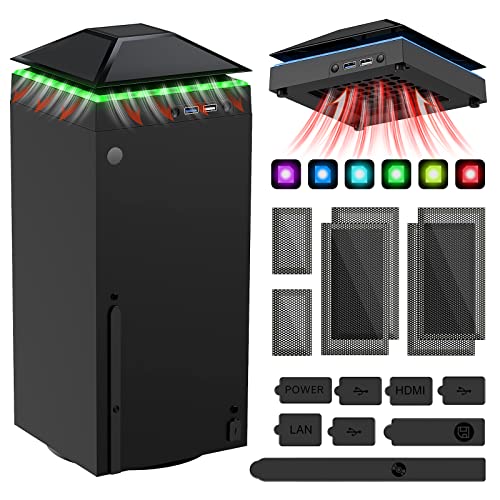
MENEEA Xbox Series X Cooling Fan with Light Strip
A multi-function cooling accessory for Xbox Series X that combines an efficient top fan with dust protection and RGB lighting. Offers practical heat management and USB connectivity in one package, though actual cooling performance and build durability rely on user verification.
Pros
- Addresses multiple console care needs in one unit: cooling, dust prevention, and USB expansion
- Removable dust cover allows users to optimize airflow when active gaming requires maximum heat dissipation
- Includes replacement dust covers and silicone plugs to protect console ports long-term
- RGB lighting with 6 color options plus mixed mode adds customization without requiring separate accessories
Cons
- No verified user reviews available to confirm real-world cooling effectiveness or noise levels at each gear setting
- Dust cover installation requires alignment of specific holes, adding a setup step compared to passive alternatives
- USB 2.0 charging port limitation may disappoint users needing faster data transfer for connected devices

HUIJUTCHEN PS5 Cooling Fan with LED Light
This external cooling accessory for standard PS5 models features three spinning fans with adjustable speed settings and a USB 3.0 passthrough port. It's designed to reduce heat buildup during extended gaming sessions, though it's not compatible with PS5 Slim or Pro versions.
Pros
- Adjustable cooling speeds allow customization based on usage
- USB passthrough enables convenient charging of controllers and accessories without extra outlets
- Elastic lock securely fastens to console without permanent attachment
- Three LED lights add visual appeal matching console aesthetics
Cons
- Not compatible with PS5 Slim or Pro models, limiting long-term usability
- No verified buyer reviews available to confirm real-world cooling effectiveness or durability
- USB passthrough port explicitly cannot transfer data, reducing functional versatility

NewHail 120mm Dual-Ball USB Fan 2-Pack with Speed Controller
A budget-friendly cooling solution for routers, modems, and entertainment boxes, this 2-pack delivers quiet operation at 19 dB with a dual-ball bearing design rated for 60,000 hours. The included 2-in-1 USB splitter lets you run both fans from a single port.
Pros
- Includes 2-in-1 USB splitter cable to power both fans from one port
- Very quiet at 19 dB, suitable for noise-sensitive environments
- Durable dual-ball bearings rated for 60,000 hours of operation
- 9-blade design ensures steady, effective airflow
- Versatile mounting compatibility for various electronics
Cons
- No verified buyer reviews available to assess real-world durability claims
- Speed controller offers only 3 levels (low, medium, high) with no variable control
- No information about maximum airflow CFM or noise levels at highest speed
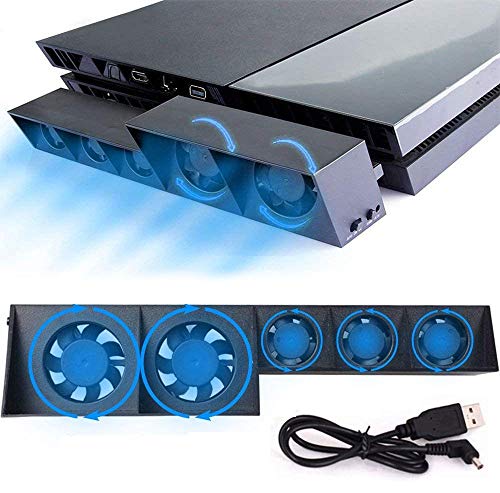
Linkhood 5-Fan PS4 Cooling System
This external cooler attaches via USB to standard PS4 models and uses five fans with dual speed modes to manage heat during extended gaming sessions. It offers automatic temperature sensing and requires no additional power supply, though it's incompatible with PS4 Slim or Pro versions.
Pros
- Multiple fans provide active cooling without extra power requirements
- Auto mode responds to temperature changes automatically
- Simple plug-and-play installation with no setup complexity
- Maintains dust-free operation during long gaming sessions
- Flexible orientation support for different console setups
Cons
- Only works with standard PS4, not compatible with Slim or Pro models
- No verified buyer reviews available to assess real-world durability or noise levels
- Adds external attachment to console, requiring additional space

GSCOLER X1 120mm USB Cooling Fan
A compact USB-powered cooling fan designed for routers, gaming consoles, and mini PCs, delivering 55.8 CFM airflow at just 18dB noise level. Built-in 530mm cable and shock-absorbing pads make it practical for tight spaces without acoustic disruption.
Pros
- Genuinely quiet at 18dB, suitable for offices and living rooms without noise disruption
- Integrated USB cable eliminates cable clutter and setup complexity
- Wide device compatibility across gaming, networking, and home entertainment categories
- Compact design with protective pads for placement on sensitive surfaces
- Long operational lifespan of 40,000 hours provides durable long-term value
Cons
- No customer reviews available yet to validate real-world cooling performance and durability claims
- Fixed 850 RPM speed with no manual control options for users wanting adjustable airflow
- Limited weight capacity at 11 lbs may restrict placement on heavier equipment
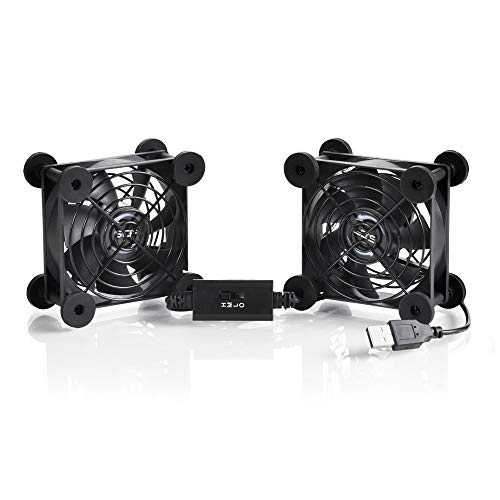
SCCCF Dual 80mm USB Fan with 3-Speed Control
A compact USB-powered cooling fan designed for electronics cabinets, routers, and gaming consoles with three adjustable speed settings. The dual 80mm design delivers strong airflow while remaining quiet on low speed, making it practical for heat-sensitive equipment.
Pros
- Three adjustable speeds let you balance cooling power and noise levels for different situations
- Double ball bearing design provides durability over extended use
- USB power compatibility simplifies setup with no additional power cables required
- Iron protective grilles prevent accidental contact and cord damage during operation
- Quiet operation at 21dB on low speed suitable for noise-sensitive environments
Cons
- No verified customer reviews available to confirm real-world performance and reliability
- Limited to USB 5V power, which may restrict cooling capacity compared to higher-wattage models
- Dual fan configuration increases size compared to single-fan alternatives, limiting placement flexibility
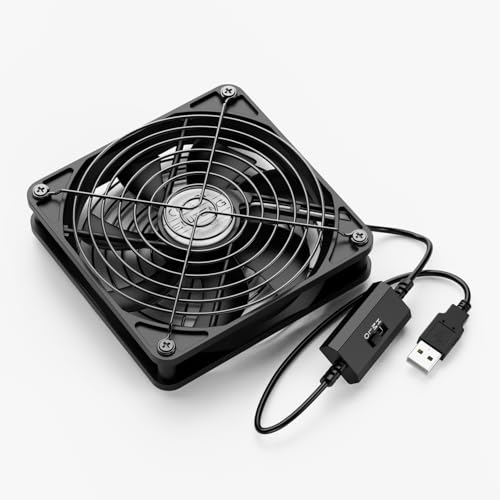
ELUTENG 120mm USB Fan with 3-Speed Control
A compact USB-powered cooling fan designed for electronics like laptops, routers, and gaming consoles. It offers three speed settings, dual ball bearings rated for 45,000 hours, and runs quietly at 23dB on low speed.
Pros
- Multiple speed settings allow customization for different cooling demands
- Quiet operation on low speed minimizes distraction during use
- Durable ball bearing design with extended 45,000-hour rated lifespan
- Flexible mounting options work in cramped spaces and narrow gaps
- Safety-focused design with protective aluminum grills on both sides
Cons
- No verified buyer reviews available to assess real-world performance and reliability
- Limited information on actual noise levels at medium and high speeds
- USB power may provide insufficient airflow for high-heat components

SCCCF 80mm USB Cooling Fan with 3-Speed Control
A compact 5V USB fan designed to cool cabinet equipment like routers, DVRs, and game consoles using existing USB ports. Features dual ball bearings rated for 65,000 hours, adjustable speeds down to 21dB on low, and protective iron grills on both sides.
Pros
- Silent performance on low gear at 21dB makes it suitable for noise-sensitive environments
- Extended bearing lifespan of 65,000 hours provides reliable long-term cooling
- Multi-speed controller allows users to optimize between cooling capacity and noise levels
- USB-powered convenience eliminates need for separate power adapters or outlets
- Sturdy construction with dual iron grills and shockproof feet for stability
Cons
- No verified customer reviews available to validate real-world performance or durability claims
- Limited information on actual airflow volume or cooling effectiveness for different cabinet sizes
- May require direct USB port access on equipment, limiting placement flexibility on some devices
Console Cooling Fans Buying Guide
Choosing the right console cooling fan requires more than grabbing the cheapest USB fan on the shelf.
Console-specific thermals, mounting style, noise tolerance, and extra features like controller charging all play a role in whether a cooler actually helps or just adds clutter to your setup.
The subsections below walk through every criterion worth considering before you buy, informed by what expert reviewers and verified owners consistently flag as deciding factors.
Console Compatibility and Mounting Style
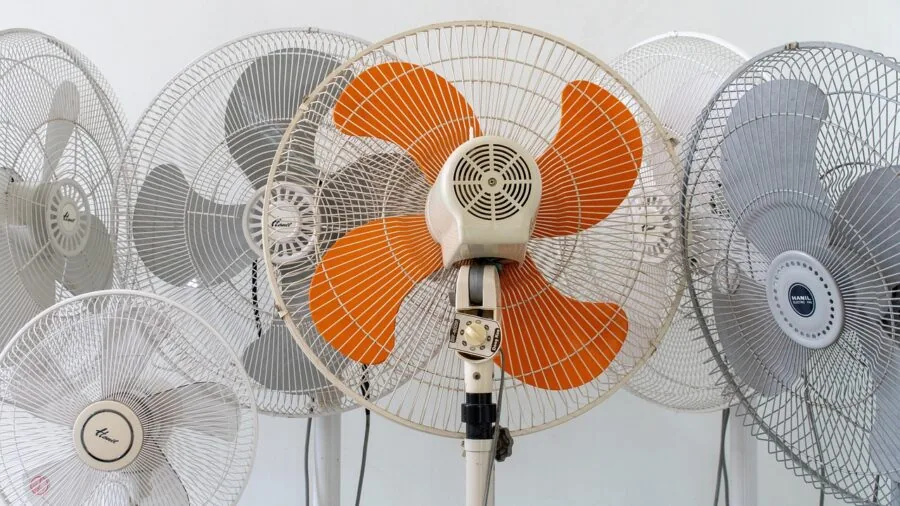
The single most important question is whether the cooler is designed for your specific console or is a universal USB fan you position nearby.
Purpose-built coolers for PS5 (standard disc or digital editions) attach directly to the console body and align their airflow with the console’s rear exhaust vent, which is far more efficient than blowing ambient air at the chassis from the side.
However, most PS5-specific coolers explicitly state they are not compatible with PS5 Slim or PS5 Pro, so double-check your model before purchasing.
Owners of the updated slim or pro variants should prioritize all-in-one docking stations designed for multiple PS5 generations, or fall back to a well-positioned universal fan.
Xbox Series X and Series S have a vertical exhaust column at the top of the unit, and the most effective accessories direct airflow upward through that path rather than blowing across the sides.
Universal USB fans from brands like AC Infinity, ELUTENG, and SCCCF work well when positioned thoughtfully, but they require more care in placement. If your console sits in an open area, a universal fan is often sufficient.
If it lives inside a cabinet or a tight TV stand, a purpose-built cooler or a docking station with active fans is the smarter investment.
Pairing a cooling setup with the right controllers for your platform completes a comfortable long-session rig.
Fan Speed, RPM, and Airflow Performance

Fan speed measured in RPM (revolutions per minute) and airflow measured in CFM (cubic feet per minute) directly determine how much heat a fan can shift. Higher RPM moves more air but typically generates more noise.
Look for fans with at least two or three adjustable speed settings so you can balance cooling performance against noise during quieter gaming sessions.
Auto-speed or temperature-responsive fan control is a standout feature: the fan ramps up only when the console is working hard and stays near-silent during lighter loads.
The KIWIHOME cooler for PS5 is a well-regarded example of this approach, using thermal-responsive auto speed rather than a fixed high-RPM setting.
For universal USB fans, 120mm blade diameter is the sweet spot for balancing airflow and noise at 5V USB voltage.
Dual-fan configurations like the AC Infinity MULTIFAN S7 or the NewHail 2-pack deliver meaningfully more airflow than a single 80mm unit, which matters if your console is enclosed.
Smaller 80mm fans from SCCCF are perfectly adequate for open setups where you only need a gentle assist.
If you sit in a quiet room or use a headset, noise output in dBA should be a priority filter alongside raw CFM numbers.
Noise Level and Bearing Quality
Console gaming is an inherently immersive activity, and a buzzing or rattling fan next to the TV disrupts that experience quickly.
Manufacturers specify noise output in decibels (dBA), and anything at or below 25 dBA is generally considered near-silent in a living room context.
Bearing type is the underlying driver of noise quality over time: dual-ball bearings last longer and stay quieter through sustained high-RPM operation compared to sleeve bearings, which can develop a whine after extended use.
The NewHail 120mm fans specifically advertise dual-ball bearings, a meaningful spec worth noting.
Beyond the bearing spec, real-world noise impressions from verified buyers are the most reliable signal. A fan rated at 18 dBA by the manufacturer may still produce audible coil whine if quality control is inconsistent.
Checking aggregated owner reviews for noise complaints over time, rather than trusting only the spec sheet, is how ProductFind vets noise claims across all products in this category.
A well-chosen cooling fan should be genuinely unobtrusive, fading into the background even when your console’s internal fan has gone quiet.
Power Source and Connectivity
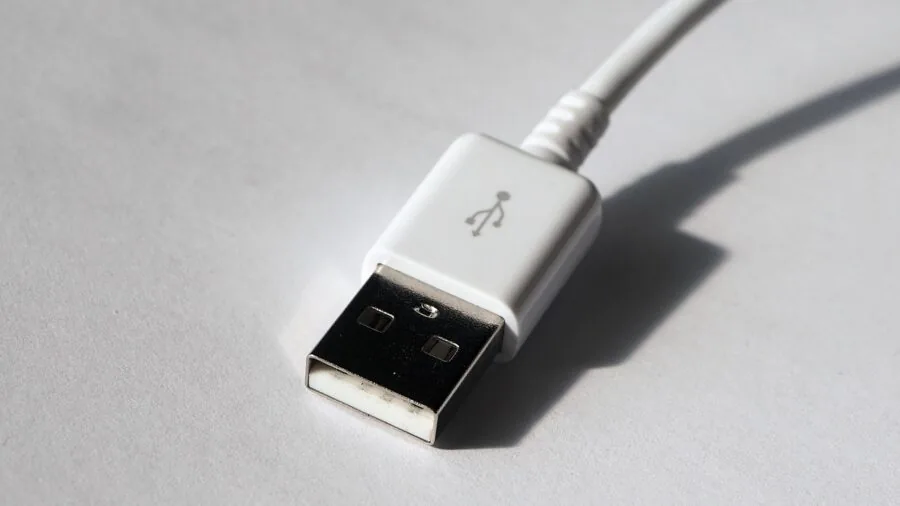
Almost all console cooling fans in this category draw power through a standard USB-A port at 5V.
Most consoles have at least one USB port on the front or rear, so powering the cooler directly from the console is convenient and avoids adding another plug to your power strip.
Some fans include a built-in speed controller inline on the USB cable, letting you adjust airflow without reaching behind the TV. Others use a dial or buttons on the fan body itself.
Either works well; the key is that the control mechanism is physically accessible in your setup.
Multi-function docking stations like the Tokluck PS5 cooling station take connectivity further, adding USB 3.0 passthrough ports and controller charging.
This is genuinely useful if your PS5 only has one front-facing USB port and you regularly plug in headsets, drives, or charging cables.
The KIWIHOME cooler and the HUIJUTCHEN PS5 fan both include USB 3.0 ports as part of their design, effectively paying back the port they occupy.
If a clean cable setup matters to you and you enjoy a well-organized gaming desk, an all-in-one docking station with USB hub functionality is worth the premium over a standalone fan.
Build Quality, Dust Filtration, and Aesthetics

Cooling fans for consoles live in plain sight next to the TV, so build quality and aesthetics matter more than they do for a PC case fan hidden inside a tower.
Purpose-built coolers from brands like G-STORY and MENEEA are designed to mirror the color and language of PlayStation or Xbox hardware, which reads as intentional rather than afterthought. RGB lighting and LED accents are common at this price tier.
They add visual flair without impacting performance, but if you prefer a clean, unlit look, filter for products that either omit LEDs or include an independent light switch.
The MENEEA Xbox Series X cooler, for example, has separate touch controls for the fan and the light strip.
Dust filtration is an underappreciated feature, especially in living rooms where pet hair and carpet dust accumulate quickly.
Some console coolers include foam filters or mesh screens over the fan intake, which slow dust ingestion into both the cooler itself and the area around the console’s own air intakes.
The MENEEA Xbox cooler bundles rubber dust plugs alongside its top fan, a thoughtful detail that keeps unused ports clear. Long-term, a clean-running console with good airflow protection is easier to maintain than one that needs frequent internal cleaning.
If you spend extended sessions at your setup, pairing a quality cooling solution with an ergonomic gaming chair helps in both comfort and focus.
Value and Platform Versatility

Budget picks in this category, including universal USB fans from GSCOLER, ELUTENG, and SCCCF, deliver solid airflow at an accessible price point and work with virtually any console, router, receiver, or media box.
They make sense for gamers who want a no-commitment thermal assist without locking into a platform-specific accessory.
If you own multiple consoles or plan to upgrade your hardware in the near future, a quality universal fan retains its usefulness across platform generations.
Purpose-built coolers for PS5 or Xbox Series X command a higher price but deliver tighter integration, better airflow alignment, and value-adding features like controller charging and USB hubs.
They are the right choice if you are settled on a platform and want an accessory that genuinely complements the hardware.
Think of the cost as a one-time investment in extending the useful life of a console that represents a much larger purchase.
Compared to the cost of a quality 4K TV that the console is connected to, a well-chosen cooler is a modest and sensible add-on.
Why You Should Trust Us
ProductFind is an independent review platform with no affiliation to any console manufacturer, retailer, or accessory brand. Every product in this guide was evaluated using a consistent, research-driven methodology.
We do not conduct our own product trials; our evaluations are grounded in research, published data, expert review consensus, and verified buyer feedback.
Each product receives a PF Score on a 0 to 10 scale, reflecting how well it performs across the criteria most relevant to buyers in this category: cooling effectiveness, noise level, build quality, compatibility, connectivity, and overall value.
Our research draws on published technical specifications, aggregated ratings from verified purchasers, and the consensus emerging from independent expert coverage of consumer electronics and gaming accessories.
When expert sources disagree or when buyer feedback reveals real-world issues not captured by spec sheets, we weigh that evidence carefully in the final PF Score. ProductFind may earn a commission if you purchase through links in this article.
That affiliate relationship has no influence on rankings, scores, or which products appear in our picks. Products are selected and ordered by research merit alone.
Final Thoughts
The console cooling fan market ranges from straightforward USB desk fans to multi-function docking stations with controller charging, RGB lighting, and USB hubs. After evaluating every product in this roundup against consistent criteria, here are the standout picks by category:
- Best Overall: Tokluck PS5/Slim/Pro Cooling Station earns the top overall spot with its auto turbofan, three-level speed control, broad PS5 compatibility across standard, Slim, and Pro models, and controller charging in one integrated dock. It is the most complete solution in the group and carries the highest PF Score in the roundup.
- Best for PS5 Standard Edition: KIWIHOME PS5 Cooling Fan impresses with temperature-responsive auto speed, quiet operation, USB 3.0 passthrough, and a clean white finish that matches PS5 aesthetics. An excellent pick for original PS5 owners who want smart thermal management without a docking station footprint.
- Best Universal Fan: AC Infinity MULTIFAN S7 is the reference-grade universal USB fan in this group, offering dual 120mm fans, UL certification, and a reputation for long-term reliability across consoles, receivers, DVRs, and cabinets alike. It is the universal pick most recommended by expert consensus.
- Best for Xbox Series X: MENEEA Xbox Series X Cooling Fan stands out with three-gear fan speed, colorful LED strip, dust cover and rubber dust plugs, and independent touch controls for fan and light. A well-rounded accessory for Xbox owners who want dust protection and active cooling together.
- Best Budget Pick: GSCOLER X1 USB Cooling Fan delivers quiet 120mm cooling at an entry-level price, with a built-in cable for a tidy setup. It is the most accessible starting point for anyone who wants supplemental airflow without committing to a platform-specific accessory.
Whatever your console and setup, keeping thermals in check is one of the simplest ways to maintain long-term performance.
Pair a cooling fan with a mini projector or a home theater speaker system to round out a living room gaming space that is both capable and comfortable.
Frequently Asked Questions
Do console cooling fans actually make a difference?
Yes, but with important context. Your PS5 or Xbox already has a well-engineered internal cooling system, and an external fan will not replace it.
What an external cooler does is improve airflow around the chassis, reduce the ambient heat the internal fan has to fight against, and in enclosed setups meaningfully lower surface temperatures.
Verified buyer feedback and expert coverage consistently show that purpose-built coolers with proper exhaust alignment produce the most reliable results, especially in tight TV stands or warm rooms.
Will a PS5 cooling fan work on a PS5 Slim or PS5 Pro?
Most purpose-built PS5 coolers sold today are designed for the original 2020 PS5 disc or digital edition and explicitly state they are not compatible with the PS5 Slim or PS5 Pro. The chassis dimensions and port placement differ.
If you own a Slim or Pro, look for accessories that list your specific model on the packaging, or choose an all-in-one docking station like the Tokluck that explicitly supports multiple PS5 generations.
Universal USB fans are the safest cross-generation option.
Is it safe to power a cooling fan from the console’s own USB port?
For the vast majority of USB cooling fans in this category, yes. These fans operate at 5V and draw well under the power budget that PS5 and Xbox USB ports provide.
USB 3.0 ports on the rear of a PS5 are rated for up to 900mA, more than sufficient for a single or dual 120mm fan setup. The only scenario to watch is stacking multiple high-draw USB accessories on the same port.
If you use a USB hub or have several devices running, plugging the fan into a wall USB adapter instead is a simple alternative.
How do I choose between a universal USB fan and a console-specific cooler?
Choose a universal USB fan if you own multiple consoles or plan to upgrade your hardware soon, if your console is already in an open, well-ventilated area, or if budget is the primary concern.
Choose a console-specific cooler or docking station if your console sits in an enclosed cabinet, if you want controller charging or USB hub features built in, or if you want the airflow precisely aligned with your console’s exhaust vents for maximum efficiency.
Platform-specific coolers from brands like KIWIHOME, G-STORY, and HUIJUTCHEN are designed around the thermal signature of specific hardware and tend to outperform generic fans in purpose-built scenarios.
What noise level should I look for in a console cooling fan?
Aim for fans rated at 25 dBA or lower for near-silent living room use. At that level, the fan becomes inaudible once your TV audio is on or you are wearing a headset.
Fans in the 28 to 35 dBA range are noticeable in a quiet room but not distracting during active play.
Variable or auto-speed fans are the easiest solution because they stay whisper-quiet at low load and ramp up only when the console is running demanding workloads.
Always cross-reference the manufacturer dBA claim against real-world owner feedback, as quality control variance can affect actual noise output.
Can I use a console cooling fan with other devices like a router or media box?
Universal USB fans in this roundup, including options from AC Infinity, ELUTENG, SCCCF, NewHail, and GSCOLER, are explicitly marketed for use with routers, receivers, DVRs, amplifiers, and TV boxes in addition to gaming consoles.
They are a versatile addition to any home entertainment rack. Console-specific coolers, by contrast, are purpose-built for one platform and should not be considered for other devices.
If versatility across your whole AV setup matters, a quality universal 120mm USB fan is the more practical long-term investment.
About the author
Joann is a reviewer and writer for ProductFind who specializes in Video Games & Gaming Gear. Joann evaluates products through independent research: specifications, expert review consensus, and verified buyer feedback, and rates each one on the PF Score. Joann focuses on helping readers pick the right video games & gaming gear for their needs and budget.