The 10 Best Golf Simulators
From compact launch monitors to full-room simulator bundles, navigating golf simulator options takes more than a quick price comparison. Here is what actually matters.
 By Bernard Nguyen
Updated July 23, 2026
By Bernard Nguyen
Updated July 23, 2026
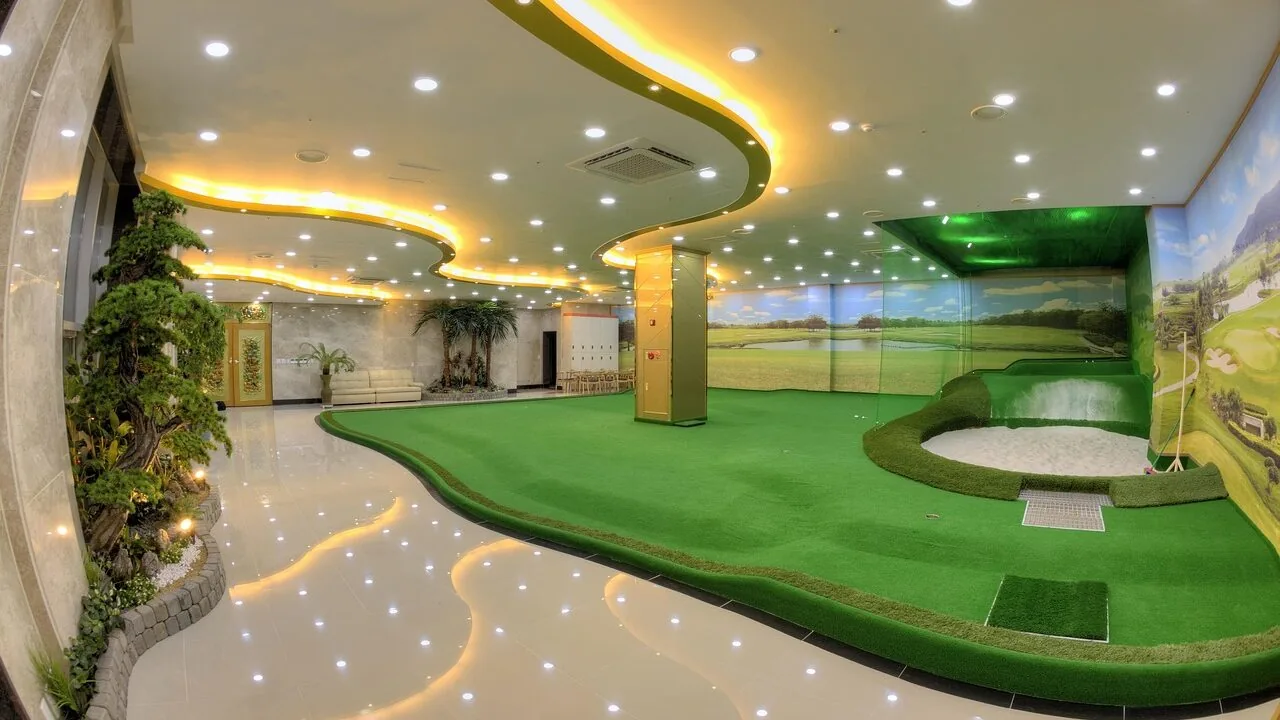
A quality golf simulator can transform any garage, basement, or spare room into a year-round practice facility.
Whether you want to work on your swing mechanics on a rainy Tuesday or play a virtual round at Pebble Beach without leaving the house, the right setup delivers both.
The market now spans everything from compact launch monitors that pair with your smartphone all the way to self-contained premium systems with built-in touchscreens, meaning there is genuinely a viable option for nearly every budget and space.
To build this guide, the ProductFind team synthesized published specifications, expert review consensus from across the golf equipment community, and verified buyer feedback to assess each product against consistent criteria.
If you are also considering upgrading the clubs you will be swinging in your new setup, our roundup of golf clubs for every level and budget is a useful companion read.
Here are our top picks across price points and use cases.
| Award | Product | PF Score About PF ScoreThe PF Score is our own rating from 0 to 10, based on performance, design and build, ease of use, and value. It reflects independent research and is never influenced by manufacturers, retailers, or affiliate commissions. Learn more › | Price | |
|---|---|---|---|---|
| Best Overall |
 Garmin Approach R50 10-Inch Golf Launch Monitor
|
8.8/10 | Buy | |
| Editor's Pick |
 Bushnell LPi Indoor Golf Simulator Bundle with Projector
|
8.7/10 | Buy | |
| Best Value |
 Garmin Approach R50 Launch Monitor with 10" Display
|
8.6/10 | Buy | |
| Top Rated |
 Rapsodo MLM2PRO Launch Monitor with 3 Pro V1 Balls
|
8.6/10 | Buy | |
 Rapsodo Mobile Launch Monitor for iPhone/iPad
|
7.5/10 | Buy | ||
 PHIGOLF2 Flex Golf Simulator with Motion Sensor
|
7.3/10 | Buy | ||
 TAGCMC Portable Golf Launch Monitor
|
6.8/10 | Buy | ||
 Anything Sports Golf Simulator Enclosure with Impact Screen
|
6.2/10 | Buy | ||
 LPALNTYS 11x8ft Golf Simulator Net with HD Impact Screen
|
5.3/10 | Buy | ||
 Zensouds 10x7ft Golf Net with Practice Mat
|
4.1/10 | Buy |
Garmin Approach R50 10-Inch Golf Launch Monitor
A premium portable launch monitor with a 10-inch touchscreen that captures swing metrics via 3-camera system and offers access to 43,000+ virtual courses. Best for golfers who want serious data feedback and simulator play without leaving home or the range.
Pros
- Comprehensive swing metrics in one portable device with integrated screen, no external monitor required
- Extensive virtual course library (43,000+) and multiplayer capability for home simulator experience
- High-speed impact video feedback offers clear visual reference for swing adjustments
- Barometer-adjusted distance calculations account for elevation and weather conditions
Cons
- Requires active Garmin Golf membership subscription for virtual rounds and tournament access
- No buyer reviews yet to validate real-world performance and durability claims
- Face-to-path tracking requires optional sticker attachment, adding to setup complexity
Bushnell LPi Indoor Golf Simulator Bundle with Projector
A complete indoor golf setup combining Bushnell's LPi launch monitor with projector, enclosure, and hitting mat for serious practice at home. Delivers tour-level accuracy in a compact hitting zone with fast setup and includes three months of FSX Play Gold subscription.
Pros
- Complete package eliminates need for separate purchases and complex setup
- Consistent shot data capture regardless of room lighting conditions
- Fast activation and intuitive interface for quick practice sessions
- Flexible software ecosystem supports multiple simulation platforms
Cons
- No verified user reviews yet to assess real-world reliability and long-term durability
- Premium price tier still represents significant investment despite bundle savings
- Requires dedicated indoor space with adequate ceiling height for enclosure and projector
Garmin Approach R50 Launch Monitor with 10" Display
A premium golf launch monitor with 3-camera system and 10-inch touchscreen for swing analysis, ball metrics, and virtual course play. Bundles in a 7-in-1 golf tool and 26-month protection plan, aimed at serious golfers wanting indoor and outdoor tracking.
Pros
- Comprehensive launch monitor with multiple swing metrics (ball speed, launch angle, spin rate, axis) for detailed form refinement
- Large 10-inch touchscreen display allows direct access to course selection, impact video review, and virtual play without external device
- 3-camera system enables accuracy both indoors and outdoors for year-round training
- Bundle includes practical accessories: golf tool, tracking stickers, and extended warranty reducing total cost of ownership
Cons
- Subscription required for full simulator features and course access, adding ongoing operational costs
- Requires tracking stickers for face-to-path measurements, introducing consumable dependency
- No verified buyer reviews available yet, limiting real-world performance insight from actual users
Rapsodo MLM2PRO Launch Monitor with 3 Pro V1 Balls
A dual-camera, Doppler radar launch monitor that captures 15 key swing metrics for serious golfers wanting simulator play at home. Includes 45 days of premium access to 30,000+ courses and swing analysis tools, plus three Titleist Pro V1 balls.
Pros
- Comprehensive shot tracking with Doppler radar and dual-camera setup provides reliable data across multiple metrics
- Substantial content library of 30,000+ simulator courses with variable tee boxes and game formats for different skill levels
- Dual functionality as both launch monitor and swing trainer with frame-by-frame analysis capabilities
- Extended 45-day premium trial lets users explore features before ongoing subscription commitment
- Includes three quality golf balls for immediate use
Cons
- No verified buyer reviews available yet, limiting real-world performance feedback
- Premium features require ongoing subscription after trial period ends
- Requires smartphone/mobile device integration for app-based functionality
Rapsodo Mobile Launch Monitor for iPhone/iPad
A portable launch monitor that connects to iPhone or iPad to deliver tour-level swing metrics including ball speed, club speed, and launch angle. Combines shot tracking with video playback and swing analysis for home and outdoor practice.
Pros
- Delivers professional-grade launch monitor metrics for serious golfers
- Seamless iOS integration provides instant feedback and portable practice
- Video analysis with swing tracers helps visualize ball flight and refine technique
- GPS shot scatter mapping enables data-driven training sessions
- Lightweight and compact design at under 1 pound
Cons
- Limited to iPhone and iPad only, excludes Android users
- No verified buyer reviews available to assess real-world reliability and accuracy claims
- Requires consistent mobile device connectivity for full functionality
PHIGOLF2 Flex Golf Simulator with Motion Sensor
A portable golf simulator that pairs a lightweight USB-C sensor with your own clubs or a 27.6-inch swing stick, giving you access to 38,000+ courses worldwide through the E6 Connect app. Works indoors with minimal space or outdoors with a net, suitable for beginners through experienced golfers.
Pros
- Extreme portability with minimal footprint, ideal for apartments or travel
- Flexibility to use personal clubs outdoors or included stick indoors
- Massive course library provides long-term variety and engagement
- Simple Bluetooth setup compatible with smart devices and E6 Connect app
- Replaceable grip on swing stick extends product lifespan
Cons
- No user reviews available to validate real-world performance or reliability
- Outdoor use requires separate net setup for safety, adding to overall cost
- Lightweight sensor design may feel less durable compared to heavier alternatives
TAGCMC Portable Golf Launch Monitor
A smartphone-connected swing analyzer that tracks spin rate, launch angle, and swing speed with environmental sensors for real-time condition adjustment. Works indoors or outdoors with 3D simulation and no subscription required.
Pros
- Built-in environmental sensors automatically calibrate shot data to real conditions
- No subscription model keeps ongoing costs low
- Multi-platform support (iOS, Android, HarmonyOS) with multilingual interface
- Expandable swing metrics provide pro-level analysis for skill progression
- Versatile use cases from home simulator setup to outdoor range training
Cons
- No verified buyer reviews available to assess real-world reliability and accuracy claims
- Requires smartphone compatibility, adding dependency on external device
- Limited information on setup complexity or app interface intuitiveness
Anything Sports Golf Simulator Enclosure with Impact Screen
A complete golf cage system designed for home and garage practice, featuring a 4K-ready impact screen, integrated projector mount, and tool-free assembly in under an hour. Best suited for golfers wanting a turnkey simulator setup without custom installation complexity.
Pros
- Complete package eliminates sourcing individual components and reduces setup friction
- 4K-ready impact screen provides quality visuals for simulator software compatibility
- Straightforward assembly with clearly fitting components makes it accessible to non-technical users
- Multiple cage sizes accommodate different room dimensions and space constraints
- 12-month warranty and weekday U.S. support provide confidence in durability
Cons
- Projector and turf not included despite being shown in promotional images, requiring separate purchases
- No customer reviews currently available to assess real-world durability or long-term performance
- Limited information on impact screen replacement costs or availability if damage occurs
LPALNTYS 11x8ft Golf Simulator Net with HD Impact Screen
A 2-in-1 golf practice net designed for both backyard driving and indoor simulator use, featuring a dual-layer HD impact screen and reinforced construction rated for high-impact training. Built with 6-ply netting and fiberglass poles for stability, it suits golfers wanting a compact home setup without dedicated launch monitor software.
Pros
- Versatile 2-in-1 system works indoors with simulators or outdoors for traditional practice
- Included HD impact screen eliminates need for separate purchase and reduces ball bounce and noise
- Heavy-duty construction with 6-ply netting, reinforced stitching, and fiberglass poles handles aggressive training
- Sloped ball return design minimizes retrieval time and keeps practice area organized
- Compact dimensions suit space-constrained setups like garages and basements
Cons
- No verified customer reviews available to assess real-world durability and ease of setup
- Requires additional launch monitor or projector system to fully utilize simulator capabilities
- Assembly and portability may be challenging given the 35-pound weight and structural components
Zensouds 10x7ft Golf Net with Practice Mat
A 10-by-7-foot backyard golf net with built-in targets and included practice mat, designed for chipping, driving, and swing training. Heavy-duty 600D Oxford cloth and reinforced fiberglass construction withstand repetitive ball impacts, while the portable setup breaks down into a carry bag for flexible indoor or outdoor placement.
Pros
- Reinforced impact-resistant materials designed to handle high-intensity practice without tearing
- Complete package includes mat and accessories, reducing need for separate purchases
- Quick assembly and disassembly allows setup in living rooms, gardens, or basements
- Multiple target zones encourage varied practice routines across different swing types
Cons
- 4.6 rating with zero verified buyer reviews limits independent validation of real-world durability claims
- 10-by-7-foot footprint requires adequate space, may not suit very small yards or apartments
- No information provided on ball return system or containment of errant shots beyond the net
Golf Simulators Buying Guide
Choosing a golf simulator is more nuanced than picking any single piece of golf gear.
The experience you end up with depends on how well the major components work together: the tracking technology, the software, the physical enclosure, and the available space in your home.
The sections below walk through each of the most important decision points so you can match your purchase to your real needs.
Tracking Technology and Accuracy

The launch monitor or tracking system is the brain of any golf simulator. It captures ball data (ball speed, launch angle, spin rate, carry distance) and, on more sophisticated units, club data (club path, face angle, attack angle).
There are two broad technology families: radar-based systems, which track the ball in flight using Doppler radar, and camera-based systems, which photograph the club and ball at impact to infer data. Each has real-world trade-offs.
Radar units like the Rapsodo MLM and MLM2PRO work well outdoors and in longer indoor bays but can lose accuracy if the ball flight is clipped by a screen too soon.
Camera-based and hybrid systems tend to be more tolerant of short hitting distances, which matters enormously in a garage or basement setup.
Premium standalone systems from Garmin, like the Approach R50, integrate multiple cameras and produce club and ball metrics that rival professional fitting equipment.
The higher the data density, the better the software can simulate your actual shot shape rather than generating a generic carry distance.
For casual improvement work, a mid-range monitor with seven or eight core metrics is usually sufficient. If you are pursuing club fitting, serious handicap reduction, or commercial use, investing in a higher-accuracy system pays dividends that cheaper options cannot replicate.
Simulation Software and Course Library
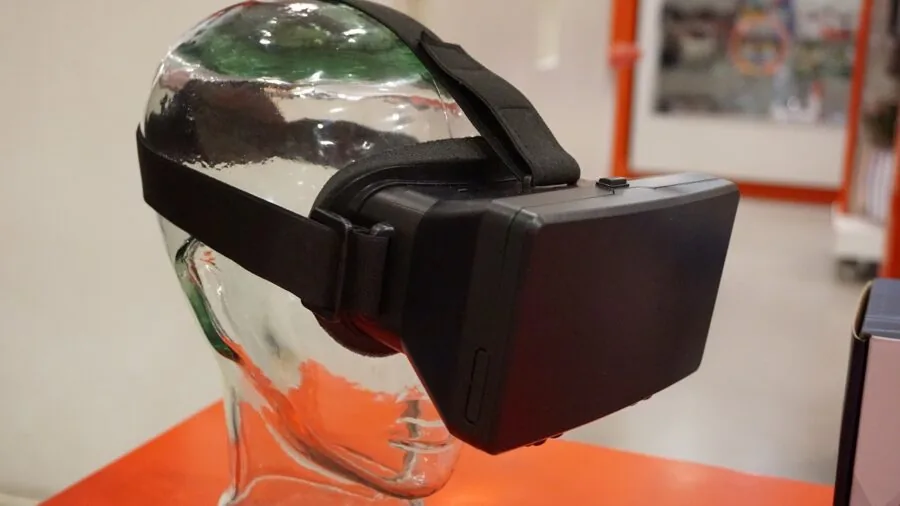
Hardware accuracy means little if the software cannot translate that data into an immersive, believable simulation.
The golf simulator software ecosystem is fragmented: some monitors are locked to a single app, while others are compatible with platforms like E6 Connect, FSX Play, TGC 2019, and GSPro.
Compatibility breadth is a major differentiator and should be confirmed before you buy.
PHIGOLF’s swing stick system works exclusively with E6 Connect, which offers a respectable course library for its price tier.
At the premium end, the Bushnell LPi Simulator Bundle ships with an FSX Play Gold subscription, giving you access to dozens of licensed courses and a practice range environment that is difficult to fault.
Subscription models mean ongoing costs to factor into your total budget, so check whether a subscription is included, how long it lasts, and what renewal pricing looks like before committing.
For pure swing data and practice rather than course play, some buyers are well served by app-based monitors like the Rapsodo MLM paired with a simple hitting net. Pairing launch monitor data with well-fitted golf drivers can amplify the feedback you get from every session.
Space Requirements and Enclosure Setup
Before purchasing anything, measure your space carefully.
A comfortable golf simulator bay requires a minimum ceiling height of around eight to nine feet for full swing clearance, at least ten to twelve feet of depth from ball position to screen, and enough lateral width to swing freely without fear of striking a wall.
Many buyers underestimate the depth requirement and end up with a system their radar unit cannot use effectively.
Enclosure packages, such as the ANYTHING SPORTS 4K-ready blackout cage or the LPALNTYS net and impact screen combo, solve the physical containment problem at a range of price points.
A proper blackout enclosure also dramatically improves projector image quality by eliminating ambient light bleed. For smaller spaces or outdoor use, portable hitting nets are a practical alternative, though they do not support projected course play.
Space planning is genuinely the most common mistake buyers make, and getting it wrong is expensive to fix after the fact.
Projector Specifications and Image Quality

If you want full course simulation projected onto a screen rather than just viewing data on a device display, projector selection matters.
Short-throw projectors are usually preferable in home simulator bays because they allow a large image from a short distance, reducing the chance of casting a shadow across the screen during your swing.
Look for at least 3,000 lumens of brightness and a native resolution of 1080p at minimum; 4K-ready impact screens like those in the ANYTHING SPORTS package are increasingly common and leave room for projector upgrades over time.
Lag is another critical factor. A projector with high input latency will cause the on-screen ball flight to feel disconnected from your actual swing.
Manufacturers do not always publish input lag figures for projectors marketed to simulator use, so cross-referencing community feedback from verified simulator owners is important.
Some all-in-one bundles, including the Bushnell LPi package, pair a pre-selected projector with the enclosure specifically to avoid compatibility headaches.
Budget Tiers and Total Cost of Ownership

Golf simulators exist at genuinely every price tier, and the range in this guide reflects that reality. Entry-level swing analyzers and portable nets represent the lowest barrier to structured indoor practice.
Mid-range launch monitors with smartphone integration sit comfortably in between and are the sweet spot for recreational golfers who want real data without a full room conversion.
Premium all-in-one systems from Garmin and Bushnell represent serious investment but deliver a substantially different experience: self-contained projection, multi-camera accuracy, bundled software, and a fit-and-forget setup.
Total cost of ownership includes more than the sticker price. Factor in software subscriptions, hitting mat quality (a bad mat causes wrist injuries and poor feedback), projector lamps or bulb replacements if applicable, and any structural modifications your space needs.
A seemingly affordable monitor paired with a low-quality enclosure and a dim projector will disappoint far more than a slightly higher spend on an integrated bundle with decent components throughout.
Portability and Multi-Use Flexibility

Not everyone wants a permanent installation. If you plan to use a simulator in different locations, take it to the driving range for fitting sessions, or pack it away between uses, portability should weigh heavily in your decision.
The Rapsodo MLM is among the lightest and most genuinely portable options, pairing with an iPhone or iPad via Bluetooth.
The TAGCMC portable launch monitor and the PHIGOLF swing stick are similarly designed for flexibility and work across both iOS and Android devices.
Permanent installations, by contrast, reward the investment with better calibration stability, no setup time, and the ability to use a fixed projector and impact screen combination.
If your household has multiple golfers with different needs, a hybrid approach works well: a portable monitor for personal data capture and a basic net for physical ball striking, rather than a full enclosure that stays assembled.
Why You Should Trust Us
ProductFind is an independent review platform. We do not manufacture, retail, or endorse products on behalf of any brand.
Every product in this guide was assessed using our structured research framework, which draws on published technical specifications, expert review consensus from established golf and tech publications, and verified buyer feedback from confirmed purchasers.
We do not conduct our own product trials; our evaluations are grounded in research, published data, expert review consensus, and verified buyer feedback.
Each product is scored using our PF Score system on a scale of 0 to 10.
The score reflects a weighted combination of accuracy and technology quality, software ecosystem breadth, ease of setup, value relative to the category, and sustained user satisfaction over time.
Products are evaluated against consistent criteria regardless of brand or price tier, so a budget net can earn a fair score in its own context, and a premium system is held to proportionally higher standards.
ProductFind may earn an affiliate commission if you purchase through links on this page. That relationship has no bearing on which products are included, how they are ranked, or what scores they receive.
Our recommendations are editorially independent, and no brand has paid to appear in this guide or influence its conclusions.
Final Thoughts
After synthesizing specifications, expert review consensus, and verified buyer feedback across this category, a few products stand out clearly in their respective niches. Here are our editorial awards for this lineup:
- Best Overall: Garmin Approach R50 Premium Golf Launch Monitor and Simulator earns our top position thanks to its multi-camera accuracy, built-in 10-inch color touchscreen, and a self-contained experience that requires no additional hardware to get on the course.
- Best Complete Bundle: Bushnell LPi Simulator Bundle is the strongest all-in-one package in the lineup, pairing high-accuracy launch monitor hardware with a projector, enclosure, turf mat, and an FSX Play Gold subscription straight out of the box.
- Best Mid-Range Launch Monitor: Rapsodo MLM2PRO Mobile Launch Monitor delivers professional-grade club and ball data at a fraction of premium system pricing, making it the smart upgrade path for golfers who already own a net or screen.
- Best Entry-Level Option: Rapsodo Mobile Launch Monitor (MLM) remains one of the most accessible ways to get real ball flight data for iPhone and iPad users, with a straightforward setup and a well-regarded companion app.
- Best Portable Swing Trainer: PHIGOLF Golf Simulator with Swing Stick suits golfers who want structured 3D swing analysis and E6 Connect course play without committing to a permanent bay, and its compact form factor works indoors or outdoors.
Whichever tier fits your budget and space, the most important first step is measuring your room before you order anything. Getting the physical setup right unlocks the full value of whatever tracking hardware you choose.
If upgrading your equipment to match your new practice environment is next on the list, browsing top-rated golf drivers is a natural follow-on after you have your simulator dialed in.
Frequently Asked Questions
How much space do I need for a home golf simulator?
Most experts recommend a minimum ceiling height of eight to nine feet, at least ten feet of depth from the hitting position to the impact screen, and roughly twelve to fifteen feet of lateral width for comfortable swing clearance.
Radar-based monitors generally need more depth than camera-based units to capture accurate ball flight data. Always verify the specific space requirements published by your chosen launch monitor manufacturer before purchasing an enclosure.
Do I need a projector to use a golf simulator?
No, a projector is not strictly required. Many launch monitors, including the Rapsodo MLM and MLM2PRO, display ball flight data and simulation on your smartphone or tablet.
A projector and impact screen upgrade the experience substantially by projecting the virtual course onto a large surface in front of you, which feels significantly more immersive and is closer to a commercial simulator experience.
If budget is a constraint, starting with a monitor and a quality hitting net and adding projection later is a sensible staged approach.
What golf simulation software options are available?
The most widely supported platforms include E6 Connect, FSX Play, TGC 2019, GSPro, and WGT Golf. Each has different course libraries, pricing models, and hardware compatibility.
Some monitors are locked to a proprietary app, while premium systems like the Garmin Approach R50 support multiple third-party platforms.
Check software compatibility carefully before buying a monitor, since being locked into a single platform with a limited course library is one of the most common sources of long-term dissatisfaction among simulator owners.
Are golf simulators accurate enough to actually improve my game?
For most recreational and serious amateur golfers, modern mid-range and premium launch monitors provide data accurate enough to drive real improvement.
Ball speed, launch angle, spin rate, and carry distance figures from devices like the Rapsodo MLM2PRO are widely regarded as reliable enough for meaningful practice.
At the premium tier, systems from Garmin and Bushnell produce data that professional club fitters consider credible. The limiting factor for improvement is usually how the golfer applies the data, not the accuracy of the device itself.
Pairing simulator sessions with structured practice goals and, where possible, well-fitted golf clubs, gives the best chance of measurable progress.
What is the difference between a launch monitor and a full golf simulator?
A launch monitor is the tracking device that measures your club and ball data at impact.
A full golf simulator is an integrated system that combines a launch monitor with a physical enclosure (net, frame, and impact screen), a projector, a hitting mat, and simulation software.
You can use a launch monitor on its own for data-driven range practice, or as the core component of a broader simulator setup. Many golfers start with just a monitor and net, then expand the system incrementally as budget allows.
Can I use a golf simulator outdoors?
Portable launch monitors like the Rapsodo MLM, the TAGCMC portable monitor, and the PHIGOLF swing stick are all designed to work outdoors as well as indoors.
Radar-based systems in particular tend to perform very well in outdoor environments because ball flight is not cut short by a screen.
However, projector-based course simulation requires a dark or semi-dark environment to be usable, so outdoor course play is generally not practical. If outdoor versatility is a priority, a portable monitor with a companion app is the most practical choice.
About the author
Bernard is a reviewer and writer for ProductFind who specializes in Golf. Bernard evaluates products through independent research: specifications, expert review consensus, and verified buyer feedback, and rates each one on the PF Score. Bernard focuses on helping readers pick the right golf for their needs and budget.