The 9 Best Home Printers
Ink tank, laser, or all-in-one: finding the right home printer means weighing running costs, print speed, and reliability. Here are the top picks from Brother, Epson, HP, and Canon.
 By Emma Stewart
Updated July 23, 2026
By Emma Stewart
Updated July 23, 2026
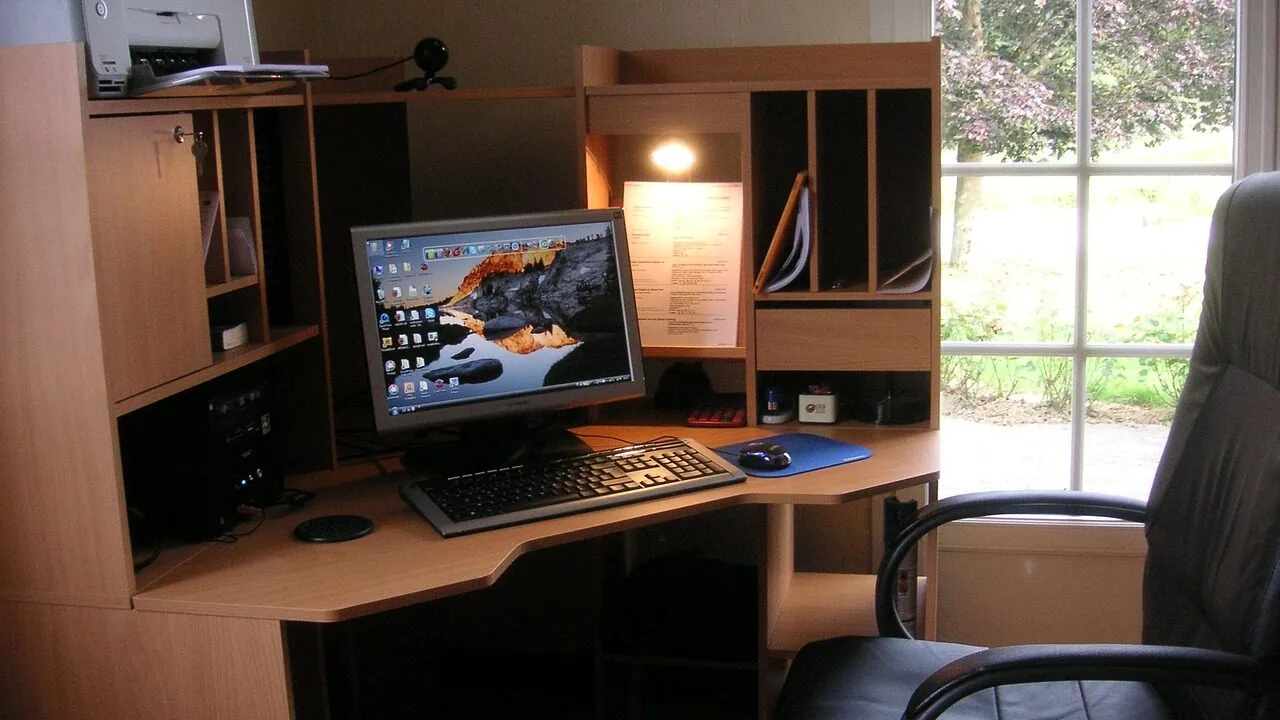
Choosing a home printer in 2026 is genuinely harder than it should be.
The market spans budget inkjets under a hundred dollars, high-capacity ink tank models that essentially eliminate cartridge costs, and compact laser printers that churn out crisp documents at speeds inkjets rarely match.
Ink subscription schemes, paper size limitations, wireless reliability, and per-page running costs all pull in different directions depending on how and how often you actually print at home.
This guide cuts through the noise.
Our team at ProductFind researched specifications, analyzed expert review consensus across dozens of publications, and weighed verified buyer feedback to surface the best home printers available right now from brands including Brother, Epson, HP, and Canon.
Whether you need a workhorse for weekly document printing or a versatile all-in-one that handles the occasional school project scan, the picks below have been carefully evaluated to match real household needs. Scroll down for our ranked top picks.
| Award | Product | PF Score About PF ScoreThe PF Score is our own rating from 0 to 10, based on performance, design and build, ease of use, and value. It reflects independent research and is never influenced by manufacturers, retailers, or affiliate commissions. Learn more › | Price | |
|---|---|---|---|---|
| Best Overall |
 Brother DCP-L2640DW Monochrome 3-in-1 Laser Printer
|
8.6/10 | Buy | |
| Editor's Pick |
 Epson EcoTank ET-2800 Wireless All-in-One Printer
|
8.1/10 | Buy | |
| Best Value |
 Epson EcoTank ET-15000 All-in-One Printer
|
7.8/10 | Buy | |
| Top Rated |
 HP OfficeJet Pro 8139 All-in-One Wireless Printer
|
7.5/10 | Buy | |
 HP OfficeJet Pro 6978 All-in-One Wireless Printer
|
7.2/10 | Buy | ||
 HP OfficeJet Pro 8125 All-in-One Wireless Printer
|
7.1/10 | Buy | ||
 Canon PIXMA TR7120 Wireless All-in-One Inkjet Printer
|
6.8/10 | Buy | ||
 Canon PIXMA TS6520 Wireless All-in-One Printer
|
6.5/10 | Buy | ||
 Canon PIXMA TS4320 Wireless All-in-One Inkjet Printer
|
6.2/10 | Buy |
Brother DCP-L2640DW Monochrome 3-in-1 Laser Printer
A compact 3-in-1 monochrome laser printer combining printing, scanning, and copying designed for small businesses. Delivers solid speed at 36 ppm with wireless connectivity, mobile app support, and an automatic document feeder for efficient multi-page workflows.
Pros
- 3-in-1 design consolidates printer, scanner, and copier in one compact unit
- Quick scan speeds up to 23.6 ipm for black and 7.9 ipm for color documents
- Multiple connectivity options including dual-band wireless, Ethernet, and USB
- Mobile app enables printing and scanning from anywhere on connected devices
- Automatic document feeder streamlines high-volume copying and scanning tasks
Cons
- Only supports black and white printing, limiting use for color-dependent workflows
- No user reviews available, making real-world performance validation difficult
- Requires subscription service to avoid frequent toner replacement costs
Epson EcoTank ET-2800 Wireless All-in-One Printer
The ET-2800 replaces traditional ink cartridges with refillable tanks, delivering up to 4,500 black and 7,500 color pages per tank set. Designed for home users seeking lower printing costs and less frequent ink changes, though it requires genuine Epson ink for warranty coverage.
Pros
- Dramatically fewer ink replacements needed with massive tank capacity
- Includes substantial ink supply out of the box, reducing initial consumable costs
- Wireless connectivity allows flexible placement and multi-device printing
- All-in-one design handles printing, scanning, and copying in one device
- Heat-free Micro Piezo technology produces detailed color output
Cons
- Requires genuine Epson ink or warranty coverage is voided, limiting cost-saving flexibility
- No user reviews available to validate real-world reliability and performance claims
- 10 ppm print speed is modest compared to some competing all-in-one printers
Epson EcoTank ET-15000 All-in-One Printer
A wireless all-in-one inkjet printer with supertank cartridges, capable of handling printing, scanning, copying, and faxing up to 13 x 19 inches. Delivers 17 ppm for black and white documents with high 4800 x 2400 dpi resolution, suited for small offices or creative professionals needing oversized output.
Pros
- Oversized printing capability supports creative and specialty projects
- All-in-one design consolidates four functions into single device
- High monthly duty cycle of 33,000 pages reduces cartridge replacement frequency
- Multiple connection options including wireless for flexible placement
- Sharp resolution up to 4800 x 2400 dpi for professional-quality output
Cons
- Large footprint at 29.6 x 19.6 x 14.3 inches requires dedicated workspace
- Relatively slow color printing at 9 ppm may not suit high-volume color jobs
- No verified buyer reviews available to assess real-world reliability
HP OfficeJet Pro 8139 All-in-One Wireless Printer
A capable home office all-in-one that combines wireless printing, scanning, copying, and faxing with useful productivity features like auto document feeding and AI-powered print optimization. The 2.7-inch touchscreen and mobile app access make it straightforward to use, though the cartridge chip restriction and ongoing Instant Ink costs should factor into your decision.
Pros
- Reliable dual-band Wi-Fi with automatic connection troubleshooting
- Fast print speeds of 20 ppm black and 10 ppm color for everyday documents
- AI formatting optimization removes unwanted content and eliminates wasted pages
- Auto document feeder and duplex printing save time on multi-page tasks
- Built-in security features through HP Wolf Essential to protect network data
Cons
- Printer blocks third-party cartridges and only accepts original HP chips, limiting refill options
- Instant Ink trial ends after one year, requiring monthly subscription to continue the service
- No reviews available yet to assess real-world reliability and long-term user satisfaction
HP OfficeJet Pro 6978 All-in-One Wireless Printer
A multifunction inkjet designed for home offices and small workgroups, combining printing, scanning, copying, and faxing with wireless connectivity and automatic document feeding. HP's Instant Ink subscription can reduce ink costs significantly, though it requires an ongoing subscription commitment.
Pros
- All-in-one functionality consolidates multiple office devices into one compact unit
- Wireless and mobile printing options provide convenient printing from various devices
- Automatic document feeder and duplex capabilities speed up high-volume scanning and copying
- HP Instant Ink integration offers predictable ink costs with optional subscription service
- Supports wide range of paper sizes and formats for versatile document handling
Cons
- No user reviews currently available to assess real-world performance and reliability
- Instant Ink subscription adds recurring costs beyond initial printer purchase
- Relatively heavy at 17.9 pounds with dimensions that may require dedicated desk space in smaller offices
HP OfficeJet Pro 8125 All-in-One Wireless Printer
A compact all-in-one designed for home offices, delivering 20 ppm black and 10 ppm color printing with wireless connectivity and mobile app support. Includes a 3-month Instant Ink trial and AI-assisted print formatting, though it restricts use to HP-chipped cartridges.
Pros
- Compact footprint suitable for home office spaces
- Dual-band Wi-Fi with built-in connection diagnostics reduces connectivity issues
- AI formatting features help eliminate wasted pages when printing emails and web content
- Auto-duplex printing and 225-sheet input tray reduce manual intervention
- HP Wolf Essential Security provides network protection against cyber threats
Cons
- Cartridge restriction: only works with original HP chips, blocks third-party alternatives and increases long-term ink costs
- Color print speed is half that of black printing, which may slow document workflows
- 4.2 rating based on zero verified reviews, leaving real-world performance and reliability unclear
Canon PIXMA TR7120 Wireless All-in-One Inkjet Printer
A budget-friendly all-in-one that handles printing, scanning, and copying for home and hybrid workers. Dual-band Wi-Fi, automatic duplex printing, and an Auto Document Feeder make it practical for everyday office tasks, though it's positioned as a general printer rather than a photo specialist.
Pros
- Versatile all-in-one functionality at a budget-friendly price point
- Reliable dual-band Wi-Fi connectivity for consistent wireless printing
- Auto Document Feeder saves time on multi-page document workflows
- Automatic duplex printing reduces paper waste and printing time
- Mobile printing integration supports multiple popular services
Cons
- Monochrome OLED display (1.42 inch) offers basic status monitoring only
- No reviews available to validate real-world performance and reliability
- Positioned as general office printer, not optimized for high-volume photo printing
Canon PIXMA TS6520 Wireless All-in-One Printer
A compact, budget-friendly all-in-one printer designed for home and hybrid work setups, delivering solid print quality for both documents and photos. Dual-band Wi-Fi and mobile printing support make it convenient, though it has no user reviews yet to validate real-world performance.
Pros
- All-in-one functionality covers printing, scanning, and copying at a budget price point
- Dual-band Wi-Fi and multiple mobile printing options offer flexible connectivity
- Automatic 2-sided printing helps reduce paper waste and workflow time
- Compact footprint (14.8 x 14 x 6.7 inches) suits small workspaces
- OLED display provides clear status and ink level visibility
Cons
- No verified customer reviews available yet, limiting real-world performance insights
- Specifications do not mention print speed or yield per cartridge, making cost-per-page unclear
- 2-cartridge system may require more frequent replacements compared to higher-capacity alternatives
Canon PIXMA TS4320 Wireless All-in-One Inkjet Printer
A budget-friendly all-in-one printer designed for home users and hybrid workers, combining wireless printing, scanning, and copying in a compact footprint. The dual-band Wi-Fi and automatic duplex printing make it practical for everyday document and photo needs.
Pros
- Budget-friendly all-in-one option with versatile scanning and copying capabilities
- Reliable dual-band Wi-Fi connectivity (2.4GHz/5GHz) for consistent wireless performance
- Automatic duplex printing reduces paper waste and workflow time
- Compact design without sacrificing core functionality
- Mobile printing convenience through multiple services
Cons
- No user reviews available to assess real-world reliability or performance consistency
- 2-cartridge system may have higher per-page ink costs compared to some competitors
- Limited to standard media sizes (up to 8.5 x 11 inches)
Home Printers Buying Guide
Buying a home printer involves trade-offs that are not always obvious from a spec sheet. The sections below walk through every factor worth understanding before you commit, from print technology and running costs to connectivity and paper handling.
Inkjet vs. Laser: Which Technology Fits Your Home?

The single most consequential decision when buying a home printer is choosing between inkjet and laser. Laser printers use toner cartridges that fuse powder to paper with heat, producing consistently sharp, smudge-proof text.
Because toner does not dry out between jobs, a laser printer left idle for weeks will still fire up perfectly on the first page. That reliability advantage is significant for households that print infrequently in bursts rather than every day.
Laser models also tend to have a noticeably lower per-page cost for black-and-white documents.
Inkjet printers, on the other hand, excel at color accuracy and photo output. They handle a wider variety of paper types and can print borderless photos in a way that most home laser printers cannot match.
The downside is that ink cartridges dry out during periods of inactivity, and replacement cartridges from name-brand manufacturers can be expensive.
Ink tank systems like the Epson EcoTank series sidestep that cost issue by using refillable reservoirs instead of disposable cartridges, making them compelling for households with moderate to high color printing volume.
If your household is split between frequent document printing and occasional color work, a color inkjet all-in-one typically offers the best versatility.
For households that print primarily text documents and want the lowest long-term hassle, a monochrome laser all-in-one like the Brother DCP-L2640DW is difficult to beat.
For families with mixed needs, a color inkjet all-in-one or an ink tank printer covers more ground per dollar spent on consumables.
Print Speed and Volume Capacity

Print speed is measured in pages per minute (ppm) and matters most in households where multiple people share the printer or where large documents are printed regularly.
Entry-level inkjets typically manage 5 to 10 ppm for black text drafts, while a mid-range laser printer can reach 30 ppm or more.
The Brother DCP-L2640DW, for example, is rated at up to 36 ppm for black-and-white output, making it genuinely fast for a home model. HP’s OfficeJet Pro line sits comfortably above most consumer inkjets in speed while still handling color.
Beyond rated speed, consider duty cycle and paper tray capacity. A 100-sheet input tray is adequate for light home use, but if you regularly print multi-page reports, presentations, or school assignments, a larger tray reduces interruptions.
Auto document feeders (ADF), which several models in our list include, are invaluable if you scan or copy multi-page documents frequently. They save considerable time compared to manually placing each page on the flatbed glass.
Running Costs and Ink Economics
The purchase price of a printer is only the beginning of its total cost of ownership. Ink and toner expenses can easily exceed the printer’s original price within a year or two of regular use.
Standard inkjet cartridges, particularly from HP and Canon’s base-tier printers, carry high per-page costs when purchased individually. High-yield XL cartridges dramatically reduce that per-page figure and are worth factoring into any comparison.
Ink subscription programs such as HP Instant Ink offer a fixed monthly fee in exchange for a set page allowance, which can represent genuine savings for consistent users but poor value for irregular printers.
Ink tank printers like the Epson EcoTank ET-2800 and ET-15000 remove the cartridge equation entirely: you refill large integrated reservoirs from inexpensive bottles, with some models yielding thousands of pages per fill.
Expert reviewers consistently highlight ink tank systems as the most cost-efficient choice for households that print frequently in color.
Toner for laser printers such as the Brother DCP-L2640DW has a comparably low per-page cost for black-and-white printing, and toner cartridges have an indefinite shelf life once sealed.
If your printing is primarily monochrome text, laser toner economics are difficult to argue against.
Just remember that color laser toner sets, if you need color, can be more expensive than color inkjet ink on a per-page basis for photo-quality output.
All-in-One Features: Scan, Copy, and Fax

Nearly every home printer sold today is an all-in-one that combines printing with at least scanning and copying. The quality of the scanner matters if you regularly digitize documents, receipts, photos, or handwritten notes.
Flatbed scanners integrated into all-in-one printers typically resolve at 600 dpi or higher, which is sufficient for documents and adequate for photos at standard sizes.
For archiving old photographs at high fidelity, dedicated flatbed scanners produce superior results, but for everyday home document scanning, a built-in scanner is perfectly functional.
Fax capability is increasingly niche but remains relevant for households that deal with medical offices, real estate documents, or legal paperwork. Several HP OfficeJet Pro models in our list include fax, as does the Epson ET-15000.
If you never need fax, there is no penalty to choosing a model without it. An ADF, however, is a feature genuinely worth paying for if you scan more than single pages at a time.
It is one of those quality-of-life improvements that users consistently praise in verified buyer feedback once they have it.
Wireless Connectivity and App Ecosystems

Modern home printers connect over Wi-Fi, and virtually all models in our selection support wireless printing from phones, tablets, and laptops. Look for support for both Apple AirPrint and Mopria (Android), which allow direct printing without installing manufacturer apps.
Wi-Fi Direct enables printing without connecting to a home network at all, which can be handy in households with unreliable routers or for guests.
Some models, like the Epson ET-15000, also include Ethernet for a wired connection if your printer lives near a router.
App quality varies more than spec sheets suggest. HP’s Smart app is widely regarded as one of the more polished mobile printing experiences, supporting scan-to-cloud, remote printing, and ink level monitoring. Brother’s mobile app covers the essentials reliably.
Canon’s PIXMA Print app integrates creative templates and photo layouts, which can appeal to households that print photos. Epson’s app works well for standard tasks but has received mixed feedback on intuitiveness compared to HP Smart.
Verified buyer reviews frequently cite setup ease and wireless reliability as pain points, so choosing a brand with a well-regarded software ecosystem reduces friction considerably.
Print Quality for Photos and Documents

Document print quality from any modern home laser or inkjet printer is more than adequate for everyday use.
Differences become visible under scrutiny: a laser printer produces sharper, higher-contrast text with zero ink bleeding, while a well-calibrated inkjet can render finer gradients in charts and graphics.
For photo printing specifically, dye-based inkjets (which most Canon PIXMA and Epson home models use) produce more vibrant, smoother color transitions than pigment-based inkjets, though pigment ink lasts longer before fading.
Print resolution is expressed in dots per inch (dpi).
Most inkjets advertise resolutions of 4,800 x 1,200 dpi or higher for photo output, though the quality of ink chemistry and paper choice affects the final result more than the raw dpi figure suggests.
If printing 4×6 or 5×7 photos matters to you, an inkjet all-in-one with dedicated photo ink support and borderless printing capability is the right category.
The Epson ET-15000, which supports printing up to 13×19 inches, stands out in our list for large-format creative output that most home printers cannot match.
Why You Should Trust Us
ProductFind is an independent review publication. We do not have commercial relationships with the brands we evaluate, and no manufacturer has paid for placement or a higher ranking in this article.
Every product in our roundups is assigned a PF Score on a scale of 0 to 10, reflecting a consistent, multi-criteria evaluation framework rather than a single opinion.
Our methodology is built on comprehensive research synthesis.
We analyze published specifications and manufacturer data, aggregate expert review consensus from across the technology and consumer electronics press, examine verified buyer feedback at scale to surface real-world reliability and usability patterns, and cross-reference published benchmark data where available.
We do not conduct our own product trials; our evaluations are grounded in research, published data, expert review consensus, and verified buyer feedback.
This approach allows us to evaluate a broad range of products consistently and without the bias that can come from single-source assessments.
In the interest of full transparency: ProductFind may earn an affiliate commission when you purchase a product through a link on this page. That relationship does not influence our rankings, PF Scores, or editorial recommendations in any way.
Products are selected and ranked on merit alone. If a product scores poorly against our criteria, it does not appear in our picks regardless of affiliate economics. Our readers’ trust is more valuable than any commission.
Final Thoughts
The home printer market has genuinely improved in recent years. Ink tank technology has made color printing far more affordable, laser printers have become more compact and accessible, and wireless ecosystems from Brother, HP, Epson, and Canon have matured.
The right pick depends on your printing habits: how often you print, whether you need color, how important photo quality is, and how much you want to spend on consumables over time.
Our top-ranked picks reflect the strongest balance of performance, reliability, and running cost across each sub-category. Here is how the standouts break down.
- Best Overall: Brother DCP-L2640DW earns the top PF Score in our roundup with its combination of fast monochrome laser output, dependable wireless performance, and toner that stays ready even after extended periods without printing, making it the most consistently reliable choice for the majority of home users.
- Best Ink Tank Value: Epson EcoTank ET-2800 is the standout pick for color printing at low running cost, with its cartridge-free ink tank design earning strong marks from expert reviewers and verified buyers alike for dramatically reducing per-page expenses over time.
- Best for Large-Format and High-Volume Color: Epson EcoTank ET-15000 is the only model in our list capable of printing up to 13×19 inches, making it the clear choice for households that print large photos, posters, or creative projects alongside everyday documents.
- Best Home Office All-in-One: HP OfficeJet Pro 8139 delivers a full suite of print, scan, copy, and fax capabilities with ADF and duplex printing in a package that expert consensus consistently recommends for home offices that need reliable color inkjet output with minimal setup friction.
- Best Budget Pick: Canon PIXMA TS4320 offers an accessible entry point for households with light, occasional printing needs, combining wireless connectivity, duplex printing, and a compact footprint at a budget-friendly price point that keeps the barrier to ownership low.
No matter which model you choose, pairing your printer with the right paper stock and ink management habits will extend its useful life and keep output quality consistent.
If your household needs extend beyond printing into other home tech, a capable robot vacuum or a reliable video baby monitor might be the next useful addition to your home setup.
Frequently Asked Questions
How often should I print to justify a laser printer over an inkjet?
If your household prints primarily black-and-white documents and does so at least a few times per month, a monochrome laser printer will almost certainly be more economical and reliable over time.
Toner does not dry out between uses, which is the critical advantage for irregular printers. If you print less than once a week and your needs include color, an ink tank inkjet avoids the dry-out problem while keeping color accessible.
Are ink tank printers worth the higher upfront cost?
For households that print in color regularly, ink tank printers like the Epson EcoTank ET-2800 typically pay back their higher purchase price within the first year of use compared to standard cartridge inkjets.
The refillable reservoir system yields far more pages per dollar spent on ink, and verified buyers consistently report dramatic reductions in printing costs after switching. If your color printing volume is very low, the economics are less compelling.
What does duplex printing mean and do I need it?
Duplex printing means the printer can automatically print on both sides of a sheet of paper without you manually flipping it. It saves paper, reduces costs slightly over time, and is particularly useful for printing reports, booklets, or school assignments.
Most printers in our list support automatic duplex printing. If you print multi-page documents with any regularity, duplex is a feature worth prioritizing.
Can I print from my phone without a computer?
Yes. All of the printers in our roundup support wireless printing directly from smartphones and tablets. Apple AirPrint enables printing from iPhones and iPads without installing any app.
Android devices can print via Mopria-compatible apps or through manufacturer apps such as HP Smart, Epson iPrint, and Canon PRINT. Wi-Fi Direct, available on several models, allows phone-to-printer printing even without a home network.
Setup complexity varies by brand but is generally manageable within a few minutes for most users.
Is it worth subscribing to an ink plan like HP Instant Ink?
Ink subscription plans can offer good value for households with predictable, moderate print volumes. HP Instant Ink charges a monthly fee based on page count rather than cartridge usage, which benefits users who print consistently each month.
The value proposition weakens for very light or very heavy printers, and some users report frustration with page rollover limits and plan inflexibility.
If you prefer to avoid ongoing subscriptions, an ink tank printer or a laser model gives you more control over consumable costs without a recurring commitment.
Several HP models in our list include a trial period for Instant Ink, which is a reasonable way to evaluate whether the subscription model suits your household before committing.
What is the best printer for someone who only prints occasionally?
Occasional printers face the classic inkjet problem: cartridges dry out and clog printheads during long idle periods.
The two most practical solutions are a monochrome laser printer, whose toner is immune to drying, or an ink tank printer, whose larger ink reservoirs are less prone to clogging than small cartridges.
The Brother DCP-L2640DW handles idle periods with the fewest issues of any model in our list, based on expert consensus and verified buyer reports. For occasional color printing, the Epson EcoTank ET-2800 is the safest bet.
Keeping a regular maintenance print, even one page per week, also significantly reduces inkjet clogging regardless of which model you choose.
For other home essentials worth researching, digital thermometers and air fryer toaster ovens follow the same research-driven approach we apply to every product category we cover.
About the author
Emma is a reviewer and writer for ProductFind who specializes in Printers & Scanners. Emma evaluates products through independent research: specifications, expert review consensus, and verified buyer feedback, and rates each one on the PF Score. Emma focuses on helping readers pick the right printers & scanner for their needs and budget.