The 9 Best USB Microphones
From casual video calls to professional podcasting, the right USB mic transforms how you sound. Our research covers top picks from Shure, Rode, FIFINE, and more for every use case.
 By Pat Shelton
Updated July 23, 2026
By Pat Shelton
Updated July 23, 2026
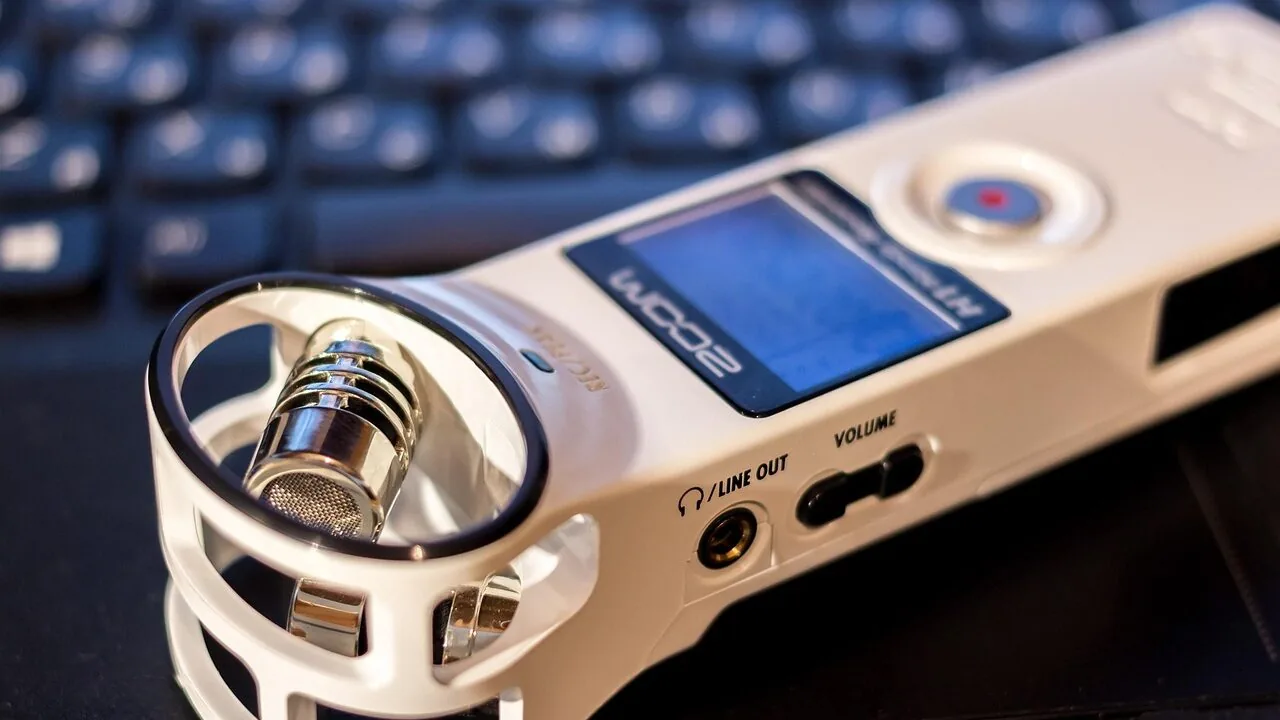
Whether you’re launching a podcast, streaming games live, recording voiceovers, or joining video calls from home, a quality USB microphone makes an immediate, audible difference.
Unlike professional XLR setups that require an audio interface and additional gear, USB microphones plug directly into any PC or Mac and deliver clean, studio-grade audio with zero configuration.
Demand for the category has surged alongside the growth of remote work, content creation, and independent broadcasting, meaning there are now dozens of options ranging from budget-friendly desktop mics to broadcast-quality hybrids used in professional studios.
Sorting through the noise is exactly what this guide is here to do.
Our team at ProductFind researched the current market by analyzing published specifications, synthesizing consensus from audio and tech expert reviews, and weighing verified buyer feedback across hundreds of real-world use cases.
The result is a curated shortlist covering every budget and use case, from entry-level picks to premium condenser and dynamic microphones from brands like Shure, Rode, Logitech, and FIFINE.
Scroll down for our top picks, then use the buying guide below to find the right mic for your setup.
| Award | Product | PF Score About PF ScoreThe PF Score is our own rating from 0 to 10, based on performance, design and build, ease of use, and value. It reflects independent research and is never influenced by manufacturers, retailers, or affiliate commissions. Learn more › | Price | |
|---|---|---|---|---|
| Best Overall |
 Shure MV7+ Dynamic Microphone with USB-C & XLR
|
9.1/10 | Buy | |
| Editor's Pick |
 Rode NT-USB Mini Compact USB Condenser Microphone
|
8.7/10 | Buy | |
| Best Value |
 Logitech Blue Yeti Nano USB Microphone
|
8.4/10 | Buy | |
| Top Rated |
 FIFINE T669 USB Condenser Microphone Kit
|
7.8/10 | Buy | |
 TONOR G11 Omnidirectional USB Conference Microphone
|
6.2/10 | Buy | ||
 Shure MV6 USB-C Gaming Microphone
|
7.9/10 | Buy | ||
 FIFINE AM8 USB/XLR Dynamic Microphone
|
7.0/10 | Buy | ||
 FIFINE K688 Dynamic Microphone with XLR/USB
|
7.1/10 | Buy | ||
 Rode PodMic USB Dynamic Microphone
|
8.6/10 | Buy |
Shure MV7+ Dynamic Microphone with USB-C & XLR
A dual-connectivity podcast mic combining USB-C plug-and-play convenience with professional XLR flexibility, backed by OBS certification and real-time voice isolation. The customizable LED touch panel and built-in reverb effects add creative control, though no verified buyer feedback is available yet to validate real-world performance.
Pros
- Certified for OBS with advanced DSP and Voice Isolation Technology for clear vocal capture
- Dual USB-C and XLR connectivity enables seamless transitions between plug-and-play and professional audio interfaces
- Auto Level Mode and real-time denoising maintain consistent, clean audio without manual gain tweaking
- Customizable full-color LED touch panel adds visual appeal and on-camera functionality for livestreams
- Integrated reverb modes provide built-in creative control for vocal enhancement and polished recordings
Cons
- No verified buyer reviews available to assess long-term durability or real-world audio quality consistency
- Premium price positioning may exceed budget for casual hobbyists or entry-level streamers
- Requires learning curve to maximize customizable LED panel and DSP features for optimal results
Rode NT-USB Mini Compact USB Condenser Microphone
A studio-quality USB mic in a compact form factor, the NT-USB Mini delivers warm, present sound suited for vocals, dialogue, and instruments without requiring external equipment. Built-in headphone monitoring and digital processing tools via free software make it practical for podcasters, streamers, and home recordists.
Pros
- Studio-grade sound quality in a portable, desk-friendly size
- Integrated headphone amplifier with precision volume control for real-time monitoring
- Free RODE Connect software includes noise gate, compressor, APHEX Aural Exciter, and Big Bottom processing
- Versatile frequency response suits vocals, dialogue, guitar, and general recording
- Plug-and-play USB connectivity, no external power or audio interface required
Cons
- No verified buyer reviews available to assess long-term reliability or real-world performance
- Limited customization beyond included DSP tools; no additional hardware expansion options
- Software-dependent features require compatible PC or Mac system
Logitech Blue Yeti Nano USB Microphone
A compact USB condenser mic built for streamers and podcasters, the Yeti Nano delivers professional-grade sound through dual custom capsules and offers flexible cardioid or omni pickup patterns. Its no-latency monitoring, onboard controls, and plug-and-play setup make it straightforward for both Mac and PC users.
Pros
- Dual capsule design captures clear vocal detail suitable for streaming, podcasting, and gaming
- Multiple pickup patterns accommodate different recording environments and uses
- Direct headphone monitoring with onboard controls reduces setup complexity
- Small footprint and aesthetic appearance work well on-camera and in confined spaces
- Includes Blue VO!CE software for audio enhancement and creative effects
Cons
- No user reviews available to validate real-world performance claims
- Compact size may limit handling flexibility compared to larger professional mics
- Relies on included software for advanced audio control, which adds dependency on driver updates
FIFINE T669 USB Condenser Microphone Kit
A plug-and-play USB condenser mic designed for podcasters, streamers, and voice-over artists. Includes a sturdy boom arm, shock mount, and pop filter for a complete recording setup out of the box.
Pros
- All-in-one kit eliminates need for separate purchases of accessories
- Versatile boom arm with multiple adjustment angles for comfortable positioning
- Cardioid pattern effectively isolates voice while rejecting room noise
- Durable steel arm and shock mount built for regular studio use
- 8.2-foot USB cable provides flexible desk setup options
Cons
- Not compatible with Xbox, limiting gaming platform options
- No reviews available yet to verify real-world audio quality claims
- Requires USB-B to USB-A/C cable, which may need replacement depending on computer ports
TONOR G11 Omnidirectional USB Conference Microphone
A plug-and-play USB condenser mic designed for remote meetings and group conversations with 360-degree pickup across 11.5 feet. No driver installation needed on Windows or macOS, making it straightforward for video conferencing, online classes, and recording.
Pros
- Wide omnidirectional pickup pattern ideal for group meetings and multi-person conversations
- True plug-and-play setup with no driver downloads or configuration needed
- Metal build and anti-slip base provide good stability and durability
- Convenient mute button with visual indicator for active status
- Long pickup distance reduces need for participants to lean toward microphone
Cons
- No reviews available to verify real-world audio quality or performance in various environments
- Omnidirectional design may pick up background noise and unwanted ambient sound
- No volume control on the device itself, only mute functionality
Shure MV6 USB-C Gaming Microphone
A plug-and-play USB-C microphone designed for streamers and podcasters, the MV6 combines Shure's cardioid capsule with voice isolation technology to minimize background noise. Real-time DSP features like auto-leveling and a tap-to-mute button make it straightforward for gaming and streaming setups.
Pros
- Built-in voice isolation and noise reduction make it effective in untreated spaces without extra gear
- Zero-latency monitoring lets you hear yourself in real time while streaming or gaming
- Smart DSP processing (auto-level, denoiser, popper stopper) handles audio balancing automatically
- MOTIV Mix app provides granular control over monitoring mix and microphone settings
Cons
- No verified buyer reviews available to confirm real-world performance in different environments
- Cardioid pattern may require careful mic placement to avoid capturing side noise in tight desk setups
- USB-C only; no analog XLR output for professional recording chains or mixer integration
FIFINE AM8 USB/XLR Dynamic Microphone
A dual-connection dynamic mic designed for podcasters, streamers, and content creators who want flexibility between USB plug-and-play and XLR studio setups. Features cardioid pickup, RGB lighting, and monitoring controls, though some conveniences are USB-only.
Pros
- Balanced frequency response (50Hz-16KHz) suitable for vocals and speech
- USB connection requires no audio interface or mixer setup, ideal for beginners
- Controllable RGB with saved preferences eliminates repeated setup
- Headphone monitoring jack allows real-time audio feedback during recording
- Works with PS5 via USB-A connection on console
Cons
- RGB lighting, mute button, headphone jack, and gain controls are inactive when using XLR connection
- XLR cable not included, requires separate purchase and audio interface or mixer
- No verified customer reviews available to assess real-world performance
FIFINE K688 Dynamic Microphone with XLR/USB
A dual-connection dynamic mic built for podcast and vocal recording with cardioid noise rejection and 130dB SPL handling. Best suited for home studio users who want both XLR stability and USB convenience without investing in separate gear.
Pros
- Clean metal construction with directional cardioid pattern for vocal clarity
- Both XLR and USB outputs eliminate need to buy multiple microphones
- Real-time monitoring and headphone volume control for voice-over work
- Includes windscreen and shock mount to manage plosives and desk vibration
- Long 8.2ft USB cable enables flexible desk positioning
Cons
- Boom arm, mic stand, and XLR cable sold separately despite frequent home studio use
- Mute, gain control, and monitoring features only work via USB connection, not XLR
- No verified buyer reviews available to assess real-world durability or audio performance
Rode PodMic USB Dynamic Microphone
A dual-connectivity broadcast mic that works with both XLR interfaces and USB devices, backed by internal DSP effects through Rode Central. Built for podcasters, streamers, and content creators who want flexibility without sacrificing audio quality.
Pros
- Versatile connectivity options eliminate the need for separate mics across different workflows
- Integrated DSP effects via Rode Central app add professional audio shaping without extra gear
- Zero-latency monitoring headphone output with independent volume control simplifies live monitoring
- Dual pop filter system (internal shock mount plus external filter) addresses both vibration and plosive issues
- Solid all-metal build suggests long-term reliability
Cons
- No verified user reviews available yet, limiting real-world performance insight
- Requires Rode Central app for full DSP feature access, adding software dependency
- Price positions it in the premium segment relative to single-connectivity alternatives
USB Microphones Buying Guide
Choosing the right USB microphone comes down to matching the mic’s technical design to your specific recording environment and intended use.
A gaming mic sitting on a noisy desk has different requirements than a studio condenser used for professional voiceover work.
The sections below break down the criteria that matter most, so you can cut through marketing language and focus on what actually affects the sound you hear.
Microphone Type: Condenser vs. Dynamic
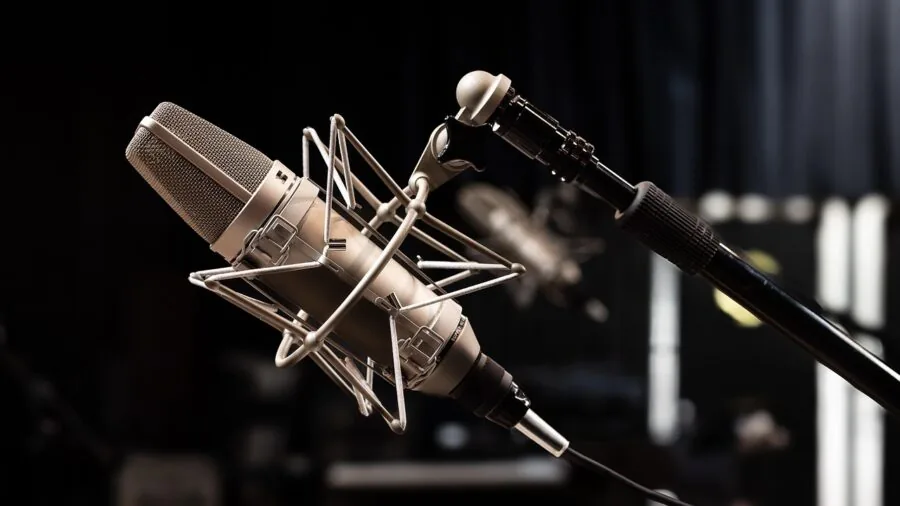
The single biggest factor shaping a USB microphone’s sound character is whether it uses a condenser or a dynamic capsule. Condenser microphones are highly sensitive, capturing a wide frequency range with excellent detail and airiness.
They excel in quiet, treated spaces and are the go-to choice for podcasting, vocal recording, acoustic instruments, and any situation where nuance matters.
If your room is well-controlled and you want your voice to sound open and rich, a condenser is typically the right tool.
Dynamic microphones, by contrast, are less sensitive and reject ambient noise more aggressively. They are well suited to louder, less-than-perfect environments, such as home offices with background noise from air conditioning, mechanical keyboards, or nearby traffic.
Dynamic mics also handle loud sound sources like guitar amplifiers or drums without distorting.
If you are streaming in a room with untreated acoustics or significant background sound, a dynamic USB mic will generally give you a cleaner, more professional result even when the room is imperfect.
Several of the picks in this guide, including models from FIFINE and Rode, offer the flexibility of both USB and XLR connectivity, which is worth considering if you ever plan to expand to a full audio interface setup.
Polar Pattern and Room Awareness
Polar patterns describe which directions a microphone picks up sound. Cardioid is the most common pattern for solo recording, focusing primarily on what is directly in front of the mic and rejecting sound from the sides and rear.
This makes cardioid ideal for podcasting, streaming, and voiceover work where only one speaker needs to be captured.
Some USB mics, like the Blue Yeti Nano, support multiple patterns, including bidirectional or omnidirectional, which is useful for interviews or roundtable conversations.
Omnidirectional mics pick up sound equally from all directions and are better suited to conference calls or room recording than to solo content creation.
The TONOR G11, for instance, uses an omnidirectional pattern that makes it practical for multi-person video meetings but less ideal for isolating a single voice in a noisy home office.
Understanding your polar pattern needs before buying will save you frustration. If you are recording alone and your room has any reflections or ambient noise, a tight cardioid pattern is almost always the safer choice.
Connectivity: USB-A, USB-C, and Hybrid XLR
Most USB microphones ship with either USB-A or the newer USB-C connector.
USB-C is becoming the standard on modern laptops and desktop setups, and mics like the Shure MV7+ and Shure MV6 take advantage of this with USB-C outputs that deliver cleaner digital transfers and faster compatibility with current hardware.
If you are buying for a newer MacBook or a USB-C-only laptop, verify the connector type before purchasing, since you may need an adapter if the mic ships with USB-A only.
Hybrid XLR/USB mics offer an additional dimension of future-proofing.
Models like the FIFINE Amplitank K688 and FIFINE AmpliGame AM8 can connect via USB for plug-and-play convenience today, while the XLR output lets you step up to an audio interface later without buying a new mic.
This dual-connection design is particularly appealing for users who are expanding their setup over time. The Rode PodMic USB pushes this further, combining professional broadcast build quality with full USB and XLR flexibility in a single housing.
On-Board Controls and Monitoring
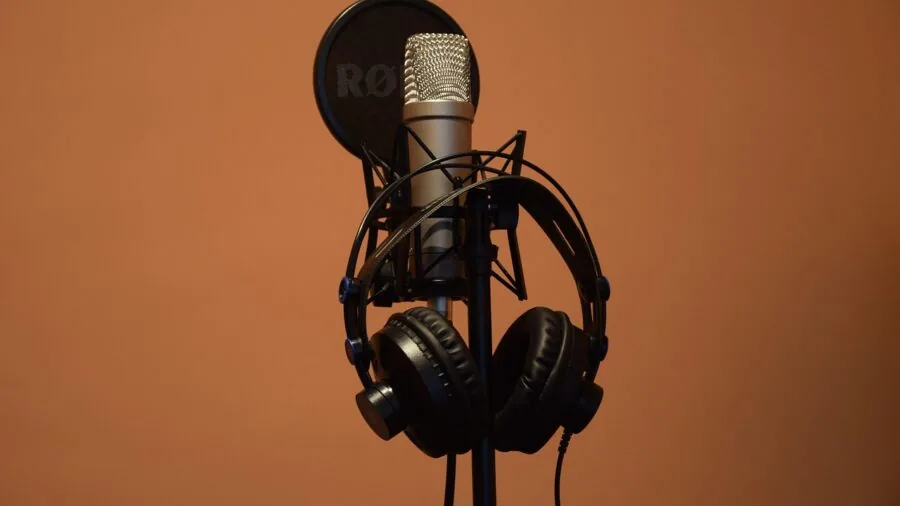
Real-time headphone monitoring, where you can hear your own voice through the mic’s built-in audio output with zero latency, is one of the most undervalued features on a USB microphone.
It eliminates the disorienting delay that comes from monitoring through your computer’s software, which is especially important during live streaming or recording sessions.
Look for mics that include a dedicated headphone jack and a physical volume knob for the monitor output.
The Shure MV7+ and several FIFINE models include this feature alongside a mute button, which lets you cut your audio instantly during a stream without touching your computer.
On-board DSP controls are also worth evaluating. The Shure MV7+ includes an Auto Level Mode that intelligently adjusts your input gain in real time, a significant convenience for users who move around or change their distance from the mic.
Software companion apps from brands like Shure (ShurePlus MOTIV) and Rode (Rode Connect) extend this further, offering EQ, compression, and noise gate controls that you can dial in once and forget.
If you prefer a simpler setup, a mic with basic hardware controls and no required software, like the Rode NT-USB Mini, keeps the workflow clean while still delivering excellent results.
Build Quality and Mounting Options
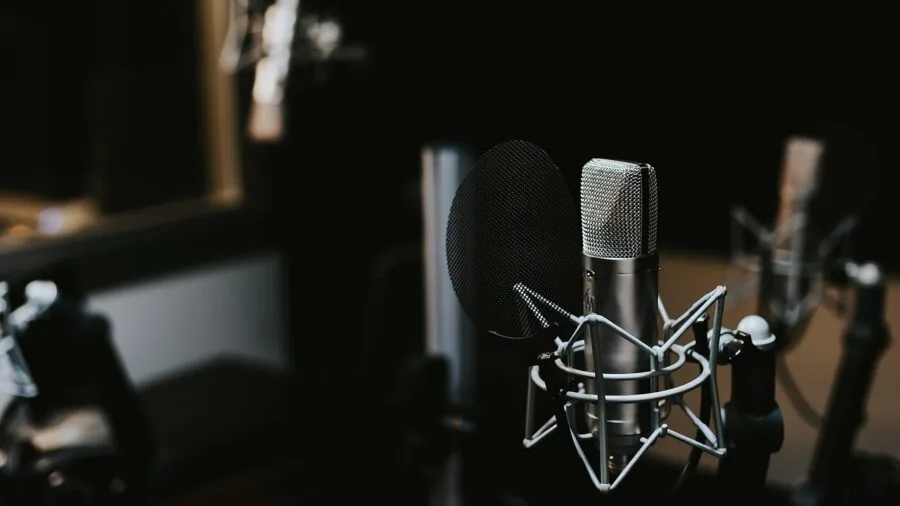
Desk-mounted microphones vary widely in build quality, from lightweight plastic bodies to full-metal constructions designed for broadcast use.
A heavier, all-metal mic tends to be more stable and vibration-resistant on a desk, and it typically indicates a more durable internal capsule mounting.
The Shure MV7+ and Rode PodMic USB both use metal bodies that absorb desk and table vibration more effectively than plastic alternatives, which translates directly to cleaner recordings with less low-frequency rumble.
Most USB mics include a basic desktop stand, but if you are serious about audio quality, a boom arm and shock mount offer a significant upgrade.
Positioning the mic closer to your mouth reduces the need to drive your gain high, which in turn reduces the noise floor.
A boom arm also keeps your desk clear and lets you move the mic out of the way when not in use.
Some kits, like the FIFINE T669, include a boom arm and shock mount in the box, making them excellent value for users who want a more professional-feeling setup without spending extra on accessories.
If you already own or plan to pair your mic with quality gaming headsets for monitoring, check that the headphone output on your chosen mic can drive your headset at a comfortable volume.
Budget Tiers and Value Expectations
USB microphones span a wide price range, and the value proposition shifts considerably at each tier.
Entry-level and budget-friendly mics are adequate for casual video calls and occasional recording, but they often show their limitations in background noise rejection and low-level detail.
The TONOR G11 sits in this category and represents a solid starting point for conferencing and light recording without a large investment.
Mid-range options, including the FIFINE T669, FIFINE K688, and Blue Yeti Nano, hit a sweet spot where audio quality becomes genuinely competitive with much more expensive gear.
These mics are appropriate for active streamers, podcasters, and content creators who need reliable performance without committing to a high-end budget.
At the upper end of the range, the Rode NT-USB Mini, Rode PodMic USB, and Shure MV7+ deliver broadcast-grade audio that stands up to professional scrutiny.
For creators who monetize their content or record in semi-professional contexts, the investment in a premium mic pays back quickly in listener retention and perceived production value.
If you also produce music or need spatial audio for video content, pairing your recording setup with quality over-ear headphones gives you a more accurate picture of your mix.
Why You Should Trust Us
ProductFind is an independent review platform with no brand affiliations or manufacturer relationships that influence our recommendations.
Every product in this guide was evaluated using our structured research methodology: we analyze published technical specifications, synthesize expert review consensus from audio engineers and tech journalists, and weigh verified buyer feedback from confirmed purchasers across multiple retail platforms.
Each microphone is then rated on our 0 to 10 PF Score scale, which applies consistent criteria across every product in a category so scores are directly comparable.
We do not conduct our own product trials; our evaluations are grounded in research, published data, expert review consensus, and verified buyer feedback.
This methodology allows us to assess a broader range of products with greater consistency than any single hands-on experience could provide, and it means our conclusions reflect the collective experience of many real-world users rather than a single reviewer’s opinion formed in one session.
ProductFind may earn a commission if you purchase through a link on this page. That affiliate relationship has no bearing on rankings, PF Scores, or which products appear in our guides.
Products are selected and ranked solely on the merits of the research. We never accept payment for placement, and we do not accept product samples in exchange for favorable coverage.
Our editorial independence is the foundation of every recommendation we make.
Final Thoughts
The USB microphone market in 2026 is richer than it has ever been, with genuinely excellent options at every price point.
Whether you are jumping into content creation for the first time or upgrading a setup that has outgrown its original gear, the picks in this guide cover every meaningful use case.
Here is how we would summarize our top recommendations based on PF Scores and the research behind each rating.
- Best Overall: Shure MV7+ earns the top spot with the highest PF Score in this roundup. Its combination of USB-C and XLR connectivity, Auto Level Mode, digital pop filter, and broadcast-quality dynamic capsule makes it the most versatile and polished USB mic available for serious podcasters and content creators.
- Best Condenser Pick: Rode NT-USB Mini delivers studio-quality condenser audio in a compact, elegantly simple form factor. It earns its high PF Score through excellent capsule clarity, a built-in pop filter, and zero-latency monitoring, all without requiring companion software to sound great.
- Best Broadcast Dynamic: Rode PodMic USB brings a professional broadcast dynamic capsule to a hybrid USB/XLR body built to last. Its internal shock mounting and tight cardioid pattern make it especially capable in untreated rooms, and its premium construction justifies every cent for dedicated podcasters.
- Best Mid-Range Value: Blue Yeti Nano remains one of the most well-rounded mid-range USB condenser mics available. Its compact footprint, multiple polar patterns, and plug-and-play reliability earn it a strong PF Score for streamers, gamers, and remote workers who want clear audio without complexity.
- Best Budget Kit: FIFINE T669 offers outstanding value for first-time creators. It includes a condenser capsule, boom arm, and shock mount in a single affordable package, giving beginners everything they need to start recording with a noticeably professional setup right out of the box.
No matter which model you choose, upgrading from a built-in laptop or webcam microphone to any dedicated USB mic will produce an immediate improvement in audio clarity.
For creators who want to build out a fuller audio and monitoring setup, exploring noise cancelling headphones or a dedicated pair of wireless earbuds for casual monitoring can round out your workspace nicely.
Frequently Asked Questions
What is the difference between a USB and an XLR microphone?
USB microphones have a built-in analog-to-digital converter and connect directly to a computer via USB, making them fully plug-and-play with no additional hardware required.
XLR microphones output an analog signal that must be processed by an external audio interface or mixer before reaching your computer. USB mics are the simpler, more accessible choice for most home users.
XLR setups offer more flexibility and often higher maximum audio quality, but they require a more significant investment in supporting gear.
Several hybrid mics in this guide support both connection types, giving you the convenience of USB now with the option to go XLR later.
Do USB microphones work with consoles like PlayStation or Xbox?
Many USB microphones are compatible with PlayStation consoles, which natively support USB audio devices. Xbox consoles have more limited USB audio support, and compatibility varies by model and firmware version.
If console compatibility is a priority, check the manufacturer’s compatibility notes for your specific console before buying.
For most gaming audio needs, a gaming headset with a dedicated boom mic remains the most reliable solution for console use, while USB microphones shine on PC and Mac setups.
Do I need a boom arm and shock mount with a USB microphone?
You do not strictly need one, but both accessories improve audio quality in practical ways.
A boom arm positions the mic closer to your mouth, which lets you record at lower gain levels and reduces the amount of room noise captured.
A shock mount decouples the mic from vibrations transmitted through your desk, such as typing, mouse clicks, and nearby footsteps. Together they make a meaningful difference in recording cleanliness.
If your budget allows, either investing in a kit that includes them (like the FIFINE T669) or buying them separately is well worth it for anyone recording regularly.
Is a condenser or dynamic USB microphone better for streaming?
It depends on your room. In a quiet, acoustically treated space, a condenser mic will capture your voice with more detail and presence, which sounds great on stream.
In a typical home environment with ambient noise from keyboards, fans, or background conversation, a dynamic mic’s tighter pickup pattern and lower sensitivity will give you a cleaner signal with less audible room noise.
Many of the most popular streaming setups now use dynamic USB mics precisely because they are more forgiving of imperfect room conditions while still sounding polished and professional to viewers.
Can I use a USB microphone for music recording?
Yes, and several USB mics are well suited to home music recording. Condenser models like the Rode NT-USB Mini capture acoustic instruments and vocals with excellent clarity and a wide dynamic range.
For electric instruments or louder sources, a dynamic USB mic handles higher sound pressure levels without distorting.
The main limitation of USB mics for music is latency: recording through USB introduces a small delay that can be distracting when tracking vocals or instruments in real time.
Mics with zero-latency headphone monitoring outputs partially solve this by letting you hear yourself directly through the mic rather than through your recording software.
For more serious music production workflows, an XLR mic paired with a low-latency audio interface remains the preferred setup.
How do I reduce background noise with a USB microphone?
Start by choosing a mic with a tight cardioid polar pattern, which naturally rejects sound from the sides and rear.
Position the mic as close to your mouth as practical, ideally six to twelve inches away, so you can keep input gain low. Lower gain means less amplification of ambient room noise.
Using a shock mount reduces mechanical vibration, while a pop filter or built-in windscreen cuts plosive sounds from breath.
Software noise suppression tools like NVIDIA RTX Voice, Krisp, or the noise gate built into apps like OBS can further clean up your signal in post.
Mics with on-board DSP, like those in the Shure lineup, also include configurable noise reduction that processes the signal before it even reaches your computer.
About the author
Pat is a reviewer and writer for ProductFind who specializes in Audio & Headphones. Pat evaluates products through independent research: specifications, expert review consensus, and verified buyer feedback, and rates each one on the PF Score. Pat focuses on helping readers pick the right audio & headphone for their needs and budget.