The 9 Best Network Switches
Speed, port count, PoE, and management features all shape how well a switch serves your network. Our research covers top picks from TP-Link, NETGEAR, Ubiquiti, and BrosTrend across every budget tier.
 By Megan Daniels
Updated July 23, 2026
By Megan Daniels
Updated July 23, 2026
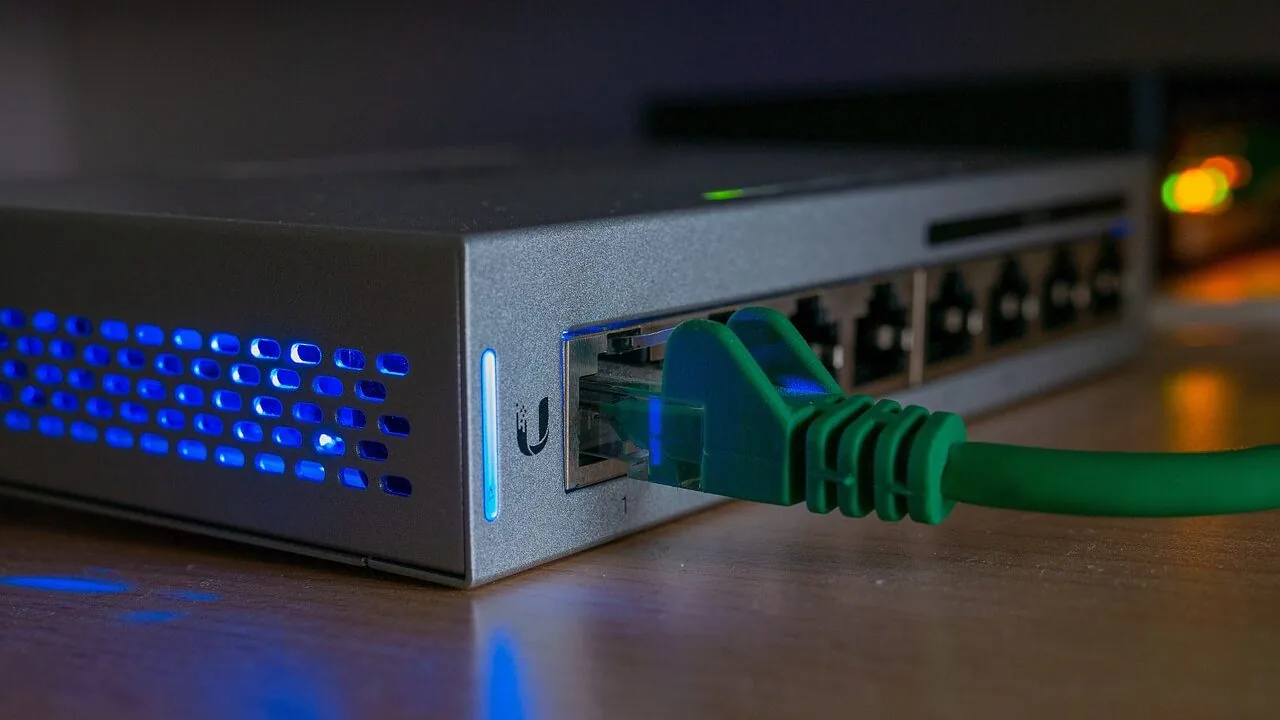
A reliable network switch is the backbone of any well-connected home or office setup.
Whether you are linking desktop workstations, NAS drives, smart home hubs, gaming consoles, or IP security cameras, the right switch determines how fast and how stably every device communicates.
With port speeds ranging from standard Gigabit to multi-gigabit 2.5G, and features spanning Power over Ethernet (PoE), VLAN support, and cloud management, the market has never offered more choice, or more potential for confusion.
To help you cut through the noise, the ProductFind editorial team synthesized manufacturer specifications, expert review consensus from across the industry, and verified buyer feedback to identify the network switches that genuinely deliver at every price tier and use case.
Our research covers unmanaged plug-and-play models for simple home networks all the way to managed 24-port rackmount units for small business deployments. Browse our top picks below to find the right match for your needs and budget.
| Award | Product | PF Score About PF ScoreThe PF Score is our own rating from 0 to 10, based on performance, design and build, ease of use, and value. It reflects independent research and is never influenced by manufacturers, retailers, or affiliate commissions. Learn more › | Price | |
|---|---|---|---|---|
| Best Overall |
 Ubiquiti US-24 24-Port UniFi Switch
|
8.6/10 | Buy | |
| Editor's Pick |
 BrosTrend 8-Port 2.5Gb Network Switch
|
8.2/10 | Buy | |
| Best Value |
 TP-Link TL-SG108-M2 8-Port 2.5G Switch
|
8.1/10 | Buy | |
| Top Rated |
 NETGEAR GS308EP 8-Port PoE+ Gigabit Switch
|
7.9/10 | Buy | |
 TP-Link TL-SG1024DE 24-Port Gigabit Smart Switch
|
7.8/10 | Buy | ||
 UGREEN 10-Port PoE Switch, 8 PoE+ Gigabit
|
7.4/10 | Buy | ||
 NETGEAR GS108E 8-Port Gigabit Smart Switch
|
7.3/10 | Buy | ||
 TP-Link TL-SG116 16-Port Gigabit Switch
|
7.2/10 | Buy | ||
 NETGEAR GS308E 8-Port Gigabit Smart Switch
|
6.5/10 | Buy |
Ubiquiti US-24 24-Port UniFi Switch
A 24-port managed switch built for UniFi network ecosystems, offering 52 Gbps switching capacity. Designed for small to medium deployments needing reliable gigabit connectivity with UniFi ecosystem integration.
Pros
- 24-port configuration covers most small office and growing network needs
- 52 Gbps switching capacity provides adequate throughput for typical deployments
- Integrates seamlessly with UniFi network management ecosystem
- Compact white form factor fits standard rack or shelf mounting
Cons
- No user reviews available to assess real-world reliability and performance
- Limited detailed specifications provided regarding power consumption and advanced feature set
- Requires UniFi controller setup, adding management complexity for standalone use
BrosTrend 8-Port 2.5Gb Network Switch
A fanless, plug-and-play 2.5 Gigabit switch with eight RJ45 ports designed for home offices, gaming, and NAS setups. The unmanaged design keeps setup simple, while 40 Gbps switching capacity handles multiple high-speed devices without noise or complexity.
Pros
- All 8 ports deliver 2.5 Gbps, eliminating speed bottlenecks across the board
- Completely silent operation due to fanless design, ideal for quiet work or gaming environments
- True plug-and-play simplicity with no drivers or management software needed
- RJ45-only connectivity avoids the cost and complexity of optical fiber or SFP transceivers
- Compact size works for both desktop placement and wall mounting
Cons
- Unmanaged switch offers no VLAN, QoS, or traffic prioritization features for advanced networking
- No customer reviews available to verify real-world performance or reliability claims
- Limited to 8 ports, may feel restrictive for expanding networks
TP-Link TL-SG108-M2 8-Port 2.5G Switch
A fanless, unmanaged network switch with eight 2.5-gigabit ports and 40 Gbps switching capacity, designed for plug-and-play connectivity without software configuration. Ideal for upgrading home or office networks to multi-gig speeds using existing Cat5e cabling.
Pros
- All eight ports support 2.5G speeds with up to 40 Gbps total bandwidth
- Auto-negotiation intelligently adjusts between 100Mb, 1G, and 2.5G for device compatibility
- Works with Cat5e cabling, eliminating need for expensive Cat6 upgrades
- Fanless metal design ensures silent, reliable operation with IEEE 802.3X flow control
- Desktop and wall-mount options in compact 8.9 x 5.2 x 1.4 inch form factor
Cons
- No management features or advanced configuration options (unmanaged switch)
- 4.9 rating based on zero verified customer reviews, so real-world reliability unverified
- Cables not included despite being essential for full 2.5G functionality
NETGEAR GS308EP 8-Port PoE+ Gigabit Switch
A compact, fanless managed switch built for small business networks needing powered device support. Eight Gigabit ports deliver 62W total PoE+ budget with basic traffic management and VLAN configuration through an intuitive interface.
Pros
- All ports support PoE+, eliminating need for separate power injectors on a full 8-port setup
- Fanless design runs silently, suitable for office environments
- Compact metal chassis fits various mounting scenarios
- Management capabilities handle VLAN segmentation and per-port PoE controls without complexity
- Energy Efficient Ethernet reduces operational costs
Cons
- 62W total budget divides thinly across 8 ports, limiting simultaneous high-power device support
- No customer reviews available to validate real-world reliability and user experience
- Limited to U.S. and Canadian markets only
TP-Link TL-SG1024DE 24-Port Gigabit Smart Switch
A 24-port managed switch designed for small to medium networks requiring reliable connectivity and basic traffic control. Built-in features like QoS, VLAN support, and port mirroring deliver practical network management without complexity.
Pros
- 24 Gigabit ports enable high-speed data transfers across all connected devices
- 9K Jumbo frame support improves performance for large file transfers
- Easy plug-and-play setup with no complex configuration required
- QoS and VLAN features provide traffic control and network segmentation
- 3-year warranty with weekday technical support included
Cons
- No user reviews available to verify real-world performance claims
- Limited to 1Gbps per port, not suitable for 10Gbps infrastructure upgrades
- Desktop and rackmount design flexibility adds minimal practical benefit for most users
UGREEN 10-Port PoE Switch, 8 PoE+ Gigabit
An unmanaged network switch combining 8 PoE+ ports and 2 uplink ports with automatic power management and three operation modes. Best suited for security camera systems and small-to-medium network deployments requiring plug-and-play simplicity.
Pros
- Sufficient port count and power budget for mid-sized camera or access point networks
- Port Isolation mode prevents network storms without requiring managed switch complexity
- Auto Recovery feature eliminates manual restart need for remote devices in extended deployments
- Gigabit speeds deliver real-time monitoring without noticeable lag
Cons
- No managed features beyond VLAN, limiting advanced network configuration and monitoring
- No verified customer reviews available to confirm real-world reliability and durability
- 60W budget may constrain expansion if adding high-power PoE devices later
NETGEAR GS108E 8-Port Gigabit Smart Switch
A compact managed switch designed for small business networks, offering eight gigabit ports with traffic prioritization and VLAN configuration through an intuitive interface. The fanless design keeps it quiet and energy-efficient, making it suitable for office environments or closet deployment.
Pros
- Eight gigabit ethernet ports with auto-negotiation support Cat5e and Cat6 cables
- Easy Smart Managed features enable QoS, VLAN setup, and network security monitoring without complexity
- Fanless operation ensures silent performance with no cooling noise
- Energy-efficient design reduces power consumption while maintaining full gigabit speeds
- Flexible mounting options for desktop or wall installation in tight spaces
Cons
- No reviews available to assess real-world reliability or user experience
- Limited to U.S. and Canada markets only
- Management interface complexity may require some networking knowledge despite 'Easy Smart' branding
TP-Link TL-SG116 16-Port Gigabit Switch
An unmanaged 16-port gigabit switch built for straightforward network expansion with no configuration needed. Fanless design keeps it quiet and reliable, backed by a 3-year warranty.
Pros
- Fanless operation eliminates noise and maintenance concerns
- Auto-negotiation and Auto MDI/MDIX simplify cabling flexibility
- Port-based QoS and IGMP Snooping enable traffic management for video/voice quality
- Compact desktop or wall-mount form factor fits various setups
- Sturdy metal construction with shielded ports for durability
Cons
- Unmanaged switch offers no advanced monitoring or configuration options
- No verified user reviews available to assess real-world reliability
- Limited to 10/100/1000Mbps speeds, not suitable for multi-gigabit networks
NETGEAR GS308E 8-Port Gigabit Smart Switch
A compact, fanless managed switch with 8 Gigabit ports designed for small office and home networks. Offers basic smart management features like VLANs and QoS without the complexity of enterprise gear, making it practical for users who need more control than unmanaged switches provide.
Pros
- Silent fanless design eliminates noise in office or home environments
- Gigabit speed across all 8 ports with auto-negotiation for device compatibility
- Easy Smart Managed capabilities enable VLAN configuration and QoS traffic prioritization
- Energy Efficient Ethernet reduces power draw without sacrificing performance
- Flexible mounting options for desktop or wall installation
Cons
- No customer reviews available to validate real-world reliability or performance claims
- Limited to U.S. and Canada markets only
- Entry-level smart management may lack advanced features needed by larger deployments
Network Switches Buying Guide
Choosing the right network switch comes down to understanding your current environment and where it might grow.
The sections below walk through the criteria that matter most, from switch type and port count to speed tiers and power delivery, so you can match specs to real-world needs rather than marketing language.
Managed vs. Unmanaged vs. Smart (Easy Smart) Switches
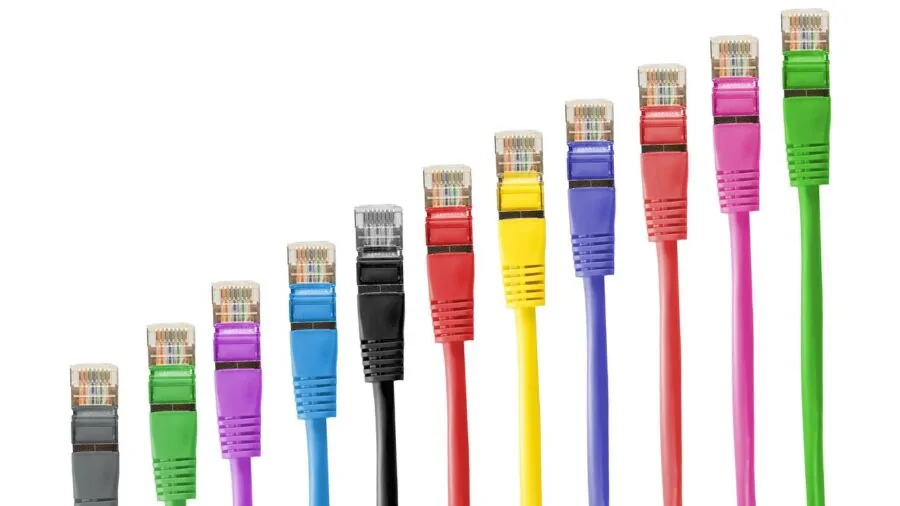
Unmanaged switches are the simplest option: plug in the cables, connect power, and every port works immediately with zero configuration.
They are ideal for extending a home router to a desk cluster of PCs, a media cabinet with a smart TV, a streaming stick, and a gaming console, or any scenario where all devices should share the same network segment.
The trade-off is a complete absence of traffic controls.
Managed switches expose a web dashboard or command-line interface that lets you create VLANs to separate guest traffic from work machines, configure QoS (Quality of Service) to prioritize video calls over large file transfers, and set up Link Aggregation (LAG) for combined uplink bandwidth.
These capabilities matter most in small business environments, home labs, or households where you want a dedicated IoT segment isolated from your primary LAN. The Ubiquiti UniFi lineup is a well-known example, offering deep management through the UniFi controller ecosystem.
Smart switches, sometimes labelled “Easy Smart” or “Essentials”, split the difference. They provide a simplified web interface for VLAN tagging, IGMP snooping, and basic QoS without the complexity of full CLI management.
Models like the NETGEAR GS308EP and the TP-Link TL-SG1024DE sit in this tier, offering meaningful control at a fraction of the cost of enterprise gear.
If you want more than plug-and-play but have no intention of learning networking commands, smart switches are frequently the most practical choice.
Port Count and Form Factor

Count every wired device you own today, computers, NAS, printers, smart TVs, access points, VoIP phones, gaming consoles, then add a 30 to 50 percent buffer for future additions.
An 8-port switch suits most small home offices comfortably; a 16-port or 24-port model is the right starting point once you factor in a media room, a home lab, or a handful of IP cameras.
Running out of ports forces a second switch purchase (which introduces cascading latency), so sizing up once is almost always more cost-effective.
Form factor splits into desktop and rackmount. Desktop switches are compact, often fanless, and live on a shelf or behind a TV.
Rackmount units like the TP-Link TL-SG1024DE are designed to sit in a standard 19-inch networking rack alongside a patch panel and router, keeping cables organized in a dedicated network closet or server room.
If you have a rack, buy a unit with rack ears; if not, a desktop chassis is simpler to place and generates less noise.
Port Speed: Gigabit vs. Multi-Gigabit 2.5G
Standard Gigabit (1Gbps) ports cover the vast majority of home and small office needs. Streaming 4K video, video conferencing, and even large local file transfers all sit well within what Gigabit can deliver.
However, the rise of Wi-Fi 6 and Wi-Fi 7 access points with 2.5G or 5G wired uplinks, combined with NAS enclosures that saturate a Gigabit link during simultaneous multi-client backups, is making multi-gigabit ports increasingly relevant.
Switches like the TP-Link TL-SG108-M2 and the BrosTrend 8-port 2.5G model offer all ports at 2.5Gbps using standard Cat5e or Cat6 cabling, no rewiring required.
If your router or access point already has a 2.5G uplink port, pairing it with one of these switches immediately lifts the ceiling for local network transfers and wireless backhaul.
For a pure streaming household on Gigabit internet, standard 1G ports remain perfectly adequate and come at a meaningfully lower price.
Power over Ethernet (PoE)

PoE switches deliver electrical power through the same Ethernet cable that carries data, eliminating the need for a separate power adapter at each endpoint.
This matters enormously when deploying wireless access points in ceilings, IP cameras in corners without nearby outlets, VoIP phones on desks, or smart doorbells at the front door.
The NETGEAR GS308EP and the UGREEN 10-port model both support PoE+ (IEEE 802.3at), which supplies up to 30 watts per port, enough for virtually all consumer-grade access points and cameras.
When evaluating PoE switches, pay attention to the total power budget, not just per-port wattage.
A switch rated at 62W total across 8 PoE ports cannot simultaneously power eight 30W devices; if you plan to run multiple high-draw access points and cameras at once, look for a unit with a higher aggregate budget.
Also confirm whether ports follow the older PoE (802.3af, 15.4W) or the newer PoE+ (802.3at, 30W) standard, as some cameras and older phones may only need the lower spec.
Noise, Heat, and Build Quality

Fanless design is a major quality-of-life advantage in any living or working space. Switches with cooling fans are audible at close range and generate extra heat that accumulates in enclosed cabinets.
The TP-Link TL-SG116 and TL-SG108-M2, as well as the BrosTrend 2.5G model, all use passive cooling with metal enclosures that dissipate heat silently.
For a home office, bedroom rack, or under-desk deployment, fanless switches are almost always the right call.
Metal construction also correlates with better shielding against electromagnetic interference, which becomes relevant in environments with lots of power cables, motors, or wireless devices nearby.
Shielded ports, sometimes listed as “shielded RJ45” in specs, provide an additional layer of protection for the cable connections themselves.
Verified buyer feedback consistently notes that all-metal switches with shielded ports run cooler and last longer than plastic-bodied alternatives, even when the price difference is small.
Management Software and Ecosystem Fit

If you already run a specific networking ecosystem, Ubiquiti UniFi, TP-Link Omada, or NETGEAR Insight, buying a switch that integrates with that platform yields meaningfully better value.
Ubiquiti’s US-24 UniFi Switch, for instance, slots directly into the UniFi controller and can be managed alongside access points, security gateways, and cameras from a single dashboard.
The convenience of unified monitoring, firmware updates, and traffic analytics from one interface is difficult to overstate once your network grows beyond a handful of devices.
For buyers without an existing ecosystem who simply want reliable connectivity, brand-agnostic unmanaged switches from TP-Link, NETGEAR, or BrosTrend require no software whatsoever.
The NETGEAR GS308E and the TP-Link TL-SG116 are straightforward examples: pull them out of the box, connect cables, and the network expands instantly.
Consider future ecosystem compatibility only if you anticipate adding managed access points or plan to scale to multiple switches that need coordinated management.
If your setup is a home entertainment cabinet or a small desk cluster, a quality unmanaged or easy-smart switch is all you need, pairing it with a fast router and a capable wireless access point will serve you well for years.
Why You Should Trust Us
ProductFind is an independent review publication with no affiliation to any manufacturer or retailer.
Every switch in this guide was evaluated through a structured research process: we analyzed published technical specifications, assessed expert review consensus drawn from industry sources, reviewed verified buyer feedback from confirmed purchasers, and cross-referenced publicly available performance and reliability data.
We do not conduct our own product trials; our evaluations are grounded in research, published data, expert review consensus, and verified buyer feedback.
Each product receives a PF Score on a scale of 0 to 10, reflecting how it performs across a consistent set of criteria for its category, in this case: port speed and count, management features, PoE capability, build quality, noise level, software ecosystem, and overall value at its price tier.
Scores are assigned independently of commercial relationships. ProductFind may earn a commission if you purchase through a link on this page, but that relationship has no influence on rankings, PF Scores, or editorial selection.
Our recommendations are driven entirely by research quality, not by affiliate rates.
Final Thoughts
After thorough research and scoring across all nine models, here is how the standout picks break down by use case.
Whether you are building a quiet home office, deploying cameras around a property, or managing a small business LAN, there is a well-matched option in this lineup.
If you are also thinking about the broader home entertainment side of your network, a look at 4K TVs worth streaming to can help you plan the full wired setup around your switch.
- Best Overall: Ubiquiti US-24 UniFi Switch, the highest-scoring model in the group, earning its place through deep management capability, seamless UniFi ecosystem integration, and a proven track record in both home lab and small business deployments.
- Best Multi-Gigabit Value: BrosTrend 8-Port 2.5G Unmanaged Switch, delivers 2.5Gbps on every port with a fanless metal enclosure and lifetime protection at a budget-friendly price, making it one of the most accessible ways to future-proof a home network for Wi-Fi 6 and Wi-Fi 7 backhaul.
- Best for Multi-Gigabit with Brand Reliability: TP-Link TL-SG108-M2, a compact, silent 2.5G switch from a well-established networking brand, ideal for NAS users and prosumers who want faster-than-Gigabit local transfers without any configuration overhead.
- Best PoE Switch for Cameras and Access Points: NETGEAR GS308EP, straightforward PoE+ management at an accessible price tier, with solid verified buyer feedback from home security and wireless access point deployments.
- Best Managed Switch for Growing Networks: TP-Link TL-SG1024DE, 24 ports of Easy Smart management in a rackmount metal chassis, supporting QoS, VLANs, IGMP snooping, and LAG for small offices or enthusiast home networks that need real traffic control without enterprise pricing.
For most households, the BrosTrend 2.5G or TP-Link TL-SG108-M2 covers everyday needs with room to grow. Power users already in the UniFi ecosystem will find the US-24 a natural fit.
Those building a camera or access point deployment should prioritize a PoE-capable model.
And if you are running a busy small office that needs traffic segmentation, the TP-Link 24-port Easy Smart is one of the most cost-efficient ways to get proper managed-switch capability without a steep learning curve.
Frequently Asked Questions
What is the difference between a network switch and a router?
A router connects your home network to the internet and assigns IP addresses to devices.
A switch extends the number of wired Ethernet ports available on your local network, allowing more devices to connect at full speed without going through the router’s limited built-in ports.
Most home routers include only four LAN ports; adding a switch behind it can expand that to 8, 16, or 24 ports instantly. The switch itself does not provide internet access, it simply moves traffic between local devices and the router efficiently.
Do I need a managed switch for a home network?
For the majority of home users, an unmanaged or easy-smart switch is more than sufficient.
Managed switches are worth the additional investment if you want to isolate IoT devices or guest traffic using VLANs, prioritize specific devices with QoS, or manage multiple switches from a centralized platform.
If your goal is simply to connect more computers, consoles, and smart TVs to your router, an unmanaged model delivers the same raw throughput with zero setup complexity.
Is a 2.5G switch worth buying over a standard Gigabit switch?
It depends on whether anything in your network can actually use 2.5Gbps speeds.
If you own a Wi-Fi 6 or Wi-Fi 7 access point with a 2.5G wired uplink, a NAS that supports multi-gigabit, or a gaming PC with a 2.5G network adapter, upgrading to a 2.5G switch will produce a noticeable improvement in local transfer speeds.
If none of your current devices have 2.5G or faster network adapters, a standard Gigabit switch remains the more cost-effective choice.
The good news is that 2.5G switches now carry price tags close to comparable Gigabit models, making future-proofing more affordable than it was a few years ago.
How many PoE ports and how much power budget do I need?
Count the number of PoE-powered devices you plan to connect, access points, IP cameras, VoIP phones, smart doorbells, and check the power draw listed on each device’s spec sheet.
Add those figures together and choose a switch whose total PoE power budget exceeds that sum by at least 20 percent to allow headroom.
A PoE+ port rated at 30W covers virtually all consumer access points and cameras, but the aggregate budget of the switch is the real limiting factor when running multiple high-draw devices simultaneously.
Can I connect two switches together to get more ports?
Yes. Daisy-chaining or stacking switches is a common and supported practice. Simply run an Ethernet cable from one of the ports on your first switch into a port on the second switch.
All devices connected to either switch can communicate with each other and reach the router.
Keep in mind that the uplink between the two switches becomes a shared bandwidth bottleneck if many devices are transferring data simultaneously, using a higher-speed port as the inter-switch link, or choosing a switch with a dedicated uplink port, helps mitigate this.
For most home setups with moderate traffic, a standard Gigabit uplink between two switches is entirely adequate.
What cabling do I need for a 2.5G switch?
Standard Cat5e cabling already supports 2.5Gbps at typical home run lengths of up to around 100 meters, so most homes do not require rewiring to benefit from a 2.5G switch.
Cat6 or Cat6a cabling is even better and provides more margin at longer runs or in electrically noisy environments.
If your home is already wired with Cat5e for Gigabit, you can simply swap in a 2.5G switch and immediately take advantage of the higher speeds between compatible devices without touching a single wall jack.
About the author
Megan is a reviewer and writer for ProductFind who specializes in PC Components & Peripherals. Megan evaluates products through independent research: specifications, expert review consensus, and verified buyer feedback, and rates each one on the PF Score. Megan focuses on helping readers pick the right pc components & peripheral for their needs and budget.