The 9 Best Wireless Mice
From slim budget picks to premium haptic powerhouses, the right wireless mouse removes friction from every click. Here are the top options across every price tier.
 By Megan Daniels
Updated July 23, 2026
By Megan Daniels
Updated July 23, 2026
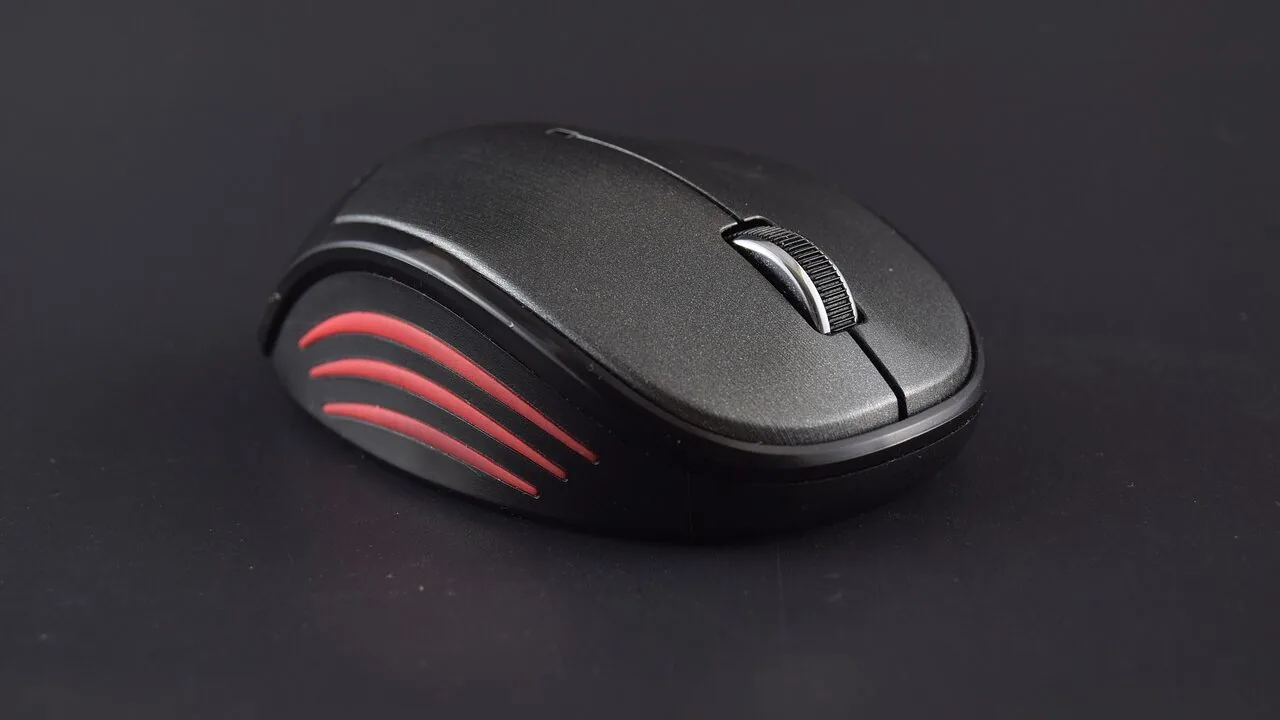
A good wireless mouse transforms how you interact with your PC, laptop, or workstation.
Whether you’re navigating spreadsheets all day, editing photos, or jumping into a competitive game session, the right mouse removes friction and fatigue in ways a trackpad simply cannot match.
Today’s wireless mice have closed the gap with wired alternatives almost entirely, delivering rock-solid connections, precise sensors, and battery life that can stretch for months on a single charge.
With options ranging from budget-friendly picks under $8.99 to premium productivity powerhouses at the top of the market, there has never been a better time to go cordless.
At ProductFind, we synthesized manufacturer specifications, expert review consensus, and verified buyer feedback to cut through the noise and surface only the wireless mice that genuinely earn their place in your setup.
Whether you need an ergonomic daily driver, a featherlight gaming mouse, or a no-fuss budget pick for a shared office machine, our shortlist covers the full spectrum, ranging from $8.99 to $119.99.
Read on for our top picks, followed by a detailed buying guide to help you match the right mouse to your exact needs.
| Award | Product | PF Score About PF ScoreThe PF Score is our own rating from 0 to 10, based on performance, design and build, ease of use, and value. It reflects independent research and is never influenced by manufacturers, retailers, or affiliate commissions. Learn more › | Price | |
|---|---|---|---|---|
| Best Overall |
 Logitech MX Master 4 Wireless Mouse
|
9.3/10 | Buy | |
| Editor's Pick |
 Logitech G502 Lightspeed Wireless Gaming Mouse
|
8.4/10 | Buy | |
| Best Value |
 Logitech M240 Compact Silent Bluetooth Mouse
|
7.5/10 | Buy | |
| Top Rated |
 Logitech M185 Wireless Mouse
|
7.2/10 | Buy | |
 TECKNET Wireless Mouse 4800 DPI Rechargeable
|
7.1/10 | Buy | ||
 HP X3000 G3 Wireless Mouse, 1600 DPI
|
6.9/10 | Buy | ||
 TECKNET Wireless Mouse, Mint Green, 2.4GHz
|
6.1/10 | Buy | ||
 Acer 2.4GHz Wireless Mouse, 3-DPI, 6-Button
|
6.0/10 | Buy | ||
 VssoPlor 2.4G Wireless Mouse, Slim Portable
|
5.8/10 | Buy |
Logitech MX Master 4 Wireless Mouse
A premium ergonomic mouse built for professionals who spend hours at their desk. The MX Master 4 combines precision scrolling, customizable haptic feedback, and app-aware shortcuts through its Actions Ring to streamline workflows across creative and productivity software.
Pros
- Haptic feedback and Actions Ring significantly boost productivity for frequent software switchers
- Exceptionally fast and precise scrolling with MagSpeed wheel, quieter than most competitors
- Thoughtfully ergonomic with natural tilt and thumb wheel for reduced fatigue during long sessions
- Dual connectivity options (USB-C dongle and Bluetooth) provide flexibility and reliability
- Made with recycled materials including 54 percent recycled plastic and 100 percent recycled cobalt battery
Cons
- Premium pricing positions it as a high-end purchase, not a budget option
- No user reviews available yet to validate real-world performance claims
- Haptic feedback customization requires app setup, adding complexity for basic users
Logitech G502 Lightspeed Wireless Gaming Mouse
A wireless gaming mouse built around Logitech's ultra-fast Lightspeed technology and the upgraded Hero 25K sensor, delivering 1:1 tracking up to 25,600 DPI with zero smoothing. The 11 customizable buttons and rapid scroll wheel appeal to competitive gamers, though the PowerPlay wireless charging system is sold separately.
Pros
- Ultra-fast wireless connection comparable to wired performance, trusted in esports
- Advanced sensor with zero smoothing or acceleration for precise tracking
- Extensive button customization and macro support for different games
- Lightweight at 0.81 pounds with ergonomic dimensions
Cons
- PowerPlay wireless charging system sold separately, adding extra cost
- No reviews available to assess real-world reliability or user experience
- Requires G HUB software for full customization and sensor upgrades
Logitech M240 Compact Silent Bluetooth Mouse
A portable Bluetooth mouse designed for quiet office and shared spaces, offering 90% reduced click noise without sacrificing tactile feedback. Best suited for remote workers and travelers who prioritize minimal distraction and need multi-device compatibility.
Pros
- Silent operation minimizes noise and distractions in shared environments
- Exceptional battery life reduces frequent charging needs
- Lightweight and slim design ideal for travel and portability
- Wide platform compatibility across major operating systems
- Ambidextrous layout works for both left and right-handed users
Cons
- No user reviews available to verify real-world performance and durability
- Compact size may feel cramped for users with larger hands
- Limited information on click responsiveness beyond the claim of maintained feel
Logitech M185 Wireless Mouse
A compact, ambidextrous wireless mouse designed for portability and all-day use with a reported year-long battery life. Best suited for laptop users and those with small to medium hands seeking a reliable alternative to trackpads.
Pros
- True ambidextrous shape accommodates both left and right-handed use
- Extended battery life reduces frequent replacements and maintenance
- Works immediately with no software installation required across Windows and Mac
- Compact size makes it ideal for laptops and traveling professionals
Cons
- No reviews available to assess real-world reliability or comfort for extended sessions
- Contoured design may feel less comfortable for users with larger hands
- Line-by-line scroll wheel lacks precision compared to other mid-range mice
TECKNET Wireless Mouse 4800 DPI Rechargeable
A compact rechargeable mouse with dual connectivity (Bluetooth and USB), adjustable DPI levels, and silent operation suited for small to medium hands. Works across Windows, macOS, Chrome, and Linux with a 3-month battery life per charge.
Pros
- Seamless switching between two connected devices with dedicated button
- Fast charging time of 1.5-2 hours with included cable
- Six DPI settings provide flexibility for different tasks and user preferences
- Silent mechanism minimizes noise in shared or quiet spaces
- Broad OS compatibility across major platforms
Cons
- Designed primarily for small to medium-sized hands, limiting comfort for larger hand users
- Side buttons do not function on macOS systems
- Connection becomes unstable at low battery levels, requiring proactive recharging
HP X3000 G3 Wireless Mouse, 1600 DPI
A straightforward wireless mouse designed for everyday productivity across Windows, Mac, and Chromebook devices. The 15-month battery life and compact nano receiver make it practical for mobile workers, though it offers basic features without premium frills.
Pros
- Extended battery life minimizes frequent replacements and reduces downtime
- Multi-OS compatibility and portable nano receiver ideal for frequent travelers
- LED multi-surface performance provides consistent tracking across different work environments
- Ambidextrous contoured design accommodates various grip preferences
- Customizable DPI settings allow adjustment for different work styles
Cons
- No customer reviews available to verify real-world performance and durability claims
- Limited to basic 3-button design without advanced features like programmable buttons
- Relies on AA battery instead of rechargeable, requiring periodic battery purchases
TECKNET Wireless Mouse, Mint Green, 2.4GHz
A compact, quiet wireless mouse designed for small to medium hands with a distinctive mint green finish. Offers practical features like adjustable DPI levels and reliable 2.4GHz connectivity, making it suitable for travel and shared workspaces.
Pros
- Quiet button mechanism ideal for offices and shared spaces
- Lightweight and portable, excellent for laptop users and travelers
- Adjustable DPI levels provide flexibility for different work scenarios
- Extended battery life reduces frequent replacements
- Works across multiple operating systems and device types
Cons
- AA battery not included in package
- No user reviews available yet to verify real-world performance
- Limited to 3 DPI options compared to gaming-oriented mice with more granular settings
Acer 2.4GHz Wireless Mouse, 3-DPI, 6-Button
A straightforward wireless mouse designed for office work, offering 2.4GHz connectivity up to 32 feet, adjustable DPI levels (800-1600), and extended battery life through smart sleep mode. Best suited for medium to large hands on Windows-based systems.
Pros
- Reliable 2.4GHz connection with 32-foot range, minimal interference
- Click-to-wake design conserves battery effectively compared to motion-activated alternatives
- DPI indicator light clearly shows current sensitivity level and battery status
- Compact size and cordless design ideal for home office setup
Cons
- AAA batteries not included with purchase
- Side buttons do not function on Mac systems
- Protective film on mouse bottom must be manually removed before use
VssoPlor 2.4G Wireless Mouse, Slim Portable
A lightweight wireless mouse designed for portability with 2.4 GHz connectivity and up to 10-meter range. Quiet clicking and ergonomic design make it suitable for office work and travel, though it carries no verified user reviews to validate real-world performance.
Pros
- Portable design with retractable nano receiver for easy transport
- Low power consumption with intelligent sleep mode
- Quiet operation suitable for offices and shared environments
- Broad compatibility across Windows and Mac systems
- Smooth frosted surface for comfortable daily use
Cons
- No verified buyer reviews available to confirm real-world durability or performance consistency
- Limited technical specifications on battery type or DPI range settings
- Basic feature set with no advanced customization options
Wireless Mice Buying Guide
Choosing a wireless mouse is more nuanced than it looks.
Sensor accuracy, connection type, ergonomics, and battery life all interact in ways that make one mouse ideal for a power user and another a perfect match for a casual home-office setup.
Pair your mouse with a quality ergonomic keyboard for a desk setup that reduces long-term strain, and consider how your mouse choice integrates with the rest of your peripherals.
The sections below walk through every dimension that separates a great wireless mouse from a merely adequate one.
Connection Technology: 2.4 GHz vs. Bluetooth

The two dominant wireless standards each carry real trade-offs. A dedicated 2.4 GHz USB receiver delivers a low-latency, interference-resistant connection that behaves like a wired mouse in everyday and even competitive use.
This is the technology behind the Logitech G502 Lightspeed and the Logitech M185, and it remains the gold standard for response consistency. The receiver occupies one USB-A port, which matters on thin laptops with limited connectivity.
Bluetooth mice, such as the Logitech M240 Silent, require no dongle and can pair with multiple devices simultaneously, making them excellent travel companions and ideal for anyone who hot-desks between a laptop and a desktop.
The trade-off is that Bluetooth can introduce marginally higher latency and occasional pairing hiccups, though modern Bluetooth 5.0 implementations have largely addressed these concerns.
Some mice, including the TECKNET dual-mode model in our list, offer both standards in one package, letting you pick the best connection for each situation.
If you regularly connect to an ultrawide or high-refresh display, a 2.4 GHz mouse will feel more responsive at high polling rates. If portability and multi-device pairing top your priorities, Bluetooth is hard to beat.
Sensor and DPI Range

Dots per inch (DPI) describes how far the cursor moves per inch of physical mouse movement. A higher DPI is not automatically better; the right DPI depends on your screen resolution, monitor size, and personal preference.
Most productivity users land comfortably between 800 and 1600 DPI. Gamers often prefer lower DPI settings for precision aiming paired with broader arm sweeps, while creatives working on ultrawide monitors may want a higher ceiling to cover more screen real estate quickly.
Optical sensors, used in virtually every mouse on our list, read surface patterns using an LED or laser and translate movement into cursor position. The quality of the sensor determines tracking accuracy, particularly at fast swipe speeds.
Premium options like the Logitech MX Master 4 use high-resolution sensors capable of precise tracking on almost any surface, including glass.
Budget mice tend to use simpler sensors that work well on standard mouse pads but may struggle on reflective or uneven surfaces.
Ergonomics and Grip Style
How a mouse fits your hand is arguably the most personal factor in the buying decision. The three main grip styles are palm (full hand rests on mouse), claw (fingers arch over buttons), and fingertip (only fingertips contact the surface).
Palm grip users generally prefer larger, contoured mice like the Logitech MX Master 4 with its sculpted thumb rest and defined arch. Fingertip and claw grip users often gravitate to lighter, lower-profile mice.
Hand size matters just as much as grip style. Compact, ambidextrous designs like the Logitech M185 or the HP X3000 G3 serve both left- and right-handed users and travel well.
Mice with pronounced right-side ergonomic shaping, such as the MX Master 4, are best suited for right-handed palm-grip users with medium to large hands.
If wrist or shoulder strain is a concern, a purpose-built ergonomic peripheral setup that combines a contoured mouse with a split or angled keyboard can make a measurable difference over long workdays.
Weight is increasingly relevant for gamers. Lighter mice reduce fatigue during marathon sessions and enable faster flick movements. Many of the gaming-focused options have shed material from their shells through honeycomb cutouts or precision-engineered chassis.
For productivity use, weight is less critical, and a slightly heavier mouse can actually feel more premium and stable.
Battery Life and Charging

Wireless mice handle power in two main ways: disposable AA or AAA batteries, or built-in rechargeable batteries charged via USB-C.
Battery-powered models like the HP X3000 G3, which promises up to 15 months of use on a single AA cell, effectively eliminate charging anxiety. You simply keep a spare battery on hand.
This approach is preferred by many professionals who cannot afford downtime and by users who dislike the cable tether of USB-C charging.
Rechargeable mice, including the TECKNET multi-mode model, reduce long-term battery waste and are increasingly common at all price points. Fast-charging implementations mean that even a 60-second charge can provide enough power to finish a meeting.
The Logitech MX Master 4 takes this further with Logitech’s PowerPlay ecosystem compatibility (sold separately), enabling wireless charging on the fly via a compatible mouse pad.
For a complete cable-free desk, pairing a rechargeable mouse with a well-routed monitor arm setup keeps clutter to an absolute minimum.
Button Count and Software Customisation

The standard three-button scroll wheel mouse covers most use cases, but power users and gamers often want more. Additional programmable side buttons let you map shortcuts, macros, or application-specific commands directly to the mouse.
The Logitech G502 Lightspeed, for example, ships with 11 programmable buttons and is paired with Logitech G HUB software for deep customisation.
The Logitech MX Master 4 adds a horizontal scroll wheel and gesture button that can trigger system-wide shortcuts, making it one of the most versatile productivity tools available.
If you only need basic navigation and clicking, a simple four-button layout like the TECKNET quiet wireless mouse is perfectly sufficient and keeps learning curve to zero.
Companion software, where offered, can also let you save profiles directly to onboard memory, so your settings travel with the mouse between computers without re-configuration.
If you are building out a full workstation, consider how your mouse software interacts with your other peripherals, including programmable keyboards that may share the same ecosystem.
Build Quality and Value

Price is not always a reliable proxy for durability, but there is a real difference between the click mechanism longevity and surface material quality in budget and premium tiers.
Entry-level picks like the VssoPlor slim mouse or the Acer cordless mouse use lighter plastics and simpler switches that serve occasional users well but may show wear faster under heavy daily use.
Mid-range options from Logitech, HP, and TECKNET strike a sensible balance between build quality and affordability.
At the premium end, the Logitech MX Master 4 uses premium materials, reinforced scroll wheels, and Logitech’s Quiet Click technology to deliver a mouse built for years of intensive use.
When you consider a mouse as a daily-use tool rather than a disposable accessory, spending more upfront on a well-built option often delivers better total value.
This logic applies equally to other desk essentials: a durable gaming desk or a quality monitor arm can anchor a setup for years rather than months.
Why You Should Trust Us
ProductFind is an independent review publication. We do not accept payment from brands to influence rankings, and we have no commercial relationship with any manufacturer that shapes which products appear in our lists or what scores they receive.
Every product in this roundup was assessed using our PF Score system, a consistent 0 to 10 scale applied uniformly across the category.
We evaluate each mouse across the criteria that matter most to real buyers: sensor performance, connectivity reliability, ergonomic design, battery or charge life, software ecosystem, build quality, and value for money.
We do not conduct our own product trials; our evaluations are grounded in research, published data, expert review consensus, and verified buyer feedback.
Our sources include manufacturer-published specifications, aggregated professional reviewer consensus from the broader tech press, and patterns in verified purchaser feedback gathered at scale.
When expert opinion diverges or buyer sentiment contradicts published specs, we note the discrepancy and weight our score accordingly rather than defaulting to marketing claims.
ProductFind may earn an affiliate commission when you purchase through a link on our site. This arrangement helps fund our research and keeps the site free to readers. It does not influence rankings, scores, or product selection.
Our editorial team operates independently of commercial considerations, and no brand can purchase a higher PF Score or a better position in any roundup.
We cover a wide range of peripheral categories: if you are outfitting a full workstation, our guides to ergonomic keyboards and portable monitors follow the same rigorous research framework.
Final Thoughts
The wireless mice market in 2026 is remarkably mature.
Even budget picks deliver reliable connections and comfortable tracking, while the premium tier has pushed into haptic feedback, multi-device switching, and near-zero-latency gaming performance that would have seemed implausible a generation ago.
Whether your priority is an affordable daily driver for a home office or a feature-packed productivity mouse for a professional workstation, our shortlist has a strong answer for every use case and budget range of $8.99 – $119.99.
Here is how our top picks break down by role and PF Score:
- Best Overall: Logitech MX Master 4 Ergonomic Wireless Mouse with Haptics earns the top spot with the highest PF Score in this roundup. Its combination of haptic scroll feedback, a precision thumb wheel, multi-device Bluetooth and 2.4 GHz connectivity, and a sensor that works flawlessly on virtually any surface makes it the most complete wireless mouse available for serious productivity users.
- Best for Gaming: Logitech G502 Lightspeed Wireless Gaming Mouse delivers the low-latency Lightspeed connection, adjustable weight system, and 11 programmable buttons that competitive players and enthusiasts demand. It scores among the highest in our roundup and represents excellent value in the performance gaming segment. Pair it with a purpose-built gaming desk for a cohesive, high-performance setup.
- Best Mid-Range Wireless Mouse: Logitech M240 Compact Silent Bluetooth Wireless Mouse hits a sweet spot with its compact silent design, Bluetooth-only connection with no dongle required, and comfortable ambidextrous shape that works well for most hand sizes. It earns a strong PF Score that reflects consistent expert and buyer praise.
- Best Budget Pick: Logitech M185 Compact Ambidextrous 2.4 GHz Wireless Mouse is a decades-proven design that still holds up. Its plug-and-play nano receiver, reliable optical sensor, and ambidextrous shape make it the default recommendation for shared office machines, kids’ computers, and anyone who needs a dependable wireless mouse without spending much. It leads the budget tier in our PF Score rankings.
- Best Versatile Wireless Mouse: TECKNET Wireless Mouse with Bluetooth and 2.4 GHz offers the rare combination of dual-mode connectivity, a rechargeable battery, and a six-button layout at an accessible price, making it a smart choice for users who move between devices frequently.
If you are building out a complete cable-free workstation, consider how your mouse pairs with the rest of your setup.
A well-chosen ergonomic keyboard and a monitor positioned correctly on a quality monitor arm compound the comfort gains a great wireless mouse delivers.
For gamers, a capable gaming desktop provides the processing headroom that a high-performance wireless mouse like the G502 Lightspeed is designed to complement.
Frequently Asked Questions
Are wireless mice as responsive as wired mice for gaming?
For the vast majority of gaming scenarios, yes.
Modern 2.4 GHz wireless mice using dedicated receivers, such as Logitech’s Lightspeed technology in the G502, deliver polling rates and latency figures that are effectively indistinguishable from wired connections in everyday and competitive play.
Only a small subset of professional esports players operating at the absolute highest level continue to prefer wired connections, and even that gap has narrowed significantly.
If you are playing at a high level on a high-refresh-rate monitor, a quality 2.4 GHz gaming mouse removes latency as a variable entirely.
How long does a wireless mouse battery last?
Battery life varies enormously by design. Budget mice with disposable batteries often last several months under moderate use. The HP X3000 G3 in our list claims up to 15 months from a single AA battery.
Rechargeable models vary more, with some lasting a week to ten days per charge under heavy use and others stretching to several weeks with power-saving features active. Mice with RGB lighting tend to drain power faster.
If you prefer never worrying about battery level, a model with an auto-sleep function and a long-rated battery life is worth the modest premium.
What is the difference between 2.4 GHz and Bluetooth wireless mice?
A 2.4 GHz mouse uses a small USB nano receiver that plugs into your computer and creates a dedicated wireless channel, delivering the most consistent and lowest-latency connection.
Bluetooth mice connect directly to your device without needing a dongle, making them ideal for laptops with limited USB ports or for pairing with multiple devices including tablets and phones. The TECKNET dual-mode model in our roundup bridges both standards.
If your laptop already has limited ports, a Bluetooth mouse avoids sacrificing a USB slot, though you may want to pair it with a network switch and a USB hub to expand your connectivity options.
Is a higher DPI always better for a wireless mouse?
No. DPI is a preference setting, not a quality indicator. A higher maximum DPI gives you more flexibility to adjust cursor speed, but using very high DPI without a correspondingly fine sensor can actually reduce precision.
Most productivity users find 800 to 1600 DPI comfortable. Gamers often use lower DPI settings for more controlled aim, relying on large mouse movements across a full-size pad.
The best approach is to choose a mouse with adjustable DPI steps so you can find the setting that matches your screen resolution, monitor size, and movement style.
If your desk setup includes a wide-format display, a higher DPI ceiling gives you more room to tune cursor travel to match the extra screen real estate.
Can I use a wireless mouse with a Chromebook or MacBook?
Yes, in most cases. Bluetooth mice pair natively with Chromebooks, MacBooks, iPads, and Windows PCs without any driver installation.
USB 2.4 GHz mice work on any device with a USB-A port; on MacBooks and Chromebooks that only have USB-C, you may need a small USB-A to USB-C adapter.
Several mice in our list, including the HP X3000 G3 and the TECKNET models, explicitly confirm Chromebook and Mac compatibility.
Always verify the product listing if you are using an operating system other than Windows, particularly if you want to use companion customisation software, as some apps are Windows-only.
What should I look for in a wireless mouse for long work sessions?
For extended daily use, prioritise ergonomic shaping that matches your grip style, a comfortable weight, and a quiet click mechanism if you work in shared spaces.
A sculpted thumb rest and a contoured body reduce ulnar deviation and wrist strain over hours of use. The Logitech MX Master 4 addresses virtually all of these concerns and adds a horizontal scroll wheel useful in wide spreadsheets and timelines.
Complement a well-chosen mouse with a height-adjustable monitor arm to align your screen at eye level, and consider whether your keyboard and mouse brand share a unified software ecosystem for streamlined customisation.
A complete ergonomic workstation, including a quality mouse, a supportive chair, and correctly positioned peripherals, can meaningfully reduce fatigue and repetitive strain over years of daily use.
About the author
Megan is a reviewer and writer for ProductFind who specializes in PC Components & Peripherals. Megan evaluates products through independent research: specifications, expert review consensus, and verified buyer feedback, and rates each one on the PF Score. Megan focuses on helping readers pick the right pc components & peripheral for their needs and budget.