The 8 Best Video Editing Software
From professional subscription suites to affordable lifetime-license tools, video editing software varies wildly in capability and value. Here's how to find the right fit.
 By Theresa Shelton
Updated July 23, 2026
By Theresa Shelton
Updated July 23, 2026
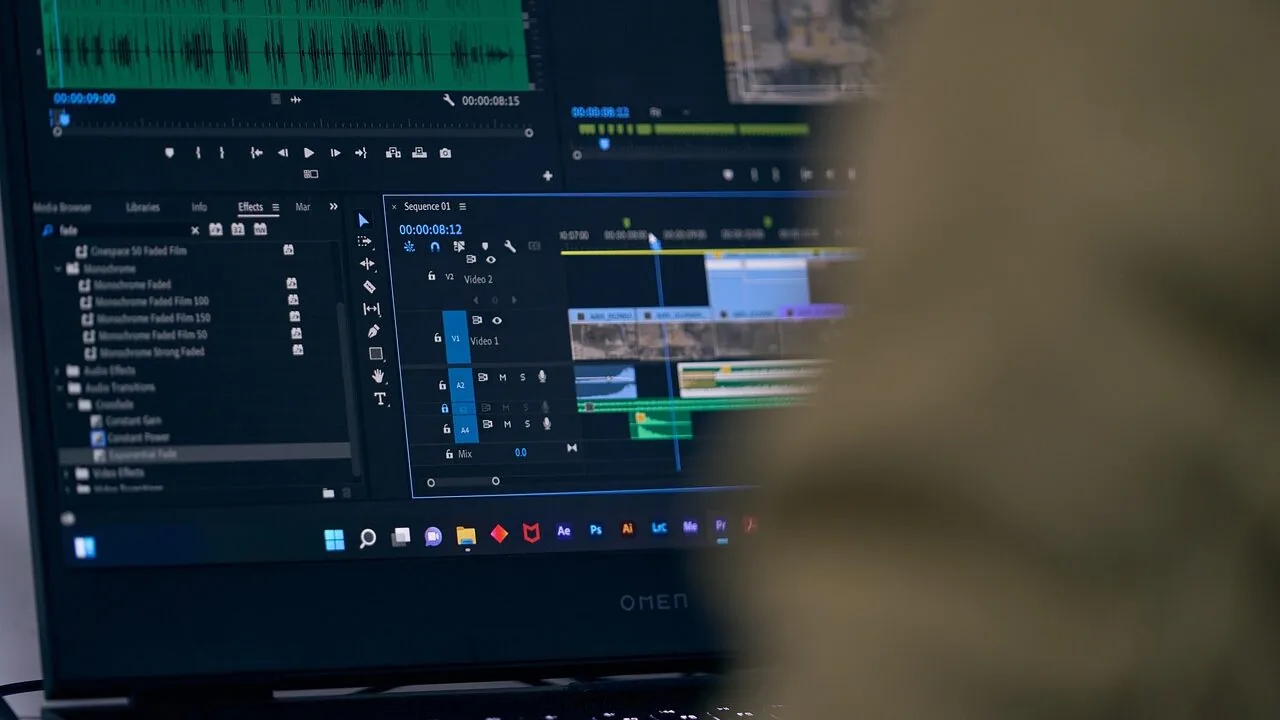
Whether you’re putting together a YouTube channel, polishing a short film, or creating content for social media, the software you edit in shapes everything from your workflow speed to the final quality of your video.
The market has grown crowded with options ranging from subscription-based professional suites to affordable lifetime-license tools, and the gap in capability between them is wider than most buyers expect.
Choosing the wrong tool can mean paying for features you’ll never use, or hitting a ceiling the moment your projects grow more complex.
This guide covers eight video editing software options across a broad range of price points and skill levels, from Adobe’s industry-standard suite down to beginner-friendly tools from Nero and Corel.
ProductFind researched each option by synthesizing manufacturer specifications, expert review consensus across the industry, and verified buyer feedback from confirmed purchasers. Our top picks are ranked and ready to explore below.
| Award | Product | PF Score About PF ScoreThe PF Score is our own rating from 0 to 10, based on performance, design and build, ease of use, and value. It reflects independent research and is never influenced by manufacturers, retailers, or affiliate commissions. Learn more › | Price | |
|---|---|---|---|---|
| Best Overall |
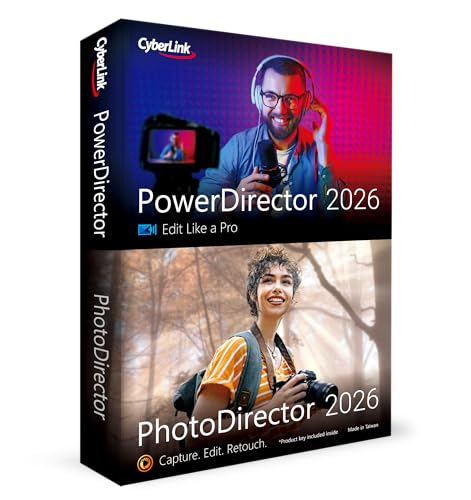 CyberLink PowerDirector & PhotoDirector 2026
|
8.9/10 | Buy | |
| Editor's Pick |
 Adobe Premiere Pro 1-Month Subscription
|
8.7/10 | Buy | |
| Best Value |
 Adobe Premiere Elements 2026, 3-Year License
|
7.8/10 | Buy | |
| Top Rated |
 Corel VideoStudio Ultimate 2023 Video Editing
|
7.2/10 | Buy | |
 Blackmagic Design DaVinci Resolve Speed Editor
|
6.8/10 | Buy | ||
 VEGAS Pro 18 Edit - Professional Video Editing
|
6.5/10 | Buy | ||
 Nero Video 2026 Lifetime License Video Editor
|
6.3/10 | Buy | ||
 Nero Video Maker Lifetime License
|
6.2/10 | Buy |
CyberLink PowerDirector & PhotoDirector 2026
All-in-one video and photo editing suite combining AI-powered tools for quick adjustments, batch processing, and creative design features. Best for Windows users who want automated editing options like face retouch and frame interpolation without learning complex software.
Pros
- AI-driven batch editing saves time on large photo projects
- Face retouch and denoising produce clearer results automatically
- Screen recording with separate webcam export adds flexibility
- Brand Kits help maintain visual consistency across video content
- Combined video and photo software reduces need for multiple tools
Cons
- Frame Interpolation requires Intel AI PC hardware, limiting access for some users
- No user reviews available yet to validate real-world performance
- Software key delivery format requires Windows installation, less portable than cloud alternatives
Adobe Premiere Pro 1-Month Subscription
Professional video editing software used by Hollywood filmmakers and content creators to edit, color grade, and refine audio across modern formats including 8K and VR. Subscription model requires auto-renewal and completion of current membership terms before adding new ones.
Pros
- Supports wide range of video formats from 8K to virtual reality
- Comprehensive editing suite with color adjustment and audio refinement tools
- Industry standard used by professional filmmakers, TV editors, and YouTubers
- Available on both PC and Mac platforms
- Monthly subscription option for flexibility
Cons
- Requires auto-renewal with subscription commitment
- Existing subscribers must complete current term before linking new subscriptions
- No user reviews available to verify real-world performance
- Subscription-based pricing model with ongoing costs
Adobe Premiere Elements 2026, 3-Year License
Adobe's consumer-focused video editor combines AI-assisted trimming with flexible editing modes for beginners through intermediate creators. The 3-year license term offers sustained access without automatic renewal, though it requires activation and lacks the advanced tools of Premiere Pro.
Pros
- AI and automation features simplify footage trimming and adjustment
- Three editing modes (Quick, Guided, Advanced) accommodate different skill levels
- Supports 360-degree, VR, and stop-motion video creation
- Built-in color correction tools and grading presets
- Cloud integration with automatic video organization, tagging, and face recognition
- 3-year license term with no automatic renewal
Cons
- No user reviews available to verify real-world performance and reliability
- Requires online activation, limiting offline use flexibility
- Limited to consumer-grade editing capabilities compared to professional alternatives
Corel VideoStudio Ultimate 2023 Video Editing
Corel VideoStudio Ultimate 2023 is a comprehensive video editing suite offering titles, transitions, creative effects from NewBlueFX and proDAD, plus audio editing and multi-format export including 8K and AV1 support. Best for hobbyists and content creators seeking an all-in-one editing tool with built-in templates and royalty-free music library.
Pros
- Extensive effects library including premium collections from NewBlueFX and proDAD
- Audio Cues feature syncs video to music beats automatically
- Supports current formats: AV1, 8K, and direct YouTube upload
- Includes DVD burner with customizable menus and royalty-free music library
- Face Effects, AR Stickers, and GIF Creator for creative content
Cons
- No verified user reviews available to assess real-world performance and learning curve
- PC-only software (Windows download), limiting accessibility for Mac users
- Premium effects collections may require additional learning or skill to implement effectively
Blackmagic Design DaVinci Resolve Speed Editor
A compact Bluetooth and USB-C keyboard designed specifically for DaVinci Resolve editing workflows, bundled with Studio activation. Built-in search dial and portable design suit editors working across multiple setups or locations.
Pros
- Studio software bundle adds significant value for new users
- Wireless and wired connectivity options provide flexibility
- Compact footprint with built-in battery enables portable editing
- Dedicated search dial streamlines navigation in editing timeline
Cons
- No user reviews available to assess real-world reliability or learning curve
- Locked to DaVinci Resolve ecosystem, limiting use with other editing software
- Requires software activation card, which may complicate replacements or transfers
VEGAS Pro 18 Edit - Professional Video Editing
VEGAS Pro 18 Edit delivers professional-grade video editing with AI-powered tools like style transfer and colorization, plus industry-leading hardware acceleration and HDR support. Best suited for creators prioritizing advanced color grading and motion tracking workflows.
Pros
- AI tools streamline creative workflows with style transfer and automatic colorization
- Hardware acceleration ensures smooth editing performance with large projects
- Industry-leading HDR support for modern color workflows
- Sophisticated color grading options for professional-quality output
- Planar motion tracking enables precise object manipulation
Cons
- No user reviews available to assess real-world reliability or learning curve
- Premium pricing typical of professional editing software may exceed hobbyist budgets
- Requires compatible hardware to leverage acceleration features effectively
Nero Video 2026 Lifetime License Video Editor
Desktop video editing software with 1000+ effects, 4K/8K support, and multi-track timeline for Windows users. One-time purchase model appeals to creators avoiding subscription fees, though limited by Windows-only availability.
Pros
- Lifetime license with no recurring subscription costs
- Comprehensive creative toolkit with 1000+ effects, transitions, and animated titles
- Native 4K and 8K video editing with multi-track timeline capabilities
- DVD and Blu-ray authoring built-in for physical media distribution
- Drag-and-drop interface reduces learning curve for beginners
Cons
- No user reviews available to verify real-world performance and stability
- Windows-only software, excludes Mac users
- Motion tracking and advanced features may require significant learning for non-professionals
Nero Video Maker Lifetime License
Desktop video editing software supporting up to 8K resolution with AI-assisted media management, 1000+ templates, and green screen capabilities. Designed for creators seeking one-time purchase licensing without subscription commitments across Windows platforms.
Pros
- No recurring subscription costs after initial purchase
- Supports high-resolution formats up to 8K for future-proofing
- Comprehensive template and effects library reduces production time
- Multi-track editing and AI tools streamline workflow for various project types
- Wide Windows OS compatibility ensures broad hardware accessibility
Cons
- No user reviews available to assess real-world performance or learning curve
- Limited to single PC license, not suitable for multi-device setups
- Unclear upgrade path or ongoing support structure compared to subscription-based competitors
Video Editing Software Buying Guide
Picking video editing software is a more personal decision than choosing most tech products.
Your editing style, the hardware you already own, the type of content you produce, and how much you’re willing to spend on a subscription versus a one-time purchase all push the decision in different directions.
The sections below walk through the criteria that matter most, so you can match the right tool to your actual workflow rather than buying the most powerful option by default.
Skill Level and Learning Curve

The single biggest mistake buyers make is choosing software calibrated for a skill level they haven’t reached yet.
Professional-grade tools like Adobe Premiere Pro expose every control imaginable, which is exactly what experienced editors want, but that same complexity can paralyze a beginner who just wants to cut clips together and add a title card.
If you’re new to video editing, a timeline-based tool with guided templates and clear iconography will get you producing content faster and with less frustration.
Mid-range options like CyberLink PowerDirector and Adobe Premiere Elements deliberately sit between these extremes. They offer enough depth to grow into while keeping the interface approachable.
Verified buyers consistently note that the onboarding experience in tools like these is the feature that makes them stick.
If your projects will eventually include multi-track audio mixing, color grading, or motion graphics, start with something that can scale rather than something you’ll outgrow in six months.
Subscription vs. Perpetual License

The pricing model matters as much as the sticker price. Adobe Premiere Pro operates on a monthly subscription that renews automatically, which means your total cost compounds over years of use.
For professionals who rely on it daily, the access to constant updates and tight Creative Cloud integration justifies that model.
For hobbyists who edit occasionally, paying month after month for a tool used a few hours a week rarely makes financial sense.
Several options in this guide, including tools from Nero and Corel VideoStudio, offer perpetual or lifetime licenses at a flat price. You pay once and the software is yours.
The tradeoff is that major version upgrades typically cost extra, and AI features or cloud-connected tools may require an active subscription add-on.
CyberLink’s PowerDirector bundles the PhotoDirector suite into its package, which adds photo editing capability to a single purchase, making the value proposition unusually strong at its price tier.
AI-Powered Features and Automation
AI tools have moved from marketing bullet points to genuinely useful editing shortcuts across most major video software in recent generations. Motion tracking, background removal, noise reduction, and auto-captioning now appear even in budget-tier tools.
The quality of these features varies significantly, however. Expert consensus consistently shows that AI implementations in CyberLink’s PowerDirector suite and Adobe’s software outperform equivalents in entry-level tools, particularly for tasks like object tracking and AI-generated scene detection.
Nero’s 2026 lineup includes AI-powered upscaling and motion effects that punch above their price bracket, according to buyer feedback, though reviewers note the AI tools work best on shorter clips rather than feature-length projects.
If AI automation is a primary reason you’re buying, prioritize tools where it’s a core engineering focus rather than a last-minute addition to the feature list.
Resolution Support and Output Formats

Most software in this guide supports 4K editing, and several explicitly advertise 8K capability. That said, 8K support on paper doesn’t mean 8K editing is smooth in practice.
The hardware you pair with the software determines whether high-resolution timelines play back without dropped frames or constant buffering.
If your camera shoots in 4K or above, confirm that the software you’re considering supports your specific codec natively, whether that’s H.265, ProRes, BRAW, or another format, before buying.
Output format flexibility also matters at the delivery stage. DVD and Blu-ray authoring, which Corel VideoStudio and Nero still include, is relevant for anyone producing physical media for clients or personal archives.
Most content creators targeting streaming platforms or social media will care more about efficient H.264 and H.265 export, platform-specific presets, and fast render speeds.
The Blackmagic Design DaVinci Resolve Speed Editor hardware bundle occupies a unique position in this guide as a physical input device designed to accelerate the editing process itself, pairing with DaVinci Resolve Studio’s color science pipeline, which is widely regarded among colorists as among the best available.
System Requirements and Performance

Video editing is one of the most resource-intensive tasks a consumer PC or Mac can perform.
Adobe Premiere Pro recommends a dedicated GPU with at least 4GB of VRAM for hardware-accelerated rendering, and real-world buyer feedback confirms that machines without a capable discrete graphics card struggle with smooth playback on complex timelines.
If your system is several years old, evaluate the software’s minimum and recommended specifications carefully before purchasing a tool that will run poorly on your hardware.
More affordable tools like VEGAS Pro Edit and the Nero video software have lower baseline requirements, which can make them better practical choices for users on older hardware.
VEGAS Pro also benefits from GPU acceleration via OpenCL and CUDA, meaning it can leverage compatible graphics hardware without requiring the latest generation components.
Mac users should note that Windows-only tools, including VEGAS Pro, Corel VideoStudio, and the Nero lineup, are not available on macOS.
Adobe Premiere Pro and Premiere Elements both support PC and Mac, which matters if you work across platforms or plan to switch systems.
Ecosystem and Workflow Integration

If you already use Adobe products, Premiere Pro fits naturally into a Creative Cloud ecosystem alongside After Effects, Audition, and Photoshop.
That integration is a genuine productivity advantage for professionals who move between motion graphics, audio post-production, and color work on the same project.
Dynamic Link between Premiere and After Effects, for instance, lets editors round-trip compositions without re-exporting, which saves considerable time on complex deliverables.
For users who don’t need that deep integration, standalone tools are simpler to manage and don’t require maintaining multiple subscriptions.
CyberLink’s bundled approach, combining video and photo editing in one package, addresses a similar workflow need at a more accessible price point.
Think about the other software tools in your creative stack before committing, because the best video editor for your needs is often the one that eliminates the most friction in your specific process, not simply the one with the longest feature list.
Pairing good editing software with quality output hardware, like a capable display or home theater projector, can also transform how you review and present finished work.
Why You Should Trust Us
ProductFind is an independent review publication with no financial relationship to the brands covered in this guide.
Every product in our roundups is assigned a PF Score on a scale of 0 to 10, calculated using a consistent, multi-factor framework applied the same way across every product in a given category.
We do not conduct our own product trials; our evaluations are grounded in research, published data, expert review consensus, and verified buyer feedback.
For this video editing software guide, our research drew on publicly available specifications from Adobe, CyberLink, VEGAS, Corel, Nero, and Blackmagic Design; consensus from professional and enthusiast-level expert reviews across the software publishing industry; and aggregated verified buyer feedback from confirmed purchasers.
We weighted factors including feature depth, usability across skill levels, AI toolset quality, output format support, performance on representative hardware, and overall value relative to pricing model.
ProductFind may earn a commission when you purchase through links in this article. That affiliate relationship has no influence on rankings, PF Scores, or which products are included or excluded.
Our recommendations are editorially independent, and no brand paid for placement or a higher score. We are not affiliated with any retailer or manufacturer, and we do not offer purchase support, returns, or warranty assistance.
For those, contact the seller or manufacturer directly. If you’re evaluating other software categories, our roundup of antivirus software worth buying and our guide to password managers worth keeping in 2026 follow the same methodology.
Final Thoughts
The video editing software market spans a wide spectrum, from subscription-based professional tools used in broadcast and film production down to lifetime-license apps designed for family slideshows and social clips.
The eight options in this guide represent the most relevant choices across that range, and each earns its place for a distinct reason. Here’s how we’d summarize the top picks by use case:
- Best Overall: CyberLink PowerDirector and PhotoDirector 2026 earns the top PF Score in this roundup by delivering a rare combination of professional-grade AI tools, broad format support, and an interface that genuinely welcomes users at multiple skill levels, all bundled with a photo editor that adds real everyday value.
- Best for Professional Workflows: Adobe Premiere Pro remains the industry standard for a reason. Its timeline depth, Creative Cloud integration, and support for virtually every codec and delivery format make it the right choice for editors working on demanding, multi-track productions.
- Best for Beginners Wanting Adobe Quality: Adobe Premiere Elements 2026 brings guided editing modes and a streamlined interface to users who want Adobe’s export quality and media management without the full subscription overhead of Premiere Pro.
- Best Budget Pick with Strong Feature Set: Corel VideoStudio Ultimate 2023 stands out in the value tier for bundling screen recording, DVD burning, and a premium effects collection into a single flat-fee purchase, making it one of the more complete packages available at an accessible price.
- Best for Hardware-Accelerated Color Work: Blackmagic Design DaVinci Resolve Speed Editor Bundle is the specialist choice for colorists and editors who want a dedicated physical editing keyboard paired with DaVinci Resolve Studio’s color science pipeline, widely considered the most capable in the software category.
If you spend a lot of time at your workstation producing or reviewing content, complementary gear makes a meaningful difference.
A quality pair of over-ear headphones helps catch audio issues that desktop speakers miss, and a solid HDMI cable ensures your color-graded output reaches your monitor accurately.
For a cleaner workspace while editing long sessions, a height-adjustable standing desk is worth considering as well.
Frequently Asked Questions
What is the difference between Adobe Premiere Pro and Adobe Premiere Elements?
Premiere Pro is a full professional editing suite designed for complex, multi-track productions with deep color grading, audio mixing, and Creative Cloud integration. It operates on a recurring subscription.
Premiere Elements is a simplified, consumer-facing version with guided editing modes and a one-time or term-license pricing model, making it far more accessible to occasional editors or beginners who don’t need the full depth of Pro.
Is video editing software available for Mac, or are most tools Windows-only?
Several options in this guide are Windows-only, including VEGAS Pro, Corel VideoStudio, and the Nero lineup.
Adobe Premiere Pro and Adobe Premiere Elements support both PC and Mac, and DaVinci Resolve Studio (which pairs with the Blackmagic Speed Editor) also runs on macOS.
If you’re on a Mac, verify platform compatibility before purchasing, as the Windows-only tools are not available through any workaround on Apple hardware.
Do I need a powerful computer to run video editing software smoothly?
Video editing, especially at 4K or above, demands significant CPU, RAM, and GPU resources. Professional tools like Premiere Pro and DaVinci Resolve benefit from a modern discrete GPU with hardware encoding support.
More lightweight tools such as Nero Video and Corel VideoStudio have lower minimum requirements and can run acceptably on mid-range hardware. If your machine is several years old, always check a tool’s recommended specifications against your actual system before purchasing.
Storage speed also matters: editing from a fast SSD rather than a spinning hard drive can dramatically reduce lag and render times.
Is a subscription or a one-time purchase a better deal for video editing software?
It depends entirely on how frequently you edit. A monthly subscription like Adobe Premiere Pro makes financial sense for professionals who use the software daily and value constant updates and cloud integration.
For hobbyists or occasional creators, a lifetime-license tool from Nero or a flat-fee purchase like Corel VideoStudio typically delivers better long-term value.
Calculate your expected use over two to three years and compare total cost of ownership rather than just the upfront price before deciding which model fits your budget.
What should beginners look for when choosing their first video editing software?
Beginners should prioritize an intuitive interface, guided editing modes, and a clear upgrade path as their skills develop. Avoid tools that expose every advanced control from the start, as the cognitive load slows down learning.
CyberLink PowerDirector and Adobe Premiere Elements are frequently cited in expert consensus as strong starting points because they balance usability with enough capability to handle real projects.
Built-in templates, easy export presets, and responsive customer documentation also matter more than raw feature counts when you’re just getting started.
Can video editing software handle both 4K and older HD footage in the same project?
Yes, virtually all of the tools in this guide support mixed-resolution timelines.
You can combine 1080p archival footage with new 4K clips in the same sequence, and most software will either auto-scale the lower-resolution material or let you manually set scaling per clip.
The performance hit of mixing resolutions depends on your hardware, and proxy workflows, where the software edits from lower-resolution copies and renders from the original files, can help smooth playback on less powerful machines.
This workflow is well-supported in Premiere Pro and DaVinci Resolve, and partially available in mid-range tools like CyberLink PowerDirector.
About the author
Theresa is a reviewer and writer for ProductFind who specializes in Software & Digital Security. Theresa evaluates products through independent research: specifications, expert review consensus, and verified buyer feedback, and rates each one on the PF Score. Theresa focuses on helping readers pick the right software & digital security for their needs and budget.