The 10 Best Controller Charging Stations
Tired of dead controllers killing your session? The right charging dock keeps your PS5, Xbox, or Switch controllers ready to go, no cable hunting required. Here are the top picks.
 By Joann Wagner
Updated July 23, 2026
By Joann Wagner
Updated July 23, 2026
Dead controllers mid-session are one of gaming’s most frustrating interruptions. A dedicated controller charging station solves the problem cleanly: dock your controllers when you’re done, pick them up fully charged next time.
The market has grown significantly, with options now spanning PS5, Xbox Series X|S, Nintendo Switch, and even multi-platform docks that juggle controllers from different ecosystems on a single stand.
Whether you’re a single-platform gamer or a household with multiple consoles, the right charging station keeps your gear ready without cluttering your setup with cables.
This guide covers the best controller charging stations available right now, drawing on manufacturer specifications, expert review consensus, and verified buyer feedback across thousands of purchases.
Our picks range from budget-friendly single-console docks to versatile multi-platform stations, so you can find the right fit regardless of your platform and how many controllers you need to keep alive.
Read on for our top recommendations, then check the buying guide below to understand exactly what separates a great dock from a frustrating one.
| Award | Product | PF Score About PF ScoreThe PF Score is our own rating from 0 to 10, based on performance, design and build, ease of use, and value. It reflects independent research and is never influenced by manufacturers, retailers, or affiliate commissions. Learn more › | Price | |
|---|---|---|---|---|
| Best Overall |
 OIVO PS5 Dual Controller Charging Dock with RGB
|
8.1/10 | Buy | |
| Editor's Pick |
 8BitDo Xbox Wireless Controller Charging Dock
|
7.8/10 | Buy | |
| Best Value |
 PowerA Twin Charging Station for DualSense Controllers
|
7.6/10 | Buy | |
| Top Rated |
 PowerA Dual Charging Station for Xbox Series X|S
|
7.4/10 | Buy | |
 PowerA Solo Charging Stand for Xbox Series X|S
|
7.2/10 | Buy | ||
 HEATFUN 2-Port Controller Charging Dock
|
6.8/10 | Buy | ||
 Froncha Xbox Controller Charging Station with 4800mAh Batteries
|
6.7/10 | Buy | ||
 DINOSTRIKE Xbox Controller Charging Station with 2x5520mAh Batteries
|
6.3/10 | Buy | ||
 PURBHE 6-in-1 Controller Charging Dock
|
6.1/10 | Buy | ||
 Y Team PS4 Controller Charging Dock, Dual Port
|
5.2/10 | Buy |
OIVO PS5 Dual Controller Charging Dock with RGB
A dual-slot charging station for PS5 DualSense and Edge controllers that delivers a full charge in 2 hours via USB connection. The sleek white design matches PS5 aesthetics, includes 9 RGB lighting modes, and offers drop-and-charge convenience with clear LED status indicators.
Pros
- Charges two controllers in just 2 hours with built-in safety protection against overcurrent and overvoltage
- Supports both DualSense and PS5 Edge controllers, eliminating need for separate chargers
- RGB lighting with multiple modes and touch controls adds customizable aesthetic appeal
- Space-saving design reduces cable clutter and neatly organizes controller storage
- Works with PS5 console ports, AC adapters, or laptops via long USB cable
Cons
- No verified buyer reviews available to assess real-world durability and performance consistency
- Requires USB power source; cannot charge independently without external adapter or console connection
- Limited to 2 controllers maximum, insufficient for households with more than two controllers
8BitDo Xbox Wireless Controller Charging Dock
An officially licensed charging dock designed for Xbox Series X|S and Xbox One controllers, featuring magnetic secure charging and dual-brightness LED indicators. Best for players who want a dedicated charging solution that matches their Xbox setup without needing a separate power adapter.
Pros
- Officially licensed by Xbox with seamless design integration
- Magnetic secure charging makes docking straightforward
- Supports both Xbox Series X|S and Xbox One controllers
- LED indicators clearly show charging status (amber) and full charge (white)
- Includes storage compartment for spare batteries or receiver
Cons
- Power adapter not included, requiring separate purchase
- No verified buyer reviews available to assess real-world reliability
- Limited to magnetic charging, which may not suit all controller models
PowerA Twin Charging Station for DualSense Controllers
A straightforward dual-controller charging dock for PS5 that keeps your DualSense controllers powered and organized. Officially licensed with a compact footprint, it's a practical accessory for players who swap controllers frequently.
Pros
- Charges two DualSense controllers simultaneously
- Officially licensed for PlayStation 5
- Compact design that fits easily on shelves or desks
- Includes two-year limited warranty
- AC adapter powered for consistent charging
Cons
- No user reviews available to verify real-world charging speed or reliability
- Limited documentation on charging time or indicator feedback
- Basic design with no additional features beyond charging functionality
PowerA Dual Charging Station for Xbox Series X|S
A dedicated charging dock for Xbox wireless controllers that holds two batteries simultaneously with LED status indicators. Designed to keep your gaming setup organized while freeing up USB ports on your console.
Pros
- Simultaneous dual charging keeps your controller rotation moving without console USB drain
- Snap-down mechanism provides stable, organized controller storage
- LED indicator makes charging status immediately visible
- Includes batteries and multiple door covers for flexibility across controller models
Cons
- No user reviews available to validate real-world durability or long-term battery performance
- AC adapter adds cable clutter to your setup despite freeing USB ports
- 1100 mAh battery capacity is modest compared to some third-party alternatives
PowerA Solo Charging Stand for Xbox Series X|S
A compact charging dock designed for Xbox Series X|S and Xbox One controllers, featuring a built-in 1100 mAh rechargeable battery and USB cable. Best for players who want to eliminate disposable battery costs while keeping controllers charged and displayed.
Pros
- Includes rechargeable battery and extra battery door, reducing need for constant battery replacements
- Compact footprint displays controller upright while charging
- Officially licensed with two-year limited warranty
- Works with both Xbox Series X|S and Xbox One controllers
- 3.3 ft USB cable provides reasonable reach to outlets or power strips
Cons
- 1100 mAh capacity is modest and may require frequent recharging during heavy gaming sessions
- No reviews available to assess real-world durability or long-term performance
- Only charges one controller at a time, limiting use in multi-controller households
HEATFUN 2-Port Controller Charging Dock
A dual-slot charging station designed for Nintendo Switch Pro, PS5, and Xbox Series X|S controllers. Charges two controllers simultaneously with LED status indicators, though it requires a dedicated 5V/2A power adapter and won't work with third-party alternatives.
Pros
- Multi-platform compatibility covers Switch Pro, PS5, and Xbox Series X|S controllers
- Dual charging eliminates cable clutter and charges two devices simultaneously
- Removable Type-C adapters are easier to maintain than fixed ports
- LED indicator clearly displays charging progress and completion status
- Compact footprint fits neatly in gaming setups
Cons
- Requires a separate 5V/2A USB power adapter (not included) for proper function; lower-power sources may cause slow or intermittent charging
- Explicitly incompatible with PowerA and third-party pro controllers, limiting flexibility
- May require removing thick protective controller cases to achieve proper contact
Froncha Xbox Controller Charging Station with 4800mAh Batteries
A dual-bay charging dock for Xbox controllers that includes two high-capacity rechargeable battery packs rated for 25-30 hours of gameplay per charge. The 9 RGB lighting modes add visual flair to your setup, though there are no verified user reviews yet to confirm real-world performance.
Pros
- High battery capacity eliminates frequent battery swaps during long gaming sessions
- Multiple lighting customization options enhance gaming setup aesthetics
- Built-in safety protections prevent damage to expensive controllers
- Eco-friendly alternative to disposable batteries with thousands of recharge cycles
- Compact dock design serves dual purpose as organizer and charger
Cons
- No verified user reviews available to validate performance claims or durability in real-world use
- RGB lighting switch requires long-press action, which could be less intuitive for some users
- Limited information on actual charge-hold performance or battery degradation over time
DINOSTRIKE Xbox Controller Charging Station with 2x5520mAh Batteries
A dual-dock charging solution for Xbox controllers that bundles two high-capacity batteries, a charging station, and multiple battery covers for different Xbox models. Best suited for gamers who want backup power without buying disposable batteries.
Pros
- Supports multiple Xbox controller models (One, One S, One X, Elite, Series S/X) with appropriate battery covers included
- Extended play sessions with combined battery capacity and quick 4-hour recharge window
- Multiple safety protections built into charging system reduce risk of battery damage
- LED indicator system clearly communicates charging and full-battery status
- Bottom battery compartment keeps spare batteries organized and accessible
Cons
- No user reviews available to assess real-world reliability and durability over time
- 4.5-star rating with zero reviews raises questions about legitimacy of the rating
- Controllers not included; requires compatible Xbox controllers for use
PURBHE 6-in-1 Controller Charging Dock
A multi-device charging station that handles up to 4 Joy-Cons and 2 Pro or PS5 controllers simultaneously, with built-in protection and LED status indicators. Designed for Switch and PlayStation users managing multiple controllers, though it arrives with no controllers included.
Pros
- Compact 6-in-1 solution reduces cable clutter for multi-controller households
- Built-in safety features with smart IC chip and fireproof materials
- Flexible power input options accommodate various setups
- LED status indicator provides clear charging feedback
Cons
- No verified buyer reviews available to assess real-world reliability and durability
- Brand is new and small, which may raise questions about long-term support
- Controllers not included, requiring separate purchase to use the dock
Y Team PS4 Controller Charging Dock, Dual Port
A compact dual-port charging dock for PS4 controllers that charges two units simultaneously in 1.8 hours. Built-in protection chip guards against overcharging, with LED indicators showing charging status in real time.
Pros
- Fast dual charging: completes two controllers in 1.8 hours
- Smart protection chip prevents overcharging and voltage issues
- LED indicator clearly shows charging (red) vs. fully charged (green) status
- Compatible across all PS4 models including Slim and Pro
- Keeps controllers organized on dock when not in use
Cons
- No user reviews available to verify real-world reliability
- Requires USB power from PS4 console, limiting placement flexibility
- Compact size may make dock less stable with heavier controller pressure
Controller Charging Stations Buying Guide
Picking a controller charging station sounds simple until you realize how many variables actually matter: platform compatibility, charging speed, whether you need to supply your own batteries, desk footprint, and long-term build quality all play a role.
The sections below break down each factor so you can match a dock to your actual setup rather than just grabbing whatever Amazon surfaces first.
If you haven’t settled on which controllers you’ll be pairing with your station, our roundup of controllers for every platform and budget is a good place to start.
Platform Compatibility and Controller Fit
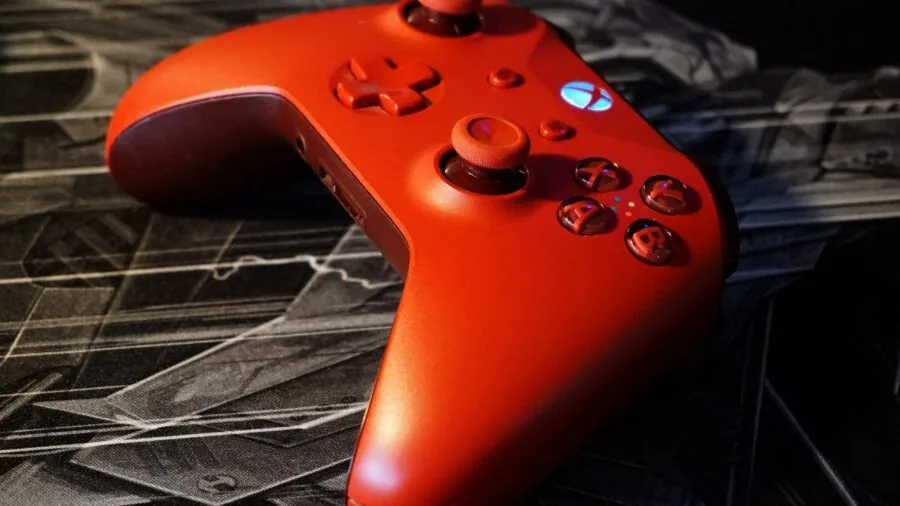
The most important question to answer before buying is which controllers you actually need to charge.
PS5 DualSense, Xbox Series X|S wireless controllers, Nintendo Switch Joy-Cons and Pro Controllers, and older PS4 DualShock 4 pads all use different charging mechanisms and connector types.
A dock designed specifically for PS5 will not work with Xbox controllers, and vice versa. Single-platform docks from brands like PowerA and OIVO are generally more reliable for their intended controller because they’re engineered to that exact form factor.
Multi-platform docks, such as the HEATFUN six-in-one station and the PURBHE Nintendo charging dock, attempt to serve multiple controller types from a single unit.
These are genuinely useful in households with more than one console, but pay close attention to compatibility lists. Many multi-platform docks explicitly exclude third-party Pro controllers for Switch, for example, so reading the fine print before buying is essential.
When in doubt, a platform-specific dock from a reputable brand will give you a more secure, wobble-free fit.
Charging Speed and Battery Capacity
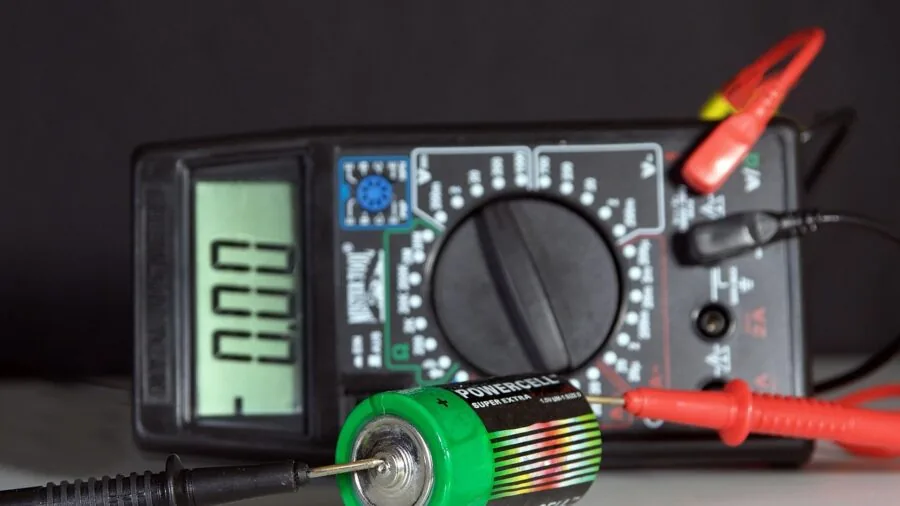
Charging speed is quoted in hours to full charge, and claims vary widely.
A dock advertising sub-two-hour charging is genuinely useful if you’re short on time between sessions; a dock that takes four or more hours is better suited to overnight charging habits.
Look for docks that supply at least 5V/2A of input power, as lower-amperage chargers may struggle to reach their advertised speeds, especially with larger battery packs.
Some Xbox docks, including options from DINOSTRIKE and Froncha, include proprietary rechargeable battery packs rather than relying on the controller’s built-in battery.
This is a double-edged proposition: you get a known capacity (advertised in milliwatt-hours), but you’re locked into replacing those packs if they degrade. Check the rated capacity carefully.
Packs in the 4,800 to 5,500 mWh range offer meaningful runtime, while cheaper packs may underdeliver despite large numbers on the box.
Connection Type: Pogo Pin vs. USB vs. Magnetic
How a dock actually connects to your controller matters more than most buyers realize. Pogo-pin docks (which make contact through spring-loaded pins on the base) require no cable insertion, making them the most convenient for daily use.
USB-C or Micro-USB docks require you to seat a cable into the controller’s port each time, which introduces wear over months of repeated plugging.
Magnetic docking, as used in the 8Bitdo Xbox charging station, offers a satisfying snap-in experience and reduces port wear significantly.
Pogo-pin and magnetic designs tend to command a slight price premium over cable-based docks, but the daily convenience and reduced port stress are worth it for most users.
If you’re buying for a household where controllers are handled by younger players, a pogo-pin or magnetic dock is especially forgiving since there’s no cable to force in at the wrong angle.
LED Indicators and Charge Status Visibility

A charging station without clear status indicators is genuinely frustrating in low-light gaming rooms. The best docks use color-coded LEDs: typically red or orange while charging, switching to green or white when the controller reaches full charge.
Some docks, like the Froncha Xbox station, go further with RGB lighting modes that double as desk ambiance, though this is a style preference rather than a functional advantage.
Avoid docks where the only indicator is a single always-on light with no distinction between charging and charged states.
Verified buyer feedback on budget options like the Y Team PS4 charger frequently cites confusing LED behavior as a frustration, which is one reason that dock scores lower in our assessments.
Clear, unambiguous status feedback is a small feature with an outsized impact on day-to-day usability.
Build Quality and Stability

A charging dock that tips over when you try to seat or remove a controller is annoying at best and potentially damaging at worst.
Look for a wide, rubberized base and a design that accounts for the weight distribution of the controllers it’s meant to hold. Dual docks need particular attention here since two controllers create more leverage on the stand than one.
Brand heritage matters in this category. PowerA, for example, has official licensing agreements with Sony and Microsoft, which means their docks are engineered to precise controller dimensions and pass platform holder quality checks.
Third-party brands like OIVO, 8Bitdo, and HEATFUN have built solid reputations through consistent verified buyer feedback, while lesser-known brands warrant more scrutiny.
A wobble-free, well-finished dock will outlast a cheap one by years, making it worth spending a little more upfront. A sturdy station also pairs well with a clean gaming desk setup where organization and stability both count.
Desk Footprint and Aesthetic

Controller charging stations live on your desk or entertainment unit permanently, so size and look matter. Compact vertical docks take up minimal surface area; wider horizontal docks may be more stable but eat into desk real estate.
If your setup includes a large monitor, speakers, and a keyboard, every square inch counts. Consider measuring the space where you intend to put the dock before ordering.
Aesthetics are subjective, but matching your dock to your console’s color scheme creates a tidier overall setup. Most major brands offer black and white colorways to match current-gen hardware. RGB options add visual flair but may not suit minimalist setups.
Either way, a well-chosen charging station is a small but meaningful upgrade to any organized gaming space, much like pairing your rig with a quality ergonomic gaming chair pulls the whole room together.
Why You Should Trust Us
ProductFind is an independent review publication. We do not conduct our own product trials; our evaluations are grounded in research, published data, expert review consensus, and verified buyer feedback.
Every product in this roundup was assessed against a consistent set of criteria covering platform compatibility, charging mechanism, speed, build quality, indicator clarity, and value for money.
Each model receives a PF Score on a scale of 0 to 10, reflecting how well it performs across those criteria relative to the broader field of competing products.
Our scoring draws on manufacturer-published specifications, aggregated expert review consensus from across the enthusiast and consumer technology press, and patterns identified in verified buyer feedback from thousands of real-world purchases.
We weight real-world reliability and usability heavily, which is why a lower-priced product with consistently positive verified feedback can outscore a pricier option with reported quality-control issues.
ProductFind may earn a commission if you purchase through links on this page. That affiliate relationship has no influence on our rankings, scores, or which products we include or exclude. Our recommendations are editorially independent and reflect our honest assessment of each product’s merits.
Final Thoughts
After evaluating the full field of controller charging stations across platform compatibility, charging mechanism, build quality, and verified buyer satisfaction, a few standout picks emerge for different needs. Here are our key recommendations:
- Best Overall: OIVO PS5 Controller Charger Station earns the top spot with the highest PF Score in this roundup, combining fast charging via a dedicated cable, RGB accent lighting, and broad compatibility with both the standard DualSense and the DualSense Edge. It’s an excellent value for PS5 players who want a polished, reliable dock without paying a premium price.
- Best for Xbox Players: 8Bitdo Charging Dock for Xbox Wireless Controllers stands out for its magnetic secure-charging mechanism, which eliminates port wear and makes daily docking satisfying. Official licensing and broad compatibility with Xbox Series X|S and Xbox One round out a compelling package.
- Best PS5 Dual Dock: PowerA Twin Charging Station for DualSense Controllers is an officially licensed, purpose-built dual dock for PS5. It holds two DualSense controllers simultaneously and carries PowerA’s track record of platform-specific fit and finish.
- Best Budget Xbox Option: PowerA Dual Charging Station for Xbox Series X|S delivers dual-controller charging at an accessible price point, with the reassurance of official licensing and a clean, console-matching design that sits neatly beside any Xbox setup.
- Best for Multi-Platform Households: HEATFUN Controller Charging Dock supports Switch Pro, PS5 DualSense, and Xbox Series controllers from a single two-port station, making it a practical choice for households juggling more than one console ecosystem.
Whichever dock you choose, the upgrade from loose cables to a dedicated charging station is immediately noticeable. Controllers are ready when you are, your desk stays cleaner, and the anxiety of a low-battery warning mid-session disappears.
For more ways to refine your gaming setup, explore our picks for 55-inch TVs suited to every room or consider how action cameras can expand what you capture from your gaming moments.
Frequently Asked Questions
Do Controller Charging Stations Work with Any Controller?
No. Most charging stations are designed for specific controllers or specific platforms. A PS5 dock will not charge an Xbox controller, and a dock built for first-party Nintendo Pro controllers may not accept third-party alternatives.
Always check the compatibility list on the product page before purchasing. Multi-platform docks exist, but they still have defined compatibility limits, so verify your exact controller model is listed.
Is It Safe to Leave Controllers Charging Overnight?
For reputable docks with proper charge management circuitry, overnight charging is generally safe. Quality docks from brands like PowerA, 8Bitdo, and OIVO include overcharge protection that stops delivering current once the controller reaches full capacity.
Budget docks from lesser-known brands may lack this protection, which is one reason it’s worth spending a little more on a brand with a proven track record and verified buyer feedback supporting its long-term safety.
Do Xbox Controllers Need a Special Battery Pack to Use a Charging Station?
Standard Xbox wireless controllers ship with AA batteries and have no built-in rechargeable battery, so most Xbox charging docks include a proprietary rechargeable battery pack that replaces the AA cells.
Docks from DINOSTRIKE and Froncha, for example, include these packs in the box. Always confirm whether a battery pack is included or sold separately before buying, and check the rated capacity to ensure it meets your runtime expectations.
What Does the LED Indicator on a Charging Dock Mean?
LED behavior varies by dock, but the most common convention is a red or amber light during active charging that switches to green or white when the controller is fully charged.
Some docks use a pulsing light while charging and a solid light when done.
Check the product manual or verified buyer reviews if the LED behavior is unclear, as some budget docks use confusing indicator schemes that make it hard to tell at a glance whether your controller is actually charging.
Can I Use a Charging Station with a Controller Case or Grip Attached?
Usually not. Most docks are designed around the bare controller’s exact dimensions, and adding a third-party grip, rubberized skin, or protective case will prevent the controller from seating properly on pogo pins or blocking the charging port.
If you regularly use controller accessories, look for cable-based docks where the connection point is more flexible, or remove the case before docking. This is worth confirming in verified buyer reviews for any specific dock you’re considering.
Are Officially Licensed Docks Worth the Extra Cost?
Officially licensed docks from brands like PowerA have been validated by Sony or Microsoft to meet specific safety and fit standards, which offers a degree of assurance that unlicensed alternatives cannot match.
That said, unlicensed brands like OIVO and 8Bitdo have built strong reputations through consistent verified buyer feedback and high expert review consensus. Official licensing is a useful signal of quality but is not the only path to a reliable dock.
Focus on expert review consensus, verified buyer feedback volume and sentiment, and the specific features that matter to your setup.
About the author
Joann is a reviewer and writer for ProductFind who specializes in Video Games & Gaming Gear. Joann evaluates products through independent research: specifications, expert review consensus, and verified buyer feedback, and rates each one on the PF Score. Joann focuses on helping readers pick the right video games & gaming gear for their needs and budget.