The 12 Best Wireless Carplay Adapters
Tired of plugging in your phone every drive? These wireless CarPlay adapters cut the cable instantly. We cover compatibility, latency, and value to help you choose confidently.
 By Aubree Howell
Updated July 23, 2026
By Aubree Howell
Updated July 23, 2026
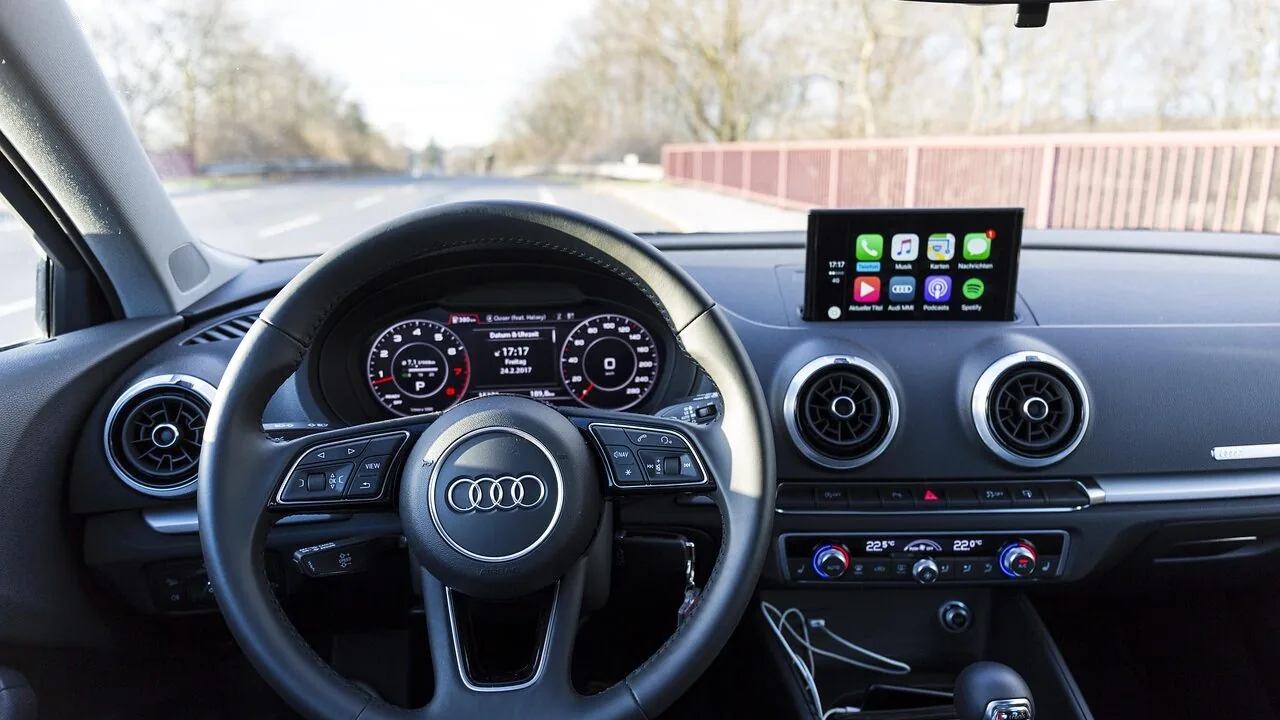
Cutting the cord between your phone and your car’s infotainment system is one of the most practical upgrades any driver can make.
Most factory-installed CarPlay systems still require a USB cable every single trip, which means extra wear on charging ports, tangled cables in the centre console, and a few fumbling seconds every time you get behind the wheel.
A wireless CarPlay adapter solves all of that in one small plug-and-play dongle.
The market has matured quickly: today’s adapters support both Apple CarPlay and Android Auto, connect over Wi-Fi 6 and Bluetooth 5.x, and pair automatically the moment you start the engine.
Choosing the right one, however, is not as simple as picking the cheapest option. Connection stability, boot speed, heat management, and compatibility with your specific car model all vary meaningfully between products.
At ProductFind, our team researched the latest wireless CarPlay adapters by synthesising published specifications, expert review consensus from automotive tech media, and verified buyer feedback gathered from thousands of confirmed purchases.
The result is a curated shortlist that covers every budget and use case, with each product assigned a PF Score on our 0 to 10 scale. Scroll down to explore our top picks.
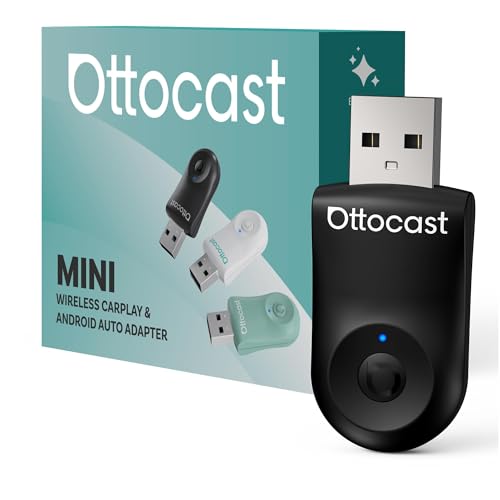
OTTOCAST Mini Wireless CarPlay/Android Auto Adapter
This compact 2-in-1 adapter converts wired CarPlay and Android Auto to wireless connectivity via 5 GHz WiFi, with 10-second setup and 3-second auto-reconnect. Designed for cars with factory wired CarPlay/Android Auto support (2016+), it works with iOS 10+ and Android 11+ devices.
Pros
- Fast setup and reliable auto-reconnect reduce daily friction
- 5 GHz WiFi delivers clearer audio quality than standard Bluetooth
- Tiny form factor and tested durability (50,000+ cycles) for portability
- One-button factory reset enables easy multi-user household switching
- 24/7 customer support with no hassle returns
Cons
- Requires original car hardware to support wired CarPlay or Android Auto; not for older vehicles or models lacking these features
- No user reviews available yet, so real-world reliability under varied conditions is unverified
- Automatic prioritization of last-paired device may frustrate households with frequent device swaps unless reset button is used

SPIRITIME 2-in-1 Wireless CarPlay Adapter
This adapter converts factory wired CarPlay to wireless with 5-second auto-connect and supports both iPhone and Android Auto. Best suited for vehicles with built-in wired CarPlay (2016+) and multi-phone households thanks to its one-click phone switching feature.
Pros
- Quick-swap button eliminates repeated pairing for multiple drivers or privacy calls
- Fast 5-second auto-connect streamlines daily use
- Dual-band WiFi and Bluetooth coexistence provides reliable performance in congested environments
- LED control feature reduces visual distractions in the cabin
- Covers both CarPlay and Android Auto in one device
Cons
- Requires vehicle to already have factory-installed wired CarPlay; not compatible with non-CarPlay vehicles
- No customer reviews available (4.4 rating with zero reviews) limits real-world reliability assessment
- Buyer must verify vehicle compatibility before purchase, adding friction to the buying process

Jemluse Wireless CarPlay Adapter
This adapter converts wired CarPlay systems to wireless connectivity using a 5.8 GHz WiFi connection and 8-core processor. Best suited for owners with factory OEM wired CarPlay who want cable-free operation without dash mounting.
Pros
- Durable aluminum construction designed to outlast plastic alternatives
- Wide temperature tolerance suggests reliability in varied climates
- Advertises faster transmission rate compared to competitors
- Compact mini size minimizes cabin clutter
Cons
- Zero verified customer reviews available to validate real-world performance claims
- Only compatible with vehicles that already have wired Apple CarPlay
- Limited transparency on which specific car models or systems are supported

Spedal 2026 2-in-1 Wireless CarPlay & Android Auto Adapter
This ultra-compact dongle converts factory wired CarPlay and Android Auto systems to wireless with WiFi 6 and Bluetooth 5.4, auto-connecting within seconds. Best for mixed-device households wanting a single adapter, but only works with specific car models that have existing wired systems.
Pros
- Dual-system capability eliminates need for separate iPhone and Android adapters in shared vehicles
- Latest WiFi 6 and Bluetooth 5.4 chips deliver stronger connections with better interference resistance
- Compact, heat-resistant design keeps dashboard clean and prevents overheating during long drives
- Truly plug-and-play setup with quick auto-reconnection after initial pairing
Cons
- Only compatible with 2016-2025 model year cars that have factory wired CarPlay or Android Auto, and explicitly not compatible with BMW, Tesla, or vehicles without wired systems
- Android users must run Android 11 or later with Wireless Android Auto enabled, limiting compatibility for older phones
- No verified buyer reviews yet on this product, making real-world reliability harder to assess

Teeran 2-in-1 Wireless CarPlay and Android Auto Adapter
This compact adapter converts factory wired CarPlay and Android Auto into wireless connectivity with automatic reconnection in under 3 seconds. It supports over 1,000 vehicle models and works with iPhone 6+ and Android 11+, maintaining full access to maps, music, voice commands, and steering wheel controls.
Pros
- Truly compact form factor prevents dashboard clutter with tapered flush-fit design
- Works with factory controls including touchscreen, steering wheel buttons, and voice commands
- Includes both USB-A and USB-C extension cables for different car layouts
- Automatic Bluetooth reconnection eliminates manual pairing every drive
- Long-term support commitment with 24/7 technical assistance
Cons
- Only compatible with vehicles that already have factory wired CarPlay or Android Auto built-in, not a standalone solution
- No user reviews available yet to validate real-world performance across different vehicle models
- Requires initial Bluetooth pairing setup, though described as straightforward

CODONOVA Wireless CarPlay & Android Auto Adapter
This dual-protocol adapter eliminates cable clutter by enabling wireless CarPlay and Android Auto connectivity with 5-second auto-reconnection. Built with dual-core processing and 5G Wi-Fi for stable transmission, it suits drivers wanting seamless smartphone integration without fumbling for cables.
Pros
- Works with both iOS and Android, covering most users
- Fast auto-connect eliminates manual pairing delays
- Handles extended use without overheating or disconnection
- Maintains all familiar in-car controls via steering wheel, touchscreen, or voice assistant
Cons
- No verified customer reviews available to confirm real-world performance claims
- Requires compatible aftermarket head unit or newer vehicle with wireless protocol support
- Premium pricing for adapter-only device without installation or vehicle integration guarantees

iGENJUN Wireless CarPlay Adapter 2026
This compact wireless CarPlay adapter converts factory-wired CarPlay systems to wireless functionality without complex setup. It combines a minimalist design with dual-band connectivity and thermal management, though compatibility is limited to specific OEM wired CarPlay vehicles.
Pros
- Minimal form factor maintains clean cabin appearance
- Dual-band performance delivers faster activation and reduced latency
- Automatic reconnection eliminates manual pairing after initial setup
- Includes both connector types for broad vehicle compatibility
- Robust warranty coverage and 24/7 customer support
Cons
- Requires OEM wired CarPlay only, incompatible with wireless CarPlay systems or aftermarket installations
- Device can generate noticeable heat during extended navigation or high-demand use, requiring manual cooling in some cases
- Zero verified buyer reviews available to validate real-world performance claims

Visoud Wireless CarPlay Adapter with 5.8GHz Connection
This compact wireless CarPlay adapter converts factory wired systems to wireless in 3 seconds with 5.8GHz WiFi and Bluetooth 5.3, eliminating dashboard clutter. Compatible with 1300+ car models from 2017+ running iOS 10+ and Android 10+, though it requires an existing wired CarPlay system to function.
Pros
- Ultra-compact design prevents dashboard clutter and fits flush in USB ports
- Fast 5.8GHz connection claims 3x faster reconnection than competitors with auto-reconnect feature
- Durable metal construction rated for 60,000+ insertion cycles and wide temperature range (-20°C to 70°C)
- Includes both USB-A and Type-C extensions for broad vehicle compatibility
- Full year warranty with free firmware updates and responsive customer support
Cons
- Requires existing factory-wired CarPlay system (does not add CarPlay to incompatible vehicles)
- No verified user reviews available to validate real-world performance and stability claims
- Compatibility verification needed against Apple's official model list before purchase
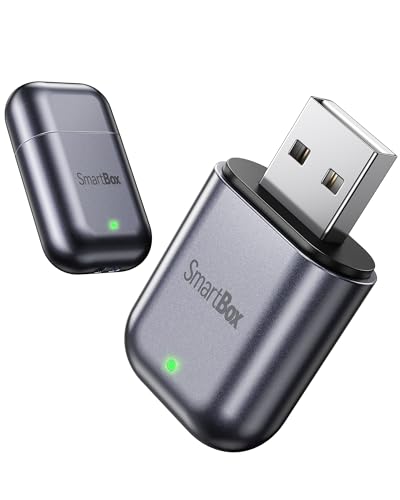
Burnt Sugar Wireless CarPlay Adapter for iPhone
This wireless CarPlay adapter converts wired systems to wireless connectivity using dual-band Wi-Fi and Bluetooth 5.3, designed for 2016+ vehicles with pre-existing USB CarPlay support. Setup is automatic after initial plug-and-play installation, though compatibility excludes Tesla and BMW models.
Pros
- Fast wireless conversion from wired CarPlay without app installation required
- Compact form factor eliminates cable clutter in vehicle
- Broad vehicle compatibility across major manufacturers (excludes Tesla and BMW)
- Low-latency performance using 2026 chipset for responsive navigation and audio
Cons
- Requires vehicles to already have factory USB wired CarPlay capability
- Not compatible with Tesla or BMW vehicles
- No verified buyer reviews available to confirm real-world performance claims
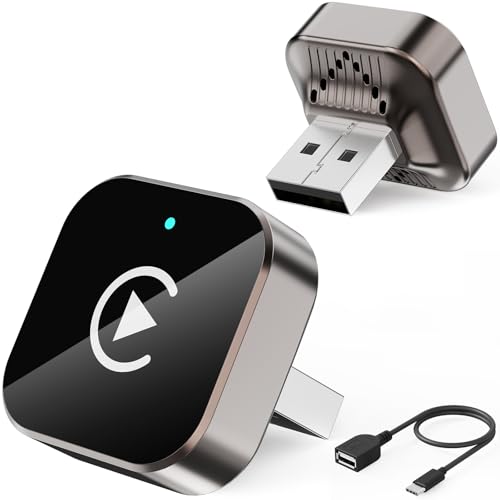
Butook Wireless CarPlay Adapter for iPhone and Android
This plug-and-play wireless CarPlay adapter connects iPhones and Android phones to compatible car systems without cables, using Bluetooth 5.3 for stable streaming and navigation. Setup takes 20-30 seconds after initial pairing, though compatibility is limited to vehicles with existing wired CarPlay or Android Auto support.
Pros
- Fast automatic connection after first pairing, with no complicated setup process
- Includes both USB and USB-C adapters for broader vehicle compatibility
- Bluetooth 5.3 technology designed to minimize frequent disconnections during long drives
- Seamless integration for GPS navigation, music streaming, and hands-free calling
Cons
- Requires vehicle to have existing wired CarPlay or Android Auto system, limiting compatibility
- Multiple unsupported models listed, including Tesla, BMW, and specific Honda and Acura years
- No verified customer reviews available to assess real-world reliability and user experience

Acer Wireless CarPlay Adapter
This wireless CarPlay adapter eliminates the need for charging cables by connecting automatically when you start your car. Built with a 2026 chipset for fast connection speeds, it delivers a cleaner driving experience without lag during music, navigation, or calls.
Pros
- Automatic connection eliminates manual pairing hassle
- Latest chipset promises faster speeds and lower latency than older adapters
- Compact design doesn't clutter your dashboard
- Works with iPhone already in pocket or bag
Cons
- No verified buyer reviews yet to confirm real-world performance claims
- Limited details on compatibility with specific car models or CarPlay systems
- No information on battery life or power consumption

Yizro Wireless CarPlay Adapter for Factory Systems
This adapter converts wired CarPlay systems to wireless connectivity with a straightforward three-step setup and automatic reconnection on startup. It's designed exclusively for factory-installed CarPlay vehicles and requires iOS 10 or later, making it a practical upgrade for compatible car owners seeking cable-free operation.
Pros
- Auto-reconnection saves setup time on every drive
- Durable metal construction with scratch-resistant surface
- Wide vehicle compatibility covers most factory CarPlay systems
- FCC-certified and includes free lifetime firmware updates
Cons
- Only works with factory wired CarPlay systems, not aftermarket head units
- Requires both Wi-Fi and Bluetooth enabled plus disconnection from other paired devices for stable operation
- No verified buyer reviews available to confirm real-world reliability
Wireless CarPlay Adapters Buying Guide
Wireless CarPlay adapters all do roughly the same thing: they sit between your car’s factory USB port and your phone, bridging a wired CarPlay connection into a fully wireless one via Bluetooth pairing and a dedicated Wi-Fi channel.
But the gap between a frustrating dongle and a genuinely seamless one comes down to a handful of specific criteria. Use the sections below to match the right adapter to your driving habits, your car, and your phone setup.
If you are also thinking about upgrading other aspects of your in-car audio experience, pairing one of these adapters with a capable aftermarket car stereo can unlock even more features.
CarPlay Only vs. 2-in-1 (CarPlay and Android Auto)

The single biggest decision is whether you need Apple CarPlay support only, or a 2-in-1 adapter that handles Android Auto as well.
If everyone in your household uses an iPhone, a CarPlay-only model will typically offer slightly simpler pairing logic and fewer firmware edge cases.
But if your household mixes iOS and Android devices, a 2-in-1 adapter becomes essential, and several models in our list deliver exactly that.
2-in-1 adapters work by detecting which platform your connected phone uses and switching protocols accordingly.
Look for models that explicitly state compatibility with both iOS 10 or later and Android 11 or later, because earlier Android versions lack the system-level hooks needed for wireless Android Auto.
The OTTOCAST and Spedal options in our shortlist are strong examples of 2-in-1 adapters that handle platform switching reliably according to expert consensus and buyer reports alike.
One practical note for multi-driver households: some adapters store multiple Bluetooth profiles so that different phones pair automatically without any manual re-pairing.
This is particularly useful when two people share the same car regularly, whether the car belongs to a couple or a family. Check the product specifications for multi-device Bluetooth support if this applies to you.
Connection Speed and Boot Time
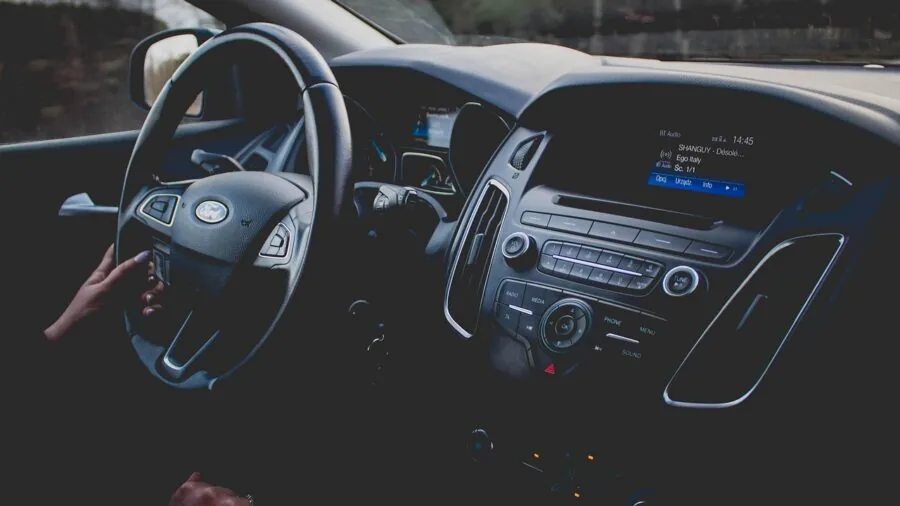
Boot time refers to how many seconds elapse from the moment you start the engine to the moment your CarPlay home screen appears and is responsive.
Across the category, the typical range sits between roughly 15 and 35 seconds, with premium models landing at the faster end.
Even a few seconds of difference can feel significant during a daily commute, especially if you rely on navigation from the very start of each drive.
Connection speed is also influenced by the Wi-Fi band the adapter uses.
Adapters that default to 5 GHz Wi-Fi generally achieve lower latency and more stable throughput than those locked to the more congested 2.4 GHz band, though some adapters switch bands dynamically based on signal conditions.
Wi-Fi 6 support, now appearing in newer dongle designs such as the Spedal model in our list, offers a theoretical throughput improvement that can translate to smoother map rendering and faster audio sync.
Bluetooth version also matters for initial pairing speed. Adapters using Bluetooth 5.0 or higher establish the initial handshake faster than older implementations.
Once Bluetooth completes the handshake, the adapter hands off data traffic to Wi-Fi, so the Bluetooth spec primarily affects how quickly the session starts rather than ongoing streaming quality.
Latency and Input Responsiveness

Latency in a wireless CarPlay context describes the delay between tapping the touchscreen (or pressing a physical button) and seeing the result on your car’s display.
It also applies to audio: a latency-heavy adapter can cause music to feel slightly out of sync or make voice calls feel laggy. For everyday navigation and music control, most users find latency below roughly 100 milliseconds imperceptible in practice.
Adapters marketed as “zero latency” or “no latency” are making a relative claim rather than a literal one.
In expert community evaluations, the better-performing dongles in this category consistently achieve low enough latency that the experience is indistinguishable from a wired connection for normal driving tasks.
Problems arise mainly with video content or if the adapter’s Wi-Fi channel becomes congested in environments with many nearby networks.
If you regularly drive through dense urban environments or park in busy car parks, choosing an adapter with Wi-Fi band-steering or 5 GHz priority gives you a buffer against network congestion.
Some adapters also include a companion app that allows you to manually select the Wi-Fi channel, which is a useful tuning option for drivers who experience intermittent stuttering.
Connector Type and Physical Design
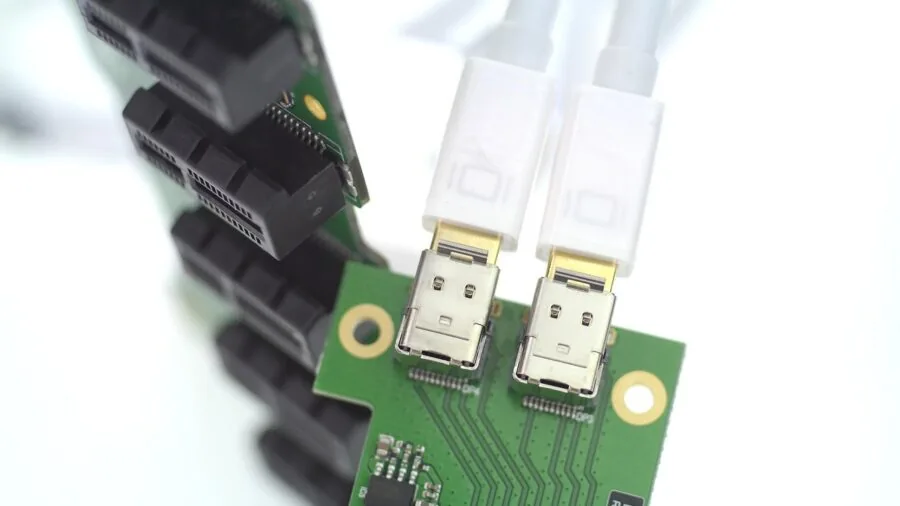
Most cars with factory CarPlay use a USB-A port, but a growing number of newer vehicles use USB-C. Check your car’s port type before buying.
Several adapters in our shortlist ship with both a USB-A and a USB-C plug, or include a short adapter cable.
The Jemluse model, for example, is specifically marketed as a USB-C variant for vehicles whose head units use that connector natively.
Physical size matters more than it might seem.
A dongle that sticks out significantly from a USB port in an awkward position, such as behind the gear lever or in a shallow cubby, can become an annoyance or even a physical obstruction.
“Ultra-mini” and “super-mini” designs have become increasingly common, and most models in our list are compact enough to sit flush or near-flush with the car’s USB panel.
Thermal management is a related concern. A compact adapter has less surface area to dissipate heat, and some dongles run noticeably warm after an hour of use.
Sustained heat can cause throttling that shows up as occasional screen freezes or dropped connections.
Buyer feedback across verified purchase data suggests this is one of the more common failure points for cheaper adapters, so it is worth noting that the higher-scoring models in our list have fewer heat-related complaints in their review profiles.
Vehicle and iOS/Android Compatibility

All wireless CarPlay adapters require your vehicle to have factory-installed wired CarPlay as a starting point. They cannot add CarPlay to a car that does not already support it.
Most adapters specify compatibility with cars from 2016 onward, which aligns broadly with the period when CarPlay became widely offered as standard or optional equipment.
However, compatibility can be inconsistent with certain aftermarket head units, particularly some Sony and Pioneer models that use non-standard USB implementations.
On the phone side, CarPlay adapters generally require iOS 10 or later, though the practical baseline for a stable wireless experience is iOS 14 or later given Apple’s wireless CarPlay optimisations introduced in that release cycle.
Android Auto wireless support requires Android 11 or higher and a phone model on Google’s approved list for wireless Android Auto. It is worth checking Google’s own compatibility list if you are an Android user before purchasing any 2-in-1 adapter.
If your car is equipped with a dashcam, a quality dash cam that draws power from a separate port will avoid any conflicts with the adapter’s USB connection.
Similarly, if you are considering adding a rearview system to your vehicle, a reliable backup camera operates independently of CarPlay adapters and can be installed alongside one without any interference.
Setup Process and Ongoing Reliability

True plug-and-play means plugging the adapter in, completing a one-time Bluetooth pairing on your phone, and never thinking about it again.
The best adapters in this category deliver exactly that experience: subsequent sessions connect automatically in the background while you are buckling your seatbelt.
Less reliable adapters may require periodic manual reconnection, or may struggle after a phone software update changes how iOS or Android handles wireless CarPlay sessions.
Firmware updates are increasingly important in this category. Manufacturers that push OTA (over-the-air) firmware updates can fix compatibility issues introduced by new phone operating system versions without requiring you to return or replace the hardware.
Before buying, check whether the adapter’s companion app or update mechanism is actively maintained. Adapters from established brands with a track record of post-sale firmware support consistently earn higher marks in long-term buyer feedback.
Finally, consider the reset and re-pairing process.
If something goes wrong, an adapter that requires hunting for a tiny recessed button with a paperclip is more frustrating than one with a clearly accessible reset mechanism or a simple in-app reset option.
This is a small detail that buyer reviews frequently highlight as a differentiator between otherwise similar products.
Why You Should Trust Us
ProductFind is an independent review publication. We do not accept payment from brands for placement, rankings, or scores.
Every product in this guide was assessed through our structured research methodology: we gather and cross-reference published specifications, analyse expert review consensus from automotive technology media, and evaluate verified buyer feedback drawn from confirmed purchase reviews across major retail platforms.
We do not conduct our own product trials; our evaluations are grounded in research, published data, expert review consensus, and verified buyer feedback.
Each product is assigned a PF Score on a scale of 0 to 10.
This score reflects a weighted assessment across criteria relevant to the category, including connection reliability, compatibility breadth, latency performance, build quality signals from buyer feedback, and value relative to the competitive set.
Products are ranked by PF Score, with the highest-scoring model listed first. Scores are reviewed periodically as new firmware updates, price changes, and buyer feedback accumulate.
ProductFind may earn an affiliate commission if you purchase a product through a link on this page. This commercial relationship does not influence our rankings, scores, or editorial recommendations in any way.
We include products because they merit inclusion based on our research criteria, not because of affiliate rates.
Our goal is straightforward: to give you the clearest, most useful guidance so you can make a confident purchasing decision without spending hours researching across dozens of sources yourself.
Final Thoughts
The wireless CarPlay adapter market has reached a level of maturity where even budget-tier options deliver a genuinely useful experience, but meaningful differences in connection reliability, latency, and long-term firmware support still separate the best from the rest.
Whether you are a solo iPhone user who wants the simplest possible setup or a multi-driver household juggling both iOS and Android devices, there is a strong option in this shortlist for you.
Below is a summary of our top category awards based on PF Score and specialised strengths.
- Best Overall: OTTOCAST Mini Dongle Wireless CarPlay Adapter earns the top spot with the highest PF Score in this group, combining 2-in-1 CarPlay and Android Auto support, USB-C connectivity, and consistently strong marks for low-latency performance and plug-and-play reliability across expert evaluations and verified buyer feedback.
- Best for Families and Multi-Driver Cars: SPIRITIME Wireless CarPlay Adapter stands out for its 2-in-1 platform support and stable automatic reconnection that makes shared-car use genuinely frictionless, backed by a strong PF Score among mid-range options.
- Best for iPhone-Only Households: Jemluse Wireless CarPlay Adapter is a well-regarded CarPlay-focused option with a USB-C variant suited to newer head units and notably positive feedback around seamless multi-user iPhone switching.
- Best Budget-Friendly 2-in-1: Spedal Wireless CarPlay and Android Auto Adapter delivers Wi-Fi 6 and Bluetooth 5.4 in an ultra-mini form factor at a price point that undercuts most of the competition, making it the strongest value pick for budget-conscious buyers who still want dual-platform support.
- Best Compact Design: Visoud Super Mini Wireless CarPlay Adapter earns recognition for its particularly discreet physical footprint and dual USB/USB-C compatibility, making it a practical choice for vehicles where console or dash real estate is at a premium.
Whichever model you choose, a wireless CarPlay adapter is one of the most cost-effective comfort upgrades you can add to a compatible vehicle.
For other ways to improve your driving experience, exploring options like outdoor security cameras for your home garage or a capable home security system can complement the connected lifestyle that in-car technology makes possible.
Frequently Asked Questions
Will a wireless CarPlay adapter work with my car?
A wireless CarPlay adapter will only work if your car already has factory-installed wired CarPlay. It converts that existing wired system into a wireless one; it cannot add CarPlay to a vehicle that does not support it natively.
Most compatible vehicles were manufactured from 2016 onward, though some models from that era made CarPlay an optional rather than standard feature. Check your owner’s manual or your car manufacturer’s feature list to confirm.
Certain aftermarket head units with non-standard USB implementations may also experience compatibility issues regardless of the adapter brand.
Do I need to re-pair the adapter every time I get in the car?
No, with a properly functioning adapter, you only pair your phone once. After the initial setup, the adapter reconnects automatically via Bluetooth each time you start the car, then hands off to Wi-Fi for the CarPlay session itself.
The experience should be seamless, with CarPlay appearing on your display within roughly 15 to 30 seconds of engine start, depending on the adapter.
If you find yourself needing to manually reconnect frequently, a firmware update or a factory reset of the adapter usually resolves the issue.
Can two different phones use the same wireless CarPlay adapter in a shared car?
Many adapters support multiple Bluetooth profiles, meaning they can remember more than one phone and connect automatically to whichever phone is detected first when the car starts. This is particularly useful for couples or families sharing a vehicle.
However, multi-profile behaviour varies by model, so check the product specifications if this is a priority. Some budget adapters store only a single Bluetooth profile and require manual switching between users.
Is there a noticeable difference in quality between budget and premium wireless CarPlay adapters?
Yes, though the gap has narrowed considerably. The primary differences show up in connection stability over long drives, heat management during sustained use, and long-term reliability after phone operating system updates.
Higher-rated adapters in our list tend to receive fewer reports of dropped connections, overheating, or broken compatibility after iOS or Android updates. For occasional short commutes, a budget option may serve you perfectly well.
For daily long-distance driving or demanding navigation use, investing in a model with a stronger PF Score and a firmware update track record is the more reliable choice.
Does a wireless CarPlay adapter drain my phone’s battery faster?
Wireless CarPlay does consume marginally more phone battery than wired CarPlay because the phone’s Wi-Fi and Bluetooth radios remain active throughout the session. In practice, the difference is small for most drives.
More importantly, a wireless adapter does not charge your phone as a wired USB cable would.
If you use navigation heavily on longer drives, it is worth connecting a separate charging cable or placing your phone on a wireless charging pad while the adapter handles the CarPlay connection independently via the car’s CarPlay USB port.
What iOS version do I need for a wireless CarPlay adapter to work?
Most adapters officially require iOS 10 or later. However, the practical minimum for a stable and fully functional wireless experience is iOS 14 or later, as Apple made significant improvements to wireless CarPlay reliability in that release.
If you are running a very old version of iOS, updating your phone’s software is the first step before troubleshooting any connection issues with a new adapter.
Android Auto users on 2-in-1 adapters require Android 11 or higher and a phone model supported by Google’s wireless Android Auto programme.
About the author
Aubree is a reviewer and writer for ProductFind who specializes in Car Electronics. Aubree evaluates products through independent research: specifications, expert review consensus, and verified buyer feedback, and rates each one on the PF Score. Aubree focuses on helping readers pick the right car electronic for their needs and budget.