The 12 Best 3D Printers
Speed, multi-color capability, and auto-calibration define the new generation of FDM printers. Here are the top picks from Bambu Lab, FLASHFORGE, Creality, and more.
 By Gabriella Thompson
Updated July 23, 2026
By Gabriella Thompson
Updated July 23, 2026
3D printing has moved well beyond the hobbyist garage. Whether you’re prototyping product parts, creating custom props, printing replacement components, or exploring a new creative medium, the range of capable, affordable machines available today is genuinely impressive.
Brands like Bambu Lab, FLASHFORGE, Creality, Anycubic, and Snapmaker have each pushed the category forward with faster CoreXY motion systems, multi-color capabilities, and smarter auto-calibration that removes most of the friction that frustrated early adopters.
If you’ve been waiting for 3D printers to become approachable and reliable, that moment has arrived.
This guide is built on ProductFind’s research-driven approach: we analyze published specifications, synthesize expert review consensus across the enthusiast and professional communities, and weigh verified buyer feedback to surface the options that consistently deliver in real-world use.
The result is a shortlist of the best 3D printers across price tiers and use cases, from quiet beginner-friendly machines to high-speed multi-color workhorses.
Scroll down to see our ranked picks, then read the buying guide below to understand which machine fits your specific needs.

Bambu Lab P1S Combo 500mm/s 3D Printer with AMS
The P1S Combo pairs a fast CoreXY printer with an Automated Material System for multi-color printing up to 16 colors. Auto bed leveling and enclosed design make it accessible for beginners, though the AMS requirement for color work adds complexity and cost.
Pros
- Exceptional printing speed eliminates long wait times for prototyping and production
- Integrated AMS and multi-color capability straight out of the box for creative projects
- Quick setup and automatic bed leveling make it approachable for hobbyists and professionals
- Versatile filament compatibility covers most common and specialized materials
Cons
- AMS is required for multi-color printing, making single-color use feel incomplete for this combo package
- No verified buyer reviews available to assess real-world reliability and support experience
- Premium pricing positions it outside budget-tier entry options for casual makers

Bambu Lab A1 Mini Combo Multi-Color 3D Printer
The A1 Mini Combo bundles a compact, high-speed FDM printer with AMS lite for accessible multi-color printing. Fast acceleration (10,000 mm/s²), automatic calibration, and quiet operation (≤48 dB) make it user-friendly for hobbyists and makers, though setup requires the included AMS unit for color work.
Pros
- Full-auto calibration eliminates manual bed leveling and Z-offset adjustments
- 10,000 mm/s² acceleration delivers fast prints without sacrificing precision
- Active flow rate compensation ensures consistent extrusion quality
- Quiet operation with active motor noise cancellation at 48 dB or below
- 20-minute first-print setup thanks to pre-assembly and quick-swap nozzle design
Cons
- Multi-color printing requires AMS lite unit, which is included in combo but adds cost and bulk
- No user reviews available yet to validate real-world reliability and print quality claims
- Compact size may limit maximum print dimensions for larger projects

Bambu Lab A1 256mm Build Volume 3D Printer
The Bambu Lab A1 combines high-speed printing with automatic calibration and active noise cancellation, making it accessible for users seeking minimal setup hassle. Multi-color capability requires the optional AMS lite accessory, and it delivers consistent results across a 256x256x256mm build volume.
Pros
- Automatic calibration streamlines setup and reduces user error
- High acceleration delivers fast prints while maintaining detail quality
- Quiet operation with active noise canceling makes it suitable for shared spaces
- Quick nozzle swap feature simplifies maintenance and material changes
- Multi-color printing unlocks creative design possibilities
Cons
- AMS lite accessory required for multi-color printing, adding to total cost
- 256x256x256mm build volume is relatively compact for larger projects
- No verified buyer reviews available to assess real-world reliability

Flashforge AD5X Multi-Color 3D Printer
A CoreXY 3D printer capable of 600mm/s speeds with simultaneous 4-color printing and 1-click auto leveling. Best suited for makers who prioritize production efficiency and multi-color designs without the complexity of manual calibration.
Pros
- Exceptional speed through CoreXY design cuts production time significantly
- Multi-color capability without filament swap between prints enables complex designs in one job
- Auto leveling removes manual setup, reducing first-layer failures
- Nozzle variety allows optimization for specific projects, from miniatures to large sturdy parts
Cons
- Compact 220x220x220mm build volume limits size of single-print objects
- No customer reviews available, making real-world reliability and long-term performance unclear
- Multi-color printing still requires compatible filament setup and management despite automation features

Anycubic Kobra X 260mm Multicolor 3D Printer
A beginner-friendly FDM printer that combines speed (600mm/s), automatic bed leveling, and multicolor support in one package. The 15-minute setup and AI monitoring system appeal to users prioritizing convenience, though the lack of verified reviews limits real-world validation.
Pros
- Automatic bed leveling with vibration compensation delivers reliable first layer results straight out of box
- High speed capability (600mm/s) and multicolor support enable complex projects faster than competitor alternatives
- Quiet operation and power loss recovery with filament sensors reduce oversight requirements for long prints
- Real-time AI monitoring prevents failed prints through spaghetti detection and error alerts
Cons
- No verified buyer reviews available to confirm claimed performance in real-world conditions
- Build volume of 260x260x260mm is modest for larger-scale projects
- Expanding to 19 colors requires purchasing additional ACE 2 Pro modules separately

Snapmaker U1 Multi-Color 3D Printer with 4 Toolheads
The Snapmaker U1 enables multi-color and multi-material printing through a 4-toolhead system with 5-second tool changes, reducing waste by up to 5X compared to traditional filament swapping. Its CoreXY motion system reaches 500 mm/s speeds across a 270x270x270mm build volume, supported by automatic calibration and intuitive slicing software suitable for beginners through professionals.
Pros
- Toolhead swap mechanism validated through over 1 million cycles with zero failures, enabling consistent multi-color printing without manual filament changes
- Significant material savings and faster print times compared to traditional filament-changing workflows
- Automatic calibration and AI-powered monitoring reduce setup friction for new users
- Open-source Orca software and built-in model library support both beginners and advanced users
Cons
- No verified buyer reviews available yet, limiting real-world feedback on reliability and print quality consistency
- Premium positioning likely reflects higher cost compared to single-extruder alternatives
- Toolhead system complexity may require maintenance familiarity beyond basic single-nozzle printers

Flashforge Adventurer 5M CoreXY 3D Printer
The Adventurer 5M combines speed with convenience through automatic bed leveling, 600mm/s print velocity, and a quick-change nozzle system. Best suited for makers prioritizing production efficiency and minimal setup friction.
Pros
- One-click automatic leveling saves setup time and ensures consistent first layers
- CoreXY structure with 12x faster printing capability accelerates prototyping workflows
- Rapid 35-second warmup to 200°C and quick nozzle swaps minimize operational delays
- Dual-fan nozzles and vibration compensation deliver stable high-speed print quality
- Remote printing control through mobile app adds convenience for batch production
Cons
- No verified buyer reviews yet, making real-world reliability difficult to assess
- 220x220x220mm build volume may limit larger prototype designs
- Requires regular nozzle and platform cleaning for optimal performance

Creality K2 Pro Combo 300x300x300mm Multicolor 3D Printer
A production-focused multicolor 3D printer with dual AI cameras, 600 mm/s speed, and support for up to 16 colors via the Creality Filament System. Built for both professionals and serious hobbyists who need reliability, large build volume, and smart automation in their workflow.
Pros
- True multicolor capability with integrated filament management and auto identification
- Aerospace-grade aluminum frame with dual Z-axis for structural stability and precision
- Dual AI monitoring reduces manual oversight and detects print failures in real time
- High-flow hotend and quick-swap extruder enable fast, consistent extrusion across material types
- Comprehensive ecosystem with Creality OS, Print software, and cloud connectivity for multi-printer control
Cons
- Multicolor functionality requires additional CFS units sold separately beyond the single included unit
- No verified buyer reviews available yet to validate real-world performance and reliability
- Premium positioning may present significant cost barrier compared to entry-level multicolor alternatives

Creality K2 Pro Combo 300x300x300mm 3D Printer
A high-speed FDM printer with 600mm/s capability and multicolor support via CFS Smart Filament System, targeting makers and professionals who need batch printing and material versatility. Chamber heating and dual AI cameras add stability and monitoring, though setup complexity and premium pricing may challenge beginners.
Pros
- Multicolor and multi-material printing capability integrated with CFS system eliminates manual filament swaps
- Active chamber heating enables reliable printing of engineering materials like ASA and carbon-fiber composites
- Dual AI camera system provides automated print failure detection and nozzle flow optimization in real-time
- Large build volume and high-speed performance reduce production time for prototypes and batch jobs
- Includes CFS unit, filament, and hardened nozzle in bundle for immediate multicolor setup
Cons
- No verified user reviews available, so reliability and real-world performance remain unvalidated by buyers
- CFS Smart Filament System dependency may lock users into proprietary consumables and ecosystem
- High-speed operation and advanced features suggest significant learning curve for beginners unfamiliar with multi-material FDM

Creality K2 Plus Combo 350mm Multi-Color 3D Printer
A large-format 3D printer designed for multi-color printing via four-unit CFS system, capable of 16-color output with automatic filament selection. Features 600mm/s high-speed printing, dual AI cameras for monitoring, and 350mm cubic build volume, suited for makers prioritizing scale and color capability over simplicity.
Pros
- Extensive automation with 18 smart sensors, dual AI monitoring, and independent two-axis leveling eliminates manual intervention
- Multi-color capability eliminates post-print painting for complex color designs
- Large build platform handles bigger objects and batch printing without partitioning
- Industrial-grade step-servo motor system delivers both speed and precision acceleration
Cons
- Complex system with CFS unit ecosystem has steeper learning curve and requires RFID filament compatibility
- Premium category printer with no verified buyer reviews available yet to assess real-world reliability
- Larger footprint and weight (70.5 lbs) demand dedicated workspace and assembly time

Creality K2 Combo 260mm Multicolor 3D Printer
A multicolor 3D printer with up to 16-color capability via stackable CFS units, stepping motors for precision, and 95% pre-assembly for immediate use. Best for makers seeking vibrant prints without post-processing paint work.
Pros
- Multicolor capability eliminates need for manual painting post-print
- Ultra-quiet performance using step-servo motors and balanced fans
- Minimal assembly required, functional immediately after setup
- Smart auto-leveling and AI camera reduce failed prints and operator monitoring time
- Supports multiple materials including PLA, PETG, ABS, and carbon-filled variants
Cons
- No verified customer reviews yet to assess real-world reliability and durability
- Multicolor printing requires purchasing additional CFS units separately
- Higher-end price point for 3D printing hobbyists on tight budgets

Creality K2 Combo 3D Printer with Multi-Color Support
The K2 Combo combines a K2 printer with a CFS system to enable multi-color printing up to 16 colors simultaneously, backed by a 600mm/s print speed and 300°C direct drive hotend. Built with aerospace aluminum frame and equipped with AI camera monitoring, it suits makers prioritizing color variety and print reliability over single-material speed.
Pros
- Multi-color printing eliminates tedious single-color workflows and enables complex designs in one session
- Fast print speeds up to 600mm/s reduce overall production time
- AI camera with failure detection and notifications reduces unattended print waste
- Generous build volume handles large objects or multiple small parts without splitting
- Durable hardened steel components handle abrasive engineering filaments
Cons
- No verified buyer reviews available, limiting real-world performance feedback
- CFS multi-color system adds complexity compared to standard single-extruder printers
- Requires filament management setup and understanding of multi-color workflow
3D Printers Buying Guide
Choosing a 3D printer involves balancing several overlapping variables: how fast you need to print, what materials you’ll use, how large your objects need to be, and how much setup complexity you’re willing to tolerate.
The landscape has matured enough that most printers in this guide come largely pre-assembled with automated calibration, but the differences in motion architecture, extruder design, and software ecosystem still matter enormously for day-to-day satisfaction.
Below are the criteria that separate genuinely good machines from frustrating ones.
Motion System and Build Architecture
The motion system is the single biggest driver of print speed and dimensional accuracy.
CoreXY printers, where the print head moves in both X and Y while the bed only moves vertically, allow dramatically faster travel speeds without the mass-induced ringing that plagues older Cartesian bed-slinger designs.
Every top performer in this guide, including the Bambu Lab P1S, FLASHFORGE Adventurer 5M, and FLASHFORGE AD5X, uses CoreXY architecture for exactly this reason.
At high advertised speeds (500 to 600 mm/s), input shaping compensation becomes essential to prevent ghosting artifacts. Look for printers that implement resonance compensation in firmware rather than requiring manual tuning.
The Bambu Lab ecosystem handles this automatically through its full-auto calibration routine, which is a meaningful time saver, especially for users who are new to the process.
Bed structure matters too: a rigid all-metal frame reduces thermal expansion variance over long prints.
Extruder Type and Temperature Range

Direct drive extruders, where the motor sits directly above the hot end, handle flexible and exotic filaments far better than Bowden setups because the filament path is short and precise.
All the printers in our shortlist use direct drive configurations, which opens the door to materials like TPU, PETG, ASA, and even specialty high-temperature filaments, not just PLA.
Pay attention to maximum hot-end temperature: machines rated to 280°C to 300°C can handle engineering-grade filaments, while 240°C to 260°C limits you primarily to consumer plastics.
Nozzle changeability is increasingly important as materials proliferate. The FLASHFORGE Adventurer 5M’s three-second detachable nozzle system is a standout feature here, making material transitions genuinely painless.
For multi-color setups, extruder purging efficiency matters a great deal: waste generated during color changes can be substantial, and active flow rate compensation (as found on Bambu Lab’s A1 and A1 Mini) directly reduces purge volume and material waste, cutting ongoing running costs.
Speaking of ongoing costs, quality filament typically runs in the budget to mid-range tier per kilogram, and those costs accumulate quickly with heavy use, so material efficiency is a real financial consideration.
Multi-Color Capability and AMS Compatibility
Multi-color 3D printing has become one of the most exciting developments in the consumer FDM space.
Bambu Lab’s Automatic Material System (AMS) and its AMS lite variant allow up to four (or with stacking, up to sixteen) different filament colors or materials in a single print.
The P1S Combo with AMS supports up to 16 colors, while the A1 Mini Combo and A1 Combo use AMS lite for four-color prints.
FLASHFORGE’s AD5X and Creality’s K2 series with CFS (Color Filament System) take a similar modular approach.
Before committing to a multi-color system, consider your actual use case. Multi-color adds significant print time for purge towers and filament swaps. For purely functional prints, a single-color machine like the FLASHFORGE Adventurer 5M may print faster and cleaner.
But for display models, cosplay props, or educational pieces, the ability to print in multiple colors without painting is genuinely transformative.
If you have kids who enjoy creative builds, multi-color printing pairs naturally with STEM toys and educational maker projects as a hands-on complement to screen-based learning.
Build Volume
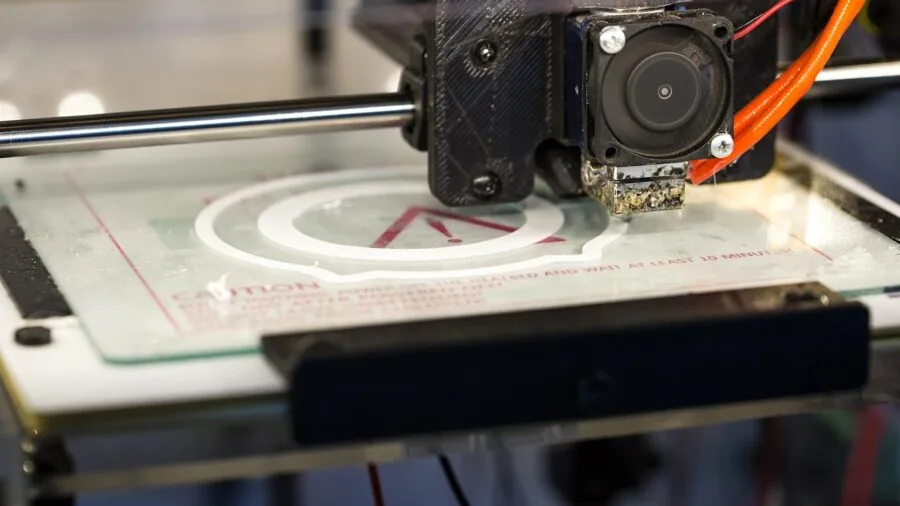
Build volume, measured as width x depth x height in millimeters, determines the maximum size of objects you can print in a single run.
Most printers in this guide offer 220x220x220mm to 270x270x270mm, which comfortably handles the vast majority of hobbyist and maker projects.
The Creality K2 Pro Combo steps up to 300x300x300mm, and the Creality K2 Plus Combo offers a large-format 350x350x350mm build space suited to architectural models, large cosplay pieces, or batch production of smaller parts.
Resist the temptation to buy the largest build volume available just in case. Larger machines cost more to operate, take longer to heat up and calibrate, and occupy considerably more desk or shelf space.
Unless you already have specific projects in mind that require large-format printing, a 220mm to 260mm cube is practical and efficient for most users.
Think of it similarly to choosing storage: you buy what you actually need, not a warehouse for hypothetical future use.
Auto-Leveling, Calibration, and Ease of Setup

Bed leveling was historically the most common source of failed prints for new users. Uneven first layers cause prints to detach mid-run, wasting hours of time and a meaningful amount of filament.
All printers in this guide include some form of automatic bed leveling (ABL), but the implementation quality varies. Bambu Lab’s full-auto calibration is widely regarded as the smoothest, typically requiring one button press after initial setup.
Creality’s K2 series and FLASHFORGE’s AD5X also offer one-click auto leveling, a significant improvement over manual mesh bed leveling procedures.
For beginners especially, the out-of-box experience matters. Machines that arrive 95% pre-assembled (as Creality markets several K2 variants) reduce the anxiety of first-time setup. Look for printers with guided setup apps or onboard touchscreen wizards.
The Bambu Lab ecosystem’s Bambu Studio slicer software is frequently praised for its depth and intuitiveness, making complex settings approachable without requiring users to understand underlying G-code.
A well-designed setup flow has a direct impact on how quickly you go from unboxing to your first successful print.
Noise Level and Enclosure
Noise is a frequently underestimated factor, especially for printers that will run for eight-to-twelve-hour overnight jobs in shared living spaces.
The Bambu Lab A1 Mini Combo and A1 Combo both advertise noise levels at or below 48 dB, which is roughly the level of a quiet conversation, making them genuinely usable in a home office or apartment without disturbing others.
Printers without specific noise ratings tend to run louder, typically in the 50 to 60 dB range depending on cooling fan activity.
An enclosed build chamber serves two purposes: it retains heat to reduce warping on larger prints and materials like ABS or ASA, and it partially contains noise and particulates.
The Bambu Lab P1S is a fully enclosed printer, which is one reason it handles engineering filaments better than open-frame alternatives. The Creality K2 Pro Combo also features active chamber heating.
If you plan to print ABS, ASA, or polycarbonate regularly, an enclosed printer is not optional, it is a prerequisite for consistent results.
A quiet, enclosed machine also makes a more sensible neighbor to other gear on your desk, including a comfortable gaming or work chair positioned nearby during long print jobs.
Why You Should Trust Us
ProductFind is an independent editorial review platform. We do not sell products, manage orders, or have any involvement in after-sale support or warranty claims. Our sole purpose is to help readers make better purchasing decisions through rigorous, unbiased research.
Every product in this guide has been evaluated against a consistent set of criteria drawn from published specifications, expert review consensus across the enthusiast and professional 3D printing community, and verified buyer feedback from confirmed purchasers.
We do not conduct our own product trials; our evaluations are grounded in research, published data, expert review consensus, and verified buyer feedback.
Each product receives a PF Score on a scale of 0 to 10, reflecting its overall performance relative to competitors in its category and price range. Scores are assigned based on evaluation quality, not on commercial relationships.
ProductFind may earn a commission if you purchase through links in this article. That affiliate relationship has no bearing on how products are ranked, scored, or selected. Our recommendations follow the research, not the commission rate.
We reassess rankings when new products launch, significant firmware updates alter performance profiles, or sustained buyer feedback shifts the consensus meaningfully.
Final Thoughts
The 3D printer market in 2026 offers something genuinely useful for nearly every type of user, from the first-time hobbyist who wants easy setup to the experienced maker demanding multi-color output at production-level speed.
After synthesizing specifications, expert review consensus, and verified buyer feedback across all twelve models in this guide, here are our standout picks by category:
- Best Overall: Bambu Lab P1S Combo earns the highest PF Score in this roundup. Its combination of fully enclosed CoreXY architecture, AMS multi-color support, 500 mm/s print speed, and polished software ecosystem makes it the most complete FDM printer available in the prosumer tier, consistently praised by expert reviewers and verified buyers alike.
- Best for Beginners: Bambu Lab A1 Mini Combo delivers full-auto calibration, quiet operation at or below 48 dB, and AMS lite multi-color capability in a compact footprint. It removes nearly every obstacle that causes first prints to fail, making it the most approachable machine in the group for users new to FDM printing.
- Best Mid-Range Value: Bambu Lab A1 3D Printer provides a larger 256x256x256mm build volume with the same full-auto calibration and active flow rate compensation as the Mini, at a price point that represents strong value for users who want Bambu Lab’s reliability without the Combo’s multi-color system.
- Best Budget Pick: FLASHFORGE Adventurer 5M stands out as the most capable machine at the entry-level price point in this group. Its CoreXY all-metal structure, 600 mm/s speed rating, and three-second detachable nozzle system pack genuine performance credentials into an accessible package well suited for users prioritizing value.
- Best for Large-Format Printing: Creality K2 Plus Combo offers the largest build volume in this roundup, an expansive 350x350x350mm print space paired with multi-color CFS support and dual AI cameras. It is the right choice for users whose projects regularly exceed the build volume of standard-sized machines.
Regardless of which machine you choose, the most important step is matching the printer to your actual workflow rather than buying based on maximum specs you may never use.
A well-chosen mid-range printer that you use consistently will always outperform a flagship machine that sits idle because it’s too complex to integrate into your routine.
If you’re building out a full creative or maker workspace, pairing a capable printer with quality building and construction sets can help younger family members engage with the design-to-print process from an early age.
Frequently Asked Questions
What is the difference between FDM and resin 3D printing?
FDM (Fused Deposition Modeling) printers, which are the focus of this guide, build objects by melting and depositing plastic filament layer by layer.
They are generally safer to operate, easier to maintain, and better suited to functional parts and larger objects. Resin printers use UV light to cure liquid photopolymer resin and can achieve finer detail, making them popular for miniatures and jewelry.
However, resin printing involves chemical handling, ventilation requirements, and post-cure steps that make FDM the more practical starting point for most users.
Is multi-color 3D printing worth the extra cost?
It depends entirely on what you plan to print. Multi-color capability adds real value for decorative objects, branded parts, or educational models where visual differentiation matters.
For structural or functional prints, single-color machines are faster and produce less waste because they skip the filament purge cycles that multi-color swaps require.
If you’re undecided, the Bambu Lab A1 or FLASHFORGE Adventurer 5M are single or combo-capable options that let you start simple and add color capability later without replacing the entire machine.
How difficult is it to get a good first print?
With any of the machines in this guide, a successful first print is realistic within an hour of unboxing, assuming you follow the setup instructions.
The machines most likely to produce a clean first print with minimal intervention are the Bambu Lab models, thanks to their full-auto calibration routines that handle bed leveling and flow rate compensation automatically.
Creality’s K2 series and the FLASHFORGE AD5X also feature one-click auto leveling that significantly reduces the manual adjustment process compared to older-generation printers.
What filament should a beginner start with?
PLA (Polylactic Acid) is the near-universal recommendation for new users.
It prints at relatively low temperatures, adheres well to standard build surfaces, produces minimal odor compared to ABS, and is available in a wide range of colors at budget-friendly per-kilogram prices.
Once you’re comfortable with your machine and slicer software, PETG is a natural next step: it offers better heat and impact resistance than PLA while remaining reasonably easy to print.
Reserve materials like ABS, ASA, and polycarbonate for after you’ve built confidence and, ideally, have an enclosed printer to manage chamber temperature.
How loud are these printers during operation?
Noise levels vary by model and print speed. The Bambu Lab A1 Mini Combo and A1 Combo advertise noise levels at or below 48 dB during standard print operations, which most users find tolerable in a shared space.
Open-frame machines and printers running at maximum travel speed tend to be louder. If noise is a priority, the Bambu Lab A-series machines are consistently the quietest in this group according to verified buyer reports.
Running prints overnight in a dedicated room with the door closed is a common workaround for noisier machines regardless of model.
Do I need special software to use these printers?
All FDM printers require slicing software to convert 3D model files (typically STL or 3MF format) into print instructions the machine can follow. Bambu Lab printers use Bambu Studio, which is widely praised for its depth and approachability.
Creality machines use Creality Print or are compatible with the widely used open-source Orca Slicer, which is actually the open-source fork that Bambu Studio is itself based on. FLASHFORGE printers use FlashPrint or are also compatible with Orca Slicer.
Most of these software packages are free to download, and connectivity features like remote monitoring via app or AI camera feeds are increasingly standard on newer machines.
For users building out a broader home tech setup, 3D printing integrates naturally alongside other smart home tools.
About the author
Gabriella is a reviewer and writer for ProductFind who specializes in 3D Printing. Gabriella evaluates products through independent research: specifications, expert review consensus, and verified buyer feedback, and rates each one on the PF Score. Gabriella focuses on helping readers pick the right 3d printing for their needs and budget.