The 10 Best Chromebooks
Chromebooks offer fast boot times, all-day battery, and genuine value, but picking the right one means knowing which specs actually matter. Here are the top picks across every budget.
 By Eric Harvey
Updated July 23, 2026
By Eric Harvey
Updated July 23, 2026
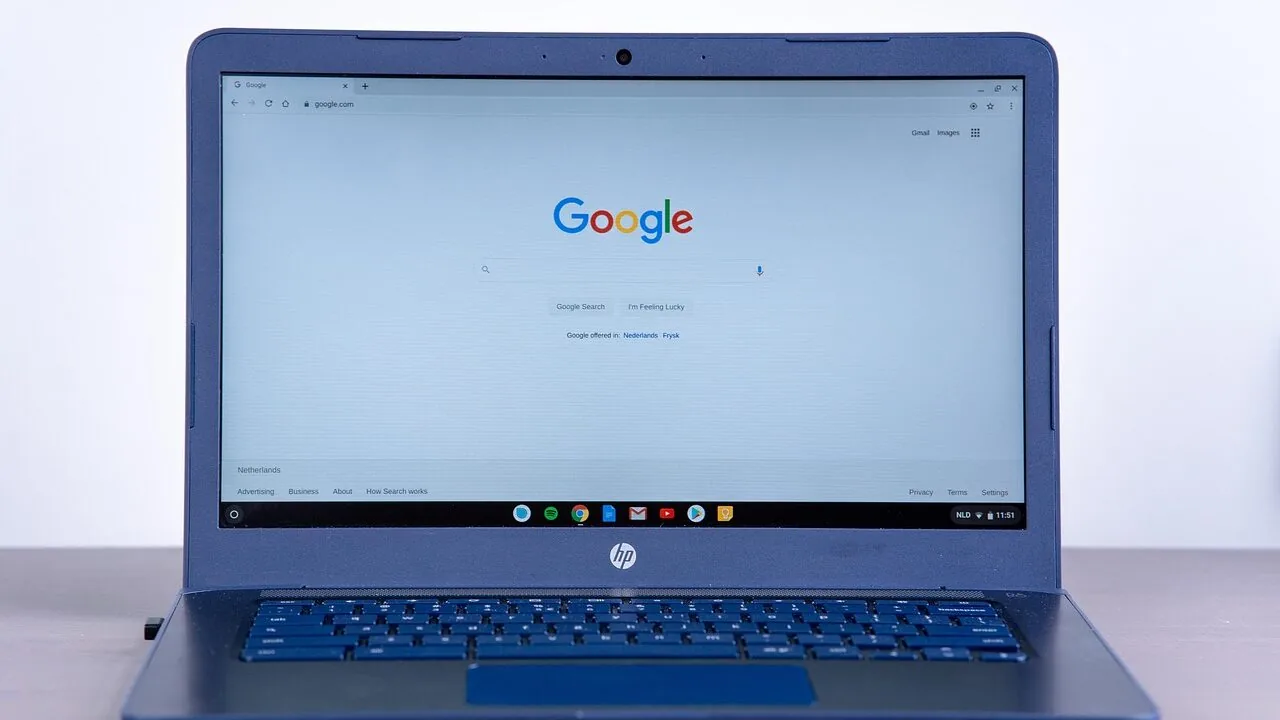
Chromebooks have quietly become one of the smartest laptop purchases you can make in 2026, particularly if your workflow lives in a browser, Google Workspace, or the growing library of Android apps available on ChromeOS.
They boot in seconds, rarely slow down over time, and tend to offer genuinely all-day battery life at price points that would buy you a mediocre Windows machine at best.
The challenge is that the market has expanded considerably, with options ranging from bare-bones budget slabs to Chromebook Plus models loaded with Intel Core processors, 512 GB SSDs, and Google AI integration.
Knowing which machine actually delivers value at each tier requires cutting through a lot of marketing noise.
ProductFind researched this category by analyzing manufacturer specifications, synthesizing expert review consensus from across the industry, and weighing verified buyer feedback to identify which Chromebooks hold up across performance, build quality, display, and everyday usability.
Every model in this guide carries a PF Score on our 0 to 10 scale, reflecting that multi-source research process.
Whether you need a reliable student machine, a compact travel companion, or a capable everyday laptop, the picks below represent the strongest options available at their respective price points right now.
| Award | Product | PF Score About PF ScoreThe PF Score is our own rating from 0 to 10, based on performance, design and build, ease of use, and value. It reflects independent research and is never influenced by manufacturers, retailers, or affiliate commissions. Learn more › | Price | |
|---|---|---|---|---|
| Best Overall |
 Acer Chromebook Plus 514 14" Touchscreen
|
8.5/10 | Buy | |
| Editor's Pick |
 ASUS Chromebook Plus CX34 14-inch Intel i3
|
8.4/10 | Buy | |
| Best Value |
 Acer Chromebook Plus 514 14-inch i3 Touchscreen
|
8.4/10 | Buy | |
| Top Rated |
 ASUS Chromebook Plus CX3402 14" Intel Core i3 8GB
|
8.3/10 | Buy | |
 Acer Chromebook Plus 14 FHD Touchscreen
|
8.1/10 | Buy | ||
 HP Chromebook 14 N100 8GB/128GB
|
7.3/10 | Buy | ||
 HP 15.6 Chromebook, Intel Celeron N, 8GB RAM, 64GB SSD
|
6.9/10 | Buy | ||
 Lenovo IdeaPad 3i Chromebook 15.6" FHD
|
6.8/10 | Buy | ||
 Lenovo Chromebook m 14" MediaTek Kompanio 540
|
6.5/10 | Buy | ||
 HP Chromebook 14 Intel Celeron N4120 4GB/64GB
|
6.2/10 | Buy |
Acer Chromebook Plus 514 14" Touchscreen
A budget-friendly Chromebook with Intel i3-N305 processor, 8GB RAM, and 512GB SSD delivering reliable performance for web-based work and streaming. The 14-inch FHD touchscreen and Wi-Fi 6E connectivity make it solid for students and remote workers, though Chrome OS limits offline capabilities.
Pros
- Fast processor and ample RAM eliminate lag when juggling browser tabs and web apps
- Large touchscreen display and responsive keyboard ideal for online learning and video calls
- Quick SSD boot times and automatic Chrome OS updates reduce maintenance
- Solid build quality at an accessible price point
- Includes carrying sleeve for portability
Cons
- Chrome OS restricts offline functionality and limits compatibility with traditional desktop software
- No reviews available to validate real-world durability or user satisfaction
- Limited to web-based applications, which may frustrate users needing specialized programs
ASUS Chromebook Plus CX34 14-inch Intel i3
A Chromebook built for Google's AI ecosystem, the CX34 offers solid performance with an Intel Core i3 processor, 8GB RAM, and 256GB storage on a 14-inch Full HD display. It includes 12 months of Google One AI Premium at no cost, making it appealing for users wanting integrated AI writing and design tools.
Pros
- Includes 12 months of Google One AI Premium subscription at no additional cost, providing significant value for AI-assisted writing and design work
- Solid everyday performance with Intel Core i3, 8GB RAM, and 256GB storage for a Chromebook
- Extended battery life up to 10 hours supports portable work and entertainment
- Chromebook Plus exclusive AI features for photo enhancement, video calls, and creative tasks
- Wi-Fi 6 connectivity for faster, more reliable wireless performance
Cons
- No reviews available yet, making it difficult to assess real-world performance and user satisfaction
- Chromebook ecosystem limits compatibility with traditional Windows software and offline functionality
- Intel Core i3 processor, while adequate for web-based tasks, may struggle with demanding applications
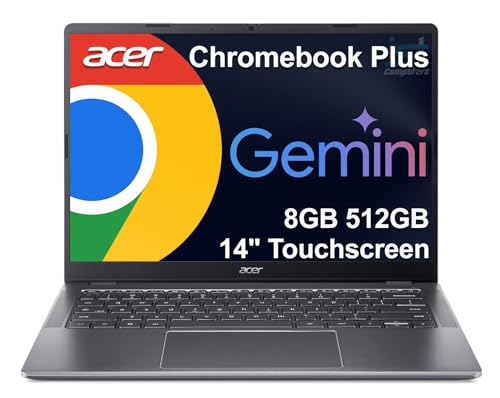
Acer Chromebook Plus 514 14-inch i3 Touchscreen
A lightweight education and business Chromebook featuring a 14-inch touchscreen, 8-core Intel i3 processor, and built-in Google AI tools. Best suited for students, remote workers, and K12 environments needing a durable, cloud-first device with long battery life.
Pros
- Portable and durable design at just over 3 pounds with military-grade construction standards
- Integrated AI tools (Gemini, NotebookLM) included for 12 months boost creative and productivity workflows
- Solid specs for its class with 8GB RAM, 512GB storage, and modern processor handle multitasking and web-based work reliably
- Long device support window through June 2035 ensures years of Chrome OS updates
- Comprehensive connectivity with dual USB-C/USB-A ports, Wi-Fi 6E, and multi-monitor support without a docking station
Cons
- No traditional reviews yet (4.6 rating with zero verified buyer feedback) limits real-world performance insights
- Chrome OS limits offline functionality and local software compatibility compared to Windows or macOS machines
- Listed as resealed unit with upgraded SSD creates uncertainty about true new condition despite warranty coverage
ASUS Chromebook Plus CX3402 14" Intel Core i3 8GB
A budget-friendly Chromebook built for everyday tasks and web-based work, powered by Intel's 12th Gen Core i3 processor. Best suited for students and casual users who primarily work within the Chrome ecosystem.
Pros
- 6-core Intel Core i3-1215U processor handles multitasking smoothly on Chrome OS
- 14-inch Full HD display at 1920x1080 provides sharp visuals for productivity
- 8GB RAM and 128GB storage adequate for typical Chromebook workloads
- Lightweight at 3.17 pounds, portable for daily commuting
- Premium build quality typical of ASUS Chromebook Plus line
Cons
- 128GB storage may feel limiting for users who download large files offline
- No user reviews available yet, limited real-world feedback on reliability
- Chrome OS limits software compatibility compared to Windows or macOS machines
Acer Chromebook Plus 14 FHD Touchscreen
A budget-friendly Chromebook with a 14-inch touchscreen display and Intel Core i3 processor suited for everyday browsing, document work, and light multitasking. The bundle includes a 7-in-1 docking station and extra storage, making it practical for students and remote workers.
Pros
- Touch display adds interactivity for note-taking and navigation
- Comprehensive port selection: dual USB-C 3.2, dual USB-A 3.2, HDMI, and SD card reader
- Docking station bundle with 128GB storage reduces need for external drives
- Wi-Fi 6E provides faster wireless connectivity
- Chrome OS offers fast boot times and automatic updates
Cons
- Intel Core i3-N305 limits performance for intensive applications or heavy video editing
- No reviews available to assess real-world durability and user satisfaction
- Integrated Intel UHD Graphics suitable only for basic tasks, not demanding games
HP Chromebook 14 N100 8GB/128GB
A budget-friendly 14-inch Chromebook built for everyday browsing, streaming, and light productivity. Intel N100 processor and 8GB RAM handle Chrome OS tasks smoothly, while the anti-glare HD display suits both indoor and outdoor use.
Pros
- Non-reflective anti-glare panel ideal for outdoor use
- Chrome OS auto-updates and proven security record
- Fast UFS storage and efficient LPDDR5 memory combination
- Compact 14-inch form factor at under 3.3 pounds
- Capable of streaming 4K content smoothly
Cons
- No customer reviews available to validate real-world performance
- Intel N100 is entry-level, limiting demanding applications beyond Chrome ecosystem
- 128GB storage may feel tight after OS and multiple apps installation
HP 15.6 Chromebook, Intel Celeron N, 8GB RAM, 64GB SSD
A portable 15.6-inch Chromebook built for students and remote workers who need all-day productivity without breaking the bank. The combination of 8GB RAM, fast WiFi, and Chrome OS keeps everyday tasks smooth, though the Intel Celeron processor limits performance for heavier workloads.
Pros
- Large 15.6-inch display ideal for productivity and streaming
- Solid multitasking performance with 8GB RAM and DDR5 support
- Lightweight and travel-friendly at just over 5 pounds
- Fast WiFi connectivity up to 1700 Mbps
- Chrome OS offers secure, bloatware-free experience with frequent updates
Cons
- No verified buyer reviews yet, so real-world reliability unclear
- Intel Celeron N processor may struggle with demanding applications or heavy workloads
- 64GB storage relies on cloud integration, limiting offline file capacity
Lenovo IdeaPad 3i Chromebook 15.6" FHD
A budget-friendly 15.6-inch Chromebook built for everyday browsing, document work, and streaming with a solid Intel Celeron processor and 10-hour battery life. Best suited for students and light users who prioritize screen size and portability over raw processing power.
Pros
- Large 15.6-inch FHD screen ideal for productivity and content consumption
- Extended 10-hour battery life supports full workdays without charging
- Compact and lightweight at 5.49 pounds, easy to carry between locations
- Chrome OS integration with Google ecosystem and cloud-based workflow
- Includes physical security lock for theft prevention
Cons
- Intel Celeron N4500 is entry-level, limiting performance for demanding applications
- 64GB eMMC storage fills quickly and offers limited room for large files or offline content
- 720p camera is basic, suitable only for casual video calls rather than content creation
Lenovo Chromebook m 14" MediaTek Kompanio 540
A lightweight Chromebook built for everyday use, featuring a sharp 1920x1200 display, military-grade durability under 3 pounds, and Google Gemini integration. Best suited for students and remote workers prioritizing portability and all-day battery life.
Pros
- Exceptionally portable design without sacrificing connectivity options
- Military-grade construction handles daily bumps and spills
- Sharp 1920x1200 display with good color vibrancy
- Integrated Google Gemini for productivity assistance
- Physical privacy shutter provides tangible security control
Cons
- No user reviews available to validate real-world performance claims
- MediaTek Kompanio 540 CPU is entry-level, limiting demanding multitasking
- 8GB RAM and 64GB storage are modest for power users storing local files
HP Chromebook 14 Intel Celeron N4120 4GB/64GB
A budget-friendly 14-inch Chromebook built for everyday tasks, streaming, and schoolwork with all-day battery life up to 14 hours. The Intel Celeron N4120 processor and 4GB RAM handle basic multitasking, though storage and RAM are modest by modern standards.
Pros
- Exceptional battery endurance suits remote work and travel
- Fast charging capability gets you to 50% power in under an hour
- Lightweight at 3.24 pounds with portable 14-inch form factor
- Intel UHD Graphics 600 handles 4K streaming and casual gaming
- Environmentally responsible with ENERGY STAR and EPEAT Silver certifications
Cons
- Only 4GB RAM and 64GB storage limit multitasking and local file storage
- 1366x768 HD resolution is standard but not sharp compared to 1080p alternatives
- Intel Celeron N4120 is entry-level, may struggle with heavy applications or complex tasks
Chromebooks Buying Guide
Shopping for a Chromebook is a fundamentally different exercise from buying a Windows laptop.
ChromeOS is lightweight by design, which means the hardware requirements are lower, but it also means some spec comparisons that matter on Windows (like raw CPU benchmark scores) are less meaningful here.
The questions that actually drive satisfaction are about display quality, keyboard feel, storage headroom, and whether the processor can handle your specific mix of browser tabs, streaming, and Android apps without stuttering.
The sections below walk through every criterion worth weighing before you buy, in the order they tend to matter most for real-world use.
Processor Generation and Performance Tier

The processor is the single most important spec in any Chromebook because ChromeOS gives you very little ability to compensate for an underpowered chip through software.
Entry-level Celerons and Pentium Silver processors, still found in some budget models, are adequate for light browsing and document editing but will visibly struggle once you open more than eight or ten tabs, run a video call, and play music simultaneously.
If you anticipate that kind of multitasking, you should budget for at least an Intel Celeron N4500 or, ideally, an Intel Core i3 processor.
The Chromebook Plus designation, introduced by Google, requires a minimum of an Intel Core i3 or AMD Ryzen 3 processor alongside 8 GB of RAM.
Models like the Acer Chromebook Plus 514 with its Intel i3-N305 and the ASUS Chromebook Plus CX34 powered by the 12th-generation Intel Core i3-1215U genuinely feel in a different performance class from Celeron-based machines.
If your budget allows you to reach this tier, the jump in responsiveness is noticeable enough to justify the price difference for most buyers.
For lighter use cases, a well-specced Celeron like the N4500 paired with 8 GB of RAM still handles student workloads and everyday web browsing comfortably.
Also worth considering: processor architecture affects how efficiently the machine handles background tasks.
Newer Intel N-series chips like the N305 and N355 are specifically designed for efficient performance in thin-and-light devices, delivering better sustained speeds than older Celeron chips without significantly hurting battery life.
MediaTek Kompanio processors, found in some Lenovo models, are a newer option in this space and can offer solid efficiency, though the software ecosystem around them is still maturing compared to Intel.
RAM and Storage Configuration

For RAM, 8 GB is the practical minimum for a Chromebook you plan to use as a primary machine in 2026. The 4 GB options still sold at entry-level price points are limiting in ways that become apparent quickly.
ChromeOS suspends inactive tabs to manage memory, but with only 4 GB you will notice tab reloading, slower app switching, and occasional stuttering during video calls.
Every model in this guide that we consider a strong recommendation ships with at least 8 GB.
Storage on Chromebooks works differently than on Windows machines. ChromeOS is designed around cloud storage, and local files are a secondary concern for many users.
That said, 64 GB of eMMC storage is noticeably tight once Android apps, offline files, and system updates accumulate.
Models with 128 GB or 256 GB of storage, particularly when it uses faster UFS or SSD technology rather than eMMC, offer meaningfully better app load times and more breathing room for offline-first workflows.
If you plan to use your Chromebook as a complete desktop replacement or store media locally, prioritize at least 128 GB with SSD or UFS storage.
A microSD card can supplement storage on models with a card slot, but it should not substitute for adequate built-in storage on a primary machine.
Display Quality and Size
Most Chromebooks in the budget-to-mid-range segment ship with 1920×1080 (Full HD) IPS displays, and this is the resolution you should insist on.
Lower-resolution HD panels at 1366×768 are still lurking in some entry-level configurations and look noticeably soft and pixelated on a 14-inch or 15.6-inch screen.
At Full HD and above, text is crisp enough for long reading sessions and video content looks genuinely good, not merely acceptable.
Touchscreen functionality has become increasingly common on mid-range Chromebooks and is worth the small premium if you use Android apps or take handwritten notes.
A matte-finish touchscreen panel is ideal because it reduces glare in bright environments while keeping the tactile interaction of touch. Glossy panels pick up reflections and fingerprints more aggressively, which can be distracting in classroom or outdoor settings.
Several of the Chromebook Plus models in this guide include matte IPS touchscreens that handle both glare control and precise touch input well.
Screen size is a preference question as much as a performance one. A 14-inch chassis hits a sweet spot for portability without sacrificing too much screen real estate.
The 15.6-inch Lenovo IdeaPad 3i Chromebook is better suited for users who primarily use the machine at a desk and want more vertical space for spreadsheets or split-screen browsing.
If you regularly pair a Chromebook with an external display, the connected screen size matters more than the built-in panel, and a portable monitor can serve as a practical second screen for on-the-go productivity.
Battery Life and Charging

One of the historically strong suits of Chromebooks is battery efficiency, and that advantage holds up well in the current lineup.
Most of the models in this guide are rated for eight to twelve hours of real-world use, though actual results depend heavily on screen brightness and workload.
Lighter tasks like document editing and reading run notably longer than continuous video streaming or video calls.
USB-C charging is standard across all the models in this guide, which is a practical win. You can top up from any USB-C charger, including the kind you already carry for your phone.
Some models support faster charging that can bring the battery from low to a usable level in under an hour, a meaningful convenience for students moving between classes.
If battery life is a priority for your use case and you want to keep the machine charged throughout a full day without access to a power outlet, the Chromebook Plus tier consistently outperforms entry-level Celeron machines both in raw capacity and in how efficiently the processor uses the available charge.
Pairing your machine with a quality USB-C hub also lets you charge and connect peripherals simultaneously through a single port.
Build Quality, Keyboard, and Webcam

Chromebooks have historically been associated with plasticky, flex-prone bodies, but the Chromebook Plus segment has pushed meaningfully toward sturdier chassis. The ASUS CX34 and Acer Chromebook Plus 514 both use reinforced constructions that reduce keyboard-flex and lid-wobble compared to budget competitors.
For a machine that travels in a bag daily, this durability difference is noticeable over months of use. A good laptop sleeve adds another layer of protection and is worth pairing with any portable Chromebook.
Keyboard quality matters enormously on a laptop you use for extended typing. Look for models that advertise at least 1.5 mm of key travel, as shallower keyboards become fatiguing in long writing sessions.
Backlit keyboards are worth prioritizing if you frequently work in dim environments, and they are now standard on most Chromebook Plus models.
The Acer Chromebook Plus 514 with the i3-N355 specifically calls out its backlit keyboard, a feature still absent on some competing models at similar price points.
Webcam quality has improved across the lineup, largely because the Chromebook Plus certification requires a Full HD 1080p camera.
If you attend frequent video calls for school, work, or family, this is a meaningful upgrade over the 720p cameras that remain standard on budget Chromebooks.
The difference in perceived video quality is noticeable enough that a 1080p webcam alone can justify the step up to a Chromebook Plus model for remote workers or students in hybrid learning environments.
Connectivity and Port Selection

Chromebooks have improved their port selection in recent generations, though budget models still often ship with a limited array.
At minimum, look for two USB-C ports (so you can charge and connect peripherals simultaneously), at least one USB-A port for legacy devices, and a headphone jack.
Wi-Fi 6 or Wi-Fi 6E support is increasingly standard on mid-range and above models and makes a real difference in crowded network environments like school buildings or apartment complexes.
An SD card reader is a practical addition for photographers or anyone who shoots video and needs to offload files quickly.
HDMI output is useful if you plan to connect the Chromebook to a TV or external display without an adapter. If your preferred model lacks the port selection you need, a compact hub solves most gaps.
Consider whether the Chromebook you are evaluating has two USB-C ports on different sides of the chassis, as this gives you more flexibility in how you position the machine at a desk.
Connectivity gaps are less of a dealbreaker when you have the right accessories, and laptop cooling pads with built-in USB hubs can also help manage heat during demanding sessions while expanding your available connections.
Why You Should Trust Us
ProductFind is an independent review publication. We do not represent any manufacturer, retailer, or platform.
Every product in this guide was selected and ranked through our structured research methodology: we analyze official specifications, synthesize expert review consensus from credible industry sources, review verified buyer feedback from confirmed purchasers, and cross-reference published data from hardware reviewers and benchmark databases.
We do not conduct our own product trials; our evaluations are grounded in research, published data, expert review consensus, and verified buyer feedback.
Each product receives a PF Score on our 0 to 10 scale, assigned by applying a consistent, category-specific rubric that weights the criteria most relevant to actual buyers of that product type.
For Chromebooks, that rubric weights processor performance, display quality, RAM and storage configuration, build quality, battery life, and value at the product’s price tier.
Scores reflect the product’s standing relative to other options in the category, not against all laptops broadly, which is why a well-executed budget Chromebook can earn a competitive PF Score even without the specs of a premium model.
ProductFind may earn a commission when you purchase through links in this article. That affiliate relationship has no influence on which products we recommend, how we rank them, or what PF Score we assign.
Our recommendations are determined entirely by research quality and buyer value. Products are not ranked based on commission rates.
Final Thoughts
The Chromebook market in 2026 is genuinely tiered in a way that makes a clear case for stepping up to the Chromebook Plus segment if your budget allows.
The entry-level machines in this guide are real, functional laptops for light users, but the mid-range and above options deliver a meaningfully different experience.
Here are the standout picks from this roundup, each earning its designation based on research, expert consensus, and verified buyer outcomes.
- Best Overall: Acer 2024 Chromebook Plus 514 Touchscreen Laptop earns the top spot with the strongest combination of processor performance, Full HD touchscreen, 512 GB SSD, Wi-Fi 6E, and 1080p webcam in the lineup, reflected in the highest PF Score among all models evaluated.
- Best for Work and Productivity: ASUS Chromebook Plus CX34 (White, 256 GB) brings 12th-generation Intel Core i3 muscle, a clean Full HD display, and Google AI integration to a well-built chassis that handles sustained multitasking and video calls reliably.
- Best for Students on a Tight Budget: Lenovo IdeaPad 3i Chromebook 15.6″ offers 8 GB of RAM and a Full HD display at a budget-friendly entry price, making it a practical choice for students who need more screen space without overspending.
- Best Upgrade from Budget to Mid-Range: HP Chromebook 14 with Intel Processor N100 steps up from the entry-level HP with 8 GB of RAM, 128 GB of UFS storage, and a newer processor architecture at a reasonable mid-range price, earning a solid PF Score for its value proposition.
- Best for Large-Screen Everyday Use: Acer Chromebook Plus 514 (i3-N355, 512 GB) pairs an updated 8-core processor with a Full HD touchscreen, backlit keyboard, and 1080p webcam in a configuration well-suited to students and remote workers who want future-ready performance.
If you are still weighing whether a Chromebook is the right device type for your workflow, our guide to laptops for every budget and use case covers Windows and other platforms in depth.
For users who want the flexibility of a device that functions as both a laptop and a tablet, our 2-in-1 laptops guide covers convertible options across operating systems.
Frequently Asked Questions
What Is a Chromebook Plus and Is It Worth It?
Chromebook Plus is a hardware certification introduced by Google that sets minimum performance requirements: at least an Intel Core i3 or AMD Ryzen 3 processor, 8 GB of RAM, 128 GB of storage, a Full HD display, and a 1080p webcam.
Models meeting this standard also gain access to Google AI features built into ChromeOS.
For most buyers who plan to use the Chromebook as a primary or daily-use machine, the Chromebook Plus tier is worth the additional spend because the performance gap over budget Celeron configurations is noticeable in real-world multitasking, video calling, and app responsiveness.
How Long Do Chromebooks Receive Software Updates?
Google provides ChromeOS updates for each Chromebook model for a defined period called the Auto Update Expiration (AUE) date.
Historically this was eight years from the device’s platform release date, but Google has extended support to ten years for many newer models.
Before purchasing, it is worth checking the AUE date for the specific model you are considering, as a machine with only two or three years of updates remaining will lose access to security patches and new features sooner than expected.
The models in this guide are all relatively recent releases with substantial support windows remaining.
Can Chromebooks Run Microsoft Office or Photoshop?
Chromebooks run web-based versions of Microsoft Office (Microsoft 365 in a browser) natively, and they can install Android versions of Office apps from the Google Play Store.
These Android apps work well for document editing, spreadsheets, and presentations, though they lack some advanced features available in the full desktop Windows versions. Adobe Photoshop has a web-based version accessible through a browser on any Chromebook.
For professional-grade creative workflows that depend on the full desktop Photoshop application with plugins, a Chromebook is not the right primary machine. For the vast majority of student and general office use cases, the available alternatives are more than sufficient.
Is 64 GB of Storage Enough on a Chromebook?
For a user who keeps most files in Google Drive and uses the Chromebook primarily for browser-based tasks, 64 GB can be workable. However, it becomes tight once Android apps, offline files, downloaded videos, and ChromeOS system updates are factored in.
Users who install more than a handful of Android apps, work offline regularly, or store any local media will find 64 GB frustrating within a year of use.
We recommend budgeting for 128 GB or more if the Chromebook is a primary device. Models with eMMC storage at 64 GB are included in this guide for budget-conscious buyers but are best suited to very light, largely cloud-dependent workflows.
Do Chromebooks Work Well Without an Internet Connection?
ChromeOS has improved significantly in offline capability over the past several years. Google Docs, Sheets, and Slides all have a robust offline mode that syncs automatically when connectivity is restored.
Android apps installed from the Play Store often have their own offline functionality.
That said, Chromebooks are still most productive when connected to the internet, and users who frequently work in areas with unreliable connectivity should be aware that some browser-based workflows will be limited.
If offline access is a significant concern, prioritize a model with more local storage so you can keep larger offline libraries without running short.
What Accessories Should I Consider Alongside a Chromebook?
Most Chromebooks ship with a relatively limited port selection, so a quality USB-C hub is a practical first accessory that expands connectivity without adding bulk.
A protective sleeve for your laptop is worth the investment for any machine that travels daily.
If you use the Chromebook at a desk and want a larger workspace, a portable monitor pairs well with the USB-C output available on most current models.
For home printing needs that integrate with ChromeOS cloud print, our guide to home printers covers compatible options worth considering.
About the author
Eric is a reviewer and writer for ProductFind who specializes in Computers & Laptops. Eric evaluates products through independent research: specifications, expert review consensus, and verified buyer feedback, and rates each one on the PF Score. Eric focuses on helping readers pick the right computers & laptop for their needs and budget.