The 11 Best Laptop Cooling Pads
Thermal throttling quietly kills laptop performance. These cooling pads improve airflow, lower operating temps, and keep your machine running at full speed through demanding tasks.
 By Eric Harvey
Updated July 23, 2026
By Eric Harvey
Updated July 23, 2026

Thermal throttling is one of the most overlooked performance killers in laptops.
When a CPU or GPU runs too hot for too long, the processor deliberately slows itself down to avoid damage, and the result is stuttering frame rates, sluggish productivity apps, and a machine that never quite delivers what its specs promise.
A quality laptop cooling pad addresses this directly by improving airflow beneath the chassis, lowering operating temperatures, and giving your components the headroom they need to run at their designed speeds.
Whether you are deep in a gaming session, rendering video, or just working with too many browser tabs open, the right pad can make a measurable difference.
Pair it with a solid gaming desk and you have a workstation that keeps up with demanding workloads.
This guide covers eleven cooling pads across a wide range of budgets and use cases, from compact budget-friendly options to high-performance turbo-fan designs built for large gaming laptops.
ProductFind selects and ranks every product through comprehensive research: we analyze published specifications, synthesize expert review consensus from across the industry, and weigh verified buyer feedback to surface models that genuinely perform rather than just look good on a spec sheet.
Scroll down to see our top picks, then read the buying guide to match the right pad to your laptop and usage style.
| Award | Product | PF Score About PF ScoreThe PF Score is our own rating from 0 to 10, based on performance, design and build, ease of use, and value. It reflects independent research and is never influenced by manufacturers, retailers, or affiliate commissions. Learn more › | Price | |
|---|---|---|---|---|
| Best Overall |
 Razer Laptop Cooling Pad 14-18 inch
|
9.1/10 | Buy | |
| Editor's Pick |
 llano V12 Ultra Laptop Cooling Pad 15.6-19 Inch
|
9.0/10 | Buy | |
| Best Value |
 llano V12 Gaming Laptop Cooler Pad
|
8.6/10 | Buy | |
| Top Rated |
 llano V12 15-19in Laptop Cooling Pad with 5.5in Fan
|
8.5/10 | Buy | |
 ChillCore A21 9-Fan Laptop Cooling Pad
|
8.2/10 | Buy | ||
 KLIM Ultimate 200mm Laptop Cooling Pad
|
8.1/10 | Buy | ||
 AICHESON S035 Laptop Cooling Pad, 5 Fans, Up to 17.3"
|
7.5/10 | Buy | ||
 Kootek 5-Fan Laptop Cooling Pad 12-17 inch
|
7.4/10 | Buy | ||
 Targus 17-Inch Dual Fan Lap Chill Mat (AWE55US)
|
7.2/10 | Buy | ||
 TECKNET 12-15.6 inch Laptop Cooling Pad
|
7.1/10 | Buy | ||
 TECKNET 3-Fan Laptop Cooler Pad, 12-17 Inches
|
7.0/10 | Buy |
Razer Laptop Cooling Pad 14-18 inch
Razer's adaptive cooling pad combines intelligent fan speed adjustment with an airtight pressure chamber to reduce laptop temperatures across CPU, GPU, and chassis. Best for gamers and professionals needing thermal management on larger laptops, with customizable fan curves via Razer Synapse and bonus USB hub functionality.
Pros
- Intelligent fan speed auto-adjusts based on system load via preset or custom curves
- Airtight pressure chamber design with foam seals minimizes cool air loss
- Supports laptops 14-18 inches with three interchangeable magnetic frames
- Three USB Type-A ports provide additional connectivity without taxing laptop ports
- Remappable multi-function button for quick fan and RGB adjustments
Cons
- No verified buyer reviews available to confirm real-world temperature improvements or noise levels
- Requires Razer Synapse software for custom fan curve tuning and full feature access
- Weighs nearly 5.75 pounds, limiting portability despite fitting larger laptop sizes
llano V12 Ultra Laptop Cooling Pad 15.6-19 Inch
A high-performance cooling pad designed for large gaming laptops, featuring AI temperature control, a 5.5-inch turbo fan reaching 2800 RPM, and three adjustable height angles. The integrated USB 3.0 hub and RGB lighting add practical connectivity and aesthetic appeal for gaming setups.
Pros
- Powerful cooling with 36W output and turbo fan design suitable for demanding gaming and multitasking
- Smart AI software control via Myth.cool allows automatic fan speed adjustment based on workload
- Ergonomic design with multiple tilt angles reduces strain during extended use
- Removable dust filter requires no tools and keeps the system running efficiently
- USB 3.0 hub expansion and RGB customization enhance gaming setup functionality
Cons
- No verified user reviews available, so real-world performance feedback is unavailable
- Requires separate software download and installation for full AI control features
- Relatively heavy at 3.96 pounds, which may limit portability for frequent travelers
llano V12 Gaming Laptop Cooler Pad
A large cooling pad with a 5.5-inch turbo fan designed for 15 to 21-inch gaming laptops. It combines active cooling with dust protection and includes ergonomic height adjustment, though independent performance verification is limited given the lack of verified buyer feedback.
Pros
- Turbo fan promises rapid cooling performance for gaming and demanding tasks
- Adjustable height and non-slip base provide stable, ergonomic setup
- Dust filter extends laptop lifespan by blocking intrusion
- Touch-sensitive controls allow easy fan speed adjustments
- Includes extras like mouse pad and replacement filter for added value
Cons
- No verified customer reviews available to validate cooling claims or real-world reliability
- Large footprint at 16.9 x 12.9 inches may limit desk space for some users
- Requires external 36W power adapter, adding cable clutter to workspace
llano V12 15-19in Laptop Cooling Pad with 5.5in Fan
A large-format cooling pad designed for gaming and workstation laptops up to 19 inches, featuring a 5.5-inch turbo fan with touch controls and real-time LED display. Best suited for users dealing with sustained heat loads during gaming or video editing who prioritize rapid temperature reduction.
Pros
- Large fan diameter provides notably faster cooling compared to standard pads
- Wide compatibility range covers most gaming laptop sizes from 15 to 19 inches
- Thoughtful inclusions like extra dust filter and memory foam seal extend product life
- Adjustable height reduces neck strain during extended work sessions
- Touch controls and LED display offer convenient real-time monitoring
Cons
- No RGB lighting despite gaming-focused positioning may disappoint aesthetic-conscious users
- Product carries 4.9 rating with zero verified reviews, limiting real-world performance validation
- Higher weight and footprint may reduce portability for frequent travelers
ChillCore A21 9-Fan Laptop Cooling Pad
A 9-fan cooling pad designed for 15.6 to 19.3-inch laptops with 8 adjustable height settings and 10 RGB lighting modes. Best suited for gamers and heavy users seeking thermals control with customizable aesthetics.
Pros
- Multiple height adjustments reduce neck and back strain during extended use
- RGB lighting offers aesthetic customization without impacting cooling function
- Designed with noise-dampening capacitors for quiet operation at all fan speeds
- LCD interface makes fan speed monitoring straightforward
- Supports larger laptop sizes up to 19.3 inches
Cons
- No verified buyer reviews available to assess real-world cooling performance claims
- 9-fan system may require dual USB ports for full power, limiting other USB connectivity
- RGB lighting adds complexity that may not appeal to users prioritizing pure functionality over aesthetics
KLIM Ultimate 200mm Laptop Cooling Pad
A large-format cooling pad with a 200mm fan designed to handle laptops up to 17 inches. Features adjustable RGB lighting, four incline levels, and operates at a quiet 750 RPM while maintaining stable airflow for thermal management.
Pros
- Large 200mm fan dissipates heat effectively for performance-focused users
- Wide compatibility range from 10 to 17.3 inch laptops with stable positioning
- Low noise profile at 750 RPM without sacrificing airflow
- Premium build quality with metal components and lengthy 5-year warranty
- Customizable RGB aesthetics to match gaming or creative setups
Cons
- No verified buyer reviews available to confirm real-world cooling performance claims
- Relatively large footprint may consume significant desk space for portable use
- USB-powered design means an additional cable connection required
AICHESON S035 Laptop Cooling Pad, 5 Fans, Up to 17.3"
This five-fan cooling pad handles laptops up to 17.3 inches with a large central fan plus four smaller units, adjustable height settings, and dual USB ports. Built for desk use with ergonomic elevation and flip-up grip to prevent sliding.
Pros
- Multiple fan speeds let you balance cooling performance with noise level
- Adjustable height and angle settings (7.5 to 21.5 degrees) reduce neck strain
- Dual USB ports provide convenient power access for peripherals
- Metal mesh design channels airflow while keeping the pad lightweight at 1.93 pounds
- Flip-up grip prevents laptop from sliding during elevation
Cons
- No verified buyer reviews available yet to confirm real-world cooling effectiveness
- USB cord only extends approximately 1.5 feet, limiting desk placement flexibility
- Plastic side and bottom construction may feel less durable than all-metal alternatives
Kootek 5-Fan Laptop Cooling Pad 12-17 inch
A multi-fan cooling solution with adjustable height and dual USB connectivity for laptops up to 17 inches. Offers flexible fan control and quiet operation, though it requires a standard USB connection and has no verified buyer feedback yet.
Pros
- Multiple fan configuration options allow customized cooling intensity and noise levels
- Ergonomic stand design with 6 height adjustments suitable for extended use
- Built-in dual USB hub adds peripheral connectivity without extra adapters
- Compatible with major laptop brands including MacBook, Dell, HP, and ASUS
Cons
- No verified customer reviews available to assess real-world reliability and noise performance
- Requires USB-to-USB cable connection; Type-C devices need separate adapter purchase
- Limited information on actual cooling effectiveness across different fan configurations
Targus 17-Inch Dual Fan Lap Chill Mat (AWE55US)
A neoprene cooling pad with dual USB-powered fans designed for 17-inch laptops and smaller. It combines lap comfort with active heat dissipation through mesh venting and stabilizing rubber stops.
Pros
- Dual fan setup provides active cooling rather than passive ventilation alone
- Soft neoprene cushioning makes it comfortable for extended lap use
- Open mesh top promotes continuous airflow around the laptop
- Rubber feet keep the laptop stable during typing and movement
- Ergonomic tilt angle designed to reduce hand and wrist strain
Cons
- No verified customer reviews available to confirm real-world performance and durability
- Requires USB power connection, limiting portability to devices with available USB ports
- Weight of 1.99 pounds adds bulk compared to passive cooling pads
TECKNET 12-15.6 inch Laptop Cooling Pad
Dual-fan cooling pad with adjustable speeds and USB-C/A ports, designed for laptops 12 to 15.6 inches. The targeted airflow system directs cool air to the CPU area, while ergonomic design allows lap use without heat transfer.
Pros
- Flexible fan speed control adapts to different usage scenarios
- Dual-port USB design allows simultaneous laptop cooling and device charging
- Lightweight and portable design enables gaming or work anywhere
- Flat ergonomic base prevents heat transfer to lap or legs during use
- Wide laptop compatibility covers most common sizes and brands
Cons
- Only USB-A cable included; USB-C cable must be purchased separately for MacBook use
- No verified user reviews available to confirm real-world cooling performance
- May require manual repositioning between fans for optimal targeted airflow effect
TECKNET 3-Fan Laptop Cooler Pad, 12-17 Inches
This portable cooling pad uses three 1200 RPM fans to pull cool air beneath your laptop, drawing power directly from a USB port with no adapter required. It suits users working with larger laptops (12-17 inches) who need thermal management during extended sessions or gaming, offering adjustable height and dual USB ports for added convenience.
Pros
- Direct USB power eliminates need for separate adapter
- Dual USB design allows simultaneous charging of accessories without losing a port
- Adjustable height settings accommodate different desk setups and viewing angles
- Wide device compatibility from 12 to 17 inches covers most standard and larger laptops
- Rubber pads on surface and base provide stable grip to prevent sliding
Cons
- Included cable is USB-A to USB-A, which limits compatibility with newer USB-C only laptops
- No verified buyer reviews available to assess real-world cooling performance or longevity
- Relatively large footprint (10.67 x 14.61 inches) may occupy significant desk space
Laptop Cooling Pads Buying Guide
Choosing the right cooling pad means looking beyond fan count and LED aesthetics.
The factors that actually determine real-world cooling effectiveness are more nuanced: airflow alignment with your laptop’s vents, structural rigidity, noise output at useful fan speeds, and whether the pad serves your primary environment, a desk, a lap, or both.
The sections below break down the key criteria so you can make a genuinely informed decision.
Fan Configuration and Airflow Coverage

The number of fans on a cooling pad matters far less than how well their airflow aligns with your laptop’s intake vents.
Most gaming laptops draw cool air through the bottom panel and exhaust hot air from the rear or sides.
A pad with five small fans spread evenly across the surface can deliver broad coverage for bottom-intake designs, while a single large turbo-style fan concentrates higher static pressure in one zone, which tends to work better for laptops with a centrally located intake grille.
Before buying, identify where your laptop’s intake vents are located. Flip the machine over and note whether the vents sit at the center, near the rear edge, or along the sides.
A pad whose fan layout does not overlap with those vent locations will add noise without adding meaningful cooling.
Pads like the llano V12 series use a single large turbo fan specifically because focused high-pressure airflow outperforms scattered low-pressure flow on most modern gaming chassis.
If your laptop is a recent high-performance model, check its thermal design before defaulting to a multi-fan layout.
Fan speed control is equally important. Fixed-speed fans are simpler but force you to choose between noise and cooling.
Adjustable speed, whether via a dial, touch panel, or software, lets you run quietly during light work and ramp up when thermals demand it.
Smart or software-controlled fans, offered by options like the Razer Laptop Cooling Pad and the llano V12 Ultra, add another layer of precision by automatically matching fan speed to your laptop’s current thermal load.
Build Material and Structural Rigidity

A cooling pad that flexes under the weight of a 17-inch gaming laptop is not just uncomfortable to use, it also creates an uneven gap between the pad surface and the laptop’s bottom panel, reducing airflow efficiency and potentially introducing vibration noise.
Metal mesh frames, whether aluminum or carbon steel, resist flex far better than thin ABS plastic shells and tend to last longer under daily use.
For users with heavier machines in the 15 to 17-inch range, prioritizing a rigid frame is worth the modest price increase.
Surface texture also plays a role. Smooth metal mesh allows air to pass through easily, while solid plastic surfaces with drilled holes can restrict airflow if the hole pattern is sparse.
Look for pads where the mesh or perforation pattern leaves the majority of the surface open, particularly in the zone directly below your laptop’s intake vents.
Non-slip rubber feet on the pad’s underside prevent desk-top sliding and help maintain a consistent gap between the pad and the desk surface, which matters for the pad’s own fan intake clearance.
Noise Level and Fan Quality
Cooling effectiveness and acoustic comfort exist in tension. Higher fan speeds move more air but generate more noise, and cheap fan motors introduce a high-pitched whine that becomes distracting during quiet work or media playback.
Quality pads use brushless fan motors with balanced blades, which deliver consistent airflow with lower noise floors.
Verified buyer reviews across the industry consistently identify fan noise as the leading complaint with budget cooling pads, so it is worth paying attention to noise ratings, measured in decibels, when they are available from the manufacturer.
For most home and office environments, a cooling pad running between 25 and 35 dB at moderate speed is considered acceptable. Gaming environments with headphones are more forgiving, allowing higher-speed operation without the noise being an issue.
If you work in a shared or quiet space, prioritize pads with variable speed control so you can keep fans at a comfortable level during lighter workloads.
The KLIM Ultimate and the Kootek five-fan model both earn consistent praise in verified buyer feedback specifically for maintaining quieter operation relative to their cooling output.
Laptop Size Compatibility and Ergonomic Fit

Cooling pads are sized by the maximum laptop they can accommodate, typically rated up to 15.6 inches, 17 inches, or 19-plus inches.
Using a pad that is smaller than your laptop means the rear portion of the chassis hangs over the edge, potentially blocking fan coverage and creating an unstable typing platform.
Using a pad that is much larger than your laptop is not problematic for cooling but can feel awkward on smaller desks. Check the pad’s stated maximum laptop size against your machine’s actual footprint dimensions, not just the screen diagonal.
Height adjustment is a secondary ergonomic benefit worth considering, particularly for users who experience neck or wrist strain. Most pads in this category offer between two and six height positions using a flip-out support bar.
Raising the rear of the laptop creates a more natural typing angle and can improve display viewing angles.
If you frequently move between lap use and desk use, look for a pad with a flat bottom surface and non-slip feet that work equally well in both positions.
Soft-bottom lap pads like the Targus Lap Chill Mat are specifically designed for sofa or travel use where rigid-framed pads would be uncomfortable.
Connectivity and USB Hub Integration
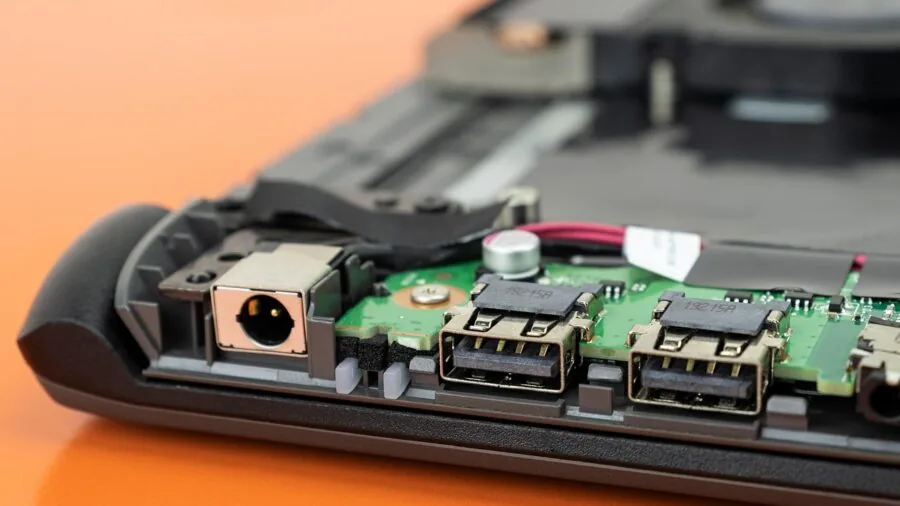
Almost all cooling pads in this category draw power from a USB-A port on your laptop, which means they consume one of your available ports.
Many pads compensate by including a built-in USB hub with one or two additional USB-A pass-through ports, effectively replacing the port they occupy.
This is a genuinely useful feature for laptops with limited port counts, especially since you may want to connect a mouse, keyboard, or external drive while using the pad.
Verify the hub’s USB version: USB 2.0 hubs cap data transfer speeds, while USB 3.0 hubs support faster peripherals. Connectivity matters even more if your laptop setup involves a wireless speaker or other accessories competing for ports.
Some premium models now include USB-C power input alongside USB-A, which is relevant for newer ultrabooks and MacBooks that have phased out full-size USB-A ports.
The Razer Laptop Cooling Pad includes a three-port USB-A hub, making it a practical choice for users who want to consolidate peripheral connections.
Check whether a pad’s USB-C port is for power input only or whether it supports data pass-through, as the distinction affects how you can use it with your existing setup.
Smart Features and Software Control

The latest generation of cooling pads has moved beyond simple on/off switches.
Smart fan control, as implemented in the Razer Laptop Cooling Pad and the llano V12 Ultra, uses dedicated software to read thermal data and modulate fan speed dynamically, matching cooling output to actual system load.
This means quieter operation during light tasks and aggressive cooling during gaming or rendering without requiring manual adjustment. Preset fan curves and custom profiles add further flexibility for users who want fine-grained control.
Touch-panel controls, found on several llano models, offer a cleaner alternative to physical dials, allowing speed adjustment without fumbling under the laptop.
RGB lighting is largely aesthetic, but models with per-zone lighting control, such as the KLIM Ultimate with its LED rim, at least allow you to tone down the visual noise in low-light environments.
If smart features are important to you and you also care about your broader setup, note that a fitness tracker or other smart devices on your desk can benefit from the extra USB ports many smart cooling pads provide.
Why You Should Trust Us
ProductFind is an independent review publication.
Every product in this guide was evaluated using a consistent, research-driven methodology: we analyze published technical specifications, synthesize expert review consensus drawn from across the industry, and incorporate verified buyer feedback to identify real-world strengths and weaknesses that spec sheets do not capture.
We do not conduct our own product trials; our evaluations are grounded in research, published data, expert review consensus, and verified buyer feedback.
Each cooling pad in this roundup received a PF Score on our 0 to 10 scale, reflecting its overall merit across the criteria outlined in the buying guide above: cooling effectiveness relative to claims, build quality, noise discipline, compatibility range, and value for the price tier.
Products are ranked by PF Score, with the highest-scoring model listed first. Our editorial team does not weight scores toward higher-margin products; rankings reflect research-based quality assessment, period.
ProductFind may earn a commission when you purchase through links in this article. That affiliate relationship has no influence on which products are included, how they are ranked, or what scores they receive.
We flag any relevant considerations, positive and negative, for every product we cover, because our goal is to help you make a well-informed decision, not to maximize clicks to any particular listing.
Final Thoughts
The laptop cooling pad market spans a surprisingly wide range of quality and capability, from simple passive risers to intelligent fan systems that respond to real-time thermal data.
The eleven models reviewed here represent the best options available across budget, mid-range, and premium tiers, and each earns its place based on consistent performance evidence rather than brand name alone.
Here is how the top picks break down by use case:
- Best Overall: Razer Laptop Cooling Pad earns the top PF Score in this roundup with its intelligent fan control system, airtight pressure chamber design, Chroma RGB integration, and broad compatibility from 14 to 18-inch laptops, making it the most complete cooling pad in the group for demanding users.
- Best Premium Alternative: llano V12 Ultra Laptop Cooling Pad matches the Razer at the premium tier with its software-controlled smart fan system, delivering high static pressure airflow with a clean, understated design that suits productivity environments as much as gaming setups.
- Best for Large Gaming Laptops: llano Gaming Laptop Cooler V12 is purpose-built for oversized gaming machines, with a powerful turbo fan and a rigid platform that handles 17-plus-inch chassis without flex, earning the highest PF Score among the mid-to-premium llano lineup.
- Best Mid-Range Pick: ChillCore Laptop Cooling Pad A21 offers nine fans, eight height positions, and RGB lighting in a genuinely useful package at a mid-range price, making it one of the strongest value-for-coverage options in the roundup.
- Best Budget Pick: AICHESON Laptop Cooling Pad S035 delivers five-fan coverage and dual USB ports at a low entry price, making it the most accessible option for users who want meaningful airflow without a significant outlay.
If you are still deciding on the laptop itself before adding a cooling pad, our guide to laptops for every budget and use case is a useful starting point.
And if you are building out a complete desk setup, a purpose-built gaming desk rounds out the ergonomics that a good cooling pad starts.
Frequently Asked Questions
Do laptop cooling pads actually lower CPU and GPU temperatures?
Yes, but the degree of improvement depends on your laptop’s thermal design.
Laptops that draw air through the bottom panel benefit most directly, with verified buyer reports and expert consensus commonly citing temperature reductions of 5 to 15 degrees Celsius under sustained load.
Laptops that exhaust primarily from the rear and do not rely on bottom intake will see smaller gains. Any reduction in operating temperature translates to reduced thermal throttling and more consistent performance over extended sessions.
Are cooling pads worth using on MacBooks?
Apple Silicon MacBooks (M-series chips) run significantly cooler than Intel-based predecessors and are less prone to thermal throttling under typical workloads. For most MacBook users running standard productivity tasks, a cooling pad will provide limited measurable benefit.
However, users running sustained heavy workloads such as video rendering, virtual machines, or extended compilation tasks may still see modest temperature improvements.
The Razer Laptop Cooling Pad explicitly lists MacBook compatibility and is one of the more thoughtfully designed options for Apple hardware due to its adjustable fan curves and broad size range.
Pairing any cooling pad with wireless charging accessories keeps your desk tidy while managing thermal load.
How many fans does a good cooling pad need?
More fans do not automatically mean better cooling. A single large-diameter fan operating at high RPM can move more air with better static pressure than five small fans running at lower speeds.
What matters is how well the fan layout overlaps with your laptop’s intake vent positions and whether the pad can maintain adequate airflow pressure beneath the chassis.
For large gaming laptops with central bottom intakes, a turbo-fan design like the llano V12 series often outperforms multi-fan grids. For ultrabooks with distributed venting, a wider multi-fan layout may provide more even coverage.
Can I use a cooling pad on my lap?
Some cooling pads are specifically designed for lap use while others are best suited to flat desk surfaces.
Soft-base pads, like the Targus Lap Chill Mat, use a neoprene or fabric underside that sits comfortably on your legs and will not dig in during long sessions.
Rigid metal-frame pads are less comfortable on laps but more stable on desks and typically deliver better cooling due to consistent fan clearance.
If lap use is a priority, look for a pad with a soft or padded underside, non-elevated bottom feet, and a profile that distributes weight evenly.
A comfortable pair of gym shorts or loungewear can also make extended lap laptop sessions more comfortable when paired with a well-designed lap pad.
What size cooling pad do I need for a 15.6-inch laptop?
Any pad rated for laptops up to 15.6 inches or larger will physically accommodate your machine.
A pad rated to 17 inches gives you some extra surface area, which can be useful if you also want space for a mouse or a secondary device.
Avoid using a pad rated strictly for smaller laptops, such as a 14-inch maximum model, as the laptop may overhang the pad edges, reducing stability and limiting fan coverage to the central portion of the chassis.
Most of the pads in this roundup accommodate 15.6 to 17.3-inch laptops and are suitable choices for the most common gaming and productivity laptop sizes.
Does RGB lighting on a cooling pad affect performance?
No. RGB LEDs on cooling pads are entirely decorative and draw a negligible amount of power from the USB connection. They have no effect on fan speed, airflow volume, or cooling performance.
If you find the lighting distracting during movies or low-light gaming sessions, prioritize a pad with adjustable or disableable lighting.
The llano V12 No-RGB variant, for instance, strips out the LEDs entirely for users who prefer a cleaner aesthetic without sacrificing any of the thermal performance of the base design.
If you are building a focused productivity or recording setup where ambient light matters, a no-RGB option keeps your environment distraction-free.
About the author
Eric is a reviewer and writer for ProductFind who specializes in Computers & Laptops. Eric evaluates products through independent research: specifications, expert review consensus, and verified buyer feedback, and rates each one on the PF Score. Eric focuses on helping readers pick the right computers & laptop for their needs and budget.