The 10 Best PC Cases
Airflow, aesthetics, and build quality all hinge on your chassis choice. Our research covers mesh towers, panoramic glass cases, and modular options from Corsair, Lian Li, NZXT, Hyte, and more.
 By Megan Daniels
Updated July 23, 2026
By Megan Daniels
Updated July 23, 2026
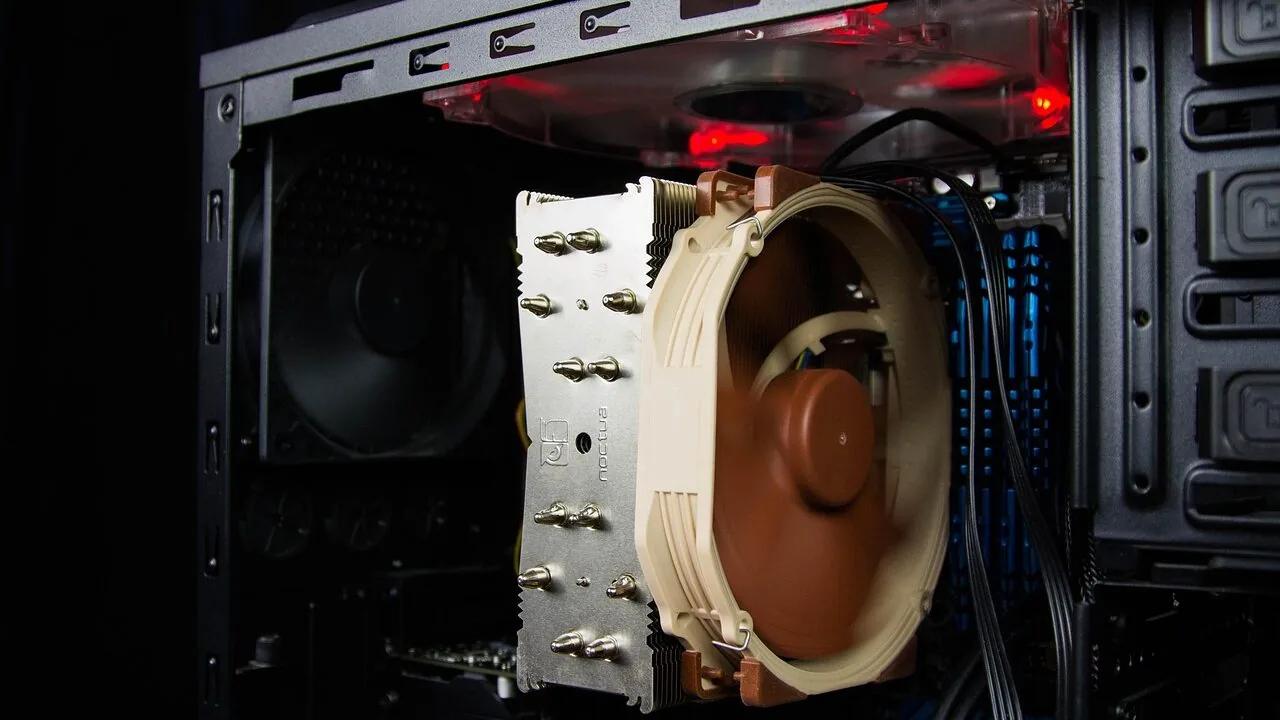
Choosing the right PC case shapes your entire build experience. It determines how well your components breathe, how clean your cables look, how easy future upgrades will be, and whether your rig looks as good as it performs.
With hundreds of options spanning budget mesh towers, panoramic glass showcases, and full-featured enthusiast chassis, narrowing down the field takes real work.
Whether you’re putting together a compact gaming rig or a high-end workstation, the case you pick sets the tone for everything else.
At ProductFind, we researched and assessed each option on this list by synthesizing manufacturer specifications, expert review consensus from across the PC hardware community, and verified buyer feedback from thousands of real-world builds.
The result is a curated shortlist covering a range of budgets and use cases, from value-friendly mesh towers to premium panoramic showpieces. Read on for our top picks.
| Award | Product | PF Score About PF ScoreThe PF Score is our own rating from 0 to 10, based on performance, design and build, ease of use, and value. It reflects independent research and is never influenced by manufacturers, retailers, or affiliate commissions. Learn more › | Price | |
|---|---|---|---|---|
| Best Overall |
 Corsair Air 5400 RS-R Mid-Tower ARGB Case
|
8.8/10 | Buy | |
| Editor's Pick |
 HYTE Y70 Mid-Tower PC Case with Panoramic Glass
|
8.5/10 | Buy | |
| Best Value |
 Corsair 4000D RS ARGB Mid-Tower ATX Case
|
8.2/10 | Buy | |
| Top Rated |
 Lian Li O11Vision Compact Mid Tower Case
|
8.1/10 | Buy | |
 NZXT H5 Flow 2024 Mid-Tower ATX Case
|
7.8/10 | Buy | ||
 Lian Li Vector V100 Mid-Tower ATX Case with 4 ARGB Fans
|
7.7/10 | Buy | ||
 Antec Flux Pro Full-Tower E-ATX Case with 420mm Radiator Support
|
7.6/10 | Buy | ||
 Thermaltake Tower 600 Mid-Tower ATX Case
|
7.5/10 | Buy | ||
 MUSETEX Y6 ATX Mid Tower with 7 ARGB Fans
|
7.2/10 | Buy | ||
 MUSETEX NN8 Mid-Tower ATX Case with 6 ARGB Fans
|
6.5/10 | Buy |
Corsair Air 5400 RS-R Mid-Tower ARGB Case
A premium mid-tower case built around three isolated chambers to manage cooling separately for CPU, GPU, and PSU. The triple-chamber design with dedicated airflow ducts prioritizes thermal efficiency without sacrificing noise levels, making it suited for high-end builds that prioritize cooling performance.
Pros
- Isolated cooling chambers prevent thermal cross-contamination between components
- Airflow duct design boosts cooling efficiency without increasing noise
- Three pre-installed ARGB fans ready for immediate use
- Generous space for storage and cable management in dedicated PSU chamber
Cons
- No verified buyer reviews available to confirm real-world thermal performance claims
- Relatively large footprint at 18.5 x 13.4 x 18.4 inches may not fit compact desk setups
- Premium positioning suggests higher cost compared to single-chamber alternatives
HYTE Y70 Mid-Tower PC Case with Panoramic Glass
A premium mid-tower chassis designed for high-end gaming builds, featuring a striking panoramic glass design across three panels and dual-chamber layout. The case prioritizes both aesthetics and cooling capacity with support for up to 10 fans and a vertical GPU orientation via included PCIe 4.0 riser cable.
Pros
- Exceptional cooling flexibility with support for 360mm radiator, adjustable top mount, and underfloor fan options
- Includes luxury PCIe 4.0 riser cable with color-matched canopy, eliminating extra purchase
- Dual chamber design with extensive rear cable management space keeps front aesthetics clean
- Premium build quality with tool-less panels and refined details throughout
- Vertical GPU mounting showcases graphics card as centerpiece with unobstructed visual flow
Cons
- No user reviews available yet to verify real-world performance and build experience claims
- Premium positioning likely results in higher cost compared to standard mid-tower alternatives
- Vertical GPU orientation may limit compatibility with certain large air coolers or tall RAM modules
Corsair 4000D RS ARGB Mid-Tower ATX Case
A modular mid-tower case built around Corsair's FRAME system, allowing users to swap components like motherboard trays and I/O panels. Comes with three pre-installed RS ARGB fans, the InfiniRail mounting system for flexible fan placement, and a 3D Y-pattern front panel optimized for airflow.
Pros
- Modular FRAME system allows upgrading internal components without replacing the entire case
- InfiniRail mounting provides exceptional flexibility for front and roof fan configurations
- Three included ARGB fans with motherboard control integration simplify RGB setup
- Thoughtful airflow design with optimized front panel and removable side panel options
- Supports multiple modern motherboard BTF standards for cable management
Cons
- No verified buyer reviews available to assess real-world reliability and build quality
- Modular upgrade components (aluminum trays, panel options) likely sold separately at additional cost
- InfiniRail system adds complexity compared to traditional fixed mounting solutions
Lian Li O11Vision Compact Mid Tower Case
A compact ATX mid tower with triple tempered glass panels and innovative side-mounted AIO concealment, designed for builders who prioritize clean aesthetics and component visibility. Best suited for systems with back-connect motherboards and moderate cooling needs.
Pros
- Triple tempered glass panels on front, top, and left side for excellent component visibility
- Patented design hides AIO tubing in second chamber when positioned on side
- Top mesh panel supports 360 AIO installation
- Compatible with back-connect motherboards for cleaner cable management
- Collaboration with PCMasterRace brings community-driven design input
Cons
- No customer reviews available to assess real-world build experience and thermals
- Compact footprint may limit compatibility with larger GPUs and cooling solutions
- White color requires regular cleaning to maintain visibility through glass panels
NZXT H5 Flow 2024 Mid-Tower ATX Case
A compact mid-tower designed for builders prioritizing airflow and liquid cooling flexibility. Ships with two 120mm fans pre-installed and supports up to 360mm front and 240mm top radiators, making it suitable for both air and custom water cooling setups.
Pros
- Excellent radiator support for high-end cooling configurations
- Pre-installed fans eliminate need for immediate additional purchases
- High-airflow mesh design balances cooling performance with dust protection
- Comprehensive cable management system keeps builds organized
- Tempered glass panel for component visibility
Cons
- No reviews available yet to verify real-world cooling performance or build experience
- Two 120mm fans may require additional cooling hardware for demanding builds
- PSU shroud design limits user flexibility for certain power supply placements
Lian Li Vector V100 Mid-Tower ATX Case with 4 ARGB Fans
A mid-tower case built for high-end gaming and workstation builds, featuring four pre-installed ARGB fans with daisy-chain connectivity and an integrated 26-LED strip for synchronized lighting. Supports large components including 420mm GPUs, 178mm CPU coolers, and 360mm top radiators, making it suitable for enthusiasts prioritizing both cooling and aesthetics.
Pros
- Four pre-installed 120mm ARGB PWM fans with daisy-chain connectivity reduce setup complexity
- Tool-less side panels enable quick access to internal components during builds
- Supports multiple motherboard form factors, ATX, Micro-ATX, and Mini-ITX with flexible cable routing options
- Accommodates high-end hardware: up to 420mm GPUs, 178mm CPU coolers, and 360mm top radiators
- Integrated 26-LED ARGB strip with full spectrum color control synchronized via motherboard software
Cons
- No user reviews available to verify real-world performance and reliability claims
- Fan noise reaches 30.8 dBA at maximum speed, which may be noticeable during heavy workloads
- Relatively heavy at 18 pounds, making it less portable than compact case alternatives
Antec Flux Pro Full-Tower E-ATX Case with 420mm Radiator Support
This full-tower case combines metal, glass, and walnut wood construction for a distinctive aesthetic while prioritizing cooling flexibility. With support for up to 12 fans, dual 420/360mm radiator compatibility, and six pre-installed PWM fans, it's built for high-performance builds that demand substantial thermal management.
Pros
- Exceptional cooling capacity supports extreme builds with multiple radiators and fans
- Distinctive design combining metal, glass, and wood creates premium aesthetics
- Six fans pre-installed saves on initial cooling setup costs
- iShift PSU mount and removable cooling brackets enhance build flexibility
- Large full-tower dimensions accommodate E-ATX motherboards without compromise
Cons
- No verified customer reviews available yet to confirm real-world performance consistency
- Substantial weight (29 pounds) and size may limit placement options for some users
- Premium aesthetic and full-tower form factor likely positions it at higher price point than basic cases
Thermaltake Tower 600 Mid-Tower ATX Case
A distinctive mid-tower case with three tempered glass panels and an unconventional octagonal design. Built for cable-free builds on compatible BTF motherboards and supports extensive cooling with nine fans and up to 420mm radiators.
Pros
- Exceptional cooling capacity with support for nine fans and large radiators
- Clean cable management through hidden-connector motherboard compatibility
- Unique design with practical tool-free panel access
- Multiple GPU installation options with floating VGA bracket
Cons
- Requires compatible motherboard (ASUS BTF, MSI PROJECT ZERO, or GIGABYTE PROJECT STEALTH) for cable-free benefits
- No verified user reviews available to assess real-world reliability
- Distinctive design may not suit all aesthetic preferences or build themes
MUSETEX Y6 ATX Mid Tower with 7 ARGB Fans
The MUSETEX Y6 is an ATX mid tower case built around showcasing hardware, thanks to its 270-degree dual tempered glass panels and seven pre-installed Infinity Mirror ARGB fans with gradient rainbow lighting. It supports standard ATX builds up to 410mm GPUs and 360mm top-mounted coolers, making it suitable for mid-to-high-end gaming PCs that prioritize aesthetics.
Pros
- Seven pre-installed PWM ARGB fans with anti-vortex blade design and motherboard software control
- 270-degree dual tempered glass panels provide expansive visibility of internal components
- Broad compatibility: supports ATX, Micro-ATX, and Mini-ITX motherboards with generous GPU/cooler clearance
- Includes Type-C I/O port for modern connectivity
- 3 reverse side fans and 3 reverse bottom fans optimize intake airflow
Cons
- No user reviews available on this listing to verify real-world performance claims
- Relatively heavy at 14.55 pounds may impact portability for LAN gaming or frequent moves
- Seven fans come pre-installed but lack clear documentation on which fans can be swapped or upgraded
MUSETEX NN8 Mid-Tower ATX Case with 6 ARGB Fans
A spacious mid-tower case built around side-opening tempered glass and pre-installed RGB lighting. The design prioritizes easy access to components and visual appeal, making it suited for builders who value aesthetics and maintenance convenience over minimalist form factors.
Pros
- 6 ARGB fans included and pre-installed, reducing setup time and cost
- Side-opening glass panel eliminates need to remove screws for component access or dust cleaning
- Spacious interior layout compatible with most ATX motherboards and modern cooling solutions
- Adjustable PWM fan speeds allow thermal performance tuning for quieter or cooler operation
Cons
- No verified buyer reviews available to validate real-world durability or thermal performance claims
- Glass side panel requires careful handling and regular cleaning to maintain visibility
- Relatively bulky footprint at 18.98 x 15.75 x 8.07 inches, not ideal for compact desk setups
Best PC Cases Buying Guide
Buying a PC case is rarely as simple as picking the one that looks coolest in a render. The right chassis has to match your components, your cooling strategy, your desk space, and your long-term upgrade path.
Below are the criteria that matter most when evaluating any mid-tower or full-tower case in 2026.
Form Factor and Motherboard Compatibility

Before anything else, confirm the case supports your motherboard’s form factor. ATX is the most common standard and fits in most mid-towers and all full-towers.
If you’re using an E-ATX board for a high-core-count workstation or HEDT platform, you’ll need a chassis explicitly rated for it.
Cases like the Antec Flux Pro are built to accommodate E-ATX footprints without compromise, while compact mid-towers such as the NZXT H5 Flow 2024 keep things tight and tidy for standard ATX builds.
Form factor also affects internal volume. A larger case gives you more room to maneuver during a build, easier access to rear I/O, and more flexibility with cooler height clearances.
If you’re planning to run a large air cooler or a 360mm all-in-one liquid cooler, double-check the CPU cooler height limit and radiator support specs before committing.
Most of the picks on our list clearly state front, top, and rear radiator support in their product pages.
Also consider whether you’ll ever move to a back-connect motherboard layout. Models like the Lian Li O11 Vision Compact and the Corsair AIR 5400 RS-R are purpose-built for hidden-connector or reverse-motherboard configurations, making them forward-compatible with newer build styles that route all cables behind the board.
Airflow and Thermal Performance

Airflow is arguably the single most important functional attribute of a PC case.
A chassis with a dense mesh front panel allows cool air to reach your CPU and GPU freely, while a tempered glass front looks striking but can restrict intake.
If sustained workloads, overclocking, or gaming marathon sessions are part of your plan, prioritize high-perforation front panels and consider how many fans the case supports and what sizes they accept.
Fan count and placement matter too. The NZXT H5 Flow 2024 ships with two 120mm fans and supports a 360mm radiator at the front, giving you a solid thermal foundation out of the box.
The MUSETEX NN8 comes with six pre-installed ARGB fans, which is generous at its price point and saves you an immediate accessory purchase.
More fans do not automatically mean better cooling if they are poorly positioned or restricted by internal obstructions, so pay attention to case layout alongside raw fan count.
Dual-chamber designs, where the PSU and cable clutter are tucked behind a shroud or secondary compartment, also contribute to airflow by keeping the main chamber clean.
The Hyte Y70 and Corsair AIR 5400 RS-R both leverage this approach to maintain unobstructed airflow paths from intake to exhaust.
Cable Management and Build Experience
Clean cable routing is what separates a satisfying build from a frustrating one. Look for cases with wide cable channels behind the motherboard tray, multiple rubber-grommeted pass-throughs, and dedicated PSU shrouds.
Cases like the NZXT H5 Flow 2024 are known for their straightforward cable management systems, which help builders of all experience levels achieve a tidy result without hours of wrestling with slack.
Modular systems take this further. The Corsair 4000D RS ARGB features the brand’s InfiniRail mounting system, which lets you reposition fan rails and brackets without tools.
This kind of flexibility is particularly valuable if you plan to change your cooling configuration as newer hardware arrives.
Even if you’re not a seasoned builder, a well-thought-out interior layout dramatically reduces build time and makes future maintenance far less painful.
Vertical GPU mounting is another consideration if you want your graphics card visible through a side panel. Some cases include riser cables in the box while others charge extra.
If showcasing your GPU is a priority, confirm the case supports vertical mounting and whether a PCIe riser cable is included. The Hyte Y70, for example, ships with a PCIe 4.0 riser cable included in the package.
Tempered Glass and Aesthetics

Tempered glass panels are now standard on most mid-range and premium cases, but the quantity and positioning vary widely. A single side panel gives you a window into your build.
Three-panel designs, like the Thermaltake Tower 600, create a near-panoramic view ideal for showcase builds with custom water cooling or elaborate RGB setups.
Full 270-degree glass enclosures, such as the MUSETEX Y6, maximize visual impact but require careful dust management and may need more frequent cleaning.
ARGB lighting integration is closely tied to aesthetics. Pre-installed ARGB fans add visual flair without extra spending, and most modern cases route lighting through a built-in hub that connects via USB to your motherboard’s ARGB header.
Compatibility with ASUS Aura Sync, MSI Mystic Light, and Gigabyte RGB Fusion is worth checking if you want unified lighting control across your whole system.
The Corsair 4000D RS ARGB explicitly lists compatibility with ASUS BTF, MSI Zero, and Gigabyte Stealth connectorless ecosystems.
Beyond lighting, consider panel texture and finish. Brushed aluminum accents, wood veneer touches, and powder-coated steel each create a different impression.
The Antec Flux Pro stands apart with its walnut wood front panel inlay, which brings a warm, premium aesthetic to what is otherwise a highly functional full-tower build.
Front Panel I/O and Connectivity

Front panel ports are something builders overlook until they need them. At minimum, look for two USB 3.0 Type-A ports and ideally a USB Type-C port for fast data transfers or charging modern peripherals.
Most cases in this roundup include at least USB 3.0 x2; the Antec Flux Pro and Corsair 4000D RS ARGB add a Type-C port for added convenience.
Audio jacks, fan speed controls, and RGB lighting buttons are also common front panel features.
If you run a liquid cooling display or want a temperature readout, the Antec Flux Pro includes a built-in temperature display on the front panel, which adds both utility and visual interest.
These small ergonomic details add up over a machine’s lifespan, especially on a desk you interact with daily.
Storage, Expansion, and Long-Term Flexibility

PC builds rarely stay static. GPU upgrades, additional SSDs, and cooling system changes are all part of the long game. Evaluate a case by how many 2.5-inch and 3.5-inch drive bays it offers and whether drive mounting is tool-free.
If you’re building a NAS-adjacent system or plan to add multiple hard drives, a full-tower like the Antec Flux Pro provides significantly more internal volume and drive support than a compact mid-tower.
GPU length clearance is critical if you’re running a high-end graphics card. Premium cards from NVIDIA and AMD have grown longer with each generation, and some mid-towers impose restrictions when a front radiator is also installed.
Always cross-reference the case’s maximum GPU length with the installed radiator configuration, not just the empty chassis spec.
PSU length compatibility is equally worth checking. Some smaller mid-towers impose limits on PSU depth, especially when PSU shrouds are present.
Cases with rotational or 90-degree PSU mounts, like the iShift system in the Antec Flux Pro, can make installing a modular power supply far easier in tight quarters.
If you’re pairing your build with a capable display for gaming or creative work, investing in a case that supports future GPU and cooling upgrades ensures your chassis won’t be the bottleneck down the road.
Why You Should Trust Us
ProductFind is an independent review platform. We do not represent any manufacturer, retailer, or brand featured in our roundups.
Every product on this list was selected through a structured research process: we analyze published specifications, assess expert review consensus from the PC hardware community, and weigh verified buyer feedback from real-world builders across multiple platforms.
We do not conduct our own product trials; our evaluations are grounded in research, published data, expert review consensus, and verified buyer feedback.
Each product is assigned a PF Score on a 0 to 10 scale, reflecting a weighted assessment across key criteria including airflow performance, build quality, cable management, feature set, value, and user satisfaction.
The criteria are applied consistently across every case we evaluate, regardless of brand or price tier. Brands like Corsair, Lian Li, NZXT, Hyte, Antec, Thermaltake, and MUSETEX are held to the same standard.
ProductFind may earn a commission if you purchase through a link on this page. That affiliate relationship has no influence on our rankings, scores, or product selection. Products are ordered by PF Score, not by commission rate or brand relationship.
Our goal is straightforward: help you make a well-informed decision, not steer you toward any particular purchase.
Final Thoughts
After thoroughly researching the field, a few cases stand out as clear leaders for different types of builders. Here are our category winners based on PF Score and real-world strengths.
- Best Overall: Corsair AIR 5400 RS-R ARGB earns the top spot with the highest PF Score in this roundup. Its triple-chamber design, reverse-rotor fan technology, and panoramic build quality make it the most complete package for enthusiasts who want both performance and visual impact.
- Best Premium Mid-Tower: Hyte Y70 delivers a panoramic glass experience with intelligent dual-chamber layout, ten-fan capacity, and a bundled PCIe 4.0 riser cable. It is the go-to choice for builders who treat their rig as a centerpiece.
- Best Modular Airflow Case: Corsair 4000D RS ARGB balances airflow performance, modular fan mounting, and broad motherboard ecosystem compatibility at a mid-range price point that is hard to argue with.
- Best for Compact Builds: NZXT H5 Flow 2024 keeps its footprint tight while delivering genuine high-airflow performance and a clean interior layout, making it ideal for builders who prioritize space efficiency without sacrificing thermal headroom.
- Best Budget Pick: MUSETEX ATX NN8 punches above its price class with six pre-installed ARGB fans, a polygonal mesh front panel, and opening tempered glass, giving budget-conscious builders a strong foundation without meaningful compromise on visual appeal.
Whichever direction your build takes, the cases on this list represent some of the strongest options available across every price tier.
If you’re still refining your overall setup, thinking about home theater speakers for your media room or a pair of portable Bluetooth speakers for your workspace can round out a complete home tech environment alongside your new PC build.
Frequently Asked Questions
What is the difference between a mid-tower and a full-tower PC case?
Mid-towers are the most common form factor and support ATX, Micro-ATX, and Mini-ITX motherboards. They strike a balance between internal volume and desk footprint, fitting comfortably in most workspaces.
Full-towers are larger and typically support E-ATX and larger motherboard formats, offering more drive bays, better radiator support, and greater internal flexibility for complex or enthusiast-grade builds.
If you plan to run multiple large radiators, many HDDs, or an E-ATX platform, a full-tower gives you the headroom to do it cleanly.
Does the number of pre-installed fans matter?
Pre-installed fans reduce your upfront accessory cost and get you up and running faster, but fan quality and positioning matter as much as quantity.
A case with three well-positioned high-static-pressure fans often outperforms one with six mediocre fans in a suboptimal layout.
ARGB fans add aesthetic value, but if thermal performance is the priority, look for cases where the intake fans are positioned to pull directly across your GPU and CPU cooler rather than around obstructions.
Is tempered glass bad for airflow?
A tempered glass side panel has virtually no impact on airflow because it replaces a solid steel panel and allows heat to escape from the side.
The concern arises with tempered glass front panels, which restrict intake compared to mesh alternatives. If you are choosing between a glass-front and mesh-front version of the same case, the mesh variant will typically run cooler under sustained load.
For most gaming builds with a standard GPU and mid-range CPU, the difference is manageable. For heavily overclocked or high-TDP systems, prioritize mesh front panels.
Do I need a case that supports back-connect or reverse-connector motherboards?
Only if you plan to use one. Back-connect motherboards route all power and data connectors to the rear of the board, leaving the front face completely clean.
Cases like the Lian Li O11 Vision Compact are designed to take full advantage of this layout. If you are building with a conventional ATX board, any standard mid-tower will serve you well.
However, if you plan to upgrade to a back-connect platform in the future, investing in a compatible case now means you won’t need to replace the chassis when you upgrade your motherboard.
How important is PSU shroud or cable management space?
Very important, especially for builders who want a clean-looking rig. A PSU shroud hides your power supply and excess cables from view through the side panel window.
Combined with ample cable routing channels behind the motherboard tray, it turns a messy interior into a professional-looking build. Most modern cases above the entry level include a shroud.
If you plan to use a fully modular PSU and take time with your cable routing, the visual payoff is substantial. A tidier cable layout also marginally improves airflow by reducing obstructions in the main chamber.
Can I use a large air cooler in a mid-tower case?
Yes, in most cases, but always verify the CPU cooler height clearance stated in the case specifications. Many mid-towers accommodate coolers up to 165mm to 170mm tall, which covers virtually all dual-tower air coolers on the market.
If you’re running a particularly tall cooler or a wide dual-fan tower, check the spec sheet rather than assuming compatibility.
Cases with removable drive cages sometimes offer additional side clearance that the official spec does not reflect, so verified buyer feedback from similar builds can be a useful second reference.
A smart plug connected to your PC setup can also help you monitor power draw, which is useful when you’re pushing a large air-cooled system at sustained loads.
About the author
Megan is a reviewer and writer for ProductFind who specializes in PC Components & Peripherals. Megan evaluates products through independent research: specifications, expert review consensus, and verified buyer feedback, and rates each one on the PF Score. Megan focuses on helping readers pick the right pc components & peripheral for their needs and budget.