The 8 Best Smart Locks
Upgrading your deadbolt to a smart lock means keyless entry, remote access, and temporary codes for guests without ever cutting a duplicate key. Here are the top picks across every budget.
 By Penny Wagner
Updated July 23, 2026
By Penny Wagner
Updated July 23, 2026
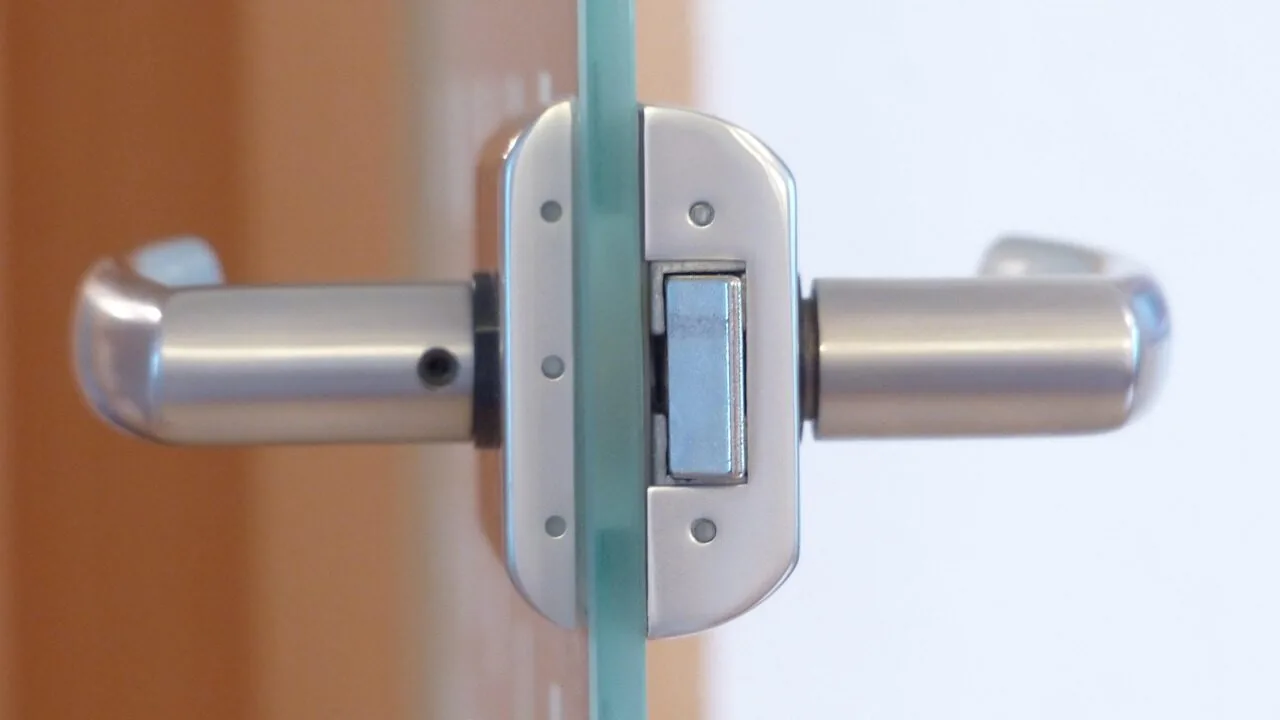
Replacing a traditional deadbolt with a smart lock is one of the most practical security upgrades a homeowner can make right now.
A capable model lets you unlock your front door with a fingerprint, a PIN code, a smartphone app, or a physical backup key while delivering real-time entry alerts, remote locking, and the ability to share temporary access with guests or contractors without ever cutting a duplicate key.
As the category has matured, genuinely capable options have appeared at nearly every price point, from no-frills keypad deadbolts to full-featured Wi-Fi models with fingerprint readers and voice assistant integration.
This guide covers eight deadbolt-category smart locks from Yale Security, eufy Security, Philips, LOCKSTAR, and TEEHO, spanning a wide range of budgets and feature sets.
ProductFind assembled these picks through comprehensive research: we analyzed published specifications, synthesized consensus across expert reviewers, and weighed verified buyer feedback to identify consistent strengths and weaknesses across the lineup.
If your entryway security is overdue for an upgrade, the picks below represent our most carefully vetted recommendations for smart locks worth buying right now.
| Award | Product | PF Score About PF ScoreThe PF Score is our own rating from 0 to 10, based on performance, design and build, ease of use, and value. It reflects independent research and is never influenced by manufacturers, retailers, or affiliate commissions. Learn more › | Price | |
|---|---|---|---|---|
| Best Overall |
 Yale Assure Lock 2 Smart Keypad Deadbolt Wi-Fi
|
8.1/10 | Buy | |
| Editor's Pick |
 eufy Security C220 Smart Lock with Fingerprint
|
7.6/10 | Buy | |
| Best Value |
 Philips Wi-Fi Smart Deadbolt with Fingerprint
|
7.4/10 | Buy | |
| Top Rated |
 eufy Security C210 Smart Lock with Built-in WiFi
|
7.3/10 | Buy | |
 Philips 4200 Series WiFi Door Lock with Fingerprint
|
6.9/10 | Buy | ||
 Philips WiFi Smart Deadbolt with Voice Control
|
6.8/10 | Buy | ||
 LOCKSTAR Smart Door Lock with Fingerprint & Keypad
|
6.2/10 | Buy | ||
 TEEHO TE001 Keyless Deadbolt with Keypad
|
4.5/10 | Buy |
Yale Assure Lock 2 Smart Keypad Deadbolt Wi-Fi
A keypad-enabled smart deadbolt that replaces standard deadbolts without professional installation, offering multiple unlock methods including app control, voice assistants, and auto-unlock features. Best for homeowners seeking convenient remote access and hands-free entry.
Pros
- Flexible access methods accommodate different user preferences and situations
- Easy installation without professional help or special tools
- Remote locking and access management from anywhere via mobile app
- Auto-lock and auto-unlock features add convenience and security
Cons
- Requires 2.4 GHz Wi-Fi; incompatible with 5 GHz networks
- No user reviews available to assess real-world reliability and durability
- Limited to US and Canada markets
eufy Security C220 Smart Lock with Fingerprint
A Wi-Fi-enabled deadbolt that combines fingerprint recognition with multiple unlock methods, including app control and voice assistant compatibility. The self-learning fingerprint sensor improves accuracy over time, and 8-month battery life reduces frequent maintenance needs.
Pros
- Multiple unlock options provide flexibility for different situations and users
- Built-in Wi-Fi eliminates need for a separate hub or bridge device
- Extended battery life reduces need for frequent replacements
- Fast fingerprint unlock under 1.5 seconds once recognized
- IP53 waterproofing handles outdoor exposure and temperature range from -30°C to 70°C
Cons
- No verified user reviews yet to validate real-world performance and durability
- Fingerprint recognition improvement relies on repeated use, which may be slow for infrequent users
- Compatibility limited to standard US and Canadian deadbolts
Philips Wi-Fi Smart Deadbolt with Fingerprint
This Philips smart lock combines five unlock methods (fingerprint, PIN, app, voice, key) with Wi-Fi connectivity and no hub required. It's designed for families and rental properties needing flexible access control and activity tracking.
Pros
- Ergonomic fingerprint sensor placement at top for natural one-motion unlocking
- Versatile passcode system with recurring and date-range options perfect for short-term rentals
- Complete activity log with timestamps shows exactly who entered and when
- No additional hub required, connects directly to existing 2.4GHz Wi-Fi
- Supports both voice assistants and mobile app control for multiple access methods
Cons
- Requires 8 AA alkaline batteries (not included), adding ongoing maintenance costs
- No reviews currently available to assess real-world reliability and user experience
- 4.8 rating appears placeholder with zero actual customer feedback
eufy Security C210 Smart Lock with Built-in WiFi
A keyless deadbolt with built-in WiFi that eliminates the need for a separate bridge, offering app control, keypad access, and integration with Alexa and Google Assistant. BHMA certified for durability after 100,000+ lock cycles, it installs in 15 minutes on most standard US deadbolts.
Pros
- No bridge required, built-in WiFi simplifies setup and reduces hardware clutter
- Multiple unlock methods: app, keypad, physical key, Apple Watch, and voice assistants
- BHMA certified durability with 100,000+ tested cycles
- Easy 15-minute installation without drilling on compatible deadbolts
- Real-time notifications and event history for access tracking
Cons
- No customer reviews available yet to verify real-world reliability and performance
- Compatibility limited to standard US deadbolts, may not fit all door types
- Requires 4 AA batteries for operation, adding maintenance overhead
Philips 4200 Series WiFi Door Lock with Fingerprint
This WiFi-enabled deadbolt combines app control, fingerprint access, and voice compatibility for hands-free convenience. It installs directly to your home network without a hub and includes a matching handle set for a complete front door upgrade.
Pros
- Fast biometric access at 0.3 seconds makes daily entry seamless
- Multiple access methods (fingerprint, keypad, app, voice) suit different needs and guests
- Built-in WiFi eliminates need for a separate hub or bridge device
- Auto-lock and real-time status checking address common security concerns for busy households
- Includes matching handle set, reducing extra hardware purchases
Cons
- Requires 8 AA alkaline batteries (not included) for power
- No reviews available yet to assess long-term reliability or real-world performance
- Installation requires manual setup including a 5-second reset button activation
Philips WiFi Smart Deadbolt with Voice Control
Philips delivers a built-in WiFi smart lock that eliminates the need for a separate hub, offering four unlock methods including remote app access and voice commands via Alexa or Google Assistant. Battery life reaches 6-9 months depending on usage frequency, though it requires 8 AA batteries and lacks some convenience features of higher-end competitors.
Pros
- No separate hub needed; connects directly to home WiFi
- Flexible access management with up to 100 custom passwords and scheduling options
- Multiple unlock methods reduce reliance on single authentication
- Auto-lock feature prevents forgotten locks
- Wide operating temperature range and IP54 rating for durability
Cons
- Requires 8 AA batteries (not included) with 6-9 month replacement cycle
- No verified user reviews available to assess real-world reliability
- Battery-only power source with no wired backup option
LOCKSTAR Smart Door Lock with Fingerprint & Keypad
A multi-method deadbolt offering app control, fingerprint access, keypad code, card fob, and traditional key entry in one unit. DIY installation comes with all necessary tools, making it practical for renters and homeowners seeking flexible access without professional help.
Pros
- Multiple access options (app, fingerprint, keypad, fob, key) provide flexibility
- WiFi gateway bundled in the box, no separate purchase needed
- Complete event history with phone notifications for security monitoring
- Simple DIY setup requiring minimal tools
- Works on virtually any door without major modifications
Cons
- No verified customer reviews available to confirm real-world performance and durability
- Fingerprint and app reliability depend on quality of door frame and network stability, which cannot be guaranteed across all installations
- Battery life and maintenance requirements not specified in product data
TEEHO TE001 Keyless Deadbolt with Keypad
Battery-powered smart deadbolt with keypad entry, supporting up to 20 access codes and one-time guest codes. Designed for straightforward installation on standard 2-1/8 inch door holes with automatic locking and low-battery alerts.
Pros
- Supports multiple access codes and temporary guest entry without physical keys
- Low-battery indicator with red light warning at 15% capacity
- Weather-resistant build with anti-peeping code protection
- Tool-free installation process suitable for most DIY users
Cons
- Only compatible with 2-1/8 inch door holes, incompatible with 38mm holes, limiting installation options
- Requires 4 AA batteries with no battery included in package
- 4.6 rating with no verified user reviews, making real-world performance difficult to assess
Smart Locks Buying Guide
Shopping for smart locks in 2026 involves more nuance than picking the model with the longest spec sheet.
The lock on your front door must be reliable above everything else: a smart bulb that drops off your network is a minor annoyance, but a smart lock that fails at midnight is a genuine problem.
Use the criteria below to match the right lock to your door, your household, and your daily routine.
Connectivity: Wi-Fi, Bluetooth, and Hubs

Connectivity is the first fork in the road when evaluating any smart lock. Models with built-in Wi-Fi, including the Yale Assure Lock 2 and both eufy Security models in this lineup, connect directly to your home router.
That means you can lock, unlock, and check status from anywhere in the world with no additional hub hardware required. If remote control matters to your daily routine, prioritize locks with built-in Wi-Fi or confirmed hub compatibility from the outset.
Bluetooth-only locks are generally less expensive and draw less power from their batteries, but they require your phone to be within range, or a separately purchased hub, before remote features become available.
Z-Wave and Zigbee protocols appear in some higher-end models and offer excellent mesh-network reliability, but they add cost and setup complexity that most first-time buyers do not need.
For most households buying their first smart lock, built-in Wi-Fi is the most friction-free path to remote access.
Your existing smart home ecosystem also deserves consideration before you commit.
The Philips models in this roundup support Alexa and Google Home natively, making them a natural fit if you already have smart light switches or smart plugs running on those platforms.
Confirm compatibility before ordering, particularly if you are planning a broader connected home build that includes a smart thermostat or motorized window blinds.
Entry Methods and Access Flexibility

The variety of entry methods is one of the most compelling reasons to upgrade from a traditional keyed deadbolt.
Most mid-range and premium smart locks support at least three: a physical keypad for PIN codes, a smartphone app, and a traditional backup key.
Fingerprint readers add a fourth layer of convenience and are increasingly available even at moderate price points, as seen across the eufy Security and Philips options in this guide.
Think carefully about who regularly enters your home. Households with children, older relatives, or frequent visitors benefit most from keypad codes, since you can assign a unique PIN to each person and delete it later without rekeying the lock hardware.
Fingerprint readers are exceptionally fast for primary users but can struggle in cold or wet conditions, so always verify that any fingerprint-equipped lock also has a keypad fallback.
The LOCKSTAR model takes the most expansive approach in this lineup, combining app, fingerprint, keypad, card and fob, and traditional key access in one unit.
Auto-lock is another access feature worth scrutinizing. Every lock in this roundup offers some form of auto-lock, but the configurability varies considerably between models.
Look for locks that let you set a custom timer, ideally adjustable across a range from around 30 seconds to 30 minutes, rather than a fixed factory delay.
That flexibility is what allows the lock to suit your actual coming-and-going routine rather than forcing you to adapt to it.
If you are also planning to add a video doorbell to your entryway, coordinating the two devices gives you both visual confirmation and secure access control in one setup.
Security Rating and Physical Durability
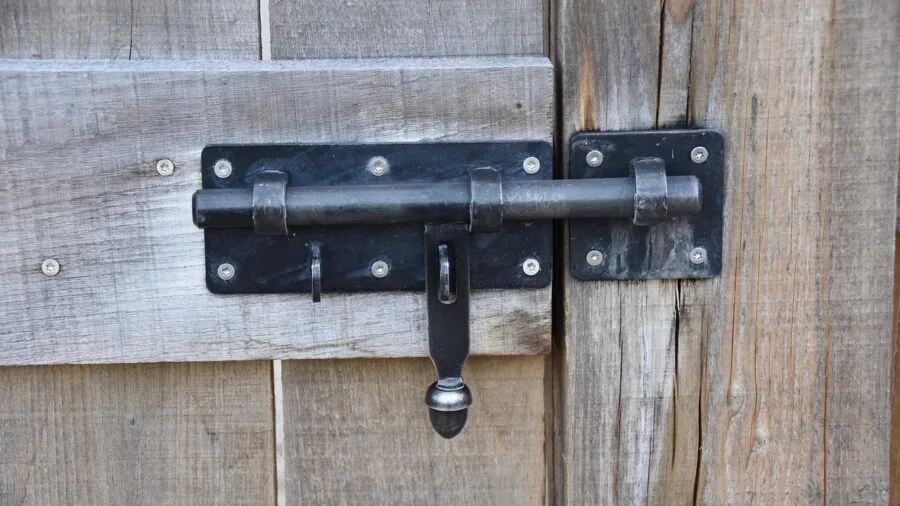
A smart lock is only as secure as the physical hardware underneath its electronics.
ANSI/BHMA grading is the most straightforward benchmark to check: Grade 1 is the highest residential security standard, covering pick resistance, bump resistance, and cycle durability; Grade 2 is widely considered adequate for most homes; Grade 3 is entry-level.
The eufy Security Smart Lock C220 carries a BHMA Grade 3 rating, which is worth noting if physical security is your primary driver. When possible, opt for Grade 1 or Grade 2 locks on exterior doors.
Weather resistance matters too, particularly for exposed front doors. Look for an IP rating of IP53 or higher.
The eufy C220 is rated IP53 and the Philips Wi-Fi Smart Door Lock with Handle carries an IP54 rating, offering reliable protection against rain and dust in most climates.
Locks without a published IP rating may still perform adequately in a covered entryway, but they are worth avoiding on fully exposed doors in wet or freezing conditions.
Pairing a weather-resistant lock with indoor security cameras covering your entry points gives you a layered approach to home protection that neither technology can fully deliver alone.
Beyond the ANSI grade, pay attention to bolt throw length and strike plate quality.
These physical details, which are often absent from marketing copy, determine how well the lock resists kick-in attacks, which remain the most common forced-entry method by a significant margin.
A high-grade smart lock paired with a reinforced strike plate and long screws is a far stronger deterrent than electronics alone.
For households building a more comprehensive safety net, a well-configured home security system can tie door events to alarms and camera recordings in a single workflow.
Battery Life and Power Management
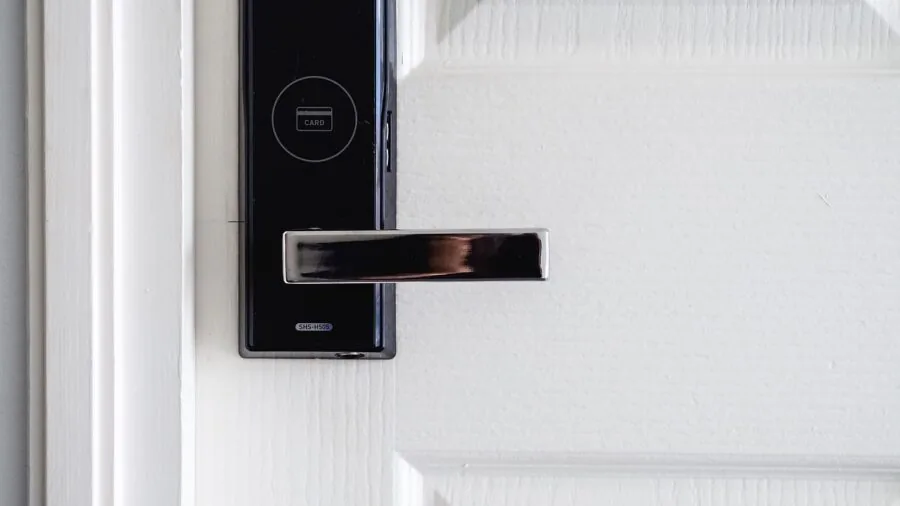
Smart locks are battery-powered by design, and manufacturer battery-life claims deserve healthy skepticism.
Published figures assume a specific number of daily operations under controlled conditions, so real-world performance varies based on connectivity protocol (Wi-Fi drains batteries faster than Bluetooth), usage frequency, and ambient temperature.
Cold weather in particular accelerates battery drain across all battery-powered devices, including water leak sensors and other always-on home monitoring hardware.
The eufy Security Smart Lock C220 claims up to eight months of battery life on standard AA batteries, which stands out as one of the longer claims in the category and is broadly corroborated by verified buyer feedback.
Most smart locks use four AA batteries and provide low-battery alerts through the companion app as well as an audible tone on the lock itself.
An emergency 9V battery terminal on the exterior is a common safety net: if the internal batteries die completely, touching a standard 9V battery to the terminal supplies just enough power to enter your code and get inside.
Verify that any lock you consider includes this feature before purchasing.
The TEEHO TE001, despite its budget positioning, includes both an emergency power option and two physical backup keys, which is reassuring at its price point.
Wi-Fi-enabled locks tend to drain faster than Bluetooth-primary models, often requiring replacement every three to six months under moderate use.
Locks that rely on Wi-Fi only when needed and use Bluetooth for close-range local communication tend to strike a better balance between remote capability and battery endurance.
Always prioritize models that send low-battery alerts through the app so you have sufficient warning before the batteries fail completely.
Installation and Door Compatibility

Most deadbolt-replacement smart locks are engineered to fit standard US door prep: a 2-1/8 inch bore hole with either a 2-3/8 or 2-3/4 inch backset. Before ordering, measure your door’s existing hardware and confirm compatibility with the manufacturer’s spec sheet.
Door thickness also matters: most locks accommodate doors between 1-3/8 and 2 inches thick, but thicker or non-standard doors may require adapter kits sold separately.
Installation complexity ranges from genuinely straightforward to mildly fiddly depending on the model.
The Yale Assure Lock 2 is widely praised in expert and buyer reviews for clear instructions and a process most homeowners can complete with a screwdriver in under 30 minutes. The eufy C210 receives similar praise for ease of installation.
If you rent or prefer to avoid permanent modifications, deadbolt adapter locks that sit over your existing thumb turn rather than replacing the whole mechanism are worth exploring, though they fall outside the scope of this particular roundup, which covers full deadbolt replacements only.
One installation detail worth checking before you commit is whether the lock requires a specific orientation, as some models are designed for left-hand or right-hand door swings.
Most modern smart deadbolts handle both orientations through an adjustable latch, but confirming this in the spec sheet takes 30 seconds and can save a frustrating return.
A lock whose integrated handle replaces both the deadbolt and the knob in a single unit, like the Philips models with handle in this roundup, also requires confirming that the combined hardware fits your door’s specific bore spacing before you order.
App Quality and Long-Term Software Support

The hardware on your door is only half the product. The companion app determines how pleasant, or how frustrating, daily use will be over months and years of ownership.
Evaluate any prospective app on four dimensions: activity log depth (can you see who unlocked the door and exactly when?), ease of adding and removing users, the reliability of push notifications, and the stability of remote connectivity when you are away from home.
A beautiful lock with a poorly maintained app is a liability.
Yale Security and eufy Security both operate mature app ecosystems with consistently positive feedback across verified buyers. Philips’ smart lock app has improved meaningfully with recent firmware updates, though a minority of users report occasional connectivity hiccups during initial setup.
Long-term software support is harder to evaluate at purchase time but is critical to factor in. A lock whose firmware support has been abandoned becomes a potential security liability rather than an asset.
Established brands with broader smart home product lines, including Yale (owned by ASSA ABLOY) and eufy (owned by Anker), are generally better positioned to maintain ongoing firmware updates than smaller or newer market entrants.
If you are building out a broader smart home, consider how the lock’s ecosystem meshes with other connected devices you already own or plan to add. Smart sprinkler controllers and Wi-Fi baby monitors are common additions that benefit from consolidation into one or two well-supported apps, reducing the management overhead of a connected home considerably over time.
Pairing your lock’s entry events with air purifiers or LED strip lights in an arrival scene is a simple example of the kind of automation that a well-supported platform unlocks.
Why You Should Trust Us
ProductFind is an independent review publication with no brand affiliations and no manufacturer influence over our rankings or editorial conclusions.
Every smart lock in this guide was assessed through our structured research methodology: we analyzed published technical specifications, synthesized consensus across a broad range of expert reviewers, and evaluated verified buyer feedback to identify consistent patterns of strength and weakness that any single review can miss.
We do not conduct our own product trials; our evaluations are grounded in research, published data, expert review consensus, and verified buyer feedback.
Each product receives a PF Score on a 0 to 10 scale reflecting its overall quality, value, and reliability relative to the deadbolt category.
Scores weigh multiple dimensions: physical security rating, connectivity reliability, entry method versatility, battery performance, app quality, and installation experience. A lock with an excellent fingerprint reader but an unreliable app will score lower than one that executes every dimension competently.
You can see each product’s PF Score displayed directly on its card above.
ProductFind may earn a commission if you purchase through a link in this article. That affiliate relationship has no bearing on which products appear in our roundups, how they are ranked, or what PF Score they receive.
Our editorial process is governed by research quality, not commercial relationships. We update our recommendations as new products launch and as existing products receive meaningful firmware or hardware revisions that materially change their real-world performance.
Final Thoughts
The smart lock market has matured to the point where even budget-range options deliver meaningful security and convenience improvements over a traditional keyed deadbolt.
After comprehensive research across all eight models in this roundup, a few standout picks emerge clearly by category and use case.
Each of the following carries a PF Score that reflects consistent strengths across multiple evaluation dimensions, not just a single impressive feature.
- Best Overall: Yale Assure Lock 2 Smart Keypad Deadbolt with Wi-Fi. Yale’s flagship earns the highest PF Score in this roundup through a compelling combination of built-in Wi-Fi, broad smart home platform compatibility, fast and quiet hardware, and consistently reliable performance backed by strong expert and verified buyer consensus. It is the lock we would put on our own front door.
- Best for Fingerprint Entry: eufy Security Smart Lock C220. The C220 pairs a responsive fingerprint reader with built-in Wi-Fi, solid IP53 weather resistance, and an impressive battery endurance claim that verified buyers broadly corroborate, making it the most well-rounded fingerprint-equipped option in the group at a mid-range price.
- Best Value with Wi-Fi: Philips Wi-Fi Smart Deadbolt Lock. Philips delivers fingerprint access, app remote control, Alexa and Google Home support, and configurable auto-lock in a package priced at the more accessible end of the Wi-Fi deadbolt segment, earning a strong PF Score for the value it packs in.
- Best Keypad-Only Pick: eufy Security Smart Lock C210. For buyers who want built-in Wi-Fi and a reliable touchscreen keypad without paying a premium for fingerprint hardware, the C210 delivers a clean, easy-to-install package with consistent app performance and a PF Score that reflects its dependability across everyday use.
- Best Budget Pick: TEEHO TE001 Keyless Entry Door Lock. If your priority is simply eliminating the need to carry a key without stretching your budget, the TEEHO TE001 delivers a functional keypad deadbolt with auto-lock and physical backup keys at an entry-level price. It scores lower on advanced features, but for straightforward keypad convenience it is a capable starting point.
Whichever model fits your needs, pairing a smart lock with a broader connected entryway setup amplifies the convenience considerably.
A video doorbell gives you visual confirmation of who is at the door before you grant access, and a well-integrated home alarm platform can tie door events to cameras and notifications in a single workflow.
Smart locks are a natural anchor for that kind of whole-home automation, and the picks above give you a strong foundation to build from.
Arrival and departure routines that also coordinate an automated pet feeder or your home’s lighting are easy to build once a reliable front-door lock is in place as the trigger.
Frequently Asked Questions
Do smart locks work during a Wi-Fi outage or power failure?
Yes. Smart locks run entirely on internal batteries and operate independently of your home’s electrical power.
If your Wi-Fi goes down, app-based remote control and push notifications stop working, but the keypad, fingerprint reader, and physical key backup continue to function locally without interruption.
This is one of the core reasons it is important to choose a lock with multiple entry methods rather than relying solely on smartphone app access, particularly in areas prone to internet outages.
Are smart locks actually secure, or are they easier to compromise than a traditional deadbolt?
A well-designed smart lock from a reputable brand is not meaningfully less secure than a traditional deadbolt, and in some respects is more secure because it eliminates the risk of copied or lost keys.
Reputable manufacturers use AES-128 or AES-256 encryption for all wireless communication.
The more realistic vulnerability is physical rather than digital: a criminal is far more likely to attempt to kick in your door than to attempt a Bluetooth or Wi-Fi exploit.
Prioritize locks with high ANSI/BHMA grades and a solid bolt mechanism, and enable two-factor authentication on the companion app for an additional layer of digital protection.
How long do smart lock batteries typically last?
Battery life varies considerably based on connectivity type, daily usage volume, and ambient temperature. Bluetooth-primary locks under relatively light use can last six to twelve months on a set of AA batteries.
Wi-Fi-enabled locks tend to drain faster, often requiring replacement every three to six months under moderate use. Cold weather accelerates drain across all battery-powered hardware, including smart locks.
Always look for a model that sends low-battery alerts through the app so you have sufficient time to replace batteries before they fail completely.
Can I install a smart lock myself, or do I need a locksmith?
The vast majority of deadbolt-replacement smart locks in this category are designed for DIY installation requiring only a screwdriver. The process typically takes 20 to 45 minutes if your door already has a standard deadbolt cutout.
Where homeowners run into difficulty is with non-standard backsets, unusually thick doors, or doors that lack an existing deadbolt bore hole.
Check the product’s door compatibility specifications carefully before ordering, and contact the manufacturer’s support team if your door is non-standard to confirm fitment before you commit.
A locksmith is only strictly necessary when the door preparation itself needs to be modified.
What is the difference between a smart deadbolt and a smart lock with an integrated handle?
A standard smart deadbolt replaces only the deadbolt mechanism, leaving your existing door handle or knob in place.
A smart lock with an integrated handle, like the Philips models with handle in this roundup, replaces both the deadbolt and the handle in a single coordinated unit.
The integrated approach produces a cleaner, more unified aesthetic and eliminates the visual mismatch between old hardware and new smart components.
However, it means both the handle and the deadbolt electronics age together as a single unit, and it requires confirming that the combined hardware fits your door’s specific bore spacing.
For a straightforward upgrade with less installation complexity, a standalone deadbolt replacement is generally easier to fit to existing door prep.
How do smart locks fit into a broader smart home setup?
Smart locks pair naturally with a wide range of connected home devices to create arrival and departure routines that handle multiple actions at once.
Common integrations include unlocking the front door and having smart light switches trigger automatically, or locking up at night as part of the same routine that adjusts your smart thermostat.
More elaborate setups link the lock to sensors and cameras so that an unrecognized entry attempt triggers a recording or an alert.
Even simpler quality-of-life additions, like a robot mop scheduled to run after your morning departure, benefit from being coordinated with a reliable front-door lock as the anchor event in your home automation logic.
About the author
Penny is a reviewer and writer for ProductFind who specializes in Hardware & Home Improvement. Penny evaluates products through independent research: specifications, expert review consensus, and verified buyer feedback, and rates each one on the PF Score. Penny focuses on helping readers pick the right hardware & home improvement for their needs and budget.