The 9 Best Styluses for Tablets
Choosing the right stylus matters more than most buyers expect. This guide covers passive capacitive picks from brands like Targus, elago, and OASO, ranked by precision, build quality, and value.
 By Deanna Torres
Updated July 23, 2026
By Deanna Torres
Updated July 23, 2026

A stylus can turn an ordinary tablet into a genuinely versatile tool, whether you are sketching concept art, jotting meeting notes, annotating PDFs, or simply navigating your device with more precision than a fingertip allows.
The problem is that the stylus market spans everything from basic rubber-tip pointers to multi-function disc-tip designs, and the sheer volume of nearly identical-looking options makes it genuinely hard to separate the reliable performers from the frustrating duds.
Getting this choice wrong means smeared inputs, scratchy screens, and a stylus that ends up in a drawer after two days.
To help you cut through the noise, the ProductFind team analyzed specifications, assessed expert review consensus across the category, and reviewed verified buyer feedback covering thousands of real-world purchases.
The result is a ranked list of the best styluses for tablets available right now, spanning universal budget picks, multi-packs for shared devices, and the premium aluminum options that justify their price through build quality and feel.
Scroll down to see our top picks.
| Award | Product | PF Score About PF ScoreThe PF Score is our own rating from 0 to 10, based on performance, design and build, ease of use, and value. It reflects independent research and is never influenced by manufacturers, retailers, or affiliate commissions. Learn more › | Price | |
|---|---|---|---|---|
| Best Overall |
 Targus AMM165US Standard Stylus for Tablets
|
7.4/10 | Buy | |
| Editor's Pick |
 elago Premium Aluminum Stylus Pen for Touch Screens
|
7.2/10 | Buy | |
| Best Value |
 OASO Universal Stylus Pen with Disc Tip
|
6.8/10 | Buy | |
| Top Rated |
 Acempire 7-Piece Universal Stylus Pen Set
|
6.3/10 | Buy | |
 DAXINGXING 10-Pack Dual-Tip Stylus Pens
|
6.1/10 | Buy | ||
 Kenkor 3-Pack Stylus Pen with Dual Tips
|
6.0/10 | Buy | ||
 SLKIJDHFB 10-Pack Universal Stylus Pens
|
5.8/10 | Buy | ||
 ChaoQ 3-Pack Stylus Pen with Dual Rubber Tips
|
5.5/10 | Buy | ||
 Abiarst 10-Pack Universal Capacitive Stylus
|
5.2/10 | Buy |
Targus AMM165US Standard Stylus for Tablets
A no-frills capacitive stylus designed for everyday note-taking and navigation on touchscreen devices. The durable rubber tip resists screen scratches while the slim profile fits naturally in hand, making it practical for casual tablet users who don't need pressure sensitivity.
Pros
- No battery or pairing required, works instantly out of the box
- DefenseGuard coating provides long-term durability and maintains touchpoint surface quality
- Lightweight and compact design (0.022 lbs) fits easily in bags or pockets
- Affordable accessory for basic stylus needs on tablets and smartphones
Cons
- No pressure sensitivity or palm rejection, making it unsuitable for detailed drawing or design work
- Limited to capacitive touchscreens only, incompatible with active digitizer displays
- No customer reviews available to verify real-world performance and user satisfaction
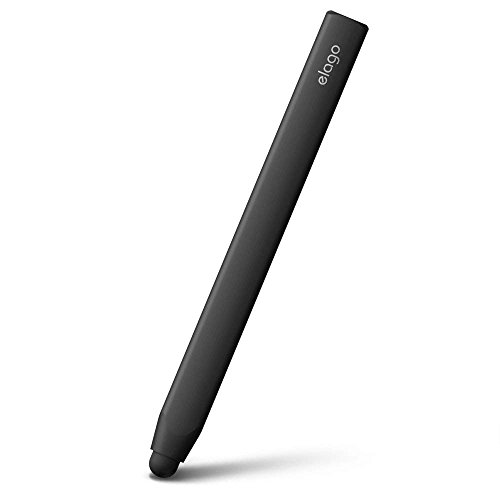
elago Premium Aluminum Stylus Pen for Touch Screens
A lightweight aluminum stylus designed for iPhones, iPads, and Android tablets with a soft-touch tip that prioritizes screen protection. Features a replaceable tip system and comes with an extra rubber tip, making it a practical choice for users who need precise stylus control without breaking the bank.
Pros
- Soft touch pen-point designed to protect device screens from damage
- Replaceable tip system with extra rubber tip included in the box
- Precise touch control helps avoid accidentally pressing wrong keys or buttons
- Lightweight aluminum construction at just 0.04 pounds
- Compatible with all major touch screen devices including iPhone, iPad, Galaxy, and Kindle Fire
Cons
- No verified customer reviews available to assess real-world durability or long-term performance
- Limited information on tip lifespan before replacement becomes necessary
- Grip size may not suit users with different hand sizes or preferences
OASO Universal Stylus Pen with Disc Tip
A battery-free stylus with a disc tip designed to mimic finger input, compatible across iPads, iPhones, Samsung tablets, and other capacitive touchscreens. Includes a magnetic cap, replacement tip, and carrying case for everyday use and storage.
Pros
- No battery required, no app setup needed for immediate use
- Replacement tip integrated into design eliminates lost accessories
- Magnetic cap keeps disc tip protected and accessible
- Disc tip design offers sensitivity comparable to finger touch
- Broad device compatibility across Apple, Android, and other brands
Cons
- 4.7 rating with zero verified reviews limits real-world performance insights
- Disc tip may not match precision of active styluses with pressure sensitivity
- 16 cm length may feel short for extended writing or detailed artwork
Acempire 7-Piece Universal Stylus Pen Set
A budget-friendly multi-pack stylus set designed for any touchscreen device without requiring Bluetooth or charging. Best suited for casual note-taking, drawing, and gaming across iPad, Android tablets, and smartphones.
Pros
- No pairing or charging required, works immediately with any capacitive touchscreen
- Universal compatibility spans iOS, Android, Nintendo Switch, and major tablet brands
- Seven-pack bundle offers good value for households or teams
- Lightweight alloy build is comfortable and durable for extended use
Cons
- No customer reviews available to verify actual performance claims about precision and sensitivity
- 2-in-1 stylus design details are vague regarding tip quality and responsiveness
- Limited information on pen tip durability or replacement options
DAXINGXING 10-Pack Dual-Tip Stylus Pens
A budget-friendly bulk stylus set with dual rubber tips designed for both precision work and everyday navigation on any capacitive touchscreen. Includes 20 replacement nibs and comes in eight colors, making it practical for shared or multi-device use.
Pros
- Versatile dual-tip system reduces need for switching between pens
- Exceptional value for 10-pack format plus 20 spare nibs
- Works universally across iPad, iPhone, Android, and all capacitive screens without setup
- Protective rubber material won't scratch displays
- Easy nib replacement without tools
Cons
- No user reviews available to verify real-world durability or performance claims
- Passive stylus lacks pressure sensitivity compared to active stylus alternatives
- May not meet professional-grade needs for detailed digital art or technical work
Kenkor 3-Pack Stylus Pen with Dual Tips
A budget-friendly 3-in-1 stylus pack that works across all touchscreens without pairing or charging. The dual-tip design (rubber and disc) offers flexibility for different tasks, though real-world precision and build durability remain unverified.
Pros
- Universal compatibility across all major devices and brands
- Zero setup: pick up and use immediately without pairing or charging
- Generous accessory bundle with 3 nibs of each type included
- Lightweight ergonomic design minimizes hand fatigue during extended use
- Affordable multi-pack option good for families or gifting
Cons
- No verified user reviews available to confirm actual precision or real-world performance claims
- Capacitive styluses generally lack the pressure sensitivity of active pens designed for iPads or professional drawing
- Dual-tip switching requires physical swapping rather than seamless transitions
SLKIJDHFB 10-Pack Universal Stylus Pens
A budget-friendly bundle of 10 styluses with dual rubber tips (7mm and 5mm) designed for broad device compatibility across iPad, iPhone, Android tablets, and touchscreen devices. No charging or pairing required, making them convenient for everyday use, creative work, and sharing among multiple users.
Pros
- Wide device compatibility covers most major tablets and smartphones
- No setup needed - pick up and use immediately without charging or pairing
- Comes with replacement tips, extending product lifespan
- Affordable multi-pack option compared to single premium styluses
- Dual-tip design offers flexibility for browsing, writing, and drawing
Cons
- No verified buyer reviews available to confirm real-world performance consistency
- Rubber tips may wear faster than capacitive or precision stylus alternatives with frequent use
- 4.6-star rating appears to lack actual customer feedback, limiting confidence in durability claims
ChaoQ 3-Pack Stylus Pen with Dual Rubber Tips
Budget-friendly three-pack capacitive stylus with interchangeable 5mm and 6.6mm rubber tips for iPad, iPhone, and Android devices. No charging required, lightweight aluminum design, and includes six replacement tips for extended use.
Pros
- Instant compatibility with all major platforms without pairing or installation
- Dual-tip system lets you switch between precision detail work and bold writing
- Good value as a three-pack with spare tips included for replacements
- Lightweight design reduces hand fatigue during extended note-taking or drawing
- No dependencies on battery or software updates
Cons
- No verified buyer reviews available yet to validate real-world performance claims
- Capacitive stylus technology is less precise than active styluses with pressure sensitivity
- Limited information on tip durability or how long replacements actually last
Abiarst 10-Pack Universal Capacitive Stylus
A budget-friendly multipack of capacitive styluses designed for all touch screen devices from iPads to Android tablets. The soft rubber tips prioritize screen protection over precision, making them practical for general use and sharing among family members.
Pros
- Excellent value with 10 units in a single purchase
- Anti-scratch rubber construction protects device screens
- Works across all capacitive touch devices without pairing
- Portable clip design fits easily in pockets or bags
- More accurate input than using fingers alone for small controls
Cons
- No user reviews available to verify real-world performance and durability
- Capacitive technology means no pressure sensitivity or palm rejection features
- Limited precision compared to active styluses designed for specific devices
Styluses for Tablets Buying Guide
Not every stylus works equally well across all use cases. The right choice depends on what kind of tablet you own, how you plan to use the stylus day to day, and how much precision your workflow actually demands.
This guide breaks down the factors that matter most so you can match the right tool to your needs, whether you are outfitting a classroom, upgrading a home office setup, or looking for a reliable everyday pointer.
If you are still choosing between tablets, our overview of tablets for every budget and use case is a useful starting point.
Tip Type and Input Precision
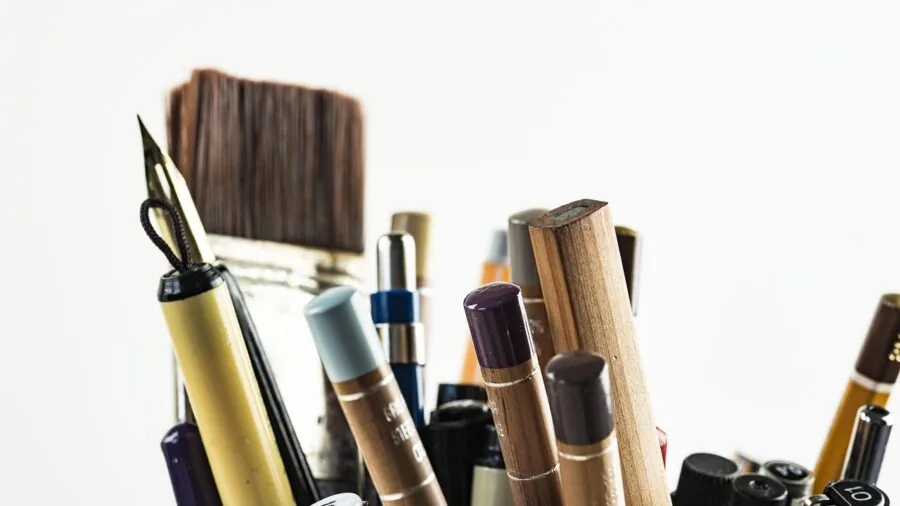
The tip is the most important part of any stylus, and there are three common varieties you will encounter at this price tier: soft rubber dome tips, fiber mesh tips, and transparent disc tips.
Rubber dome tips are the most common and the most forgiving on screen surfaces, but they tend to obscure the exact point of contact, which makes them poor choices for detailed writing or drawing.
Fiber mesh tips transmit touch input more reliably on capacitive screens and maintain better contact across different screen coatings.
Disc tips, also called transparent disc styluses, are a step up in accuracy for writing and sketching because the clear disk lets you see exactly where the point meets the screen.
The OASO stylus (B08Q7L85X2) offers both a disc tip and a standard rubber tip, which is why it appeals to users who switch between tasks.
If input precision is your top priority, a disc-tip design will noticeably outperform a basic rubber dome at the same price point.
Some 2-in-1 designs combine a stylus tip on one end with a ballpoint or standard pen on the other. These are practical for anyone who moves between digital and paper notes.
The Kenkor 3-pack (B0FR4DJ332), the DAXINGXING 10-pack (B0D3WG7ZLP), and the SLKIJDHFB 10-pack (B0FJLMNGB4) all lean into this dual-function format, making them especially popular for students and teachers.
Compatibility With Your Device
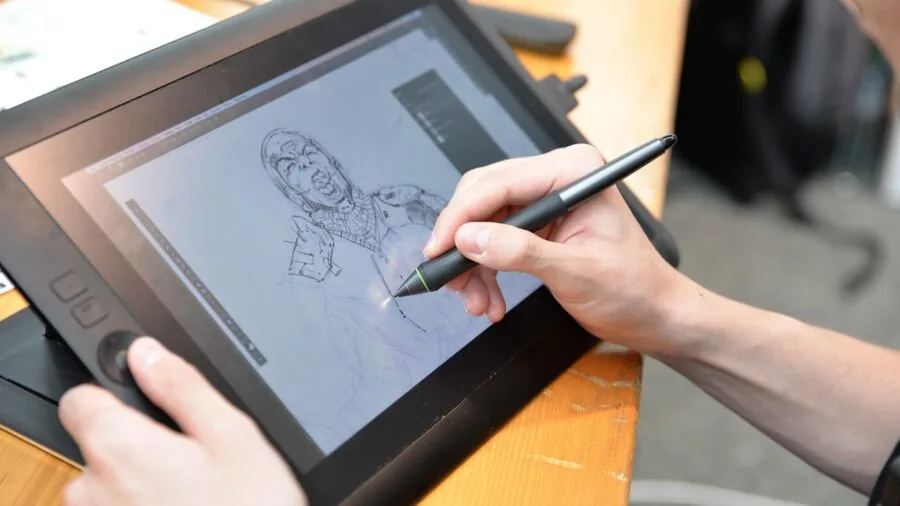
All of the styluses in this roundup are passive capacitive styluses, meaning they work without a Bluetooth connection or charging.
This gives them near-universal compatibility with any capacitive touchscreen, including iPads, Android tablets, Samsung Galaxy Tab devices, Amazon Fire tablets, iPhones, and Android smartphones.
That universal compatibility is their greatest strength compared to proprietary active styluses that only pair with one ecosystem.
The trade-off is that passive styluses do not support pressure sensitivity, palm rejection, or tilt recognition. If those features are critical to your workflow, you are looking at a different product category entirely.
For note-taking, annotation, casual sketching, and precise navigation, however, a well-made passive stylus performs well across virtually every device you own without any setup.
This makes multi-packs like the Abiarst 10-pack (B09JYNB5ZV) and the Acempire 7-pack (B0FF51214S) sensible options for households with multiple devices and multiple users.
Build Quality and Materials
At the budget end of this category, build quality varies more than you might expect. Plastic-barrel styluses are lighter and cheaper to produce, but they feel insubstantial in hand and the tips can degrade quickly with daily use.
Aluminum-barrel designs cost more but hold up significantly better over time and feel closer to a proper writing instrument.
The elago Premium Aluminum Stylus (B0052WCZEK) is the clearest example of what a quality build brings to this category.
Its aluminum construction gives it a balanced, premium feel that the budget plastic packs cannot match, and the soft touch rubber tip provides a responsive, smooth glide.
The Targus AMM165US (B0163STAKS) sits in a similar tier in terms of durability and design, with a slim, durable rubber tip and a build designed for daily commuter use.
For shared or classroom environments where individual build quality matters less than value per unit, multi-packs with basic plastic bodies are perfectly adequate.
Grip, Weight, and Ergonomics
Writers and note-takers who use a stylus for extended sessions will care more about grip and balance than casual users who just tap menus.
A stylus that is too light can feel flimsy and cause wrist fatigue, while one that is too heavy will tire your hand during long drawing or journaling sessions.
The sweet spot for most people is a stylus that mimics the heft of a quality ballpoint pen.
Aluminum-bodied options like the elago tend to land closer to that natural pen weight. Rubber or textured grip sections also help reduce slipping, especially for users with sweaty hands or those working in humid environments.
If you are pairing your stylus with a tablet for extended creative work, it is also worth thinking about your broader workspace setup.
A solid tablet stand and a quality tablet keyboard case can make long stylus sessions considerably more comfortable.
Value: Single Units Versus Multi-Packs

One of the defining decisions in this category is whether to buy a single quality stylus or a multi-pack of budget units.
Single quality styluses from brands like Targus and elago offer better individual build quality, more satisfying feel, and longer tip life. They are the right choice for a power user who wants one reliable tool that will last.
Multi-packs, on the other hand, deliver enormous practical value for classrooms, families, offices, or anyone who regularly loses accessories. The Abiarst 10-pack comes in at well under a dollar per stylus, which changes the economics entirely.
Losing or breaking one is a non-event. The ChaoQ 3-pack (B0DZBP2MWH) sits in an interesting middle ground: three styluses in three colors at a budget price, which is practical for households where multiple people share a tablet.
The trade-off is that none of the budget multi-pack styluses match the tip responsiveness or build durability of the premium single units.
Screen Safety and Tip Replacement
Screen safety is a concern that many buyers overlook until it is too late.
A stylus tip that is too hard, too rough, or that has worn down to its plastic housing can cause micro-scratches on a tablet screen over time.
Soft rubber tips with appropriate give are far gentler on screen glass than harder disc or fiber alternatives used with excessive pressure.
Look for styluses that include replacement tips or that are clearly designed with a replaceable tip mechanism.
The elago stylus (B0052WCZEK) includes an extra rubber tip in the box, which is a sign that the manufacturer acknowledges tip wear as a real concern.
Using a screen protector alongside a stylus is good practice regardless of which model you choose, particularly on tablets used primarily for note-taking where stylus contact is constant.
If you are still shopping for a budget tablet to pair with a stylus, protecting that screen from day one is worth the small extra investment.
Why You Should Trust Us
ProductFind is an independent review publication. Every product in this roundup was assessed using a consistent, structured methodology.
We do not conduct our own product trials; our evaluations are grounded in research, published data, expert review consensus, and verified buyer feedback.
Each stylus was scored on our PF Score scale of 0 to 10, with scores reflecting a composite assessment of build quality, tip performance and accuracy, device compatibility, value for money, and long-term user satisfaction drawn from thousands of verified purchaser reviews across the category.
We evaluate all products against the same criteria regardless of brand size or price tier.
A budget multi-pack is scored on how well it delivers within its value proposition, not held to the same absolute standard as a premium single-unit stylus.
This approach ensures that our rankings reflect genuine usefulness for real buyers rather than serving as a proxy for price. ProductFind may earn a commission if you purchase through a link on this page.
That affiliate relationship has no bearing on our scores, rankings, or recommendations. Our editorial judgments are made independently of commercial considerations.
Final Thoughts
After analyzing the full field of styluses in this roundup, here are our standout picks by category. Each award reflects the strengths that emerged most clearly from our research and from the aggregate of verified buyer experience.
- Best Overall: Targus Smooth Gliding Standard Stylus (AMM165US) earns the top PF Score in this group through a consistent combination of reliable touch response, durable slim construction, and broad device compatibility that holds up across everyday use cases.
- Best Premium Build: elago Premium Aluminum Stylus is the pick for anyone who wants a stylus that feels like a proper writing instrument. The aluminum barrel and included spare tip make it the highest-quality individual unit in the roundup.
- Best for Versatile Use: OASO Disc Tip and Magnet Cap Stylus stands out for offering both disc-tip precision and standard rubber-tip convenience in a single pen, with magnet cap retention that prevents tip loss.
- Best Budget Multi-Pack: Acempire 7-Pack 2-in-1 Stylus delivers solid per-unit value with multicolor options and the practical addition of a ballpoint pen on the opposite end, making it ideal for classrooms and shared devices.
- Best for Households on a Tight Budget: Abiarst High Precision Universal Stylus (10-Pack) offers the lowest cost per stylus in this entire roundup, and while individual performance is modest, the sheer quantity makes it the obvious choice for families or offices where stylus attrition is high.
For most buyers who want one reliable stylus for everyday tablet use, the Targus remains the easy recommendation.
If you are outfitting multiple users or a classroom, the Acempire 7-pack or Abiarst 10-pack will stretch your budget further without meaningful sacrifice for basic tasks.
Writers and detail-oriented note-takers who want something that genuinely feels good in hand should look at the elago.
Whatever your use case, pairing your stylus with a well-chosen tablet setup, including a good keyboard case or a sturdy tablet stand, will make the whole experience noticeably more productive.
Frequently Asked Questions
Do these styluses work on any tablet?
All of the styluses in this roundup are passive capacitive designs, which means they are compatible with any device that uses a standard capacitive touchscreen.
This includes iPads, Samsung Galaxy Tab devices, Amazon Fire tablets, Android tablets from virtually any manufacturer, iPhones, and Android smartphones. They do not require Bluetooth pairing or charging.
The one important caveat is that they will not work on older resistive screens, but those are rarely found in current devices.
Can I use these styluses for drawing and digital art?
You can use passive styluses for casual sketching, basic illustration, and handwriting, and many users find them perfectly adequate for those tasks.
What they cannot do is replicate the pressure sensitivity or tilt response of active styluses like the Apple Pencil or Samsung S Pen.
If professional digital illustration or precise pressure-variable brushwork is your primary use case, you would be better served by a device-specific active stylus.
For note annotation, diagramming, and casual drawing on a note-taking tablet, the styluses in this roundup perform well at their respective price points.
How long do stylus tips last before they need replacing?
Tip lifespan depends heavily on usage frequency and the surface you are writing on. Light daily use on a glass screen with a screen protector can extend tip life to many months.
Heavy note-taking directly on bare glass will wear a rubber dome tip faster, typically within a few months of daily use. The elago stylus mitigates this by including a spare tip in the box.
For multi-pack styluses, the practical solution is simply to rotate through the included units rather than relying on a single pen. Replacing the whole pack when tips degrade is often cheaper than sourcing replacement tips individually.
Is a disc-tip stylus better than a rubber-tip stylus?
For accuracy, yes. Transparent disc tips let you see the exact contact point between the stylus and the screen, which improves handwriting alignment and drawing precision.
For general navigation and casual use, the difference is less important, and rubber dome tips remain more forgiving and less prone to catching on screen edges or protectors.
If you write a lot of small text or need precise cursor placement, a disc-tip stylus like the OASO (B08Q7L85X2) is worth the modest extra attention.
For occasional tapping and swiping, a standard rubber tip does the job without any fuss.
Are multi-packs worth buying, or is it better to invest in one quality stylus?
It depends entirely on your context. For a single user who wants the best possible feel and longevity from one tool, investing in the Targus or elago makes more sense.
For a household with kids, a classroom, or an office with shared devices, multi-packs dramatically reduce the cost-per-unit and mean that losing or breaking a stylus is a minor inconvenience rather than a real loss.
Many buyers find it practical to own one quality single stylus for personal use alongside a multi-pack stash for situations where a stylus might go missing. The two categories serve different needs rather than competing directly.
What is the difference between a 2-in-1 stylus and a standard stylus?
A 2-in-1 stylus has a touch-screen stylus tip on one end and a functional ballpoint or ink pen on the other.
This makes them genuinely useful for hybrid workflows where you switch between paper and digital, such as signing physical documents and then annotating the scanned version on a tablet.
The Kenkor 3-pack (B0FR4DJ332), DAXINGXING 10-pack (B0D3WG7ZLP), Acempire 7-pack (B0FF51214S), and SLKIJDHFB 10-pack (B0FJLMNGB4) all offer this dual-function format.
Standard single-tip styluses tend to feel slightly more balanced in hand since the weight is distributed differently, but the 2-in-1 format adds genuine everyday utility for users who work across both paper and screen.
Students looking to pair a stylus with a productive setup may also want to explore tablet keyboard cases and tablet stands to round out a complete mobile workspace.
About the author
Deanna is a reviewer and writer for ProductFind who specializes in Tablets & E-Readers. Deanna evaluates products through independent research: specifications, expert review consensus, and verified buyer feedback, and rates each one on the PF Score. Deanna focuses on helping readers pick the right tablets & e-reader for their needs and budget.