The 12 Best Tablets for Kids
From toddler-proof bumper cases to open-Android options for older kids, finding the right tablet means balancing content safety, durability, and honest specs.
 By Deanna Torres
Updated July 23, 2026
By Deanna Torres
Updated July 23, 2026

Choosing a tablet for a child is genuinely different from buying one for yourself. Kids need durable hardware, age-appropriate content ecosystems, and parental controls that actually work without turning every session into a negotiation.
The market ranges from purpose-built kids tablets with rugged cases and content libraries to affordable Android slabs from lesser-known brands that lean on spec-sheet numbers rather than real-world reliability. Getting it wrong means wasted money and frustrated parents.
At ProductFind, we researched the tablets for kids available right now by analyzing published specifications, synthesizing expert review consensus, and reviewing verified buyer feedback across thousands of purchases.
Whether you’re buying for a toddler who just wants to watch cartoons or a ten-year-old doing homework and gaming, the picks below represent the strongest options across every budget and age range.
| Award | Product | PF Score About PF ScoreThe PF Score is our own rating from 0 to 10, based on performance, design and build, ease of use, and value. It reflects independent research and is never influenced by manufacturers, retailers, or affiliate commissions. Learn more › | Price | |
|---|---|---|---|---|
| Best Overall |
 Amazon Fire HD 8 Kids Tablet 2024
|
8.3/10 | Buy | |
| Editor's Pick |
 Amazon Fire HD 10 Kids Pro Tablet, 32GB
|
8.2/10 | Buy | |
| Best Value |
 Amazon Fire HD 10 Kids Tablet, 32GB
|
8.8/10 | Buy | |
| Top Rated |
 Amazon Fire 7 Kids Tablet 16GB
|
7.8/10 | Buy | |
 aiprotablet 10.1-Inch Kids Tablet with Android 16
|
6.4/10 | Buy | ||
 aiprotablet 10-Inch Kids Tablet with Parental Controls
|
6.3/10 | Buy | ||
 Aiprotablet 10.1-inch Android 16 Kids Tablet
|
6.2/10 | Buy | ||
 ApoloSignage 10-Inch Android 16 Kids Tablet
|
6.2/10 | Buy | ||
 Evermyth 10-Inch Android 16 Kids Tablet with 20GB RAM
|
6.2/10 | Buy | ||
 WXUNJA 10.1 Inch Kids Tablet Android 15
|
6.1/10 | Buy | ||
 URAO 10-inch Kids Tablet, 24GB RAM, Android 16
|
6.1/10 | Buy | ||
 TABWEE 10-Inch Kids Tablet Android 16, 16GB RAM
|
6.5/10 | Buy |
Amazon Fire HD 8 Kids Tablet 2024
A full-featured 8-inch tablet designed specifically for children ages 3-7, bundled with a kid-proof case, one year of Amazon Kids+ subscription, and a 2-year replacement guarantee. The tablet offers parental controls, up to 13 hours of battery life, and access to thousands of ad-free educational and entertainment content from trusted brands.
Pros
- Strong value proposition with case, tablet, and year-long subscription bundled together
- Comprehensive parental controls allow remote activity monitoring and content prioritization
- Durable design with strengthened glass screen and protective case included
- Extended battery life supports extended use without frequent charging
- Curated content from reputable children's brands like Disney, Nickelodeon, and PBS Kids
Cons
- Amazon Kids+ subscription auto-renews at $5.99 monthly after first year unless manually cancelled
- Limited to 32GB storage base model, expandable storage requires separate purchase
- No verified customer reviews available to assess real-world reliability or user satisfaction
Amazon Fire HD 10 Kids Pro Tablet, 32GB
A 10.1-inch tablet built specifically for children ages 6-12, with parental controls that Parents Magazine recognized as best-in-class. Comes bundled with one year of Amazon Kids+ subscription and a kid-proof case, making it ready to use immediately for both entertainment and learning.
Pros
- Largest display among Fire tablets with robust specs designed for older kids
- Award-winning parental controls with remote screen time management
- Comprehensive 1-year Amazon Kids+ subscription bundled in, covering books, apps, games and videos
- 13+ hour battery supports all-day use without frequent charging
- 2-year worry-free guarantee and included protective case reduce replacement costs
Cons
- No verified user reviews available to assess real-world performance and durability
- Amazon Kids+ subscription auto-renews at $5.99/month after trial year ends
- Limited to Amazon ecosystem content, though catalog is substantial
Amazon Fire HD 10 Kids Tablet, 32GB
A full-featured 10.1-inch tablet designed for children ages 3-7, bundled with a year of Amazon Kids+ subscription and kid-proof case. Strong parental controls and 13-hour battery make it practical for families seeking managed screen time with curated educational content.
Pros
- Comprehensive parental dashboard allows screen-time limits and app approval from your phone
- Long battery life and expandable storage support extended offline use
- Curated content from trusted brands (Disney, Nickelodeon, PBS Kids) reduces browsing overwhelm
- 2-year replacement guarantee provides financial peace of mind for accident-prone households
- Content filters grow with child, extending tablet relevance across multiple age ranges
Cons
- Amazon Kids+ subscription renews automatically at $5.99/month after trial year; requires manual cancellation
- No user reviews provided to verify real-world performance and durability claims
- Limited to 3-7 age range per design, not suitable for older children despite hardware capability
Amazon Fire 7 Kids Tablet 16GB
A full-featured 7-inch tablet built for children ages 3-7, bundled with a kid-proof case and one year of Amazon Kids+ subscription featuring thousands of ad-free books, games, and videos. Parents get straightforward controls for content filtering, screen time limits, and access management.
Pros
- Includes 1-year Amazon Kids+ subscription with thousands of ad-free educational and entertainment content from trusted brands like Disney and PBS Kids
- 2-year worry-free guarantee covers accidental damage with free replacements
- Up to 10-hour battery life keeps the tablet ready for extended use
- Sturdy kid-proof case included for protection against drops and bumps
- Expandable storage up to 1TB via microSD card
Cons
- Amazon Kids+ subscription auto-renews at $5.99 per month after the first year unless manually canceled
- No verified buyer reviews available to assess real-world durability and performance from parents
- Limited to ages 3-7, not suitable for older children
aiprotablet 10.1-Inch Kids Tablet with Android 16
A 10-inch Android 16 tablet built for children ages 3-12, featuring parental controls, Google Kids Space, and a bundled keyboard, mouse, and stylus. The 30GB RAM and eye-protection display suit learning-focused families, though the lack of verified buyer feedback makes real-world durability unclear.
Pros
- Complete accessory bundle reduces additional spending for interactive learning
- Robust parental controls and Google Kids Space provide safe, curated content environment
- Eye-protection features including black-and-white reading mode and flicker reduction
- Expandable storage up to 2TB accommodates extensive educational content libraries
- Long battery life and fast charging support extended learning sessions
Cons
- No verified buyer reviews available, making durability and real-world performance difficult to assess
- 1280x800 resolution is below modern tablet standards for a 10-inch screen
- Marketing claims about AI features and performance lack independent verification
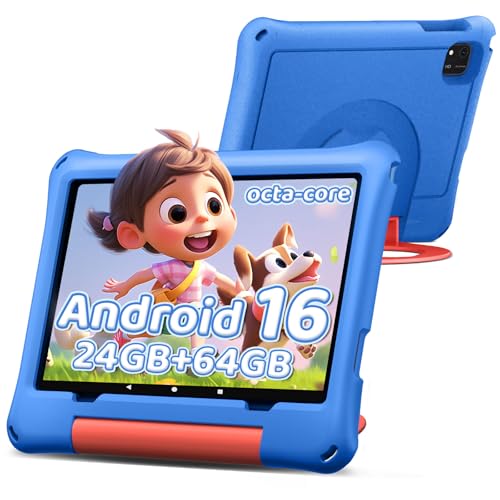
aiprotablet 10-Inch Kids Tablet with Parental Controls
A 10-inch Android 16 tablet designed for children ages 2-12, featuring built-in parental controls, content filtering, and kid-friendly preloaded apps. The device combines a capable octa-core processor with a 6000mAh battery, making it suitable for extended learning and entertainment sessions.
Pros
- Comprehensive parental controls allow parents to manage screen time and filter content by child's age
- Large 1280x800 IPS screen with eye-strain reduction features suitable for young users
- Significant storage and RAM capacity (24GB RAM, 64GB ROM) for running multiple apps smoothly
- Access to Google Play Store through GMS certification expands app options beyond pre-loaded children's apps
- Expandable storage up to 1TB provides flexibility for educational content and games
Cons
- No verified customer reviews available to assess real-world reliability and durability
- Octa-core processor maxes out at 1.6 GHz, which may limit performance for demanding apps over time
- MicroSD card expansion sold separately, adding additional cost for maximum storage
Aiprotablet 10.1-inch Android 16 Kids Tablet
A 10.1-inch tablet designed for children ages 3-12, running Android 16 with Google Kids Space and parental controls built in. The device includes a protective case, supports microSD expansion up to 2TB, and promises over 8 hours of battery life with eye-protection display features.
Pros
- Comprehensive parental controls allow content filtering and time limits for safe browsing
- Eye-protection features including blue light filter and reading mode reduce screen strain
- Comes bundled with protective case and stand, reducing additional purchase needs
- Expandable storage up to 2TB via microSD addresses long-term app and media needs
- 8+ hour battery life supports full-day learning and entertainment without frequent charging
Cons
- No verified user reviews available yet to validate real-world performance claims
- 1280x800 resolution is basic for a 10.1-inch display in 2024
- Gemini AI features and Google Kids Space quality depend on Google ecosystem availability in your region
ApoloSignage 10-Inch Android 16 Kids Tablet
A budget-friendly kids tablet with Android 16, 8GB RAM, and Google Kids Space preloaded for ages 3 and up. The 10-inch HD display includes blue light reduction, and parental controls let you manage screen time and content filtering, though it has zero verified reviews.
Pros
- Google Kids Space and parental controls built in for supervised learning
- 10-inch IPS display with auto-brightness and blue light reduction reduces eye strain
- Expandable storage up to 1TB for apps and media
- Includes protective case and stand for durability and portability
- Latest Android 16 with octa-core processor for smooth performance
Cons
- No verified customer reviews available to validate real-world reliability
- 1280x800 resolution is modest compared to premium kids tablets
- 5000mAh battery capacity may not sustain all-day heavy use
Evermyth 10-Inch Android 16 Kids Tablet with 20GB RAM
A feature-rich tablet designed for children ages 3-12, equipped with UKIDOZ Kids Space for educational content, parental controls, and a 6000mAh battery for extended use. Comes with a protective case and stylus, though it relies on expandable storage for full capacity.
Pros
- Substantial RAM and storage for multitasking and app library expansion
- Built-in parental monitoring and remote management capabilities
- Extended battery life reduces charging demands during trips and outdoor activities
- Widevine L1 support enables full HD content on major streaming platforms
- Durable protective case and included stylus add practical value out of box
Cons
- No verified user reviews available to validate real-world performance and durability claims
- Maximum storage capacity requires separate TF card purchase, adding to overall cost
- 1280x800 resolution is modest by current tablet standards for detailed content
WXUNJA 10.1 Inch Kids Tablet Android 15
A budget-friendly kids tablet running Android 15 with parental controls, Google Kids Space integration, and a protective case included. Designed for ages 2-12 with eye-friendly HD display and expandable storage up to 1TB via microSD card.
Pros
- Comprehensive parental controls and Google Kids Space for safe browsing
- Long battery life up to 6 hours, suitable for extended use
- Protective case and adjustable stand included at no extra cost
- Expandable storage up to 1TB removes capacity concerns
- Dual-band WiFi and additional features like GPS, Bluetooth, and screen mirroring
Cons
- No verified customer reviews available to validate real-world performance claims
- 1280 x 800 resolution is modest by current tablet standards
- Battery life and processor speed claims lack independent verification
URAO 10-inch Kids Tablet, 24GB RAM, Android 16
A 10-inch Android tablet designed for children ages 6-12, featuring parental controls, expandable storage up to 1TB, and a protective silicone case included. The device offers a 1280x800 IPS display with low blue light technology and delivers up to 6 hours of usage per charge.
Pros
- Includes protective food-grade silicone case with adjustable viewing bracket
- Expandable storage up to 1TB via microSD card slot for apps and media
- Preloaded parental controls for screen time management and content filtering
- Fast charging reaches full capacity in 1.5 hours via USB Type-C
- Low blue light display mode for extended viewing comfort
Cons
- No verified customer reviews available to assess real-world reliability
- Expandable microSD card sold separately, not included with tablet
- Battery life of 6 hours may require daily charging for active users
TABWEE 10-Inch Kids Tablet Android 16, 16GB RAM
A 10-inch tablet built specifically for ages 6-12, featuring Android 16, expandable storage up to 2TB, and robust parental controls to filter content and manage screen time. Comes with a protective case, stylus, and pre-loaded kid-friendly apps.
Pros
- Substantial RAM and expandable storage accommodate multiple educational apps and media without lagging
- Eye-care display with low blue light technology and anti-glare coating designed for extended children's use
- Comprehensive parental control system manageable from parent's phone for content filtering and usage limits
- Full accessory bundle includes protective case with adjustable stand and stylus to prevent screen damage
- 24/7 customer support with hassle-free after-sales service
Cons
- No verified buyer reviews available to validate real-world performance and durability claims
- Virtual RAM expansion may not deliver the same performance as physical RAM for demanding tasks
- HD resolution (1280x800) is standard for 10-inch tablets, not premium compared to higher-end options
Tablets for Kids Buying Guide
A kids tablet sits at the intersection of hardware durability, content safety, and long-term value. Specs matter less than you might think.
A processor that benchmarks well on paper means little if the parental controls are clunky or the device shatters on the first drop.
Use the criteria below to match a tablet to your child’s actual needs rather than the flashiest spec sheet.
If you want broader context on how kids tablets compare to mainstream slabs, our roundup of tablets for every budget and use case is a useful companion read.
Age-Appropriate Content Ecosystem

The single most important purchase decision is whether the tablet locks into a curated content ecosystem or runs a fully open Android environment.
Purpose-built kids tablets from Amazon ship with Amazon Kids Plus, an ad-free subscription service that pre-vets books, videos, apps, and games for specific age bands.
That means a three-year-old cannot accidentally stumble into inappropriate YouTube content or an in-app purchase screen.
Generic Android tablets give access to the full Google Play Store, which hands parents more flexibility but far more responsibility.
If you go that route, look for a device that ships with a dedicated kids mode or a third-party parental-control app pre-installed and well-reviewed.
Open Android is better suited to children aged eight and up who are ready for supervised access to a broader content library.
Consider also what happens when the content subscription lapses. Amazon Fire tablets become fairly limited without an active Kids Plus plan, while open-Android devices continue to work normally.
Think about the total cost of ownership, not just the sticker price, especially if you’re buying for a younger child who will need curated content for several years.
Parental Controls and Screen-Time Management

Good parental controls go well beyond a simple passcode. Look for granular daily time limits, the ability to set bedtime cutoffs, web filtering, and age-gating for content categories.
Amazon’s Parent Dashboard, accessible from any browser, is one of the most fully featured implementations available and lets you adjust settings remotely without touching the tablet.
Third-party Android tablets in this roundup vary considerably. Some ship with Google’s Kids Space, which applies a curated filter over the Play Store and is a reasonable option for younger children.
Others offer their own proprietary kids-mode launchers, which may not receive long-term software updates. Always verify that the parental-control layer is maintained by the manufacturer or a reputable platform partner, not abandoned after six months.
A useful feature increasingly found on mid-range kids tablets is usage reporting.
A weekly summary showing which apps your child used and for how long helps you have more informed conversations about screen habits rather than reacting only when problems arise.
Verified buyers consistently rate this kind of transparency as one of the features they use most after purchase.
Build Quality, Drop Protection, and Case Design
Kids drop things. A tablet that survives a concrete-floor drop is worth far more than one that benchmarks better but shatters on impact.
Purpose-built kids tablets from Amazon are rated for drops from a standard height and ship with a bumper case included.
That included case is a genuine differentiator because third-party cases for generic Android tablets are an additional cost and vary widely in quality.
Screen durability is a separate concern. Chemically strengthened glass is more scratch-resistant but still cracks under direct impact. Several budget Android tablets in this price range use standard glass or even acrylic panels, which scratch more easily.
If your child is under seven, a recessed-screen design that keeps the display slightly inset from the bezel provides meaningful protection in everyday use.
Weight matters more than most buying guides acknowledge. A tablet a three-year-old can hold comfortably is very different from one a ten-year-old uses at a desk.
Lighter slabs with wider bezels give young children somewhere to grip without touching the screen constantly. Heavier tablets with slim bezels are fine for older kids but awkward for toddlers.
Display Quality and Eye Comfort

Screen resolution affects how tiring extended use feels. An HD panel at 1280×800 is perfectly adequate for video, light gaming, and educational apps.
You do not need a 2K or Retina-class display for a child’s primary tablet, and chasing higher resolution often means accepting trade-offs in battery life or build quality at a given price point.
Blue-light filtering and automatic brightness adjustment are increasingly standard on kids-oriented devices. Both reduce eye strain during long sessions. Amazon’s Fire tablets include a night mode and a blue-shade filter accessible through the quick settings panel.
Several third-party Android tablets in this roundup advertise “eye-care” displays, though the quality of implementation varies. Look for confirmed certification from TÜV Rheinland or similar bodies rather than unverified marketing claims.
Screen size is ultimately an age-driven decision. Seven-inch tablets are genuinely portable for small hands and work well for reading and casual games. Ten-inch tablets are better for video, schoolwork, and split-attention tasks like watching a show while drawing.
Consider whether your child will use the tablet primarily at home or carry it on trips, as portability shifts the calculus considerably.
If you plan to set the tablet on a desk, a quality tablet stand makes longer study or reading sessions more ergonomic for growing kids.
Battery Life and Charging

For most families, battery life is a practical logistics issue. A tablet that dies mid-flight or mid-road-trip creates a problem no parental control can solve.
Ten to thirteen hours of rated battery life covers a full day of mixed use in real-world conditions.
Tablets with batteries rated below eight hours rarely meet their stated figures under typical kids-use patterns, which involve frequent brightness spikes and audio playback.
Charging speed is underrated in kids tablets. Slow 5W USB-C charging is common on budget devices and can mean several hours plugged in before a full charge.
If your household has a busy morning routine, a tablet that charges meaningfully in thirty to forty-five minutes is a tangible quality-of-life improvement. Check whether the manufacturer includes a charger in the box, as several budget Android options do not.
RAM, Storage, and Expandability
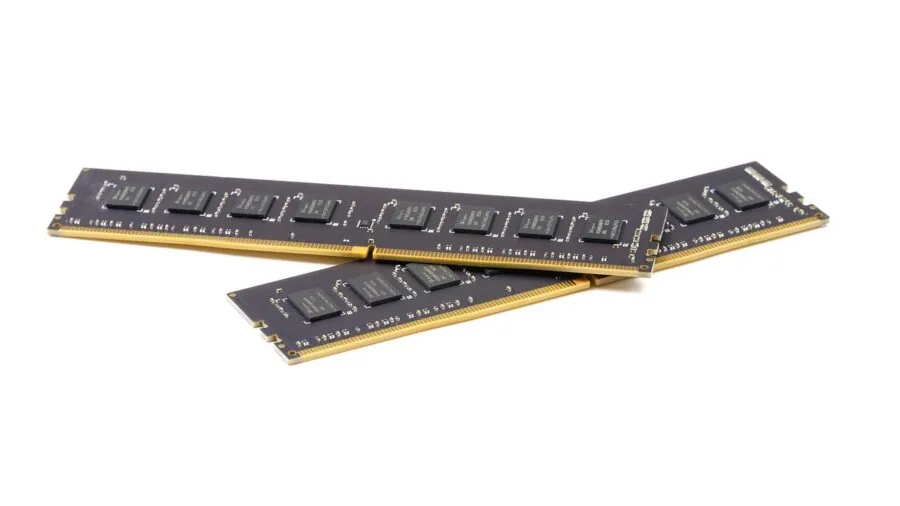
RAM specifications on budget Android tablets have become a marketing battleground.
Claims of 20GB, 24GB, or even 30GB of RAM from lesser-known brands almost always involve virtual RAM expansion, where a portion of the internal storage is allocated as slow swap memory.
This technique reduces actual performance compared to a device with equivalent physical RAM. A tablet with 4GB of genuine physical RAM will outperform one claiming 24GB of virtual RAM in everyday use.
For storage, 32GB is a workable minimum if the device supports microSD expansion, and 64GB is comfortable without expansion.
Amazon Fire tablets ship with 16GB or 32GB of storage depending on the model, with microSD slots accepting cards up to 1TB.
If you plan to load the device with offline videos for travel, prioritize expandable storage and budget for a quality microSD card to go with it.
Processor architecture matters for longevity. A tablet with an octa-core chip from a reputable foundry will handle software updates and increasingly demanding apps better over a two to three year lifespan than a weaker quad-core.
Amazon’s Fire tablets use custom MediaTek chips optimized for their software stack, which is why they often feel snappier than raw benchmark numbers suggest.
Brand-name SoC chips from Qualcomm or MediaTek with verifiable model numbers are preferable to chips listed only by clock speed with no other identification.
Why You Should Trust Us
ProductFind is an independent review publication. Every product in this roundup was evaluated using our structured research methodology: we analyze published specifications, synthesize expert review consensus from credible sources, and assess verified buyer feedback across large purchase samples.
Each device receives a PF Score on a scale of 0 to 10, reflecting consistent criteria applied equally across all products in the category.
We do not conduct our own product trials; our evaluations are grounded in research, published data, expert review consensus, and verified buyer feedback.
Our scoring for kids tablets weighs content ecosystem and parental controls most heavily, followed by build quality and drop protection, display adequacy, battery life, and honest assessment of RAM and storage claims.
Products that inflate specifications through virtual RAM or unverifiable processor claims are penalized in our scoring, which is why several budget Android tablets in this roundup score meaningfully lower than their spec sheets might suggest.
ProductFind may earn a commission if you purchase through links on this page. That affiliate relationship has no influence on our rankings, PF Scores, or product selection.
We include products because they perform well against our research criteria, not because of the commission rate they carry. Our editorial team operates independently of our commercial relationships.
Final Thoughts
The kids tablet market splits clearly into two tiers: purpose-built devices with integrated content ecosystems and rugged cases, and generic Android tablets that compete on inflated spec numbers.
Our research strongly favors the former for children under ten, where content safety and physical durability matter more than raw performance.
For older kids who need a more capable device, the better Android options in this list provide reasonable value when you look past the virtual-RAM marketing.
Here are our top awards from this roundup, based on PF Score and category fit:
- Best Overall: TABWEE Kids Tablet 10 Inch earns the top PF Score in this roundup with its HD eye-care display, solid parental-control suite, and generous storage expandability, making it the most well-rounded pick across age groups.
- Best for Young Kids (Ages 3 to 7): Amazon Fire HD 8 Kids tablet combines Amazon Kids Plus, a bright 8″ HD screen, and a 13-hour battery in a purpose-built package that parents and children consistently rate highly in verified reviews.
- Best for Older Kids (Ages 6 to 12): Amazon Fire HD 10 Kids Pro scales up the Kids Pro experience to a 10.1″ display with a slim case designed for hands that have grown past the chunky bumper stage, earning a strong PF Score for its age bracket.
- Best Budget Pick: Amazon Fire 7 Kids tablet is the most affordable purpose-built option in the roundup, delivering genuine parental controls, ad-free content access, and a 10-hour battery at an entry-level price that makes it easy to recommend as a first tablet for young children.
- Best Budget Android Option: aiprotablet Kids Tablet with Keyboard Mouse Stylus earns the highest PF Score among the third-party Android entrants, standing out for its included accessory bundle and broader connectivity features for kids ready to move beyond a purely curated experience.
If you are weighing a kids tablet against a mainstream device, our guide to budget tablets for every use case covers the overlap in detail.
For families thinking about accessories, a good tablet keyboard case can extend the usefulness of a 10-inch kids tablet into light schoolwork without buying a separate laptop.
Frequently Asked Questions
What age is appropriate for a first tablet?
Most child development experts suggest introducing tablets no earlier than age two for video calls and age three for interactive educational apps, with close supervision.
The tablets in this roundup rated for ages three to seven are designed to be appropriate entry points with content controls that limit exposure to unsuitable material.
Younger toddlers benefit most from very short, supervised sessions rather than extended independent use.
The practical answer also depends on physical readiness. A tablet a toddler can hold without dropping constantly, with a case that survives inevitable impacts, matters as much as the software age rating.
Purpose-built kids tablets with included bumper cases are much better suited to the three-to-five age range than slim consumer slabs.
Parents looking for additional structured activities alongside screen time might find board games for kids a useful complement to tablet time for that age group.
Are Amazon Fire tablets better than generic Android tablets for kids?
For children under ten, yes, in most cases. Amazon Fire tablets ship with a genuinely well-engineered parental-control system, an ad-free curated content library, and a two-year worry-free guarantee that replaces the device if your child breaks it.
That combination is hard to match at a comparable price point from a generic brand.
Generic Android tablets become more competitive for older children aged ten and up who need access to the broader Google Play ecosystem for schoolwork apps, specific games, or productivity tools.
At that age, a parent can manage content access through Google Family Link rather than relying on a fully walled garden. The trade-off is more parental setup effort and no included case or warranty upgrade.
What does “virtual RAM” mean on budget kids tablets, and should I care?
Virtual RAM, sometimes called RAM expansion or dynamic RAM, is a feature where a slice of the device’s internal storage is treated as additional memory.
It is significantly slower than physical RAM because storage read and write speeds are far lower than dedicated memory chips.
A device advertised as having 20GB or 24GB of RAM almost always means a small amount of physical RAM, perhaps 4GB, supplemented by a large virtual allocation.
For kids’ typical use, which is video streaming, light games, and educational apps, virtual RAM rarely causes obvious problems in the short term. Where it matters is multitasking, app-switching speed, and long-term performance as software updates grow more demanding.
If you see a budget tablet claiming unusually large RAM numbers, treat it as a marketing signal rather than a genuine performance advantage and focus instead on the physical RAM figure and the processor model number.
How do I manage screen time without constant battles?
The most effective approach combines technology and expectation-setting before the tablet arrives.
Use the parental-control dashboard to set daily time limits and a hard stop time before you hand the device to your child, so the tablet itself enforces the boundary rather than a parent having to physically take it away.
Amazon’s Parent Dashboard lets you add “earned time” as a reward for completing goals, which turns screen-time management into a positive tool rather than a punishment.
Weekly usage reports, available on most purpose-built kids tablets, give you data to work with when discussing habits with your child.
Pairing tablet time with offline activities, physical play, cooperative board games, or outdoor exploration creates a natural balance rather than treating the tablet as the default option.
Consistent routines, where tablets are available during defined windows rather than on demand, tend to reduce conflict more reliably than any technical control.
Is a kids tablet a good idea for schoolwork?
For early elementary schoolwork, reading apps, and educational games, yes. A 10-inch kids tablet handles most age-appropriate learning apps well and is easier to manage with parental controls than a shared family computer.
For older kids who need a physical keyboard, access to Google Docs or Microsoft 365, and a capable browser for research, a standard tablet or a budget tablet paired with a keyboard case is a more practical solution than a purpose-built kids device.
The walled-garden nature of Amazon Fire tablets specifically can be a limitation for schoolwork because some educational platforms require a full Android environment or a browser that is not available through the Kids Plus content library.
If your child’s school assigns specific apps or web tools, verify compatibility with the tablet’s content ecosystem before purchasing. Open-Android devices give more flexibility here at the cost of more parental setup work.
About the author
Deanna is a reviewer and writer for ProductFind who specializes in Tablets & E-Readers. Deanna evaluates products through independent research: specifications, expert review consensus, and verified buyer feedback, and rates each one on the PF Score. Deanna focuses on helping readers pick the right tablets & e-reader for their needs and budget.