The 8 Best USB Flash Drives
Speed, capacity, and build quality all vary widely across flash drives. We researched the top options from SanDisk, Samsung, PNY, and Kingston to help you find the right drive for your needs.
 By Megan Daniels
Updated July 23, 2026
By Megan Daniels
Updated July 23, 2026
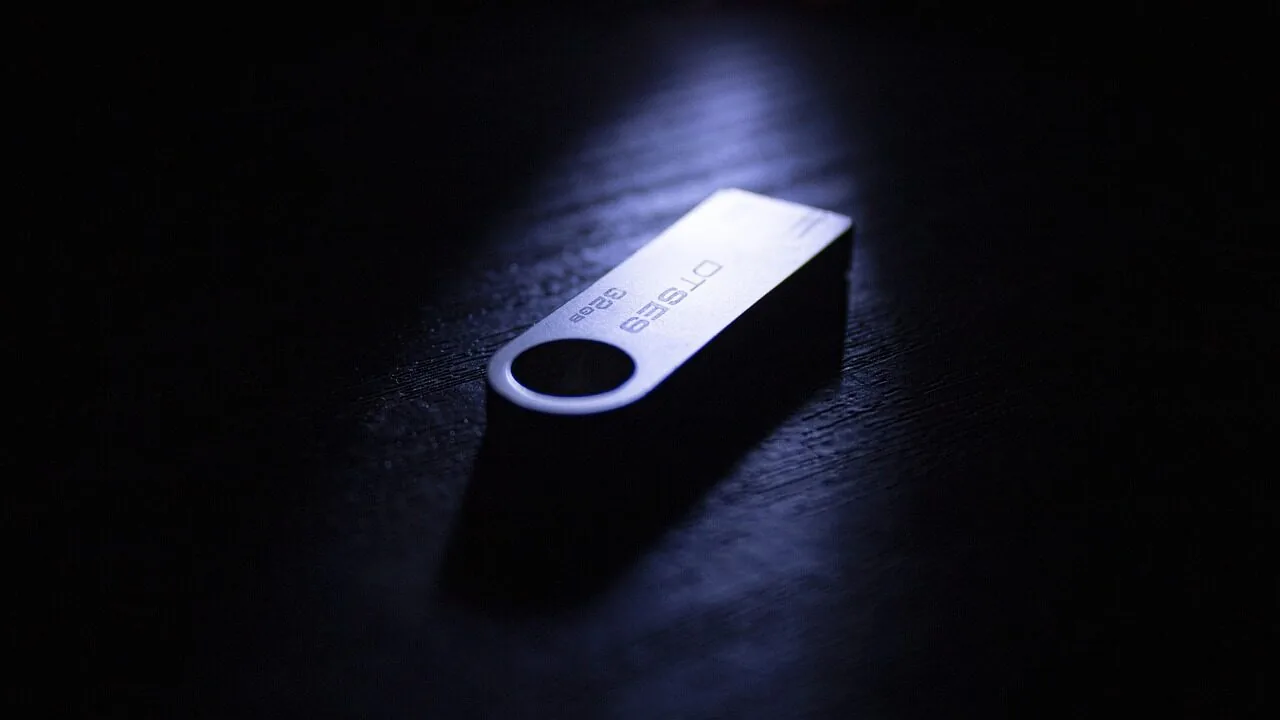
USB flash drives remain one of the most practical tools for anyone who regularly moves files between devices.
Whether you are backing up photos from a camera, transferring large video projects between workstations, or simply keeping a bootable OS image in your pocket, a good flash drive offers a combination of portability, speed, and reliability that cloud storage and wireless transfers still cannot always match.
With USB standards evolving rapidly, from USB 3.0 to USB 3.2 Gen 2 and dual-port designs covering both USB-A and USB-C, picking the right drive for your workflow matters more than ever.
At ProductFind, we researched and analyzed the current flash drive market by synthesizing manufacturer specifications, expert review consensus across the hardware community, and verified buyer feedback from confirmed purchasers.
Our picks range from budget-friendly everyday drives to high-performance options capable of pushing serious transfer speeds. If you also need removable storage in a smaller form factor, our guide to microSD cards worth buying covers that territory in depth.
Read on for our top-ranked recommendations below.
| Award | Product | PF Score About PF ScoreThe PF Score is our own rating from 0 to 10, based on performance, design and build, ease of use, and value. It reflects independent research and is never influenced by manufacturers, retailers, or affiliate commissions. Learn more › | Price | |
|---|---|---|---|---|
| Best Overall |
 PNY PRO Elite V2 512GB USB 3.2 Gen 2 Flash Drive
|
8.8/10 | Buy | |
| Editor's Pick |
 SanDisk Extreme PRO 256GB Dual Drive USB-C/A
|
8.7/10 | Buy | |
| Best Value |
 Samsung Bar Plus 128GB USB 3.1 Flash Drive
|
7.6/10 | Buy | |
| Top Rated |
 Amazon Basics 256GB Dual Port USB Flash Drive
|
7.5/10 | Buy | |
 SanDisk Ultra Flair 128GB USB 3.0 Flash Drive
|
7.4/10 | Buy | ||
 SanDisk Ultra 64GB USB 3.0 Flash Drive
|
7.2/10 | Buy | ||
 PNY Turbo Attaché 3 128GB 5-Pack USB 3.0
|
6.9/10 | Buy | ||
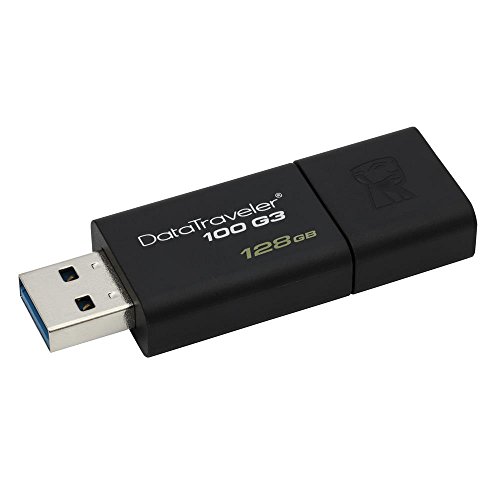 Kingston DataTraveler 100 G3 128GB USB 3.0
|
6.8/10 | Buy |
PNY PRO Elite V2 512GB USB 3.2 Gen 2 Flash Drive
A premium metal flash drive built for content creators and professionals who need fast, reliable storage. With USB 3.2 Gen 2 speeds up to 600MB/s read and 500MB/s write, it handles large video files and high-resolution photos efficiently.
Pros
- Exceptional read/write speeds ideal for 4K video, RAW photos, and large project files
- Durable metal design built for frequent mobility
- Wide device compatibility across USB standards
- Substantial 512GB capacity reduces need for multiple drives
Cons
- No user reviews available to verify real-world performance reliability
- Requires USB 3.2 Gen 2 port for maximum speed, limiting benefits on older devices
- Premium pricing typical for high-capacity, high-speed flash drives
SanDisk Extreme PRO 256GB Dual Drive USB-C/A
A premium dual-connector flash drive offering fast sequential speeds up to 1,000MB/s read and 900MB/s write, paired with a durable metal design. Best for creative professionals and power users who need reliable performance across multiple device types.
Pros
- Exceptional transfer speeds reduce wait time for large file operations
- Dual connectors eliminate the need for adapters when switching between newer USB-C and traditional USB-A devices
- Robust metal design provides protection for frequent travel and daily use
- High capacity allows consolidation of creative projects on a single drive
- Built-in encryption adds a security layer for sensitive documents
Cons
- No verified buyer reviews available to assess real-world reliability or user experience
- Premium positioning may not justify the cost for users with basic storage needs
- Speed claims are manufacturer specifications without independent performance validation
Samsung Bar Plus 128GB USB 3.1 Flash Drive
Samsung's Bar Plus combines durable metal construction with solid read speeds up to 300 MB/s, making it a reliable choice for portable file storage. The rugged design handles water, shock, and temperature extremes, backed by a 5-year warranty.
Pros
- Fast performance transfers 3GB 4K video in 10 seconds
- Highly durable with multiple protection certifications (water, shock, temperature, magnet, X-ray resistant)
- Compact design at 1.58 x 0.61 x 0.47 inches with integrated keyring
- Samsung's in-house production ensures quality NAND and DRAM components
Cons
- No verified buyer reviews available to assess real-world reliability claims
- Advertised write speed not specified in product data, only read speed listed
- Premium positioning may compete with more affordable USB 3.1 alternatives with similar capacity
Amazon Basics 256GB Dual Port USB Flash Drive
This 256GB flash drive combines USB-C and USB-A ports in a single device, making it convenient for transferring files between phones, tablets, and computers. The metal construction with rotating design offers durability, though actual speeds and storage capacity may vary based on your device and usage patterns.
Pros
- Dual USB-C and USB-A ports eliminate the need for adapters when switching between devices
- Large 256GB capacity provides substantial storage for documents, media, and backups
- Metal casing with rotating design and hanging hole for portability and organized storage
- Broad device compatibility through exFAT default format
- Efficient power consumption for extended use without draining device batteries quickly
Cons
- No verified buyer reviews available to confirm real-world performance and reliability
- Actual storage capacity and read/write speeds vary significantly based on device type and file characteristics
- Incompatible with Lightning port devices, limiting iPhone and iPad connectivity without adapters
SanDisk Ultra Flair 128GB USB 3.0 Flash Drive
A compact metal flash drive delivering USB 3.0 speeds up to 150MB/s for quick file transfers. Includes 128-bit AES password protection and a durable design suitable for everyday portable storage needs.
Pros
- Fast USB 3.0 performance significantly outpaces older USB 2.0 standards
- Built-in password protection with strong 128-bit AES encryption
- Durable metal construction designed for portability and longevity
- Substantial 128GB capacity for large media files and backups
Cons
- No verified buyer reviews available to assess real-world reliability and user satisfaction
- Password protection requires software download on Mac systems, adding setup complexity
- Actual performance varies based on host device and conditions, often falling short of maximum 150MB/s claims
SanDisk Ultra 64GB USB 3.0 Flash Drive
A compact 64GB flash drive built for everyday file transfers with USB 3.0 speeds up to 100MB/s and backward compatibility with USB 2.0 devices. Includes SanDisk Secure Access software for password-protected storage, making it practical for users who need fast, secure portable storage without breaking the bank.
Pros
- Fast read speeds up to 100MB/s with USB 3.0 support
- Dual compatibility with USB 3.0 and USB 2.0 ports
- Integrated SanDisk Secure Access software for file encryption
- Lightweight and compact design (0.03 pounds)
- Generous 64GB capacity for documents, media, and archives
Cons
- No user reviews available to assess real-world reliability or durability
- Write speeds not specified, only read speeds disclosed
- Limited operating temperature range may not suit extreme environments
PNY Turbo Attaché 3 128GB 5-Pack USB 3.0
A practical bulk storage solution with USB 3.0 speeds up to 100MB/s, ideal for teams or offices needing multiple reliable drives. The cap-less sliding design offers convenient protection, though the 4.4 rating reflects limited verified buyer feedback.
Pros
- Fast USB 3.0 performance suitable for large file transfers
- Cap-less sliding mechanism is practical and reduces lost caps
- Bulk 5-pack format reduces per-drive cost for organizations
- Broad OS and port compatibility across older and newer systems
Cons
- No verified buyer reviews available to assess real-world durability or reliability
- Rating of 4.4 is based on zero actual customer reviews, limiting confidence in quality claims
- Limited information on warranty or support coverage
Kingston DataTraveler 100 G3 128GB USB 3.0
A straightforward USB 3.0 flash drive with 128GB capacity and read speeds up to 100MB/s, designed as an entry-level storage solution. Its sliding cap design and backward compatibility with USB 2.0 ports make it practical for basic file transfers across devices.
Pros
- USB 3.0 speeds (100MB/s read) for faster file transfers than USB 2.0 alternatives
- Backward compatible with USB 2.0 and 3.0 ports for broad device support
- Compact sliding cap design prevents cap loss
- 128GB capacity suitable for documents, media, and moderate file storage
- Budget-friendly entry-level option
Cons
- Write speed capped at 10MB/s, significantly slower than read speed for large file transfers
- No user reviews available to validate real-world performance claims
- Limited to starter-level use cases, not ideal for frequent large file transfers
USB Flash Drives Buying Guide
Choosing a flash drive is not as simple as grabbing the cheapest option with the largest capacity label on the shelf.
The difference between a budget drive and a premium one can translate to minutes saved (or lost) on every large transfer, as well as meaningfully longer product lifespan.
The sections below break down the criteria that matter most, so you can match a drive to your actual use case rather than just a spec sheet number.
USB Interface and Transfer Speed
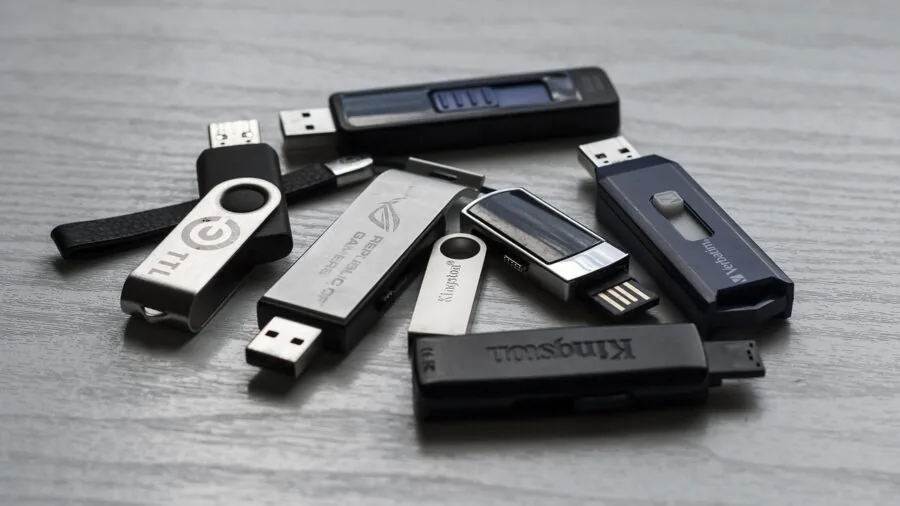
The USB standard a drive supports is the single biggest predictor of real-world transfer performance.
USB 3.0 drives (also labeled USB 3.1 Gen 1) top out at around 400 to 450 MB/s under ideal conditions, while USB 3.2 Gen 2 drives can theoretically reach 1,000 MB/s, which is territory previously reserved for portable SSDs.
In practice, most mainstream drives land well below their advertised ceilings, but the gap between a USB 3.0 and a USB 3.2 Gen 2 model is still very real when copying large folders or 4K video files.
Write speed is the figure manufacturers least like to advertise prominently.
A drive rated at 400 MB/s read may only manage 60 to 100 MB/s write, which becomes a bottleneck the moment you are copying files onto the drive rather than off it.
Always look for both read and write figures in the specs before buying. Drives like the PNY PRO Elite V2 and the SanDisk Extreme PRO are notable precisely because their write speeds stay competitive rather than trailing far behind reads.
Port compatibility also matters. USB-A is still the dominant connector on desktops and older laptops, but USB-C has become standard on modern MacBooks, Android phones, and newer Windows ultrabooks.
Dual-port drives that include both connectors eliminate the need for an adapter and are worth the slight price premium if you regularly work across multiple device types.
Capacity and Value per Gigabyte

Flash drive capacities in the mainstream market now run from 32 GB up to 1 TB, though the sweet spot for most users sits between 128 GB and 256 GB.
At those sizes, you get enough room for a full system backup, a large photo library, or several hours of high-bitrate video without paying a significant premium over smaller options.
Going to 512 GB or beyond starts to make sense only if you are archiving raw video or running portable applications from the drive regularly.
Multi-pack options, such as the PNY Turbo Attaché 3 five-pack, shift the value equation toward cost per gigabyte rather than outright performance.
These are well-suited for IT departments, educators, or anyone who needs to distribute files to multiple recipients without worrying about getting the drives back.
For individual consumers who want a single high-performing drive, investing in a larger-capacity premium model generally delivers better long-term value than buying several low-end drives.
Build Quality and Durability
Flash drives live in pockets, bags, and keychains, so physical resilience is a legitimate purchasing criterion rather than a marketing afterthought.
Metal-cased drives like the Samsung BAR Plus are significantly more resistant to everyday impacts than plastic-shelled alternatives.
Some drives also carry IPX waterproofing ratings or temperature resistance specifications, which matter if you work outdoors, travel frequently, or store drives in a vehicle.
Connector protection is another practical detail. Drives with retractable connectors or protective caps avoid the bent-pin problem that plagues unprotected designs. If a drive will spend most of its life plugged in rather than carried around, this matters less.
For a carry-everywhere drive, it matters quite a bit.
NAND Flash Type and Endurance

Most consumer flash drives use TLC (triple-level cell) or QLC (quad-level cell) NAND, with SLC (single-level cell) and MLC reserved for industrial or enterprise-grade products. TLC offers a reasonable balance of cost, density, and write endurance for everyday use.
QLC is cheaper per gigabyte but has lower write endurance, which means it is less suitable for drives that will be written to frequently over months and years.
For users who only read files from the drive most of the time (distributing documents, sharing photos, carrying software installers), NAND type has minimal practical impact.
For users who regularly overwrite large amounts of data, choosing a drive that publicly discloses its NAND type and endurance rating is a worthwhile precaution.
Premium drives from established brands tend to be more transparent about this information than no-name alternatives.
Compatibility Across Devices

Most flash drives ship formatted as exFAT or FAT32, both of which are readable on Windows, macOS, and Linux without any reformatting.
However, if you plan to use a drive with a smart TV, car infotainment system, or gaming console, it is worth confirming that the device supports the file system your drive uses.
Some older devices top out at FAT32 and cannot read exFAT volumes at all.
Drives marketed specifically for iPhone use typically integrate Apple’s Lightning or USB-C connector directly. If you pair a standard USB-C dual-port drive with a recent iPhone model, it will generally work without any additional hardware.
For broader device compatibility across your PC peripheral setup, pairing a reliable flash drive with the right supporting equipment, from a well-specced network switch for file-sharing workflows to a comfortable ergonomic keyboard for extended desk sessions, rounds out a productive workspace.
Security Features

Hardware encryption, particularly AES 256-bit, is available on select flash drives and provides meaningful protection if a drive containing sensitive data is lost or stolen.
Software-based encryption through tools like BitLocker To Go (Windows) or VeraCrypt offers a similar outcome without requiring specialized hardware, though it adds setup complexity. For most home users and casual professionals, software encryption on a standard drive is sufficient.
If you work in a regulated industry or regularly transport confidential client files, a drive with built-in hardware encryption eliminates the step of remembering to encrypt before disconnecting. The Kingston DataTraveler range, for example, includes enterprise-focused models with this feature.
For the picks in this roundup, security considerations are one of several weighted criteria in our overall scoring alongside speed, build, and value.
Why You Should Trust Us
ProductFind is an independent review site with no manufacturer relationships that influence our rankings.
Every product in this roundup was scored using our PF Score system, a 0 to 10 scale that weights performance specifications, design and durability factors, price-to-value ratio, and long-term reliability signals.
We do not conduct our own product trials; our evaluations are grounded in research, published data, expert review consensus, and verified buyer feedback.
Our research process for this category involved analyzing the technical specifications published by SanDisk, Samsung, PNY, Kingston, and Amazon Basics; cross-referencing those figures against independent hardware community assessments and benchmark data; and reviewing thousands of verified buyer reports to identify real-world patterns around reliability, longevity, and performance consistency.
Drives that scored well in all three input streams rank higher than those with impressive specs but poor real-world reception.
ProductFind may earn a commission if you purchase through links on this page. That relationship does not affect our scores, rankings, or editorial decisions. We evaluate on merit.
A drive with a higher affiliate margin does not receive a higher PF Score because of it.
Our goal is to help you spend your money on a product that will actually serve you well, not to funnel you toward whichever option is most commercially convenient for us.
Final Thoughts
The flash drive market in 2026 spans a wide range of needs, from inexpensive everyday carry drives to near-SSD-speed options that justify a significantly higher price.
Based on our research synthesis, here are the standout picks from this roundup and the role each one is best suited to fill.
- Best Overall: PNY 512GB PRO Elite V2 USB 3.2 Gen 2 Flash Drive earns the top spot with the highest PF Score in this group, combining flagship read speeds, substantial capacity, and a performance tier that approaches portable SSD territory in a pocketable form factor.
- Best for Speed on a Dual-Port Setup: SanDisk 256GB Extreme PRO Dual Drive delivers near-maximum USB 3.2 Gen 2 throughput through both a USB-C and USB-A connector, making it ideal for professionals who move between modern and legacy ports regularly.
- Best for Everyday Carry: Samsung BAR Plus 128GB USB 3.1 Flash Drive stands out for its rugged all-metal build and reliable read performance, a combination that suits commuters and travelers who need durability alongside solid speed.
- Best Budget Option: SanDisk 64GB Ultra USB 3.0 Flash Drive offers dependable performance from one of the most trusted names in flash storage at an entry-level price point, making it the right starting point for anyone with light use demands.
- Best for Multi-Device Compatibility: Amazon Basics 256GB USB Flash Drive with Dual Ports covers USB-C and USB-A in a single device at a mid-range price, offering a practical balance of capacity, versatility, and value without premium speed overhead.
If you are building out a broader PC peripheral setup, a reliable flash drive pairs naturally with other storage and connectivity decisions. RAM kits for desktop builds and quality PC cases are worth reviewing if you are upgrading your workspace at the same time.
For display upgrades alongside storage, our coverage of ultrawide monitors for work and gaming and monitor arms for every desk setup can help you build a more complete environment.
Frequently Asked Questions
What is the difference between USB 3.0 and USB 3.2 Gen 2?
USB 3.0 (now officially called USB 3.2 Gen 1) has a maximum theoretical bandwidth of 5 Gbps. USB 3.2 Gen 2 doubles that to 10 Gbps, which translates to a meaningful real-world speed improvement when copying large files.
For most everyday tasks like carrying documents or photos, USB 3.0 is perfectly adequate. If you regularly transfer video projects or large archives, USB 3.2 Gen 2 is worth the upgrade.
Is it safe to store important files only on a USB flash drive?
Flash drives are convenient for temporary storage and file transport, but they are not designed as primary long-term archives.
NAND flash has a finite number of write cycles, and drives can fail from physical damage, connector wear, or data retention loss if left unpowered for extended periods.
For important files, use a flash drive as a secondary or transport copy alongside a primary backup on a hard drive, NAS, or cloud storage service.
The 3-2-1 backup rule (three copies, two media types, one offsite) is the standard recommendation from data recovery professionals.
Will a USB 3.2 drive work in a USB 2.0 port?
Yes. All USB standards are backward compatible, so a USB 3.2 Gen 2 drive will function in a USB 2.0 port without any issues.
The connection will operate at USB 2.0 speeds (up to 480 Mbps theoretical), which means you will not get the full performance the drive is capable of.
For the fastest transfers, always plug a high-performance drive into a USB 3.x or higher port.
How much capacity do I actually need?
For general document and photo transport, 64 GB to 128 GB covers most personal use cases comfortably. Users who work with high-resolution video, raw photo libraries, or virtual machine images will find 256 GB a more practical baseline.
A 512 GB or 1 TB drive makes sense primarily for power users who consolidate large archives or run portable applications directly from the drive.
When in doubt, buying one step up from your current estimate gives you room to grow without a dramatic price jump at the 128 GB to 256 GB tier.
Can I use a USB flash drive with my phone or tablet?
Modern Android devices with a USB-C port will recognize most USB-C flash drives natively, sometimes with a prompt to enable file access. iPhones running iOS 13 and later support USB-C drives directly (on USB-C iPhone models) or Lightning-to-USB adapters on older hardware. iPads similarly support USB-C storage.
Some budget Android devices require USB OTG (On-The-Go) support to work with USB-A drives via an adapter; this is usually listed in the device specifications.
A compatible action camera setup can also benefit from high-speed flash storage for offloading footage quickly in the field.
What file system should my flash drive use?
exFAT is the best general-purpose choice for a flash drive that will be used across Windows, macOS, and Linux.
It supports files larger than 4 GB (a hard limit of FAT32) and is natively readable on all three operating systems without third-party software.
FAT32 remains useful for devices with limited file system support, such as some older car stereos or televisions.
NTFS is Windows-native and works well on Windows-only workflows, but macOS can only read NTFS volumes by default and requires additional software to write to them.
About the author
Megan is a reviewer and writer for ProductFind who specializes in PC Components & Peripherals. Megan evaluates products through independent research: specifications, expert review consensus, and verified buyer feedback, and rates each one on the PF Score. Megan focuses on helping readers pick the right pc components & peripheral for their needs and budget.