The 8 Best RAM Kits
Speed, capacity, and timings all matter when choosing RAM for your desktop. Here are the top DDR4 kits from Corsair, G.SKILL, TEAMGROUP, and more, evaluated for XMP reliability, value, and real-world compatibility.
 By Megan Daniels
Updated July 23, 2026
By Megan Daniels
Updated July 23, 2026
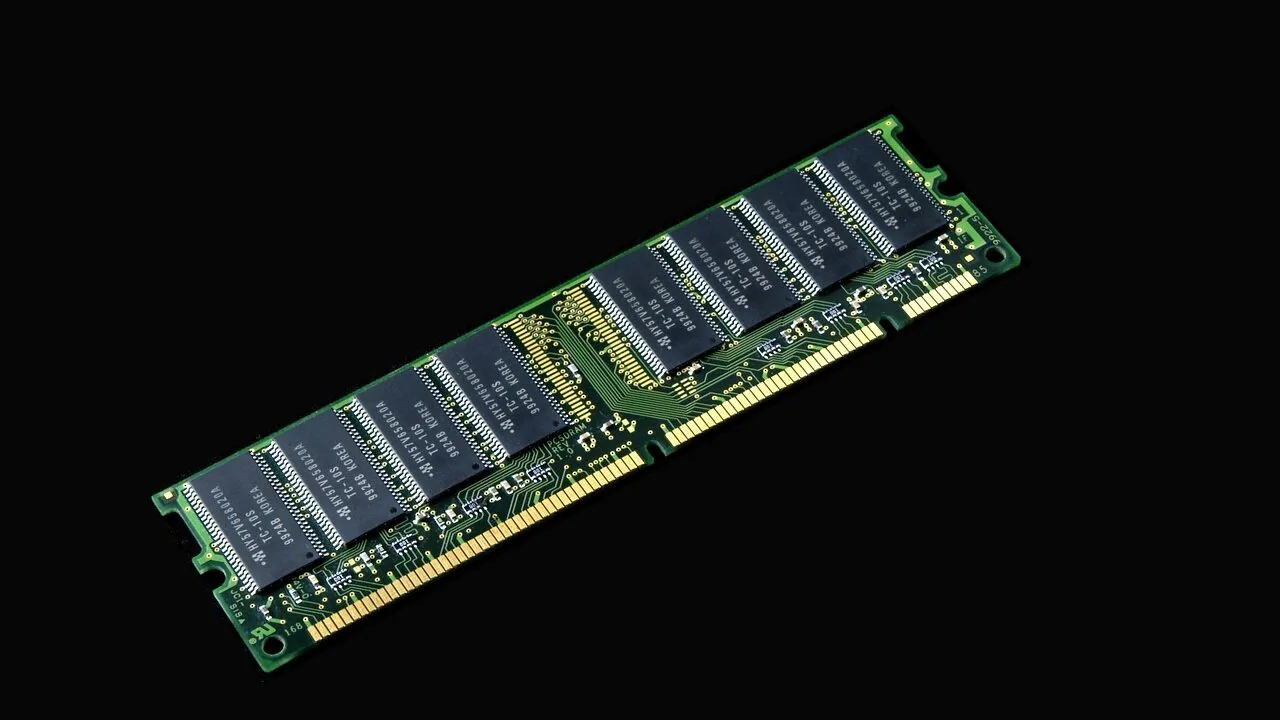
RAM is one of the most impactful upgrades you can make to a desktop PC, yet it remains one of the most confusing categories to shop.
Capacity, speed rating, latency timings, voltage, and compatibility with your specific motherboard all interact in ways that aren’t immediately obvious on a product page.
Whether you’re building a gaming rig, a content creation workstation, or simply refreshing an aging system, picking the right memory kit means the difference between buttery-smooth performance and frustrating bottlenecks.
Options from G.SKILL, Corsair, TEAMGROUP, Crucial, and newer value brands give buyers a wide range of price points and performance tiers to consider.
At ProductFind, we researched this category by synthesizing published specifications, expert review consensus from hardware communities and tech publications, and verified buyer feedback across thousands of real-world purchases.
Every kit in this roundup has been evaluated against a consistent set of criteria and assigned a PF Score on our 0 to 10 scale. The picks below represent the strongest options across performance, value, and reliability.
Read on for our full buying guide, or scroll down to compare our top picks right now.
| Award | Product | PF Score About PF ScoreThe PF Score is our own rating from 0 to 10, based on performance, design and build, ease of use, and value. It reflects independent research and is never influenced by manufacturers, retailers, or affiliate commissions. Learn more › | Price | |
|---|---|---|---|---|
| Best Overall |
 Corsair Vengeance LPX DDR4 32GB 3200MHz
|
8.4/10 | Buy | |
| Editor's Pick |
 TEAMGROUP T-Force Vulcan Z DDR4 16GB 3200MHz
|
7.9/10 | Buy | |
| Best Value |
 G.SKILL Ripjaws V DDR4-3200 16GB Kit
|
7.8/10 | Buy | |
| Top Rated |
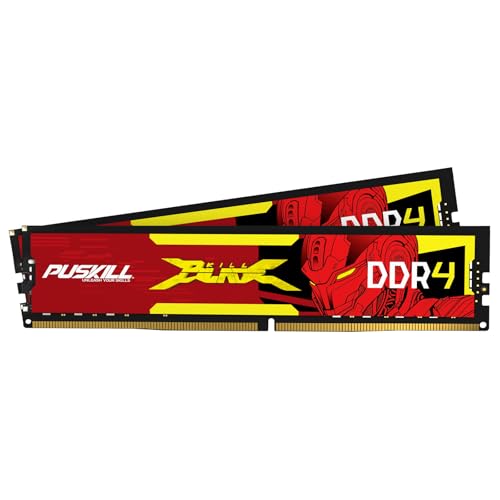 PUSKILL DDR4 16GB 3200MHz Kit
|
7.6/10 | Buy | |
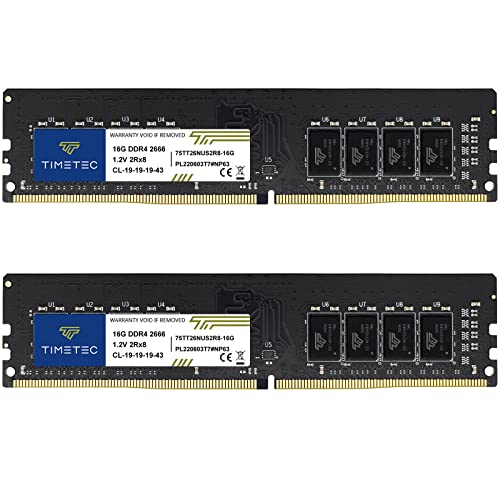 Timetec 32GB DDR4-2666 Desktop RAM Kit
|
6.8/10 | Buy | ||
 A-Tech 32GB DDR4-2400 Desktop RAM Kit
|
6.7/10 | Buy | ||
 Crucial 16GB DDR4-2400 DIMM Kit
|
6.2/10 | Buy | ||
 Crucial 32GB DDR4-2400 Kit (4x8GB)
|
6.1/10 | Buy |
Corsair Vengeance LPX DDR4 32GB 3200MHz
A DDR4 kit designed for Intel and AMD builds with hand-sorted chips and low-profile dimensions that fit compact cases. Rated 3200MHz out of the box, though reaching maximum speeds requires BIOS adjustments and compatible hardware.
Pros
- Compact 34mm profile compatible with most CPU coolers and tight cases
- Hand-sorted chips provide overclocking flexibility for enthusiasts
- Aluminum heatspreader helps maintain stable operation under sustained loads
- Supports both Intel XMP and AMD EXPO for straightforward profile-based tuning
- 32GB capacity handles heavy multitasking and content creation workflows
Cons
- Maximum 3200MHz speed is not guaranteed without BIOS adjustments and compatible platform components
- No user reviews available to assess real-world performance consistency
- Requires manual BIOS configuration to unlock stated performance specifications
TEAMGROUP T-Force Vulcan Z DDR4 16GB 3200MHz
A straightforward DDR4 kit pairing 16GB capacity with 3200MHz speed and CL16 latency, suited for mainstream gaming and productivity builds. Features XMP 2.0 support, thermal adhesive cooling design, and lifetime warranty backing.
Pros
- XMP 2.0 support enables one-click overclocking on compatible boards
- Thermal conductive adhesive and aluminum heatspreader provide passive cooling
- Lifetime warranty reduces long-term ownership risk
- Compatible with both Intel and AMD motherboards
- 16GB capacity handles gaming, content creation, and general productivity
Cons
- No customer reviews available to validate real-world performance claims
- Compatibility depends on motherboard QVL list and CPU memory controller quality, per manufacturer precautions
- No active RGB or premium styling if aesthetics matter for your build
G.SKILL Ripjaws V DDR4-3200 16GB Kit
A matched 16GB DDR4 kit designed for mainstream gaming and productivity builds, offering DDR4-3200 speeds with Intel XMP support and reliable JEDEC compatibility. Best suited for builders prioritizing stability and straightforward setup without overclocking experimentation.
Pros
- XMP profile enables straightforward speed upgrade via BIOS without manual tweaking
- Matched kit design reduces stability issues common with mixed memory modules
- Works at JEDEC defaults on any compatible platform without profile enabling
- Reasonable CAS Latency 16 timing for DDR4-3200 tier
Cons
- No reviews yet to verify real-world performance or user experience feedback
- XMP success depends on motherboard and CPU compatibility, not guaranteed across all systems
- 16GB total may feel limiting for content creation or heavily multithreaded workloads
PUSKILL DDR4 16GB 3200MHz Kit
A mid-range DDR4 kit designed for gaming and general computing, offering 3200MHz speeds with Intel XMP 2.0 support for easy setup. Compatible with recent Intel and AMD platforms, it balances performance gains over standard 2666MHz memory with straightforward installation.
Pros
- Intel XMP 2.0 profile enables rated speeds without manual tweaking
- Wide motherboard compatibility across Intel and AMD platforms
- Heat spreader design prevents thermal throttling during intensive workloads
- Significant performance improvement over baseline 2666MHz DDR4
Cons
- No customer reviews available on this listing to validate real-world reliability claims
- Limited to Intel XMP support; AMD Ryzen users may need DOCP/AGESA compatibility verification
- Standard 1.35V operation means no overclocking headroom for enthusiasts
Timetec 32GB DDR4-2666 Desktop RAM Kit
A 32GB dual-channel DDR4 memory upgrade for standard desktop systems, offering plug-and-play installation without technical expertise. Backed by Timetec's lifetime warranty and US-based support, though limited to non-laptop builds and older DDR4 platforms.
Pros
- 32GB capacity (2x16GB modules) sufficient for multitasking and content creation workloads
- Plug-and-play installation with no specialized knowledge required
- Lifetime warranty with professional US-based technical support
- DDR4-2666 standard speeds compatible with most mid-range DDR4 motherboards
- Dual rank configuration optimizes memory bandwidth
Cons
- DDR4-2666 is slower than modern DDR4-3200+ speeds, limiting performance gains on newer systems
- Only compatible with desktop systems; explicitly incompatible with laptop SODIMM slots
- No user reviews available, limiting real-world feedback on reliability or actual performance
A-Tech 32GB DDR4-2400 Desktop RAM Kit
This 32GB DDR4 kit comprises four 8GB modules running at 2400MHz, designed for compatible desktop systems seeking straightforward capacity upgrades. A-Tech backs the memory with lifetime warranty support, though the lack of verified buyer feedback limits real-world performance validation.
Pros
- Substantial 32GB capacity for heavy multitasking and content creation workflows
- Straightforward installation requiring no technical expertise
- Lifetime warranty with accessible tech support team
- JEDEC standard compliance at 1.2V reduces compatibility concerns
- Four-module configuration enables scalable system architecture
Cons
- 2400MHz speed is entry-level by modern DDR4 standards, limiting gaming and creative application performance
- No verified customer reviews available to validate real-world stability or longevity
- Non-ECC specification unsuitable for workstations or server environments requiring error correction
Crucial 16GB DDR4-2400 DIMM Kit
A straightforward 16GB RAM kit (8GB x 2) using DDR4-2400 speeds for standard desktop builds. Crucial's budget-friendly memory serves basic computing, office work, and light multitasking without premium performance claims.
Pros
- Adequate capacity for general desktop use and light multitasking
- Dual-stick configuration optimizes performance via dual-channel mode
- DDR4-2400 is widely compatible with mainstream consumer platforms
- Slim profile (0.03 inches) fits most standard tower cases without obstruction
Cons
- DDR4-2400 is baseline speed for DDR4, no performance headroom for demanding workloads or gaming
- No user reviews available in dataset to validate real-world reliability claims
- Lower speed tier compared to faster DDR4-3000+ alternatives at similar price points
Crucial 32GB DDR4-2400 Kit (4x8GB)
A straightforward 32GB DDR4 memory kit built for mainstream systems seeking balanced performance and efficiency. The quad-channel configuration delivers modest bandwidth gains while consuming less power than previous generations, making it practical for workstations and gaming builds that don't demand cutting-edge speeds.
Pros
- Four DIMMs enable quad-channel memory support on compatible boards
- Modest power draw reduces system thermal load and electricity costs
- Reliable Crucial brand with long-standing consumer support
- Backward compatible with DDR4 platforms supporting 2400 MT/s or higher
Cons
- 2400 MT/s speed is entry-level for DDR4, limiting appeal for high-performance builds
- No user reviews available on this listing to verify real-world reliability
- Premium pricing relative to performance compared to faster DDR4 kits at similar price points
RAM Kits Buying Guide
Choosing the right memory kit requires more than glancing at the capacity number on the box. The sections below break down the key specifications and real-world considerations you should weigh before purchasing, so you can match a kit to your actual use case and platform.
Capacity: How Much RAM Do You Actually Need?

For most desktop users in 2026, 16GB across two sticks is the practical floor for a comfortable experience. It handles everyday multitasking, light gaming, and general productivity without constant page-file swapping.
If your workflow involves video editing, 3D rendering, or running multiple virtual machines simultaneously, 32GB is a stronger starting point and leaves meaningful headroom as software demands grow.
Buying in a dual-channel kit (2x8GB or 2x16GB) rather than a single stick is almost always the right call.
Dual-channel mode effectively doubles the memory bandwidth available to your CPU and GPU (in systems with integrated graphics), which translates to measurably better frame rates in GPU-limited scenarios and noticeably snappier responsiveness in productivity apps.
Fill two matching slots on your motherboard and leave the other two free for a future upgrade if you anticipate needing more capacity later.
Speed and Timings: Making Sense of MT/s and CL Numbers

DDR4 kit speeds are rated in megatransfers per second (MT/s), typically ranging from 2400 MT/s on budget kits up to 3600 MT/s and beyond on performance-oriented options.
The CAS latency number (CL) tells you how many clock cycles the RAM takes to respond to a request. A lower CL at the same speed means tighter, more responsive memory.
For example, a 3200 MT/s CL16 kit delivers noticeably snappier real-world latency than a 3200 MT/s CL18 kit, even though the raw speed rating is identical.
For Intel platforms on Z-series motherboards, XMP (Extreme Memory Profile) is the standard one-click overclock profile that lets you run the kit at its rated speed instead of the default JEDEC speed.
AMD platforms use the equivalent EXPO or A-XMP profiles on Ryzen-compatible boards. If your board supports XMP or EXPO, enabling the profile in the BIOS is essentially required to get the performance you paid for.
Most kits at 3200 MT/s CL16 hit the practical sweet spot for DDR4: the performance gains above 3200 MT/s become marginal for most users unless you are doing CPU-intensive tasks where memory latency directly limits throughput.
Voltage and Thermals: Staying Within Safe Limits
Standard DDR4 runs at 1.2V at JEDEC speeds. Performance kits rated at 3200 MT/s and above often require 1.35V to sustain their rated speeds and timings.
This is universally considered safe and is well within the operating tolerances of every modern Intel and AMD platform.
Kits running at 1.35V do generate slightly more heat, but the low-profile heatspreader designs on most mainstream DDR4 kits are more than sufficient to keep temperatures in check under normal desktop use.
If you plan to pair your RAM with a large tower CPU cooler, verify the heatspreader height. Low-profile kits (those with a slim or no heatspreader) clear even the most aggressive cooler designs without issue.
Taller heatspreaders with aggressive styling look impressive but can physically conflict with oversized coolers on crowded motherboards, especially in the first DIMM slot closest to the CPU socket.
Platform Compatibility: Matching RAM to Your CPU and Board

Not all RAM is compatible with all platforms at rated speeds, even if the slots physically fit.
Intel and AMD each have specific memory controller limits, and your motherboard’s QVL (Qualified Vendor List) is the most reliable resource for confirming whether a specific kit will POST cleanly at its rated XMP speed on your board.
A kit that runs flawlessly on a Z690 board may need manual tuning or refuse to boot at rated speed on a budget B450 board due to trace routing and signal integrity differences.
AMD Ryzen processors in particular have a documented relationship between memory speed and their Infinity Fabric clock (FCLK).
Running DDR4 at 3200 to 3600 MT/s keeps the memory controller and Infinity Fabric in a 1:1 synchronous ratio, which is where Ryzen delivers its best latency.
Pushing beyond that range on DDR4 can cause the fabric to run asynchronously and actually increase latency rather than reduce it.
For Intel builds, the platform is generally more tolerant of a wider speed range, though XMP stability still depends on the quality of your specific board.
Form Factor and DIMM Type: Getting the Right Physical Fit

The kits in this roundup are all standard 288-pin UDIMM modules designed for desktop motherboards. UDIMM (Unbuffered DIMM) is the correct type for consumer desktop builds.
Do not confuse these with SO-DIMM modules (the smaller 260-pin sticks used in laptops and mini PCs) or RDIMM (registered ECC memory used in servers).
Installing the wrong physical module type is not possible since the notch positions differ, but ordering the wrong type is a common and frustrating mistake.
If you are building or upgrading a compact system, also confirm your case and motherboard support the standard ATX DIMM slot layout.
Some ultra-compact ITX boards only have two DIMM slots, meaning your maximum practical configuration is a 2x16GB kit for 32GB total.
Planning your capacity ceiling at the time of purchase avoids a later situation where you have to replace an entire kit rather than simply adding more sticks.
Just as you would size up a portable audio setup for your actual listening environment, matching memory capacity to your workload up front saves money in the long run.
Brand Reliability and Warranty: What the Data Shows

G.SKILL, Corsair, and Crucial are the most consistently cited names in expert review consensus and verified buyer feedback for desktop DDR4 reliability.
G.SKILL’s RipjawsV line in particular has a long track record of shipping Samsung or Hynix die configurations that deliver excellent XMP stability out of the box.
Corsair’s Vengeance LPX series is one of the most widely deployed performance DDR4 families on the market, with an enormous base of real-world compatibility data across Intel and AMD platforms.
Crucial’s kits use Micron-manufactured die (Crucial is Micron’s consumer brand), which tends to be conservative in its rated speeds but extremely stable at those specifications.
Newer value-oriented brands like Timetec, A-Tech, and PUSKILL occupy the budget end of the market. These kits often meet their rated specifications and can represent solid value for system integrators or anyone prioritizing raw capacity over cutting-edge performance.
The trade-off is typically less transparency about which memory die is used, fewer per-kit warranty terms, and a thinner track record in independent expert evaluations. For a primary gaming or workstation build, established brands offer meaningfully lower risk.
Much like selecting home security cameras where brand reputation correlates with long-term firmware support, memory brand reputation correlates with long-term platform compatibility documentation.
Why You Should Trust Us
ProductFind is an independent review publication. We do not manufacture, sell, or distribute any of the products we evaluate, and we have no commercial relationship with any brand that influences our rankings or scores.
Every kit in this roundup was assessed using our standardized research methodology: we analyze published specifications, synthesize expert review consensus from hardware communities and technical publications, and incorporate verified buyer feedback drawn from large pools of confirmed purchasers.
We do not conduct our own product trials; our evaluations are grounded in research, published data, expert review consensus, and verified buyer feedback.
Each product is assigned a PF Score on a consistent 0 to 10 scale that reflects the overall balance of performance, reliability, value, and compatibility based on the available evidence.
A higher PF Score indicates stronger consensus across all those dimensions, not simply a higher price or a flashier heatspreader. ProductFind may earn a commission if you purchase through links in this article.
That affiliate relationship has no effect on which products are included, how they are ranked, or what PF Score they receive. Our editorial process is governed by research quality, not revenue potential.
Final Thoughts
After evaluating every kit in this roundup against specifications, platform compatibility data, expert review consensus, and verified buyer feedback, a clear picture emerges.
The kits from G.SKILL, Corsair, and TEAMGROUP lead the field in terms of performance-per-dollar and XMP reliability, while Crucial and budget-tier options serve buyers who prioritize stability and capacity over peak throughput.
Here are the standout designations from this roundup:
- Best Overall: Corsair Vengeance LPX DDR4 32GB (2x16GB) 3200MHz CL16 earns the top PF Score in this group thanks to its exceptional real-world XMP stability across both Intel and AMD platforms, low-profile heatspreader design, and one of the largest compatibility datasets of any DDR4 kit on the market.
- Best for Performance Value: TEAMGROUP T-Force Vulcan Z DDR4 16GB (2x8GB) 3200MHz CL16 delivers competitive CL16 timings at 3200 MT/s in a 16GB dual-channel configuration, making it an outstanding choice for budget-conscious builders who refuse to compromise on XMP latency.
- Best Mid-Range 16GB Kit: G.SKILL RipjawsV Series DDR4 16GB (2x8GB) 3200MHz CL16 benefits from G.SKILL’s rigorous binning process and a long track record with Samsung and Hynix die, giving it a strong PF Score and broad appeal for mainstream Intel and AMD builds.
- Best Budget 16GB Kit: PUSKILL DDR4 16GB Kit (2x8GB) 3200MHz CL16 offers XMP 2.0 support and 1.35V operation at a lower price point than the established brands, making it worth considering for secondary builds or budget-first system integrators.
- Best for 32GB Capacity on a Budget: Timetec 32GB (2x16GB) DDR4 2666MHz provides a pragmatic path to 32GB of capacity without the premium of a high-speed performance kit, suitable for workstation users where total capacity matters more than peak bandwidth.
No single kit is the right answer for every build. A focused gaming PC on a tight budget is well served by a 16GB CL16 3200 MT/s dual-channel kit from a proven brand.
A content creation workstation benefits more from 32GB of stable capacity than from chasing the tightest possible timings. And anyone running a mixed Intel or AMD platform should always verify their board’s QVL before committing.
Pair your memory upgrade with a thoughtful look at your other components, and you’ll find the right balance of performance, reliability, and value for your specific situation.
If you’re also evaluating other components for your home setup, our coverage of gaming headsets and air purifiers for your workspace may also be worth a read.
Frequently Asked Questions
Is 16GB or 32GB of RAM better for gaming in 2026?
For most current gaming titles, 16GB of dual-channel DDR4 is sufficient and represents the practical sweet spot.
A 2x8GB kit at 3200 MT/s CL16 keeps your CPU fed without leaving meaningful performance on the table in the majority of games.
That said, several modern AAA titles and open-world games now routinely allocate more than 12GB of system RAM when the GPU is also pulling from shared memory pools.
If you plan to game and stream simultaneously, run background apps, or keep your build relevant for several years, 32GB gives you genuine headroom.
The cost difference between a quality 16GB and 32GB dual-channel kit has narrowed considerably, which makes 32GB an increasingly sensible default for new builds.
Do I need to enable XMP or EXPO manually in the BIOS?
Yes. By default, your motherboard will run any DDR4 kit at the base JEDEC speed (typically 2133 or 2400 MT/s) regardless of what speed is printed on the packaging.
To get the rated 3200 MT/s (or higher) performance you paid for, you need to enter your BIOS at startup and enable the XMP profile (on Intel boards) or the EXPO or A-XMP profile (on AMD boards).
This is a single toggle in the memory or OC settings menu and takes under a minute. Skipping this step means your high-performance kit is quietly running at baseline speeds.
Can I mix RAM kits from different brands or speeds?
Mixing RAM kits is technically possible but generally discouraged.
When you install two different kits, the system will default to running all sticks at the speed of the slowest module, and XMP profiles from mismatched kits may conflict or fail to load entirely.
More importantly, mixed kits can introduce instability that is difficult to diagnose because it may only manifest under specific memory-intensive loads.
For a stable, predictable system, always purchase a matched dual-channel kit (two sticks sold together as a pair) rather than two individual sticks or two separate kits.
Matched kits are validated together at the factory and are significantly less likely to cause compatibility headaches.
What does CL16 mean and why does it matter?
CL stands for CAS Latency (Column Address Strobe latency). The number represents how many clock cycles the RAM takes to process a read request after receiving a column address command.
A lower CL number means the memory responds faster in absolute clock cycles. However, the real-world latency in nanoseconds depends on both the CL number and the clock speed of the kit.
A 3200 MT/s CL16 kit has a true latency of about 10 nanoseconds, which is meaningfully better than a 3200 MT/s CL18 kit at roughly 11.25 nanoseconds.
In practice, tighter timings reduce micro-stutters and improve 1% low frame times in CPU-bound gaming scenarios, which is why CL16 at 3200 MT/s has become the widely recommended baseline for performance-oriented DDR4 builds.
Is DDR4 still worth buying, or should I wait for DDR5?
DDR4 remains an excellent choice for any platform that supports it, which includes Intel 12th and 13th generation systems on non-DDR5 boards, AMD Ryzen 3000 and 5000 series, and many budget Intel 12th and 13th gen boards that were designed around DDR4 to keep system costs down.
DDR4 kits offer strong performance at mature, affordable pricing, and the ecosystem of compatible boards and CPUs is enormous. If you are building or upgrading on a DDR4 platform right now, there is no reason to hesitate.
DDR5 is the forward-looking standard for new Intel and AMD platforms launching in 2026 and beyond, but DDR4 builds assembled today will remain capable and relevant for years.
Think of it the way you might weigh investing in solar panels today versus waiting for next-generation efficiency ratings: the current generation delivers real value, even knowing improvements are coming.
How many RAM slots does a typical desktop motherboard have, and does slot placement matter?
Most ATX and Micro-ATX desktop motherboards ship with four DIMM slots. Mini-ITX boards typically have two.
For dual-channel operation with a 2-stick kit on a 4-slot board, your motherboard manual will specify which slots to use, usually slots 2 and 4 (counting from the CPU socket).
Installing your sticks in the wrong slots disables dual-channel mode, cutting your effective memory bandwidth roughly in half without any visible error message. Always check your manual before installation.
If you fill all four slots, dual-channel mode remains active as long as you use a matched quad-channel-friendly kit.
Just as choosing the right camping tent requires matching the product to the environment, matching your RAM placement to your board’s recommended layout is essential for getting the full performance benefit.
About the author
Megan is a reviewer and writer for ProductFind who specializes in PC Components & Peripherals. Megan evaluates products through independent research: specifications, expert review consensus, and verified buyer feedback, and rates each one on the PF Score. Megan focuses on helping readers pick the right pc components & peripheral for their needs and budget.