The 10 Best Gaming Keyboards
Switch feel, layout, wireless range, and build quality all shape your gaming experience. Here are the top mechanical and optical boards worth considering right now.
 By Megan Daniels
Updated July 23, 2026
By Megan Daniels
Updated July 23, 2026
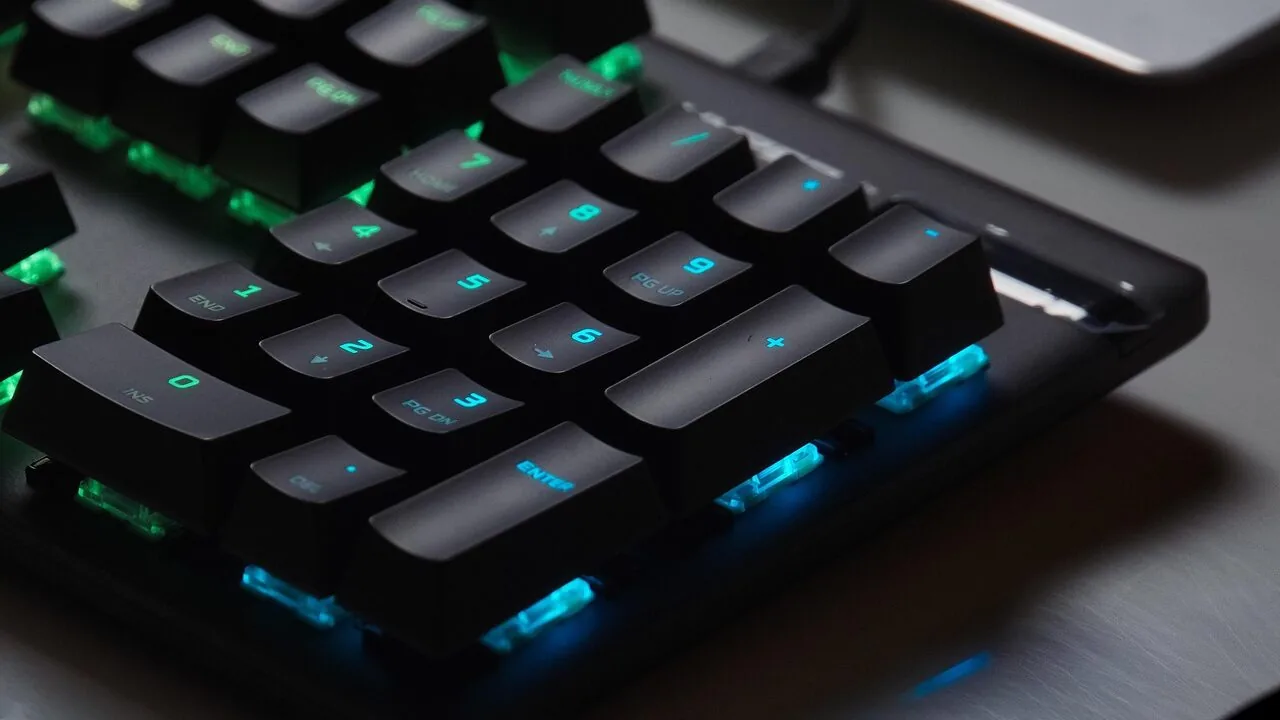
A gaming keyboard is one of the most personal pieces of hardware at your desk.
Whether you are grinding ranked matches, working through a sprawling RPG, or pulling double duty between gaming and productivity, the keyboard you choose shapes every keystroke.
The market has exploded with options ranging from budget membrane boards to high-end analog optical switches that let you tune actuation depth to the millimetre. Cutting through that noise takes more than a spec sheet glance.
At ProductFind, we researched the current field by analyzing manufacturer specifications, synthesizing expert review consensus across the enthusiast community, and weighing verified buyer feedback from thousands of confirmed purchasers.
The result is a shortlist that balances switch feel, build quality, connectivity, and real-world value.
If you are also rethinking the rest of your peripherals setup, pairing a great keyboard with ultrawide monitors built for gaming and proper monitor arms can transform your desk entirely.
Scroll down to see our top picks, then read the buying guide for everything you need to choose the right board for your playstyle.
| Award | Product | PF Score About PF ScoreThe PF Score is our own rating from 0 to 10, based on performance, design and build, ease of use, and value. It reflects independent research and is never influenced by manufacturers, retailers, or affiliate commissions. Learn more › | Price | |
|---|---|---|---|---|
| Best Overall |
 ASUS ROG Strix Scope II X Mechanical Gaming Keyboard
|
9.1/10 | Buy | |
| Editor's Pick |
 Razer Huntsman V3 Pro Gaming Keyboard
|
8.7/10 | Buy | |
| Best Value |
 Logitech G915 X Full-Size Wired Gaming Keyboard
|
8.6/10 | Buy | |
| Top Rated |
 EPOMAKER X Aula F75 MAX 75% Wireless Mechanical Keyboard
|
8.5/10 | Buy | |
 AULA F75 Pro 75% Wireless Mechanical Keyboard
|
8.4/10 | Buy | ||
 Razer BlackWidow Green Mechanical Gaming Keyboard
|
8.3/10 | Buy | ||
 Redragon K580 VATA Mechanical Gaming Keyboard
|
7.2/10 | Buy | ||
 SteelSeries Apex 3 RGB Gaming Keyboard
|
7.1/10 | Buy | ||
 Logitech G213 Prodigy RGB Gaming Keyboard
|
6.8/10 | Buy | ||
 TECKNET Wired Gaming Keyboard 15-Zone RGB
|
5.9/10 | Buy |
ASUS ROG Strix Scope II X Mechanical Gaming Keyboard
A full-size wired gaming keyboard with hot-swappable ROG NX V2 switches and PBT keycaps designed for gamers and streamers. Built with aluminum construction, sound dampening, and programmable hotkeys for gaming, content creation, and daily work.
Pros
- Hot-swappable design lets you swap switches without soldering, plus the option to choose between linear or clicky switch variants
- Enhanced RGB illumination thanks to LED lens in ROG NX V2 switches
- Integrated sound dampening and switch pads reduce noise and pinging for cleaner acoustics
- Pre-programmed Xbox Game Bar hotkeys and media wheel streamline gaming and streaming workflows
- Aluminum top plate and PBT keycaps provide durability for long-term use
Cons
- No user reviews available yet to confirm real-world performance and reliability
- Wired USB-C only connection with no wireless option for flexibility
- Premium price positioning limits appeal to budget-conscious buyers
Razer Huntsman V3 Pro Gaming Keyboard
A premium esports keyboard built for competitive FPS players, featuring Razer's Analog Optical Switches with Rapid Trigger and Snap Tap technology for near-instant directional inputs. Adjustable actuation, onboard controls, and durable PBT keycaps make it a solid choice for serious gamers willing to invest in performance-focused hardware.
Pros
- Rapid Trigger and Snap Tap enable lightning-fast, precise inputs optimized for competitive FPS gameplay
- Adjustable actuation range (0.1-4.0mm) with onboard LED adjustments require no software
- Durable Doubleshot PBT keycaps and Analog Optical Switches rated for 100 million keystrokes
- Magnetic wrist rest provides ergonomic support and attaches seamlessly to keyboard
- Digital dial and dedicated media buttons offer quick access to volume and custom macros
Cons
- Premium pricing positions it outside budget-conscious buyer segments
- No user reviews available to assess real-world reliability and long-term durability claims
- Snap Tap feature requires latest firmware update, adding setup complexity for some users
Logitech G915 X Full-Size Wired Gaming Keyboard
A premium low-profile mechanical gaming keyboard with customizable per-key macros, LIGHTSYNC RGB, and a sand-blasted aluminum design. Best suited for competitive gamers who value personalization and a sleek aesthetic over traditional mechanical feel.
Pros
- Extensive customization through KEYCONTROL with per-key macro assignment
- Durable construction with aluminum chassis and high-quality PBT keycaps
- Compact 23mm height maintains full-size functionality with minimal desk footprint
- LIGHTSYNC RGB integrates seamlessly with other Logitech G peripherals
Cons
- Wired connection limits desk flexibility compared to wireless alternatives
- No verified buyer reviews available yet to assess real-world reliability and user satisfaction
- Low-profile switches may feel unfamiliar to users accustomed to standard mechanical keyboards
EPOMAKER X Aula F75 MAX 75% Wireless Mechanical Keyboard
A compact 75% mechanical keyboard with a built-in TFT screen, volume knob, and gasket mount design that appeals to gamers and productivity users seeking customization. Supports wireless connectivity across multiple protocols and operating systems, with hot-swappable switches and programmable keys.
Pros
- TFT screen and volume knob provide intuitive control and visual feedback for customization
- Gasket-mount structure and extensive dampening materials deliver a smooth, muted keystroke with minimal echo
- Multi-protocol wireless support (Bluetooth, 2.4GHz, USB) with NKRO anti-ghosting across all modes
- Highly modular: hot-swappable switches and screw-in stabilizer compatibility enable extensive personalization
- Compact 75% layout maintains productivity without sacrificing function keys or arrow cluster
Cons
- No verified buyer reviews available to assess real-world reliability and long-term durability
- TFT screen and complex feature set may require software setup, adding learning curve for casual users
- Gasket-mount and lubed stabilizers add cost; not ideal for users seeking budget-friendly entry-level options
AULA F75 Pro 75% Wireless Mechanical Keyboard
A compact 75% mechanical keyboard with tri-mode connectivity (Bluetooth 5.0, 2.4GHz, USB-C) and hot-swappable switches designed for both gaming and office work. Features pre-lubed switches, RGB lighting with knob control, and side-printed PBT keycaps, making it accessible for keyboard customization beginners.
Pros
- Multiple connectivity options allow seamless switching between PC, laptop, tablet, and mobile devices
- Hot-swappable design eliminates soldering, making it beginner-friendly for keyboard customization
- Multi-layered silicone dampening and PCB slotting reduce hollow sounds and improve overall typing feel
- Knob-based control for lighting and media functions offers intuitive gaming and productivity modes
- Side-printed PBT keycaps resist fading and wear better than traditional ABS alternatives
Cons
- No verified user reviews available yet to confirm real-world durability and build quality claims
- Compact 75% layout eliminates some keys found on full-size boards, which may require adjustment for certain workflows
- Driver software required for advanced macro programming and music-sync lighting effects, adding setup complexity
Razer BlackWidow Green Mechanical Gaming Keyboard
Razer's flagship mechanical keyboard pairs tactile green switches with customizable RGB lighting and programmable macros, making it a solid choice for competitive gamers and typists who value audible feedback. The build quality holds up to extended use, though the clicky switch design may not suit quieter environments.
Pros
- Tactile green switches provide reliable actuation and satisfying feedback for both gaming and typing
- Extensive RGB customization with individual key backlighting and ecosystem integration
- Robust macro programming capabilities for complex command execution
- Proven durability rated to 80 million keystrokes with manufacturer warranty
Cons
- Loud clicky switches unsuitable for shared or noise-sensitive environments
- No user reviews available to validate real-world reliability claims
- Premium pricing typical of gaming-oriented mechanical keyboards
Redragon K580 VATA Mechanical Gaming Keyboard
A mid-range mechanical keyboard with hot-swappable switches, 5 programmable macro keys, and customizable RGB lighting. Delivers practical gaming features like dedicated media controls and onboard macro recording without requiring software installation.
Pros
- Hot-swap compatibility makes switch customization straightforward without soldering
- Macro keys and media controls reduce need to alt-tab during gaming sessions
- Extensive RGB customization available without software installation
- Built for longevity with 50 million keystroke rating and sealed switches
Cons
- No user reviews available to confirm real-world durability or reliability
- Blue switch actuation (60g) may feel heavy for some typists or all-day gaming
- Limited information on software support for advanced customization beyond on-keyboard controls
SteelSeries Apex 3 RGB Gaming Keyboard
A budget-friendly gaming keyboard with 10-zone RGB lighting, whisper-quiet switches rated for 20 million presses, and IP32 water resistance. The magnetic wrist rest and multi-platform compatibility make it practical for casual gamers and everyday typists seeking a quieter mechanical experience.
Pros
- Nearly silent switches minimize noise during extended gaming or work sessions
- IP32 water resistance protects against accidental liquid spills
- Premium magnetic wrist rest provides comfortable palm support
- 10-zone RGB illumination with customizable effects
- Dedicated multimedia controls for quick volume and settings adjustments
- Compatible across Windows, Mac, and major gaming consoles
Cons
- No user reviews available to verify real-world durability or user satisfaction
- Limited customization depth compared to higher-end SteelSeries models
- Relatively heavy at 2.8 pounds may be less portable for travel
Logitech G213 Prodigy RGB Gaming Keyboard
A full-sized wired gaming keyboard with 5 customizable RGB lighting zones and dedicated media controls, designed for gamers seeking responsive performance without mechanical switches. Anti-ghosting matrix and liquid-resistant build make it practical for extended play sessions and everyday use.
Pros
- Responsive key feedback tuned for gaming performance
- Practical liquid-resistant construction holds up to spills and debris
- Customizable RGB lighting syncs with other Logitech G devices
- Dedicated media controls offer quick access without software
- Comfortable palm rest and adjustable feet for long sessions
Cons
- Membrane switches lack the tactile feel of mechanical alternatives
- No user reviews available to verify real-world durability claims
- Macro programming requires Logitech G Hub software installation
TECKNET Wired Gaming Keyboard 15-Zone RGB
A budget-friendly wired gaming keyboard with 15-zone RGB backlighting, whisper-quiet switches rated for 50 million keystrokes, and IP32 spill resistance. Designed for gamers and office workers seeking silent operation without breaking the bank.
Pros
- Near-silent operation ideal for shared workspaces and offices
- IP32 spill resistance with removable key cover makes cleaning straightforward
- 25 simultaneous key presses eliminate ghosting during intense gaming sessions
- Comprehensive RGB customization with multiple modes and brightness settings
- Durable metal base construction with 50-million keystroke lifespan
Cons
- Zero verified buyer reviews available to assess real-world reliability and durability claims
- Multimedia keys incompatible with Mac systems, limiting cross-platform functionality
- Auto-sleep backlight after 30 minutes may require frequent wake commands in low-light environments
Gaming Keyboards Buying Guide
Choosing a gaming keyboard is more nuanced than picking the one with the most RGB zones.
The sections below walk through the criteria that actually move the needle for real-world gaming and daily use, so you can match specifications to your specific needs rather than marketing copy.
Switch Type and Feel

The switch is the single biggest factor in how a keyboard feels to use.
Mechanical switches divide broadly into three personalities: clicky switches deliver audible tactile feedback that many typists love but office neighbours may not; tactile switches offer a bump without the noise; and linear switches travel smoothly from top to bottom, which many competitive players prefer because there is no mid-stroke interruption.
The Razer BlackWidow’s Green switches sit firmly in clicky tactile territory, while the linear-tuned ROG NX Snow V2 switches on the ASUS ROG Strix Scope II X suit players who want fast, uninterrupted keystrokes.
Beyond the classic mechanical trio, analog optical switches are gaining serious traction in competitive play.
The Razer Huntsman V3 Pro uses analog optical technology that lets you dial in the exact actuation point and rapid trigger threshold digitally, rather than being locked to a factory setting.
For esports or any game where a few milliseconds of input latency matters, this flexibility is a genuine advantage and not just a marketing claim.
If you are still exploring ergonomic alternatives for long typing sessions alongside gaming, ergonomic keyboards designed for every workspace are worth considering as a complement or alternative.
Hot-swap support is an increasingly common feature that lets you swap switches without soldering, essentially turning one board into many over its lifetime.
Both the Redragon K580 VATA and the AULA F75 Pro offer hot-swap sockets, which is remarkable at their respective price points.
If you are the kind of user who enjoys tuning and experimenting, prioritise hot-swap compatibility over a pre-soldered board at a similar price.
Form Factor and Layout

Full-size keyboards include a numpad and every function key, making them excellent for players who use macros heavily or who switch between gaming and spreadsheet work.
The ASUS ROG Strix Scope II X and the Razer BlackWidow both arrive in full-size layouts. The trade-off is desk real estate: a full-size board pushes your mouse further to the right, which can increase shoulder strain during long sessions.
The 75% layout has become the sweet spot for many players who want a compact footprint without sacrificing arrow keys or the function row.
The AULA F75 Pro and the EPOMAKER X Aula F75 MAX both use this form factor, fitting navigation keys into a tighter chassis.
If you are optimising a small desk, the 75% layout saves meaningful space while keeping the keys most players actually use during gaming sessions. A well-adjusted monitor arm can reclaim additional desk space to complement a compact keyboard choice.
Tenkeyless (TKL) boards sit between full-size and 75%, dropping the numpad but retaining dedicated arrow and navigation clusters. Whatever form factor you choose, pay attention to keycap legends and the presence of dedicated macro keys.
The Redragon K580 VATA includes dedicated macro keys and media controls without demanding a premium price, which is a worthwhile addition for MMO or strategy game players who rely on complex bindings.
Wired vs. Wireless Connectivity
Wireless gaming keyboards have matured to the point where latency is no longer a meaningful concern for the vast majority of players.
Modern 2.4 GHz wireless connections operate at polling rates comparable to wired USB, and many keyboards now layer in Bluetooth 5.0 as a secondary option for device switching.
The AULA F75 Pro and the EPOMAKER X Aula F75 MAX both support 2.4 GHz wireless, USB-C wired, and Bluetooth 5.0 in a single package, giving maximum flexibility across PC, Mac, and even mobile setups.
For competitive players who prefer a guaranteed zero-latency connection, wired remains the default.
Boards like the Logitech G915 X Wired and the ASUS ROG Strix Scope II X use USB-C connections with high-polling-rate USB, keeping input lag as low as the platform allows.
If you run a multi-device desk and want to clean up cable clutter, pairing a wireless keyboard with other wireless peripherals and a solid network switch for your broader home setup is a practical way to reduce tangles without sacrificing reliability.
Build Quality and Durability

Gaming keyboards take a lot of abuse. Key rollover and anti-ghosting matter here: look for full N-key rollover, which registers every simultaneous keypress regardless of how many keys are held at once.
Most keyboards in this roundup offer full N-key rollover or at minimum 25-key anti-ghosting. The TECKNET wired keyboard advertises 25 anti-ghosting keys and an all-metal panel, which is a solid physical build for a board at its price tier.
Water resistance ratings like IP32 guard against accidental spills draining between the keys. The SteelSeries Apex 3 and the TECKNET board both carry IP32 ratings.
This does not mean you should deliberately pour liquid on them, but it does add a meaningful layer of protection during late-night gaming sessions with drinks nearby.
The EPOMAKER X Aula F75 MAX goes further structurally with a gasket-mounted design that isolates the PCB from the case, reducing vibration and softening the sound profile, a feature typically found on boutique boards at much higher price points.
Keycap material is another durability signal. PBT keycaps resist shine and wear far better than ABS.
Doubleshot PBT, as found on the Razer Huntsman V3 Pro, ensures legends never fade because they are moulded through two layers of plastic rather than printed on the surface.
Side-printed PBT on the AULA F75 Pro is a similar commitment to long-term legibility.
RGB Lighting and Software

RGB lighting is table stakes in gaming keyboards at almost every price point. What differentiates boards is the quality of per-key addressable lighting and the software ecosystem behind it.
Razer Synapse, Logitech G HUB, and SteelSeries Engine are mature platforms that allow deep customisation of lighting zones, macro programming, and game-specific profiles.
The Razer Huntsman V3 Pro and Logitech G915 X both benefit from well-developed software stacks with large user communities posting pre-built profiles.
If you prefer to avoid software dependencies entirely, look for keyboards with onboard memory for profile storage.
The Redragon K580 VATA supports onboard macro recording, meaning you can program macros directly on the keyboard without installing any software, a genuine convenience if you use the board across multiple PCs.
The EPOMAKER X Aula F75 MAX adds a TFT screen and a control knob for on-the-fly settings adjustments without needing to open any application at all.
Value and Budget Fit

Gaming keyboards span a wide price range from genuinely affordable to premium investment-grade.
At the budget end, the TECKNET wired keyboard delivers an all-metal panel and IP32 water resistance at a very accessible price, making it a reasonable starting point for new PC builders.
Mid-range boards like the Logitech G213 Prodigy and the SteelSeries Apex 3 add brand-ecosystem integration and broader feature sets without demanding a premium outlay.
Investing in quality RAM and storage matters too, so if you are building a new gaming rig around a flagship keyboard, pairing it with quality desktop RAM kits is equally important for overall system performance.
At the upper end, the Razer Huntsman V3 Pro and Logitech G915 X represent mature, feature-complete platforms where the premium reflects real engineering rather than branding.
The ASUS ROG Strix Scope II X sits in a compelling mid-to-upper range with hot-swap ROG NX Snow V2 switches, full-size PBT keycaps, and a polished build at a price below the flagship tier.
If you are also evaluating keyboard cases for tablets for a secondary mobile setup, that is a separate category worth reading about on its own terms.
Why You Should Trust Us
ProductFind is an independent review publication with no brand partnerships or manufacturer sponsorships that influence our rankings.
Every keyboard in this guide was assessed using our consistent PF Score methodology, a 0 to 10 scale applied across a standardised set of criteria: switch performance and feel, build quality and durability, connectivity and compatibility, software ecosystem depth, lighting implementation, and overall value relative to the competition in its price tier.
We do not conduct our own product trials; our evaluations are grounded in research, published data, expert review consensus, and verified buyer feedback.
This means we draw on the accumulated knowledge of the enthusiast keyboard community, analyse detailed manufacturer specifications and independent teardown data, and weight the long-term experiences of verified purchasers rather than first-impression impressions alone.
Our goal is to surface the genuine consensus across many credible signals rather than relying on a single source.
ProductFind may earn an affiliate commission if you purchase through links in this article. That relationship does not influence which products are included, how they are ranked, or what PF Score they receive.
Our rankings are determined entirely by evaluated merit. We never accept payment for placement, and our editorial team operates independently from any commercial arrangements.
Final Thoughts
After comprehensive research across specifications, expert review consensus, and verified buyer feedback, a clear hierarchy emerged from this group of ten keyboards. Here are the standout designations from our evaluation:
- Best Overall: ASUS ROG Strix Scope II X earns the top spot with the highest PF Score in this roundup, combining hot-swappable pre-lubed ROG NX Snow V2 linear switches, doubleshot PBT keycaps, full-size layout, and broad PC and Mac compatibility in a polished package at a mid-to-upper price point.
- Best for Competitive Esports: Razer Huntsman V3 Pro stands apart for its analog optical switches with rapid trigger and adjustable actuation, features that give competitive players a measurable edge in games where precise input timing is critical.
- Best Low-Profile Wired Board: Logitech G915 X Wired delivers a slim, premium typing experience with linear switches in a sleek chassis, backed by the mature Logitech G HUB ecosystem and a build quality that justifies its premium positioning.
- Best Wireless Value: EPOMAKER X Aula F75 MAX impresses with gasket-mounted construction, a TFT status screen, tri-mode wireless, and hot-swap support in a 75% form factor, delivering boutique-level features at a remarkably accessible price.
- Best Budget Pick: AULA F75 Pro Wireless offers tri-mode connectivity, hot-swappable pre-lubed Reaper switches, and side-printed PBT keycaps in a compact 75% layout at a price that leaves little room for complaint among budget-conscious buyers.
Whatever your priority, whether it is competitive input performance, long-session comfort, wireless freedom, or stretching a tight budget, this field has a strong answer.
If you are building out a broader gaming station, exploring quality PC cases for your build or investing in liquid CPU coolers are natural next steps once the peripherals are sorted.
Frequently Asked Questions
What Is the Difference Between a Mechanical and a Membrane Gaming Keyboard?
Mechanical keyboards use individual switches under each key, providing consistent tactile or auditory feedback and a lifespan typically rated at 50 to 100 million keypresses per switch.
Membrane keyboards use a pressure-sensitive rubber dome layer that collapses when pressed, which is quieter and less expensive but generally offers a mushier feel with less precise actuation feedback.
The Logitech G213 Prodigy uses Logitech’s mech-dome technology, a hybrid that adds some tactile character to a membrane design, which is a reasonable compromise at its price point.
Do I Need a Full-Size Keyboard for Gaming, or Is a Compact Layout Better?
There is no universal answer. Full-size keyboards are best if you rely on a numpad for macros, use spreadsheet software alongside gaming, or simply prefer having every key readily accessible.
Compact layouts like 75% save desk space and keep your mouse hand closer to the center of your body, which reduces reach fatigue during long sessions.
For most shooter and action game players, a TKL or 75% board is the practical sweet spot. For MMO or strategy players who bind extensive macro sets, the extra real estate of a full-size board earns its place.
Are Wireless Gaming Keyboards as Reliable as Wired Ones?
For the overwhelming majority of gaming scenarios, yes. Modern 2.4 GHz wireless keyboards operate at latency levels that are indistinguishable from wired in practical gameplay.
The AULA F75 Pro and EPOMAKER X Aula F75 MAX both use dedicated 2.4 GHz dongles that maintain stable low-latency connections without the interference issues associated with older Bluetooth-only wireless.
Bluetooth is best reserved for secondary pairing with tablets or phones rather than competitive gaming sessions where consistency matters most. If you are also powering a portable charger for travel, wireless keyboards integrate naturally into a cable-free mobile setup.
What Does Hot-Swap Mean and Why Does It Matter?
Hot-swap means the switch sockets on the PCB accept switches without soldering, so you can pull out existing switches and insert different ones using a switch puller tool in minutes.
This matters because switch preference is personal and often evolves over time.
A hot-swap board like the ASUS ROG Strix Scope II X or the AULA F75 Pro lets you experiment with tactile, clicky, or linear switches without buying a new keyboard, effectively extending the functional life of your investment considerably.
How Important Is Keycap Material for Long-Term Use?
Very important if you type or game heavily. ABS plastic keycaps, common on budget boards, develop a greasy shine within months of regular use and can become harder to read. PBT plastic is denser and more resistant to wear.
Doubleshot PBT keycaps, like those on the Razer Huntsman V3 Pro, mould the legend colour through the cap rather than printing it, so the letters physically cannot fade.
If you are investing in a mid-range or premium board, confirming PBT keycaps is one of the easiest ways to protect long-term satisfaction with the purchase.
Is It Worth Buying a Gaming Keyboard with a Wrist Rest?
A wrist rest can meaningfully reduce fatigue during extended sessions by keeping your wrists in a more neutral position. The SteelSeries Apex 3 includes a premium magnetic wrist rest in the box, which adds real value at its price.
That said, third-party wrist rests are widely available and often preferable for users who want a specific material or thickness.
If ergonomics are a primary concern, it is worth reading about ergonomic keyboard designs that pair well with proper wrist support strategies, since layout geometry matters as much as the rest itself.
About the author
Megan is a reviewer and writer for ProductFind who specializes in PC Components & Peripherals. Megan evaluates products through independent research: specifications, expert review consensus, and verified buyer feedback, and rates each one on the PF Score. Megan focuses on helping readers pick the right pc components & peripheral for their needs and budget.